By adsturbo.ai | Published 2026-10-14 | Updated 2026-10-14
An amazon product video white background generator helps ecommerce sellers turn a clean product image into a short, realistic product presentation with controlled lighting, rotation, and close-up shots. The important distinction is that Amazon’s pure-white background requirement primarily applies to the main product image, while product videos must be descriptive, demonstrative, product-focused, and compliant with Amazon’s video policies. (sellercentral.amazon.com)
The best workflow does not simply place an object on a white canvas. It preserves the product’s shape, color, proportions, packaging details, and physical behavior while using motion to show what a still image cannot.
What is an Amazon product video with a white background?
An Amazon product video with a white background is a product-focused video that presents the item against a clean, neutral visual field. It may include a slow rotation, front-to-back movement, detail shots, product-in-use demonstrations, or a controlled camera push-in.
Amazon’s official guidance recommends product videos that explain what the product is, how it works, who it is for, and what differentiates it. A white background can support that goal by reducing visual distractions, but it should not replace useful product evidence. (sellercentral.amazon.com)
This format is especially useful for:
- Small electronics and accessories
- Beauty tools and personal-care products
- Kitchen and household items
- Packaging-led products
- Products with important texture, finish, or shape details
- New listings that lack professionally filmed footage
A useful rule is white background for clarity, motion for proof. The background creates visual consistency; the movement should answer a buyer’s question.
Amazon white-background rules: image versus video
One common source of seller confusion is treating image rules and video rules as identical. They are related, but not interchangeable.
| Asset | Main purpose | Important Amazon consideration |
|---|---|---|
| Main product image | Search and detail-page identification | Must show the product on a pure white background, RGB 255/255/255, with the product filling approximately 85% of the frame |
| Additional product images | Features, angles, scale, and use cases | Should accurately represent the product and avoid misleading props, text, badges, or watermarks |
| Product video | Demonstration and buying confidence | Should be descriptive, demonstrative, product-focused, and compliant with community guidelines |
| Sponsored video ad | Paid discovery and conversion | Must follow Amazon Ads creative specifications and moderation policies |
Amazon states that the main image should use a pure white background with RGB values of 255, 255, 255. It also says that the product should occupy about 85% of the frame and remain fully visible. These requirements apply to the main image, not automatically to every video frame. (sellercentral.amazon.com)
For product videos, the safer approach is to keep the background simple while using the video to demonstrate scale, operation, components, or a key benefit. Amazon also recommends clear, attractive, and informative media rather than decorative animation with no product explanation. (sellercentral.amazon.com)
How to create a realistic white-background product video
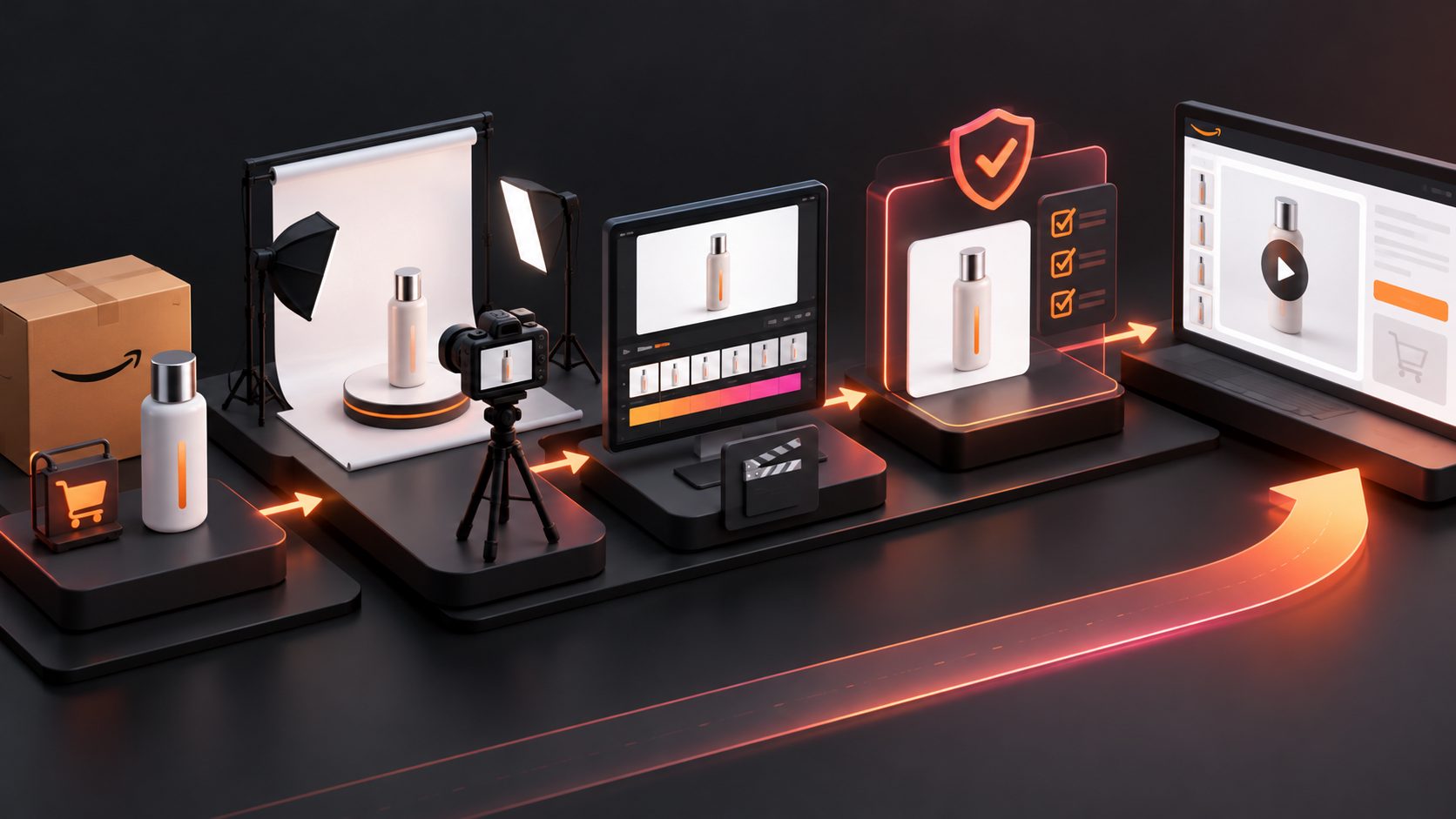
1. Start with a clean product source
Use a sharp JPG or PNG product image. A product photographed on a solid-color background generally produces cleaner separation than an image with shadows, clutter, reflective surfaces, or overlapping objects.
AdsTurbo Product Image supports JPG and PNG uploads. Its workflow can analyze a product’s shape, color, and category, which makes it useful for preparing consistent product visuals before creating a video. For best results, provide one product per image and avoid aggressive perspective distortion.
2. Define the motion before generating
Do not begin with “make it spin.” Choose one motion objective:
- Inspection rotation: Show front, side, rear, and top details.
- Feature reveal: Move from the exterior toward a button, port, texture, or mechanism.
- Usage demonstration: Show the product performing one clear action.
- Premium presentation: Use a slow turntable-style movement with controlled lighting.
For many ecommerce products, a full 360-degree rotation is less useful than a three-quarter rotation followed by a detail close-up. This reduces time spent showing identical surfaces and creates a stronger information density per second.
3. Build a neutral lighting plan
Pure white does not mean flat white. A product can disappear when the object is white, silver, glossy, or transparent.
Use three visual controls:
- Edge separation: Add a soft shadow or subtle tonal difference under the product.
- Surface definition: Preserve highlights on curved or reflective materials.
- Color accuracy: Avoid colored lighting that changes the perceived product tone.
This is a key practical insight: the background should be neutral, but the product still needs dimensional lighting. A completely shadowless render may look clean in a preview while making the object appear cut out or weightless.
4. Keep the product physically consistent
Before export, compare the opening and closing frames with the original listing image. Check:
- Product dimensions and proportions
- Number of buttons, openings, straps, or accessories
- Logo placement and printed text
- Color temperature
- Packaging and included components
- Orientation of hinges, handles, or controls
Generative motion is most useful when it reveals information without changing the item. If the product’s geometry shifts during rotation, use clip-by-clip editing to remove that section instead of forcing the entire output to remain.
AdsTurbo provides clip-by-clip editing, product video generation, background replacement, AI upscaling, and video subtitle tools. These functions can support a workflow that separates generation from quality control rather than treating the first render as final.
A practical 15-second storyboard
A short white-background product video can follow this structure:
-
0–2 seconds: Product identity
Show the product at a clear three-quarter angle. Avoid opening on an extreme close-up. -
2–6 seconds: Controlled rotation
Rotate slowly enough for the viewer to understand the silhouette, size, and main surfaces. -
6–10 seconds: Feature proof
Cut to one functional detail, such as a connector, texture, opening mechanism, or included component. -
10–13 seconds: Use or interaction
If the product has an obvious action, demonstrate it. If not, show a second useful angle. -
13–15 seconds: Clean closing frame
End on the strongest product view with no unnecessary claims, badges, or visual clutter.
The sequence above is an original production framework based on an information-density principle: every shot should either identify the product, prove a feature, or reduce purchase uncertainty.
For longer source footage, review how to compress Amazon product video length without losing key selling points. If an upload fails during processing, use the Amazon product video transcoding fix and re-export workflow.
White-background video quality-control checklist
Before uploading, inspect the video at normal speed and frame by frame.
Visual checks
- The product remains recognizable in every shot.
- The background does not shift between gray, cream, and white.
- Edges do not flicker during rotation.
- Reflections do not create false buttons, ports, or surfaces.
- Shadows support depth without hiding the product.
- The product is not cropped at the beginning or end.
- Accessories shown in the video are actually included with the product.
Content checks
- The video demonstrates or explains a product feature.
- Claims match the listing and packaging.
- No unsupported awards, badges, prices, or seller-specific promises appear.
- Text overlays are readable and do not obscure the item.
- The video does not rely on a talking head to explain basic functionality.
- The thumbnail clearly represents the product.
Amazon’s image requirements prohibit misleading content, watermarks, badges, and certain text elements in product imagery. Product videos must also comply with Amazon’s community guidelines and should remain focused on the item being sold. (sellercentral.amazon.com)
For multilingual listings, AdsTurbo Video Subtitle can automatically transcribe speech, generate time-synchronized subtitles, and export either a burned-in version or a separate subtitle file. This is useful when the same product demonstration is adapted for multiple markets.
Common questions
Does Amazon require every product video to use a pure white background?
No. Amazon’s pure-white RGB 255/255/255 rule is specifically stated for the main product image. Product videos should remain clear, accurate, descriptive, and product-focused. A white background is a low-risk visual choice, but it is not a substitute for useful demonstration. (sellercentral.amazon.com)
Is a 360-degree product video always the best format?
No. A complete rotation is helpful when shape, finish, or construction matters. For products with one decisive feature, a shorter rotation followed by a close-up or usage shot usually communicates more value.
Can a product image become a product video?
Yes. A clean JPG or PNG can serve as the visual source for a generated product video. The final result should still be checked for geometry, color, reflections, and accurate product details.
Should the background be pure white in every frame?
Not necessarily. A consistent, uncluttered background is usually safer than a changing scene. For Amazon’s main image, use the specified pure white requirement. For video, prioritize product visibility and truthful demonstration.
What should sellers do after generating the video?
Compare it against the listing images, verify every visible feature, check the opening thumbnail, and confirm that the file meets the destination’s upload requirements. A final compliance review is more valuable than generating multiple unverified variations.
Final takeaway
An amazon product video white background generator works best when it is treated as a controlled product-visualization workflow, not a one-click animation tool. Start with a clean source image, define the motion objective, preserve physical details, use dimensional lighting, and finish with a frame-level compliance check.
For ecommerce teams that need to turn product images, references, and selling points into testable creative variations, AdsTurbo’s AI video advertising platform combines product video generation with editing, localization, subtitles, and image enhancement workflows.