By adsturbo.ai | Published 2026-10-10 | Updated 2026-10-10
An Amazon seasonal ad creative update workflow lets sellers refresh Sponsored Brands video campaigns without commissioning a new shoot every quarter. The practical approach is to preserve product demonstrations and proof scenes, then replace only the opening hook, seasonal context, promotional language, and final brand frame.
This modular method reduces production work while keeping each campaign relevant to the shopping moment.
What Is a Seasonal Creative Update Workflow?
A seasonal creative update workflow is a repeatable process for turning one evergreen product video into event-specific variants. Instead of rebuilding the advertisement, the seller separates durable product footage from temporary elements such as holiday imagery, campaign headlines, colors, offer references, and calls to action.
Amazon says Sponsored Brands videos begin playing without sound, so the opening visual and on-screen message must communicate independently of narration. Its current specifications allow videos from 6 to 45 seconds, recommend 20 seconds or less, and list 16:9 as the standard aspect ratio. Sellers should verify the latest requirements in the official Sponsored Brands video specifications before exporting. (advertising.amazon.com)
How Should Sellers Structure a Reusable Video?
Use a core–shell–expiry structure: protect the scenes that prove the product’s value, rotate the scenes that establish seasonal relevance, and isolate any claim that becomes invalid after a specific date.
The following 70/20/10 model is an editorial planning heuristic, not an Amazon performance benchmark:
| Creative layer | Suggested share | Typical elements | Update frequency |
|---|---|---|---|
| Evergreen core | 70% | Product demo, use case, feature proof, close-ups | Only when the product or positioning changes |
| Seasonal shell | 20% | Opening hook, setting, color treatment, gifting context | Every season or shopping event |
| Expiring layer | 10% | Promotion, event name, offer language, final CTA | Before every campaign flight |
For example, a drinkware seller could keep footage showing the lid seal, insulation, and cupholder fit. A summer version might open with “Cold drinks for road-trip days,” while a winter variant begins with “A practical gift for daily commutes.” No product footage needs to change.
How Do You Update a Sponsored Brands Video Step by Step?
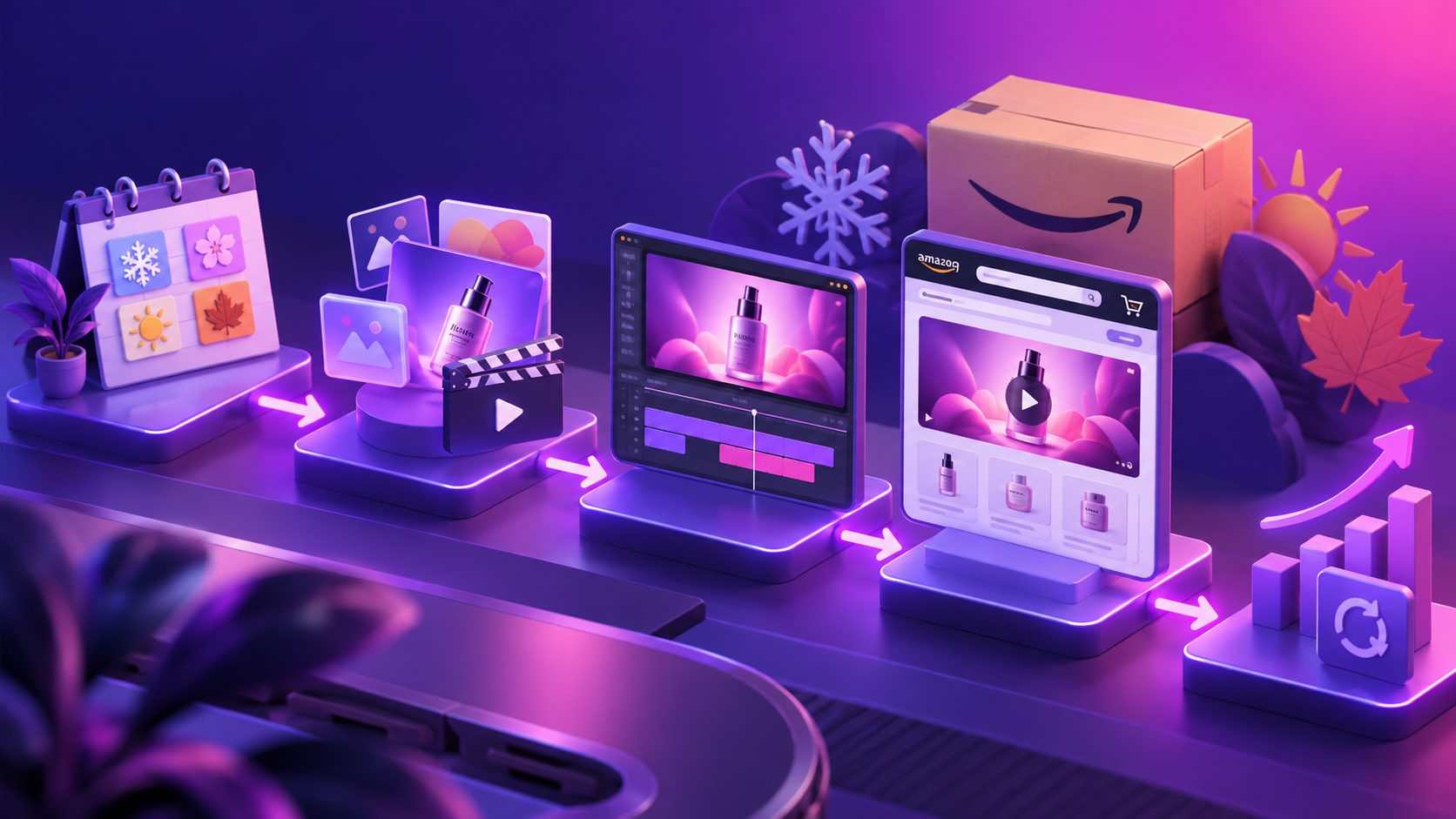
The fastest workflow starts with campaign evidence, not decoration. Identify the product promise that already earns qualified clicks, lock that section, and create controlled seasonal variations around it.
- Audit the existing campaign. Record the ASIN, landing page, targeting, headline, video version, CTR, conversion rate, CPC, sales, and ROAS. Avoid changing targeting and creative simultaneously.
- Mark reusable clips. Label each shot as hook, demonstration, proof, objection handling, payoff, or brand frame. Protect the clearest demonstration and proof.
- Write three seasonal hooks. Test a use occasion, a seasonal problem, and a gift-oriented angle. Each hook should still describe the advertised product accurately.
- Replace only selected clips. Change the first two to four seconds, environmental background, on-screen copy, and end card. Keep the middle product sequence stable.
- Run a compliance preflight. Confirm that the ASIN is available, the landing page supports the message, text remains legible, and no expired promotion appears. A cross-ASIN Amazon video compliance workflow is useful when updating a catalog.
- Submit before the seasonal launch. Leave time for moderation and retain the previous approved creative until its replacement is ready.
Amazon supports editing eligible live Sponsored Brands video creative. Campaigns linked to a product detail page can update the video, while eligible Store-linked campaigns can edit elements including the logo, video, headline, and product. Amazon also states that the previous version may continue running while the update is reviewed, helping preserve campaign history. (advertising.amazon.com)
Which Seasonal Elements Should Change First?
Prioritize changes according to their effect on relevance and their expiration risk. The opening hook normally deserves attention first because shoppers must understand the product and seasonal use case before they scroll past.
Use this update order:
- First frame and hook: Present the product, outcome, or recognizable seasonal problem immediately.
- On-screen copy: Replace generic slogans with one concrete benefit connected to the event.
- Context scene: Introduce gifting, travel, weather, hosting, back-to-school, or another relevant use occasion.
- Headline: Align it with the video and destination page rather than repeating the same words.
- Offer reference: Add promotional language only when the corresponding Amazon offer is active.
- End card: Keep brand identity consistent while removing obsolete event names and dates.
Amazon’s moderation guidance says advertisements should match their destination, must not promote unavailable products, and should end no later than the relevant promotion. Specific savings language must also be supported by an active offer. (advertising.amazon.com)
How Can AI Refresh the Ad Without a Reshoot?
AI is most useful when it performs controlled substitutions rather than inventing a completely new product story. Sellers can reuse approved source footage while changing clip order, backgrounds, subtitles, language, presenter, or visual resolution.
AdsTurbo offers Clip by Clip editing, background replacement, video subtitles, translation, AI upscaling, Lip Sync, Character Swap, Product Video, and Ad Clone workflows. Ad Clone can analyze a reference advertisement’s opening, pacing, shot logic, and CTA structure before rebuilding the concept for another product.
A practical production sequence is:
- Preserve the original product demonstration.
- Create three replacement opening clips.
- Add a seasonal background only where it does not distort the product.
- Generate time-synchronized captions for muted viewing.
- Upscale reused footage when compression makes details unclear.
- Export a review copy before creating the final Amazon asset.
Sellers starting with product photos can also use a no-filming ecommerce video production workflow. When adapting approved assets for other channels, follow a separate three-format video resizing workflow rather than placing bars around an Amazon export.
How Should Seasonal Variants Be Tested?
Test one creative variable at a time while holding the ASIN, targeting, bid strategy, and landing destination as stable as possible. This makes the result easier to interpret and prevents a targeting change from being mistaken for a stronger hook.
Start with two versions:
- Control: Existing evergreen opening and unchanged middle sequence.
- Challenger: Seasonal opening with the same demonstration, proof, duration, and destination.
Evaluate CTR as the first indication that the hook attracts attention, then check conversion rate and ROAS to determine whether the message brings suitable shoppers. A higher CTR with weaker conversion may mean the seasonal hook is interesting but insufficiently aligned with the product page.
Do not replace a winner after a handful of clicks. Set a consistent evaluation window and document impressions, clicks, orders, sales, and spend. The objective is not merely to identify a winning video; it is to learn which seasonal promise deserves reuse next year.
What Should Be Checked Before Publishing?
A preflight review should catch both technical rejection risks and commercial inconsistencies. Review the finished creative in silence, on a small screen, and beside the exact destination page.
Confirm that:
- The product appears within the opening seconds.
- The video remains understandable with audio muted.
- Text is readable and avoids the lower-right interface area.
- The exported file follows the current Amazon specifications.
- The ASIN shown is in stock and available for purchase.
- Product colors, accessories, and functions are represented accurately.
- The headline, video, offer, and destination communicate the same promise.
- Event dates and promotions have a scheduled removal point.
- The campaign includes a clearly named backup creative.
- Someone other than the editor completes the final product-accuracy review.
This final check prevents a quick seasonal refresh from introducing a product mismatch, expired claim, or avoidable moderation delay.
Frequently Asked Questions
How often should Amazon seasonal video creative be refreshed?
Refresh it before major shopping events, quarterly use-case changes, or clear performance decline. Evergreen categories may need only a new hook and background, while giftable or weather-dependent products usually require more frequent contextual updates.
Does every seasonal campaign need a new video shoot?
No. Product demonstrations, detail shots, proof sequences, and brand frames can often be reused. Replace footage only when the product, packaging, included accessories, or advertised function has changed.
Should a seasonal video include an exact discount?
Only when the promotion is active, accurately represented, supported on the destination page, and permitted by Amazon’s current advertising policies. General benefit-led copy is easier to reuse and carries less expiration risk.
What is the safest element to test first?
Test the opening hook first. Keep the product, middle demonstration, duration, landing page, and targeting stable so the result reveals whether the new seasonal angle changes shopper response.
Can the existing campaign remain live during an update?
Eligible Sponsored Brands video campaigns may continue serving the previous creative while an edited version goes through moderation. Check the Creative tab and current Advertising Console options for the specific campaign structure. (advertising.amazon.com)