Auto Parts Fitment Compatibility Video Ad Ecommerce Guide

Summarize with
Summary
Build auto parts fitment compatibility video ad ecommerce creatives with dynamic year-make-model overlays, split-screen proof, and clearer CTAs. Start creating.
By AdsTurbo Team | Published 2026-10-25 | Updated 2026-10-25
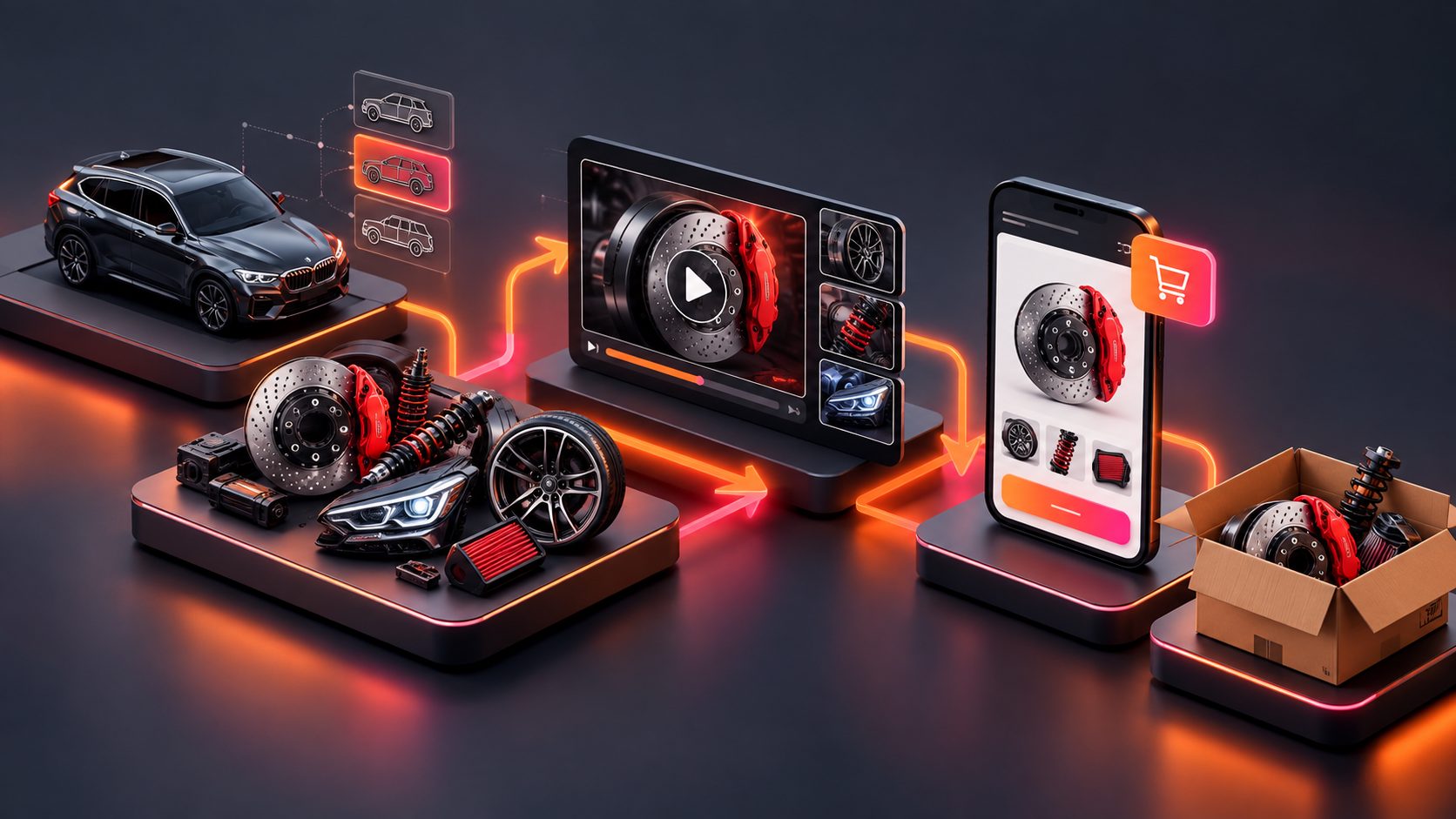
An auto parts fitment compatibility video ad ecommerce workflow helps shoppers answer the most important question before checkout: “Will this part fit my vehicle?” For independent auto parts stores, the strongest creative combines dynamic year-make-model messaging, product close-ups, installation context, and a clear fitment-check CTA.
A good video does not replace a fitment database or vehicle selector. It makes verified compatibility information easier to understand at the moment a shopper is deciding whether to click, add to cart, or leave.
What is a fitment compatibility video ad?
A fitment compatibility video ad is a short product video that connects an automotive part to specific vehicle applications, such as year, make, model, engine, trim, or position. It combines product demonstration with compatibility guidance instead of treating the part as a generic ecommerce item.
The difference matters because YMM—year, make, and model—is a selection method, while fitment is the verified relationship between a vehicle configuration and a product. Autoforge describes fitment as the system connecting a customer’s vehicle with compatible automotive products. (autoforge.parts)
For a direct-to-consumer auto parts store, the video should support—not invent—the seller’s catalog data. If a part is only compatible with selected trims or model years, the creative should make that limitation visible.
Why fitment information belongs in the video
Auto parts shoppers commonly need more than a polished product shot. They want to know whether the part matches their vehicle, where it installs, what it replaces, and whether the installation result looks correct.
A guide from Classy Llama identifies fitment, photography, detailed product information, and installation instructions as important parts of automotive ecommerce merchandising. It also notes that shoppers visit manufacturer websites to verify product details, compatibility, and installation information. (classyllama.com)
A video can reduce uncertainty in three ways:
- Recognition: Show the part’s shape, connectors, mounting points, or finish.
- Compatibility: Display verified vehicle applications in readable text.
- Context: Show where the part belongs and what the installed result should look like.
This is especially useful for products that appear similar across multiple vehicle generations. A brake component, grille insert, floor mat, sensor, mirror cover, or cargo accessory may look right in isolation while still being wrong for a particular application.
The split-screen format for vehicle compatibility
The most practical format for fitment-led ads is a split screen: the product or installation context on one side, and compatibility information on the other.
Left side: product proof
Use the visual area to show:
- A clean product close-up
- Connector or mounting detail
- Before-and-after installation
- The part in its actual vehicle location
- A short action such as clip, bolt, slide, twist, or lock
Do not show an installation action unless it matches the real product. If installation footage is unavailable, use product stills, diagrams, or text-led sequences rather than generating a misleading procedure.
Right side: fitment proof
Use the information area for:
- Compatible year range
- Vehicle make and model
- Engine or trim limitation
- Front/rear or left/right position
- OEM or manufacturer part number
- “Verify fitment before ordering” guidance
Keep each frame focused. Listing twelve vehicle applications in tiny text may technically provide information but will not help a mobile viewer. Use a short representative range in the ad, then direct shoppers to the complete fitment table on the product page.
Recommended 15-second sequence
| Time | Visual | On-screen message |
|---|---|---|
| 0–2 sec | Product close-up or installed problem | “Replacing a worn factory part?” |
| 2–5 sec | Split screen with product and vehicle data | “Fits selected 2018–2022 models” |
| 5–8 sec | Connector, mounting point, or detail shot | “Check position and trim” |
| 8–12 sec | Installation or finished result | “Designed for the listed application” |
| 12–15 sec | Product plus store CTA | “Verify your vehicle before ordering” |
The exact wording must come from the seller’s verified data. Avoid claims such as “fits every vehicle” or “universal installation” unless those claims are documented.
A fitment-first creative framework
A useful way to plan these ads is the F-I-T-C-H framework:
- F — Fitment first: Open with the vehicle application or the buyer’s compatibility concern.
- I — Identify the part: Show what the product is and what component it replaces.
- T — Technical proof: Display the part number, mounting detail, position, or relevant specification.
- C — Contextual installation: Show where the part belongs or how the completed installation looks.
- H — Helpful CTA: Ask the shopper to confirm vehicle details, compare applications, or view installation information.
This framework adds a useful control point that generic product-video workflows often miss: the creative should be reviewed for data accuracy before it is reviewed for visual polish.
A practical review checklist is:
- Does every displayed vehicle application exist in the product data?
- Is the year range inclusive or approximate?
- Are engine, trim, axle, position, or body-style restrictions visible?
- Does the visual show the correct part location?
- Does the CTA lead to a fitment-checking step rather than only “Shop now”?
How to create the video from ecommerce assets
Start with a clear JPG or PNG product image. AdsTurbo Product Image can analyze a product’s shape, color, and category, and clean product photos on a plain background generally provide the clearest starting point.
For stronger automotive creatives, prepare:
- Front, rear, side, or top product views
- Connector and mounting-point details
- Installed reference images
- Product or manufacturer part numbers
- Verified year-make-model applications
- Installation cautions or required tools
- The product’s primary benefit
AdsTurbo Product Video supports JPG or PNG product uploads and can generate product review, product introduction, and product demonstration videos. For compatibility-led ads, seller-provided fitment facts should control the text layer.
You can also add subtitles for silent viewing. AdsTurbo Video Subtitle can automatically transcribe speech, generate time-synchronized captions, and export either a captioned video or a separate subtitle file. This makes the same creative easier to adapt for TikTok, Instagram Reels, and YouTube Shorts.
For a related installation-led production structure, see the auto parts installation video ad generator workflow.
How to test whether compatibility messaging works
Do not test only background colors, music, or presenter style. Test the buyer’s uncertainty.
| Test variable | Version A | Version B |
|---|---|---|
| Opening hook | “Replace this worn part” | “Check your vehicle before ordering” |
| Information layout | Product-first | Fitment-first split screen |
| Proof | Installed result | Part number and application |
| CTA | “Shop the replacement” | “Verify fitment” |
| Audience angle | DIY installation | Compatibility confidence |
Track performance in three layers:
- Attention: first-second retention, thumb-stop rate, and video starts.
- Understanding: clicks to fitment information, product details, or installation content.
- Commercial quality: add-to-cart rate, checkout rate, purchase rate, and return reasons.
A lower-click video can still be more valuable if it produces more qualified sessions and fewer incorrect orders. Fitment messaging should therefore be evaluated against post-click behavior, not view volume alone.
For improving clarity on product pages and post-click journeys, the custom-fit car floor mats installation video guide offers a useful example of combining product context with installation education.
Where AdsTurbo fits into the workflow
AdsTurbo provides product video creation, Ad Clone, subtitles, video translation, AI upscaling, background replacement, and API access for ecommerce creative workflows. Its Ad Clone workflow can analyze a reference video and reconstruct its opening rhythm, shot logic, and CTA structure for new advertising variations.
For sellers testing different vehicle segments, one base concept can be adapted into separate versions for:
- Different model-year groups
- Different vehicle positions
- Different languages
- Product-only versus presenter-led formats
- Installation-focused versus compatibility-focused hooks
Advanced plans support team workflows, API access, and custom workflow support. All generation tasks run asynchronously, with completion available through status polling or Webhook callbacks, which is useful when a store needs to process multiple creative jobs in a production pipeline.
Common questions about fitment video ads
Should every compatible vehicle be listed in the video?
No. Show the most relevant or highest-volume applications in the creative, then direct shoppers to the complete fitment table. Small text that cannot be read on mobile weakens the ad.
Is a product video enough to prevent wrong-part orders?
No. The video supports fitment data but does not replace a verified vehicle selector, catalog mapping, or product-page compatibility table.
Should the ad lead with installation or compatibility?
Lead with whichever concern creates the greatest buying friction. For unfamiliar parts, start with compatibility. For simple replacement products, an installation action may capture attention first, followed immediately by fitment confirmation.
Can one video be reused across multiple platforms?
Yes, but export platform-appropriate versions. AdsTurbo supports video editing, translation, subtitles, and multiple creative workflows, allowing the same core concept to be adapted rather than copied unchanged.
What is the safest CTA?
Use a CTA such as “Verify your vehicle before ordering,” “Check compatible models,” or “View fitment details.” These prompts align the ad with the shopper’s actual decision.
Conclusion
The best automotive ecommerce video ads do not simply make a part look attractive. They make the purchase decision safer by showing what the part is, where it belongs, and which vehicle applications it supports.
A split-screen layout, dynamic compatibility text, installation context, and fitment-aware CTA give independent auto parts sellers a repeatable way to turn product assets into clearer advertising. Start with verified catalog data, build the video around buyer uncertainty, and measure qualified actions—not views alone.