AI Actor
About this actor
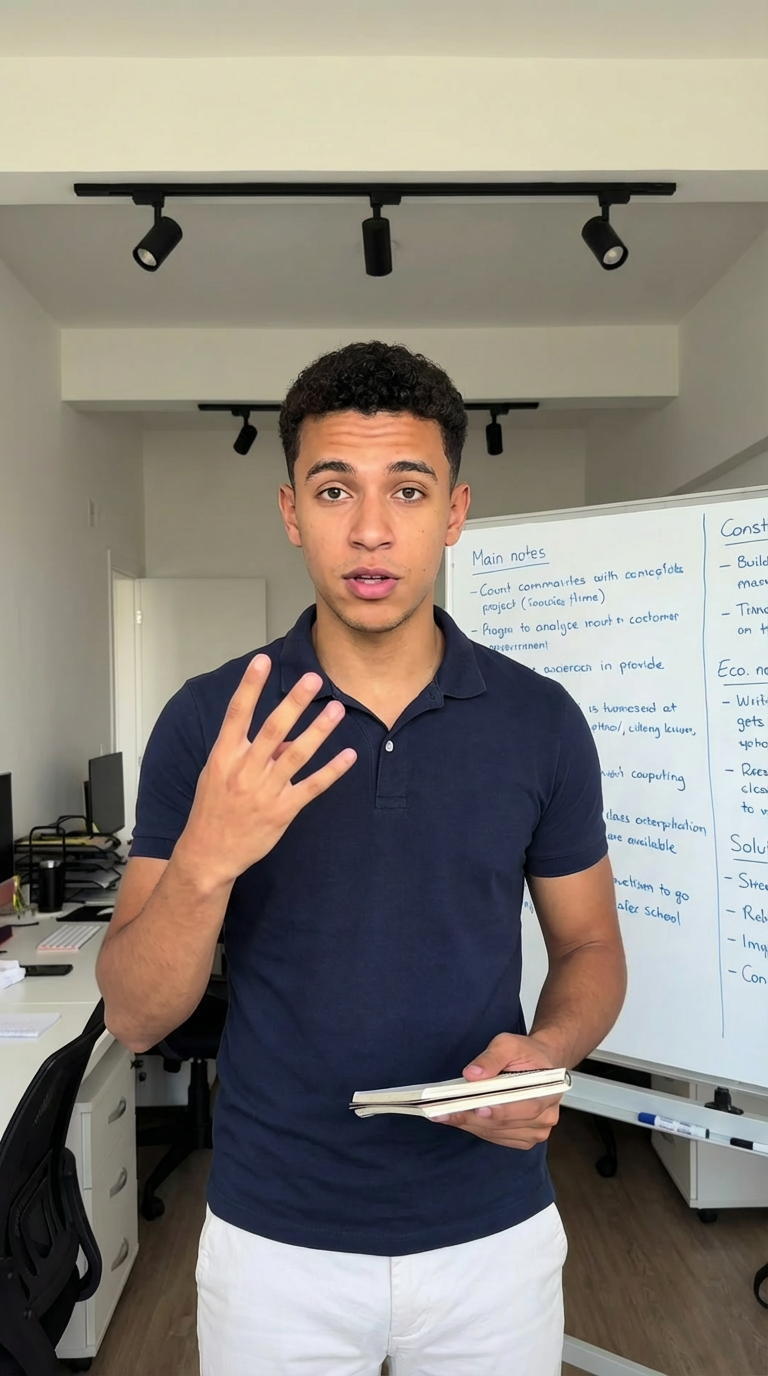
Leo is a realistic AI actor designed to deliver natural, engaging on-camera presentations for modern brands. Embodying a relatable young adult persona with a creator-led presence, he uses clear gestures and medium-shot framing to explain products directly to viewers from an office setting.
Ideal for software platforms, learning tools, and entertainment brands, Leo bridges the gap between structured tutorials and approachable influencer content. He delivers scripted messaging smoothly, maintaining an approachable and professional tone across digital channels.
- Relatable Creator Delivery: Delivers conversational, direct-to-camera messaging that feels approachable.
- Clear Presentation Style: Uses natural hand gestures and steady pacing to break down complex topics.
- Versatile Digital Focus: Fits tech walkthroughs, student learning apps, and media platform promotions.
Best use cases
- Tech & SaaS onboarding guides and digital tool walkthroughs filmed in an office setup.
- Education platforms and student learning app demonstrations.
- Entertainment & Media promotions focused on digital content and streaming services.
Looks
Creative planning examples
1 production direction organised by Leo's real industry tags.
TikTok · Tech & SaaS
Software walkthrough UGC demo
Framed in a medium shot within an office environment, Leo uses clear hand gestures to explain software features in a relatable direct-to-camera presentation.
Sample scripts
Editorial sample structures (Hook / Demo / CTA), collapsed by default.
01
TikTok
Software walkthrough UGC demo
HOOK
Managing team projects shouldn't take up your entire workday.
DEMO
This app organizes your daily tasks in one dashboard, letting you assign updates with a single tap.
CTA
Click the link below to explore the dashboard and start your free trial.
Frequently asked questions
01Is Leo a real person or an AI actor?
Leo is an AI-generated actor, not a real person. Utilizing photorealistic AI technology allows you to produce high-quality on-camera promotional videos without the logistical challenges and costs of traditional studio shoots.
02How do I make a video with Leo?
Log in to your AdsTurbo dashboard, select Leo from the actor library, enter your scripted text, and add your creative assets to render your video.
03What are Looks?
Looks represent the various visual styles, outfits, scenes, and framing options available for an actor, enabling you to tailor their appearance to your brand.
04What do the creative planning examples on this page represent?
The scripts and card demonstrations shown here are editorial production examples designed to illustrate how the actor can be utilized across different platforms and industries.