AI Actor
About this actor
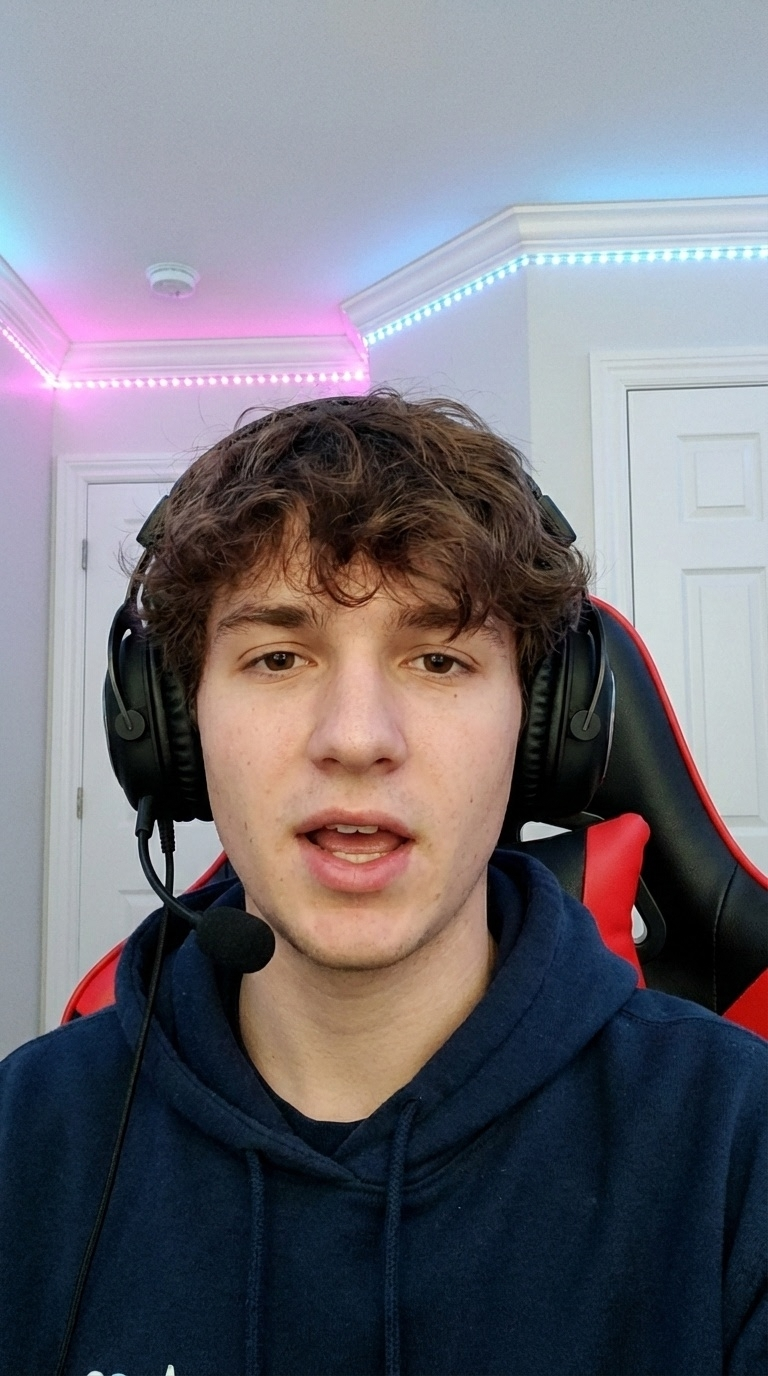
Nico is a realistic AI actor designed to bring an authentic, relatable presence to digital ad campaigns. Presenting as a young adult creator, live streamer, and gamer, he delivers on-camera messaging with relaxed confidence, making him an ideal choice for digital-first audiences across social feeds.
Captured sitting in medium close-up framing within studio and bedroom setups, Nico provides an intimate, direct-to-camera delivery. His natural demeanor helps ecommerce brands communicate product features clearly without feeling overly polished or corporate.
- Ideal Formats: Direct-to-camera UGC reviews, software walk-throughs, and streaming tutorials.
- Visual Tone: Approachable, focused, and digitally native.
- Key Strengths: Explaining tech features, streaming workflows, and modern media tools.
Best use cases
- Tech & SaaS software walkthroughs and digital tool tutorials filmed in a studio setting.
- Entertainment & Media product announcements and gaming accessory reviews from a bedroom setup.
- Education platforms and online course overviews presented in a direct, engaging medium close-up format.
Looks
Creative planning examples
1 production direction organised by Nico's real industry tags.
TikTok · Tech & SaaS
Software app walkthrough UGC demo
Nico sits in front of the camera in a relaxed medium close-up, sharing an intuitive screen workflow directly with viewers.
Sample scripts
Editorial sample structures (Hook / Demo / CTA), collapsed by default.
01
TikTok
Software app walkthrough UGC demo
HOOK
If you are still managing your workflow manually, this tool completely changes how you organize projects.
DEMO
Watch how quickly this dashboard syncs across all devices with just one click. It keeps your entire creative schedule updated in real time.
CTA
Tap the link below to explore the dashboard and start your free trial today.
Frequently asked questions
01Is Nico a real person or an AI actor?
Nico is an AI-generated actor, not a real human. He provides realistic visual delivery for commercial ad creative, allowing brands to produce studio-quality video campaigns efficiently.
02How do I make a video with Nico in AdsTurbo?
Select Nico from the actor library inside the AdsTurbo workspace, input your script or generated copy, and pair him with your product footage to generate your final video.
03What are Looks?
Looks represent curated visual setups featuring specific wardrobe styles, scenes, and camera angles that define how the actor appears in your video.
04What do the creative planning examples on this page represent?
The production directions and script samples on this page are editorial concepts designed to guide your video production, not fixed attributes of the actor.