4K Video Upscaling for Ecommerce Ads

Summarize with
Summary
Learn how 4K video upscaling improves low-resolution ecommerce ads, where AI enhancement fails, and how to prepare cleaner creatives with AdsTurbo.
By adsturbo.ai | Published 2026-10-27 | Updated 2026-10-27
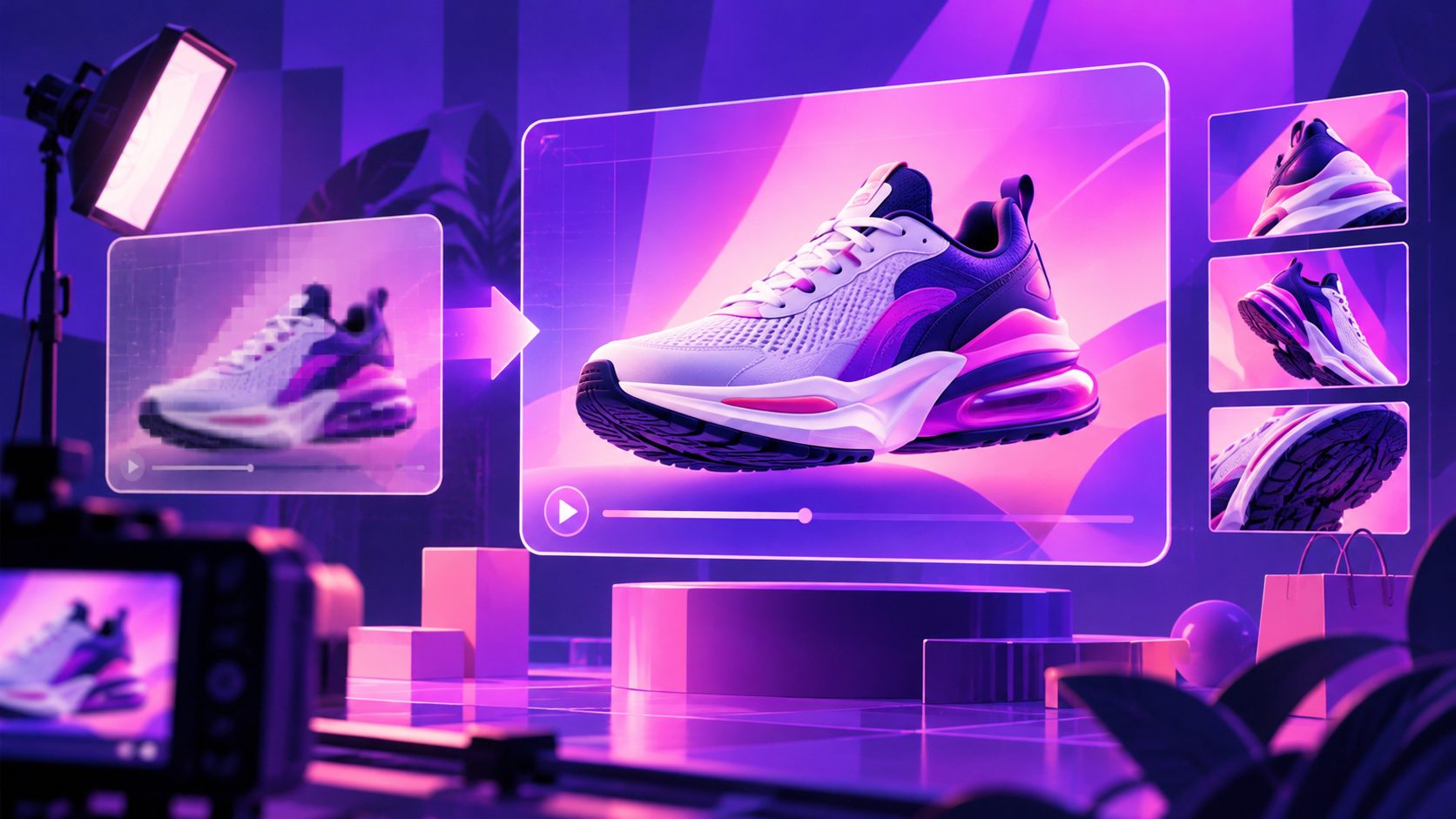
4K video upscaling enlarges lower-resolution footage to a 4K output, typically 3840 × 2160 pixels, while using AI to estimate sharper edges, textures, and facial detail. It can make ecommerce footage cleaner for large displays, cropping, and premium ad placements—but it cannot recover every detail that the original camera never captured.
For sellers, the real goal is not simply a larger file. It is a credible, sharp product presentation that preserves packaging text, skin tones, product edges, captions, and motion without creating artificial-looking details.
What is 4K video upscaling?
4K video upscaling is the process of converting a video into a larger frame size while reconstructing missing visual information. Traditional resizing stretches pixels; AI video enhancement analyzes patterns across frames to estimate cleaner edges, textures, and transitions. (krea.ai)
A useful distinction is:
| Process | Main change | What it does not guarantee |
|---|---|---|
| Standard resizing | Larger pixel dimensions | More real detail |
| AI upscaling | Larger dimensions plus estimated detail | Exact recovery of lost information |
| Denoising | Reduced grain and compression noise | Correction of focus or motion blur |
| Frame interpolation | More frames between existing frames | Higher spatial resolution |
| Sharpening | Stronger edge contrast | Natural texture or accurate fine detail |
A 4K export is therefore a delivery format, not proof that the source contained true 4K information. If a face, logo, or product label is only a few pixels wide in the original clip, an AI model may produce a plausible interpretation rather than a verifiable restoration. (itechguides.com)
When does an AI video upscaler help ecommerce sellers?
AI upscaling is most useful when the source is recognizable, reasonably well-lit, and only moderately below the target resolution. A clean 1080p product demonstration is usually a better candidate than a heavily compressed 240p download.
The strongest ecommerce use cases include:
-
Large-screen product demonstrations
A trade-show display, retail screen, or presentation monitor makes softness and block artifacts easier to notice. -
Cropping for multiple ad formats
A higher-resolution master gives editors more room to create 9:16, 1:1, and 16:9 versions without making the product appear visibly pixelated. -
Repurposing creator footage
Existing UGC can be enhanced before subtitles, translations, or new edits are added. -
Improving AI-generated or compressed assets
A final enhancement pass can help unify footage that originated from different sources. -
Product detail shots
Close-ups of texture, stitching, controls, materials, or packaging can benefit when the original image is soft but still legible.
AdsTurbo also supports video resolution enhancement alongside tools such as subtitles, video translation, background replacement, character swap, and motion control. This makes upscaling part of a broader creative workflow rather than an isolated export step.
For a related production path, see this guide to fixing low-quality TikTok ad videos.
When should you avoid upscaling to 4K?
Upscaling cannot reliably repair severe source problems. It may enlarge defects just as effectively as it enlarges useful content.
Avoid making 4K the first step when the footage contains:
- Severe motion blur
- Out-of-focus product details
- Blocky compression around text or faces
- Incorrect exposure or clipped highlights
- Interlaced lines from older video sources
- A watermark that obscures important content
- Product labels that were never captured clearly
- Strong AI artifacts already present in the source
The most important rule is source quality sets the ceiling. A clean 720p clip may become a useful HD or 4K delivery asset, while a damaged low-resolution clip may look cleaner at 1080p than at an aggressively enlarged 4K setting. (krea.ai)
For regulated product information, model-generated detail should not be treated as evidence. Do not use enhancement to “invent” readable ingredients, technical specifications, serial numbers, safety markings, or claims that were absent from the original footage.
How to upscale an ecommerce video to 4K
A reliable workflow separates diagnosis, enhancement, editing, and quality control.
1. Inspect the original file
Check the source resolution, aspect ratio, frame rate, codec, bitrate, and visible defects. Watch the video at 100% scale and pause on the most important frames:
- Product close-ups
- Faces and hands
- On-screen text
- Logos and packaging
- Fast movement
- The opening three seconds
- The final CTA
The first and last points matter disproportionately in paid social ads because they often contain the hook and the action prompt.
2. Clean the source before enlarging it
Remove unnecessary borders, stabilize severe camera movement, and correct obvious exposure or color problems first. If the video contains distracting marks, AdsTurbo provides AI Eraser and watermark-removal capabilities listed among its video editing tools; review the output carefully before using it in a commercial creative.
Do not repeatedly export and re-import the same file. Each lossy compression pass can introduce new blocks, ringing, or softened text.
3. Choose the target based on distribution
Use 4K when you need a high-resolution master, substantial cropping flexibility, or delivery to a large screen. For a mobile-first placement, a well-encoded 1080p version may be more practical if the platform recompresses the upload.
A useful master strategy is:
- Keep the original source untouched.
- Create one enhanced high-resolution master.
- Generate platform-specific versions from that master.
- Add captions and graphics after the main enhancement pass.
- Export with the platform’s required aspect ratio and safe zones.
This avoids using one oversized file for every destination.
4. Review motion, faces, and text
AI video upscalers process frames, but quality must be judged across time—not from one attractive still frame. Watch for:
- Texture flicker between frames
- Warped fingers or product edges
- Changing facial features
- Shimmering logos
- Over-sharpened captions
- Repeating patterns on fabric or packaging
- Haloing around high-contrast objects
AdsTurbo Video Subtitle can automatically transcribe speech, create synchronized captions, and export either a video with embedded subtitles or a separate subtitle file. Captions should be checked after enhancement and again after final export, especially for fast-moving vertical ads.
An original quality-control scorecard for 4K ad footage
A practical way to decide whether an upscale is usable is to score the creative in five categories from 0 to 2:
| Category | 0 points | 1 point | 2 points |
|---|---|---|---|
| Product identity | Shape or color changes | Mostly consistent | Clearly preserved |
| Text and logo fidelity | Unreadable or warped | Readable with defects | Clean and stable |
| Temporal consistency | Flicker or crawling detail | Minor instability | Stable across motion |
| Face and hand realism | Visible distortion | Small defects | Natural appearance |
| Ad usability | CTA or framing breaks | Requires revision | Ready for placement |
A score of 8–10 suggests the file is suitable for testing. 5–7 means it needs targeted editing or a lower output expectation. 0–4 usually indicates that the source should be replaced, recut, or regenerated instead of pushed harder through an upscaler.
This scorecard is more useful than judging sharpness alone. Ecommerce video succeeds when the viewer trusts what they see—not when every edge has maximum contrast.
How 4K upscaling fits into a scalable ad workflow
Upscaling works best as one step in a repeatable creative system:
- Extract the product promise and CTA.
- Select the clearest source footage.
- Enhance the master video.
- Add subtitles and localized audio.
- Create aspect-ratio variations.
- Produce alternate hooks, presenters, or product angles.
- Review each version at normal viewing size.
- Test the strongest variants with controlled changes.
AdsTurbo supports ad cloning, product video creation, video translation, subtitles, AI upscaling, and product-focused visual generation. Its Ad Clone workflow can analyze a reference video of up to 12 seconds and generate advertising variations, which is useful when a seller wants to preserve a proven structure while improving product-specific execution.
For a complete creative starting point, see the product photo to 3D video workflow. For short-form repurposing, the TikTok Shop PiP product video guide shows how product footage can be adapted into a vertical commerce format.
Frequently asked questions
Does 4K upscaling make a video truly native 4K?
No. It creates a 4K-sized output and may reconstruct plausible detail, but it cannot guarantee that the missing information existed in the original recording.
Is 1080p enough for ecommerce ads?
Often, yes. A clean 1080p video can perform well in mobile placements. 4K is more valuable when you need a reusable master, large-screen delivery, or flexible cropping.
Can upscaling fix blurry product footage?
It can reduce softness in some cases, but it cannot reliably restore detail lost through severe focus errors, motion blur, or compression.
Should subtitles be added before or after upscaling?
For the cleanest workflow, enhance the main footage first, then add subtitles and graphics. Always inspect the final exported file because compression can affect text sharpness.
What is the safest way to judge an AI-enhanced video?
Review the full motion sequence at normal viewing size, then inspect close-ups of the product, face, logo, text, and CTA. Use a scorecard rather than sharpness alone.
Conclusion
4K video upscaling is most effective when treated as quality control for a reusable ecommerce master, not as a promise to recover every lost pixel. Start with the cleanest source, correct obvious defects, enhance once, add subtitles and localization, and inspect the result across motion.
When the source is fundamentally too damaged, regeneration or a new product shoot is usually better than forcing an artificial 4K output. When the source is usable but soft, AI enhancement can help turn one asset into sharper, more adaptable advertising creative.