TikTok Shop PiP Product Video Generator: A Practical Workflow

Summarize with
Summary
Learn how to use a TikTok Shop PiP product video generator to build shoppable split-screen creatives, test hooks, and scale product variations with AdsTurbo.
By adsturbo.ai | Published 2026-10-26 | Updated 2026-10-26
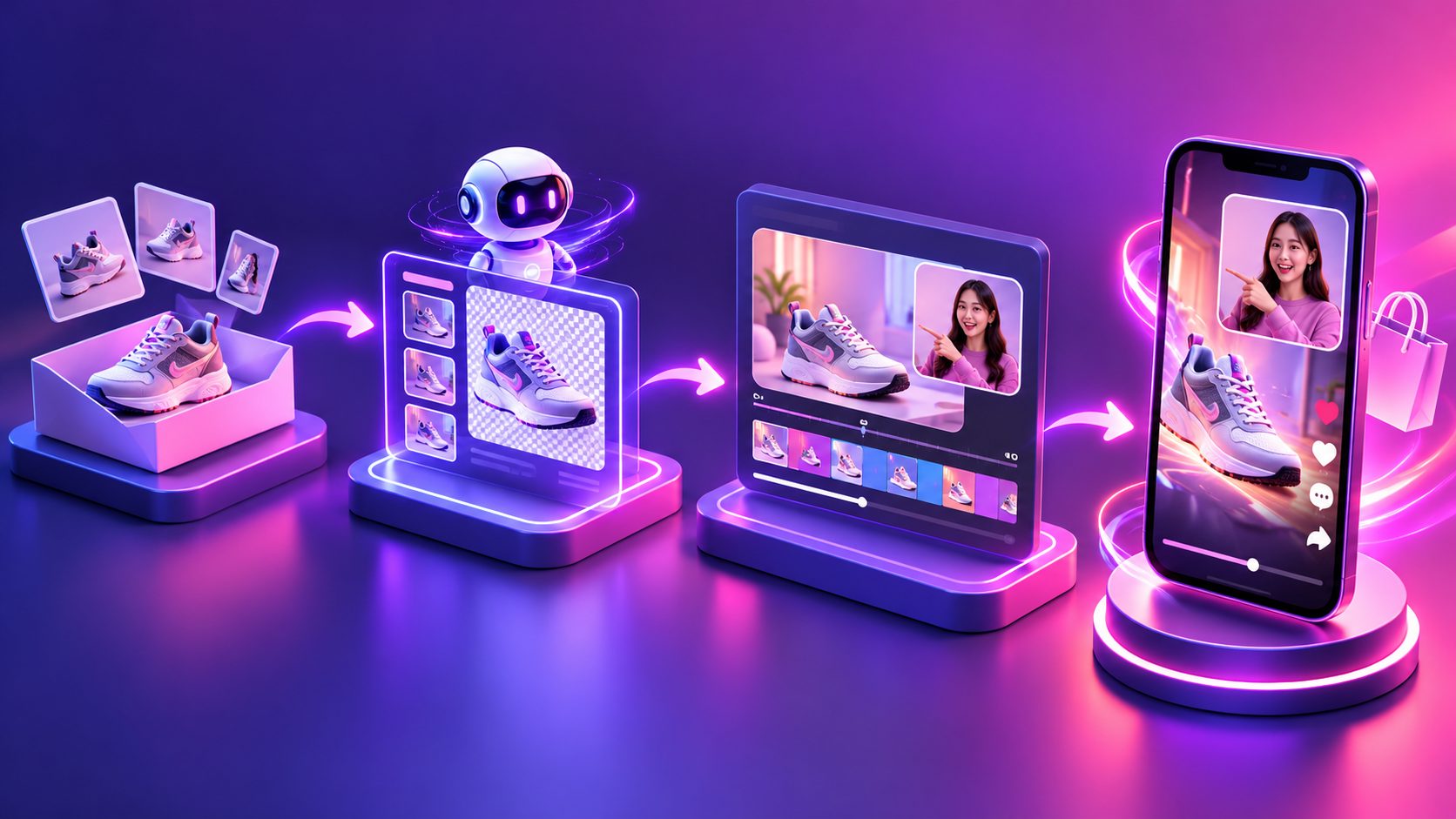
A TikTok Shop PiP product video generator creates vertical product videos using picture-in-picture layouts: one layer shows the presenter, demonstration, or reaction, while another keeps the product visible. This format helps sellers explain a product and show proof in the same short video.
For TikTok Shop sellers, the goal is not simply to place two videos on screen. The strongest PiP creatives coordinate hook, product visibility, proof, and product-link intent within the first few seconds. TikTok’s official workflow allows sellers to create a video, add a product link, select the item from the Showcase, and submit the post for review. (ads.tiktok.com)
What is a TikTok Shop PiP product video generator?
A TikTok Shop PiP product video generator is a creative-production tool that combines product media with a second visual layer, such as a creator clip, AI actor, product demonstration, screen recording, or talking-head explanation.
A useful PiP video usually contains:
- Primary layer: the product, hands-on demonstration, unboxing, or usage scene.
- Secondary layer: a presenter, voice-led explanation, reaction, comparison, or lifestyle context.
- Overlay layer: captions, benefits, offer details, and a clear shopping cue.
- Final frame: the product remains recognizable while the viewer understands what to do next.
TikTok’s own Seller Center also describes an AI video maker that transforms product images and videos into shoppable videos. Its guidance recommends using multiple valid product images or a sufficiently long product video rather than relying on one weak visual. (seller-ph.tiktok.com)
The important distinction is that PiP is a layout strategy, not a complete creative strategy. A generator can assemble the frame, but the seller still needs to decide which claim, demonstration, and audience objection the video should address.
Why does PiP work for TikTok Shop product videos?
PiP works because it reduces the distance between explanation and evidence. The presenter can describe the benefit while the product layer shows its shape, packaging, feature, or use case.
Compared with a single presenter video, PiP can make the product more visible. Compared with a product-only montage, it can add context and a human explanation. The format is especially useful when a product requires a short demonstration before the viewer understands its value.
A practical PiP structure is:
| Time | Visual job | Example |
|---|---|---|
| 0–2 seconds | Stop the scroll | “This solves the cable mess on my desk.” |
| 2–6 seconds | Show the product clearly | Close-up, hand interaction, or before/after setup |
| 6–11 seconds | Prove the benefit | Demonstration, comparison, or use-case clip |
| 11–15 seconds | Give the next action | Product name, offer detail, and shop cue |
This structure is not a guarantee of performance. It is a testing framework that keeps each second tied to a buyer question: What is it? Why should I care? Can I believe it? What should I do now?
How to create a PiP product video for TikTok Shop
1. Start with a clean product asset
Use a clear JPG or PNG product image, or begin with existing product footage. AdsTurbo Product Video accepts JPG and PNG product images and can generate UGC-style product videos from the uploaded asset. A clear product photo on a plain background generally gives the system a stronger visual reference than a crowded lifestyle image.
For products with important details, prepare several angles:
- Front view for recognition
- Side or rear view for shape and dimensions
- Close-up for texture, buttons, labels, or material
- In-use image for context
- Packaging image if the unboxing experience matters
AdsTurbo Product Image can analyze a product’s shape, color, and category, then generate product visuals in multiple formats for channels including TikTok Shop. This is useful when the PiP layout needs a vertical crop, a close-up, or a background variation before video production.
2. Choose one buyer problem per video
Do not place every selling point into one 15-second asset. Select one clear angle:
- Demonstration: how the product works
- Comparison: what makes it different
- Objection handling: size, setup, compatibility, or convenience
- Offer-led: discount, bundle, or limited promotion
- Social proof: reaction, review-style explanation, or result
One product can support several PiP variants, but each variant should have a different opening line or proof sequence. This creates a cleaner test than changing only the caption while keeping the same visual argument.
3. Build the picture-in-picture composition
Use the larger frame for the evidence that must be understood immediately. If the product is unfamiliar, make the product layer dominant. If the creator’s explanation is the main hook, place the presenter in the larger frame while keeping the product visible throughout.
A simple layout system:
- Top or upper-left: presenter, reaction, or explanation
- Bottom or lower-right: product demonstration or close-up
- Center-safe area: short captions and key benefit
- Bottom area: leave room for TikTok interface elements and product-link context
Avoid shrinking both layers until neither is readable. PiP is effective only when the viewer can identify the product without pausing.
4. Add captions that support—not duplicate—the voiceover
Captions should answer the question being shown on screen. If the presenter says, “It takes less space,” the product layer should show the space difference, while the caption can state the specific feature being demonstrated.
AdsTurbo Video Subtitle can automatically transcribe speech and generate time-synced subtitles. It also supports subtitle styling for TikTok, Instagram Reels, and YouTube Shorts formats, allowing one source video to be prepared for multiple vertical placements.
Keep each caption short enough to scan on a phone. Use product facts that you can substantiate, and review generated text for incorrect labels, dimensions, prices, or performance claims before posting.
5. Produce controlled variations
The best batch is not a collection of random edits. Create variations by changing one meaningful variable at a time:
- Hook: problem statement versus curiosity statement
- Presenter: different voice, persona, or delivery style
- Proof: demonstration versus close-up comparison
- Offer: product benefit versus discount emphasis
- Ending: direct shop cue versus question-led engagement
AdsTurbo provides more than 300 AI actors and over 100 product advertising templates. Higher-tier workflows can also support team collaboration, API access, and custom workflows for repeatable production.
For a developer-led pipeline, AdsTurbo’s API uses standard REST architecture with Bearer API key authentication. Its video generation API includes endpoints for shot analysis, lip sync, translation, upscaling, character replacement, motion control, watermark removal, and subtitles. All generation tasks run asynchronously, with completion available through status polling or webhook callbacks.
A practical testing matrix for PiP ads
A useful way to avoid creative noise is to score every variation against four production criteria before publishing:
| Criterion | Pass condition |
|---|---|
| Product clarity | The product is identifiable in the opening seconds |
| Proof density | At least one visible demonstration supports the claim |
| Text readability | Captions remain legible on a small mobile screen |
| Shopping continuity | The product remains connected to the spoken offer and CTA |
This framework adds a quality-control layer that many product video generators leave to the seller. It is particularly valuable when producing many variants from one product image because visual quantity can otherwise hide weak product representation.
For a broader creative system, connect PiP videos with related assets such as a TikTok product video from a single product photo, a TikTok ads low-quality video fix workflow, or a long-video-to-short-video repurposing process.
How to publish and review the video
After exporting the video, add the product link through TikTok’s posting workflow. TikTok explains that sellers can create the video, choose Add Link, select Products, pick the item in the Showcase, enter a product name, and post it for additional review. (ads.tiktok.com)
Before publishing, check:
- The product shown matches the linked listing.
- The opening frame is understandable without sound.
- The product is not hidden by captions or interface elements.
- Claims match the product page and available evidence.
- The video uses original or properly licensed media.
- The final CTA does not imply a benefit the product cannot deliver.
If the product has complex functionality, prioritize live-action or clearly simulated demonstrations. TikTok’s Seller Center guidance similarly notes that products with complex benefits are better explained through visuals that show how they work. (seller-uk.tiktok.com)
Common questions
Can I create a PiP TikTok Shop video from one product image?
Yes. A product image can serve as the product reference for generating or designing a video, but multiple angles usually provide better coverage for demonstrations and close-ups. AdsTurbo Product Video supports JPG and PNG product uploads.
Should the presenter or product take up more space?
Make the product larger when recognition or demonstration is the main objective. Make the presenter larger when the hook depends on explanation or reaction. Test both layouts rather than assuming one is always better.
Is PiP the same as a regular split-screen video?
PiP usually means one layer is smaller and placed over or beside a dominant layer. Split-screen often gives two layers similar visual weight. Both can work, but PiP is generally easier to control when one element must remain the primary proof.
How many variations should a seller make?
Start with a small controlled batch: several hooks, two proof styles, and two endings. Expand only after identifying which combination keeps the product clear and the message credible. More versions do not automatically mean better testing.
Can one PiP video be localized?
Yes. AdsTurbo supports video translation, AI lip sync, subtitles, and character replacement workflows. Localized versions should still be reviewed for translated product terminology, offer details, and cultural clarity before publication.
Final takeaway
A TikTok Shop PiP product video generator is most useful when it supports a repeatable creative system—not when it merely places two clips on one screen. Begin with a clean product asset, choose one buyer problem, show visible proof, keep captions readable, and create controlled variations around hooks and demonstrations.
AdsTurbo combines product video generation, subtitles, translation, character replacement, motion control, ad cloning, and API workflow support for ecommerce teams that need to turn product assets into structured batches of shoppable creative. Explore AdsTurbo’s ecommerce video workflow.