Author: adsturbo.ai|Published: 2026-08-29|Updated: 2026-08-29
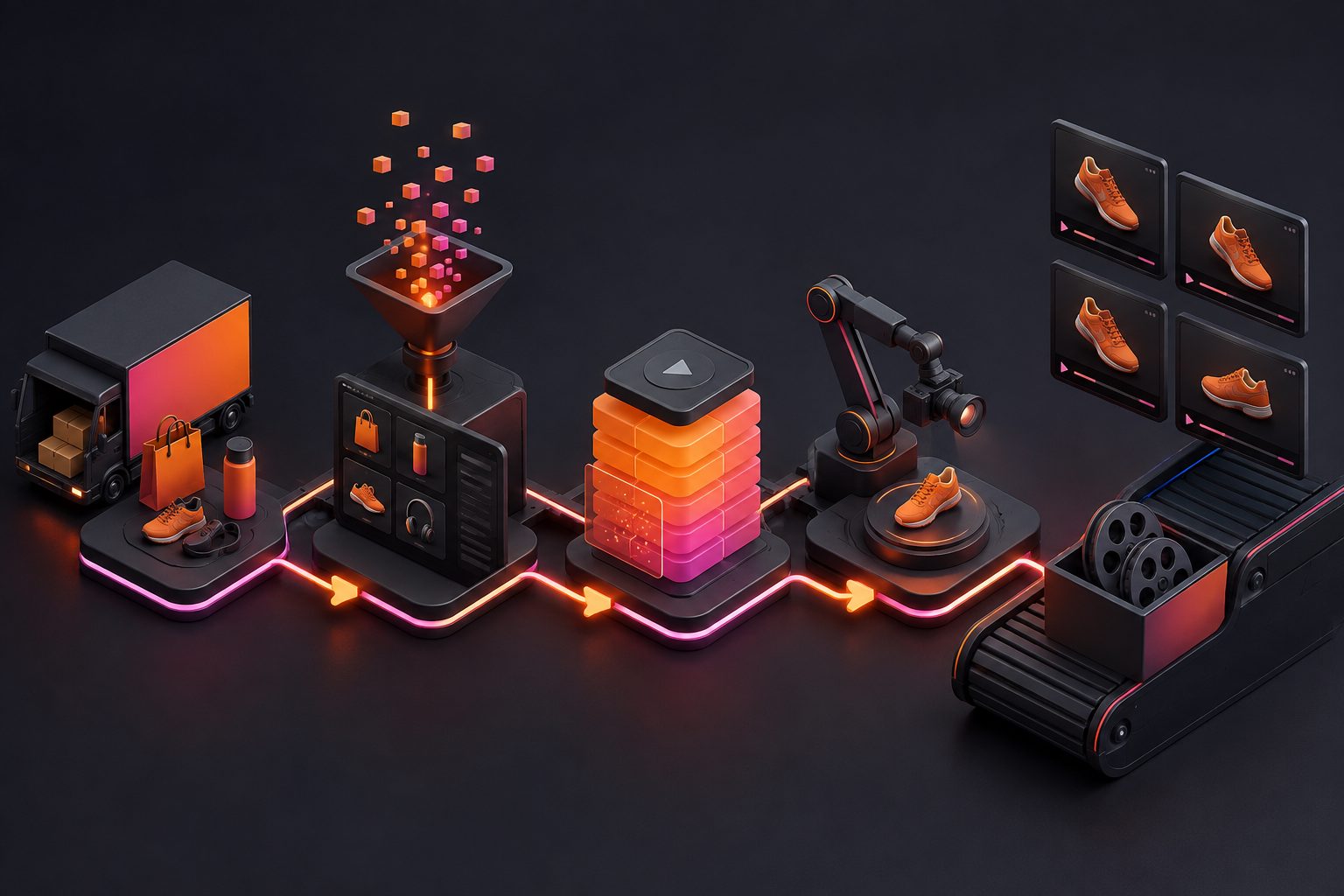
A bulk product video creator is a workflow or toolset that turns many SKUs, product images, offer messages, and creative angles into multiple product video ads at once. For ecommerce teams, the goal is not simply “more videos.” The goal is controlled creative variety: enough videos to test hooks, formats, audiences, and offers without misrepresenting the product.
That distinction matters. A catalog team may need listing videos for Google surfaces, vertical UGC ads for TikTok, square cuts for Meta, translated variants for new markets, and refreshed creatives when fatigue appears. Manual editing can produce quality, but it rarely keeps pace with SKU launches, seasonal promotions, and paid social testing cycles.
This guide explains how to design a scalable product video system, how to avoid common batch-generation mistakes, and how AdsTurbo can fit into a practical ecommerce creative workflow.
What Is a Bulk Product Video Creator?
A bulk product video creator is a system for generating many ecommerce videos from structured inputs such as product photos, SKU attributes, scripts, templates, actors, captions, and platform ratios. It helps teams produce ad variations faster while keeping messaging, branding, and product representation consistent.
Most ranking pages explain the basic promise: upload product photos, choose a template, and create videos in batches. That is useful, but incomplete. For paid acquisition teams, the real value is not batch rendering alone. It is the ability to create testable differences across videos.
A good batch should answer questions such as:
- Which opening hook stops the scroll?
- Which product benefit matters most to buyers?
- Does a creator-style demo beat a clean product showcase?
- Which offer framing works in each market?
- Which format fits TikTok, Meta Reels, YouTube Shorts, Shopify, Amazon, or Google Merchant Center?
In AdsTurbo, ecommerce teams can use product video generation, Ad Clone, Lip Sync, Character Swap, Video Translation, subtitles, background replacement, AI upscaling, and API workflows to create and adapt video assets. Product Video supports uploading a JPG or PNG product image up to 10MB, then generating UGC-style product videos from the image with optional selling points or promotional information.
Why Ecommerce Teams Need Batch Product Videos
Batch product videos solve a real operating problem: ecommerce growth requires many fresh creatives, but most teams have limited production capacity. A single winning concept often needs variations by hook, actor, language, ratio, caption, CTA, and offer.
Paid social platforms increasingly reward creative fit. TikTok’s own creative guidance emphasizes iteration and platform-native production, while its Creative Center is positioned as a resource for trends, ad examples, and best practices. Meta also promotes creative diversification, meaning advertisers vary messages, visuals, and formats across ad sets.
Google is moving in the same direction for commerce surfaces. Google Merchant Center now includes video asset management, and Google has announced a video link attribute for Merchant Center feeds to help retailers feature product videos at scale. That makes product video production less like a one-off brand project and more like catalog operations.
For sellers, the pressure usually appears in four places:
- SKU coverage: New products need video fast, not after a production backlog.
- Creative testing: One product may need 10–30 meaningful ad variants.
- Localization: The same item may need translated voice, captions, and on-screen text.
- Refresh cycles: Winners decay, offers change, and platforms need new inputs.
A bulk product video creator is useful when it helps manage all four, not just rendering speed.
The Original Batch Creative Coverage Score
The Batch Creative Coverage Score is a simple framework for measuring whether a video batch has enough variety to be worth testing. It scores a batch across five dimensions: product accuracy, hook diversity, format coverage, audience relevance, and localization readiness.
Use this before generating 50 videos. It prevents the common mistake of making many near-identical assets that look different in thumbnails but test the same idea.
| Dimension | Question | Score 0 | Score 1 | Score 2 |
|---|---|---|---|---|
| Product accuracy | Does the video preserve the real product shape, color, use case, and claim limits? | Poor | Mostly correct | Strong |
| Hook diversity | Are there different opening ideas, not just wording changes? | 1 hook | 2–3 hooks | 4+ hooks |
| Format coverage | Are ratios and placements planned? | One format | Two formats | 9:16, 1:1, 16:9 or more |
| Audience relevance | Do variants speak to different buyer motives or objections? | Generic | Some segmentation | Clear segments |
| Localization readiness | Can captions, voice, and on-screen text adapt by market? | No | Partial | Ready |
A batch scoring below 6 usually needs better planning before production. A batch scoring 8–10 is more likely to produce useful learning because it tests different hypotheses.
Example: 120-SKU Planning Model
For a 120-SKU beauty catalog, a weak batch plan might create one video per SKU. That gives 120 files but only one creative idea. A stronger plan groups products by buyer problem and creates fewer but more informative variations.
A practical matrix could look like this:
- 120 SKUs grouped into 12 product families
- 4 hook types per family: problem, demo, social proof, offer
- 3 formats per winner: 9:16, 1:1, 16:9
- 2 localizations for priority markets
- 1 subtitle style optimized for short-form social
That produces a controlled creative map instead of a random content dump. The team can learn whether the “problem-solution” hook beats the “creator demo” hook before scaling across every SKU.
What Inputs Should You Prepare Before Generating Videos?
Prepare structured SKU data, clean product images, selling points, offer rules, audience angles, brand constraints, and platform requirements before generating videos. Better inputs reduce hallucinated visuals, inaccurate claims, and repetitive ad variants.
A bulk workflow is only as strong as its input sheet. Before using any AI product video generator, create a production brief with these fields:
- Product name
- SKU or handle
- Product category
- Primary image URL or file
- Top three benefits
- Proof points or allowed claims
- Buyer objection
- Offer or discount
- CTA
- Target market
- Required ratio
- Language
- Brand words to use
- Restricted claims to avoid
AdsTurbo Product Image supports JPG and PNG product uploads, with clear photos on solid-color backgrounds producing the best results. AdsTurbo Product Video also supports JPG or PNG product images up to 10MB for generating UGC short video ads. For image-heavy workflows, teams can use product image generation, white-background image processing, background replacement, and event poster creation alongside video.
If your store depends on visual accuracy, separate “creative inputs” from “truth inputs.” Creative inputs can vary: hook, actor, scene, caption style. Truth inputs should not vary without approval: product dimensions, ingredients, compatibility, warranty, medical or safety claims, shipping promise, and discount terms.
Which Video Types Should a Batch Include?
A strong ecommerce batch includes product demos, UGC-style reviews, offer-led videos, comparison angles, unboxing or POV clips, listing videos, and localized versions. The mix should match the funnel stage and placement rather than relying on one universal format.
For prospecting, UGC-style ads often work well because they feel native to short-form feeds. For retargeting, direct product demonstration and offer clarity may matter more. For product pages, the video should help shoppers understand the item quickly, not behave like a high-pressure ad.
A practical batch can include:
| Use case | Best video type | Main job |
|---|---|---|
| TikTok prospecting | Creator-style UGC video | Earn attention and explain the product fast |
| Meta Reels | 9:16 demo or testimonial-style ad | Fit vertical placements and test messages |
| Shopify product page | Clean product showcase | Reduce uncertainty before purchase |
| Amazon or marketplace listing | Feature-led product video | Clarify use, size, and benefit |
| Retargeting | Offer or objection-handling video | Convert warm shoppers |
| International launch | Translated and dubbed variant | Reuse winning structure across markets |
Meta reports that Reels ads built in 9:16 video, with audio and key creative elements in the safe zone, had lower cost per result than image ads on Reels in its cited tests. This does not mean every vertical video will win, but it does support designing placement-specific formats rather than cropping after the fact.
AdsTurbo Ad Clone can help reconstruct a reference ad’s opening seconds, rhythm, shot logic, and CTA structure for a new product. For teams focused on short-form acquisition, the practical starting point is to turn proven ad structure into new product-specific executions, then use AI TikTok ad generation for ecommerce creative testing and AI Facebook ad creative workflows to plan platform-specific versions.
How to Build a Batch Product Video Workflow
Build a batch workflow by grouping SKUs, defining creative hypotheses, preparing clean product assets, generating controlled variants, reviewing product accuracy, localizing winners, and feeding performance data back into the next batch.
A repeatable process is more valuable than a one-time production sprint.
- Group products by buyer problem. Do not start with the full catalog. Start with product families, margin tiers, or launch priorities.
- Define hypotheses. Example: “A creator demo showing texture will outperform a discount-first hook for skincare bundles.”
- Map each hypothesis to variants. Change one major idea at a time: hook, actor, proof point, use case, or offer.
- Generate the first batch. Use product images, scripts, templates, AI actors, captions, and platform ratios.
- Review for accuracy. Check labels, colors, proportions, claim wording, subtitles, and CTA.
- Localize winners. Translate, dub, or adapt captions only after the concept has evidence.
- Archive learnings. Tag each video by hook, angle, persona, SKU group, and result.
AdsTurbo supports 300+ AI actors and 100+ product ad templates. It also offers Ad Clone, Product Video, Motion Control, Lip Sync, Character Swap, Video Translation, Video Subtitle, AI Upscaling, Background Replace, AI Eraser, script extraction, and automatic long-video clipping into captioned short videos. For deeper production systems, advanced plans add team workflows and custom workflow support, while API access is available on every plan.
Teams that need structured automation can use AdsTurbo’s API modules for image generation, Persona, AI actors, ad clone, video generation, and task handling. The API uses standard REST architecture with Bearer API Key authentication, and generation tasks run asynchronously with status polling or webhook completion events.
How Many Variations Should You Generate Per Product?
Generate enough variations to test different ideas, not enough to exhaust the catalog. For most ecommerce teams, 6–12 meaningful variants per product family are more useful than 50 superficial edits of the same message.
A “meaningful” variation changes the test hypothesis. Changing a background color may be useful for design, but it usually does not answer a strategic question. Changing the opening problem, creator persona, product use case, offer, or objection does.
A lean testing structure can start with:
- 3 hooks: problem, demo, offer
- 2 personas: expert, everyday user
- 2 formats: 9:16 and 1:1
- 1 localized caption variant for a priority market
That creates 12 variants from a single product family. If one angle wins, scale it across more SKUs. If none win, revise the hypothesis rather than generating more of the same.
For product-page videos, fewer variants may be enough. For paid social prospecting, more creative diversity is often required because audiences, placements, and fatigue behave differently.
What Quality Checks Prevent Bad Batch Output?
The most important quality checks are product truth, visual continuity, claim compliance, caption readability, audio clarity, and placement fit. Batch video systems should include review gates before publishing because small errors multiply quickly at scale.
Use this checklist before export:
- Does the product look like the real SKU?
- Are the label, color, shape, and packaging correct?
- Are claims approved and specific?
- Is the discount current and accurate?
- Are subtitles synchronized and readable?
- Is the first second visually clear?
- Is the CTA visible inside the safe zone?
- Does the video work without sound?
- Are translated captions natural?
- Is the output resolution appropriate for the placement?
AdsTurbo Video Subtitle can automatically transcribe speech and generate time-synced subtitles. It also supports multilingual subtitle generation, AI translation, and exports either embedded-caption videos or standalone subtitle files. For ecommerce teams repurposing longer product demos, AdsTurbo can automatically slice long videos into captioned short videos.
When older or compressed assets are reused, 4K upscaling for ecommerce video ads can help in some cases, but it should not be treated as a cure-all. If the source video has motion blur, incorrect product depiction, or poor lighting, upscaling may sharpen flaws rather than fix them.
How AdsTurbo Fits a Scaled Ecommerce Video System
AdsTurbo fits best when ecommerce teams need product videos, ad clones, localized versions, AI actors, subtitles, and post-production controls in one workflow. It is designed for turning product assets and reference creative into multiple ad-ready videos.
A typical AdsTurbo workflow can look like this:
- Upload a product image in JPG or PNG.
- Add product selling points, discount details, or campaign information.
- Generate a UGC-style Product Video or use Ad Clone with a reference video.
- Apply subtitles, translation, Lip Sync, Character Swap, or Motion Control if needed.
- Improve selected assets with AI Upscaling, Background Replace, or AI Eraser.
- Export variants for TikTok, Meta, Shorts, product pages, or marketplace use.
- Use team workflows or API access for repeatable production.
AdsTurbo’s Ad Clone workflow can keep the strongest parts of a winning reference ad, including the opening seconds, pacing, shot logic, and CTA structure, while rebuilding it around the seller’s product. Ad Clone can also use a reference video or link, deconstruct the storyboard, rewrite on-screen text, and generate A/B testing variants.
For global campaigns, AdsTurbo Video Translation supports MP4, MOV, and WEBM uploads or links from Google Drive, YouTube, or a URL, then generates translation, dubbing, and subtitles in more than 40 target languages. This is especially useful when a tested product story needs to move from one region to another without reshooting.
For product imagery that supports the video pipeline, background replacement for ecommerce creative workflows can automatically identify subject edges and match lighting, perspective, and color temperature. Teams building product-page assets can also use a Shopify product video maker workflow to connect video production to storefront needs.
What Should You Avoid When Creating Videos in Bulk?
Avoid treating bulk generation as a volume contest. The biggest mistakes are duplicating the same idea, using weak product images, overclaiming benefits, ignoring placement ratios, and localizing before proving the core creative concept.
Common mistakes include:
- Making 100 videos from one hook and calling it testing
- Using lifestyle scenes that misrepresent product size or use
- Translating word-for-word without cultural adaptation
- Cropping 16:9 into 9:16 after production
- Publishing videos without subtitle review
- Reusing competitor ads too closely instead of rebuilding structure ethically
- Scaling before checking comments, CTR, hold rate, CPA, and conversion quality
A safer operating rule: clone structure, not identity. Learn from pacing, shot order, hook logic, and CTA placement, but do not copy another brand’s claims, creator likeness, trademarked elements, or protected creative expression.
AdsTurbo’s Ad Clone is best used to analyze and reconstruct the structure of reference videos around your own product, message, and brand assets. That creates useful speed without turning creative production into imitation.
Frequently Asked Questions
What is the best use case for a bulk product video creator?
The best use case is ecommerce creative testing across many SKUs or product families. It is especially helpful for sellers that need multiple video ad variations for TikTok, Meta, Shorts, Shopify, Amazon, or international campaigns.
Can one product image be enough to create a video?
Yes, in some workflows. AdsTurbo Product Video supports uploading a JPG or PNG product image up to 10MB and can generate product review, product introduction, or product demonstration videos. A clear image on a simple background usually gives the system better input.
How is batch video generation different from ordinary video editing?
Ordinary editing focuses on one finished asset. Batch generation focuses on repeatable production: many SKUs, hooks, ratios, languages, captions, and CTAs produced from structured inputs and reviewed through a consistent quality process.
Should every product get the same number of videos?
No. Prioritize high-margin products, new launches, best sellers, seasonal offers, and products with unclear buyer objections. Use early performance data to decide which product families deserve more variants.
Can bulk product videos be localized?
Yes. AdsTurbo supports video translation with dubbing and subtitles in more than 40 target languages. For best results, localize proven creative concepts first, then adapt captions, voice, offer framing, and on-screen text for each market.
Conclusion: Scale the Learning, Not Just the Output
A bulk product video creator should help ecommerce teams learn faster. The strongest workflow starts with clean product data, creates meaningful creative variations, checks every output for product truth, and then localizes or scales the winners.
AdsTurbo brings together product video generation, Ad Clone, AI actors, Lip Sync, Character Swap, Video Translation, subtitles, image tools, post-production controls, team workflows, and API access. That makes it useful not only for creating more videos, but for building a repeatable product video system across catalog, paid social, and international growth.