Dropshipping Unboxing Video Without Product: A Practical Workflow

Summarize with
Summary
Learn how to make a dropshipping unboxing video without product samples using product photos, 3D-style scenes, scripts, and ad variations. Start creating faster.
By adsturbo.ai | Published 2026-10-23 | Updated 2026-10-23
A dropshipping unboxing video without product samples can be created from a clear product photo, a white-background image, or a 3D-style product render. The key is to simulate the reveal with controlled camera movement, packaging context, product close-ups, captions, and a believable script—without claiming that someone physically handled the item.
For dropshippers, this approach helps validate hooks and creative angles before ordering inventory or paying for a custom creator shoot. It is best used for early testing, product-page previews, and ad concept development rather than as a substitute for authentic hands-on proof.
What is a dropshipping unboxing video without product?
A dropshipping unboxing video without product is a short ecommerce video that presents the stages of an unboxing—package arrival, opening, first reveal, product detail, and use case—using digital product assets instead of a physical sample.
The product image should remain the visual source of truth. The creative layer can add:
- A shipping box or branded parcel
- Hands opening the package
- A slow product reveal
- Close-ups of texture, shape, buttons, or materials
- A short voiceover or on-screen script
- Subtitles formatted for TikTok, Reels, or Shorts
- A final benefit and call to action
Several current AI commerce tools follow a similar image-to-video model: upload one product image, choose an unboxing or creator-style format, and generate a short vertical clip. However, many workflows focus mainly on “make a video.” The more important question for dropshipping sellers is how to preserve product accuracy while creating enough variation for testing. (createvision.ai)
Can you make one without owning the item?
Yes, but the video should be positioned as a product presentation rather than a false personal review.
Avoid showing or saying things that imply verified physical experience, such as:
- “I used this for 30 days”
- “Here is exactly what arrived in my package”
- “The material feels premium”
- “I tested the battery life”
- “This is my honest customer review”
Instead, use transparent language:
- “A closer look at the design”
- “See what this product is made to do”
- “A visual preview of the unboxing experience”
- “Designed for easier daily use”
- “Explore the key features before you order”
This distinction matters because unboxing content traditionally helps viewers understand what they may receive, while product demos and reviews can imply firsthand testing. Industry guides commonly describe unboxing as a way to help shoppers visualize the arrival, opening, and presentation of a product—not as proof that every performance claim has been independently verified. (thinkwithgoogle.com)
What assets do you need?
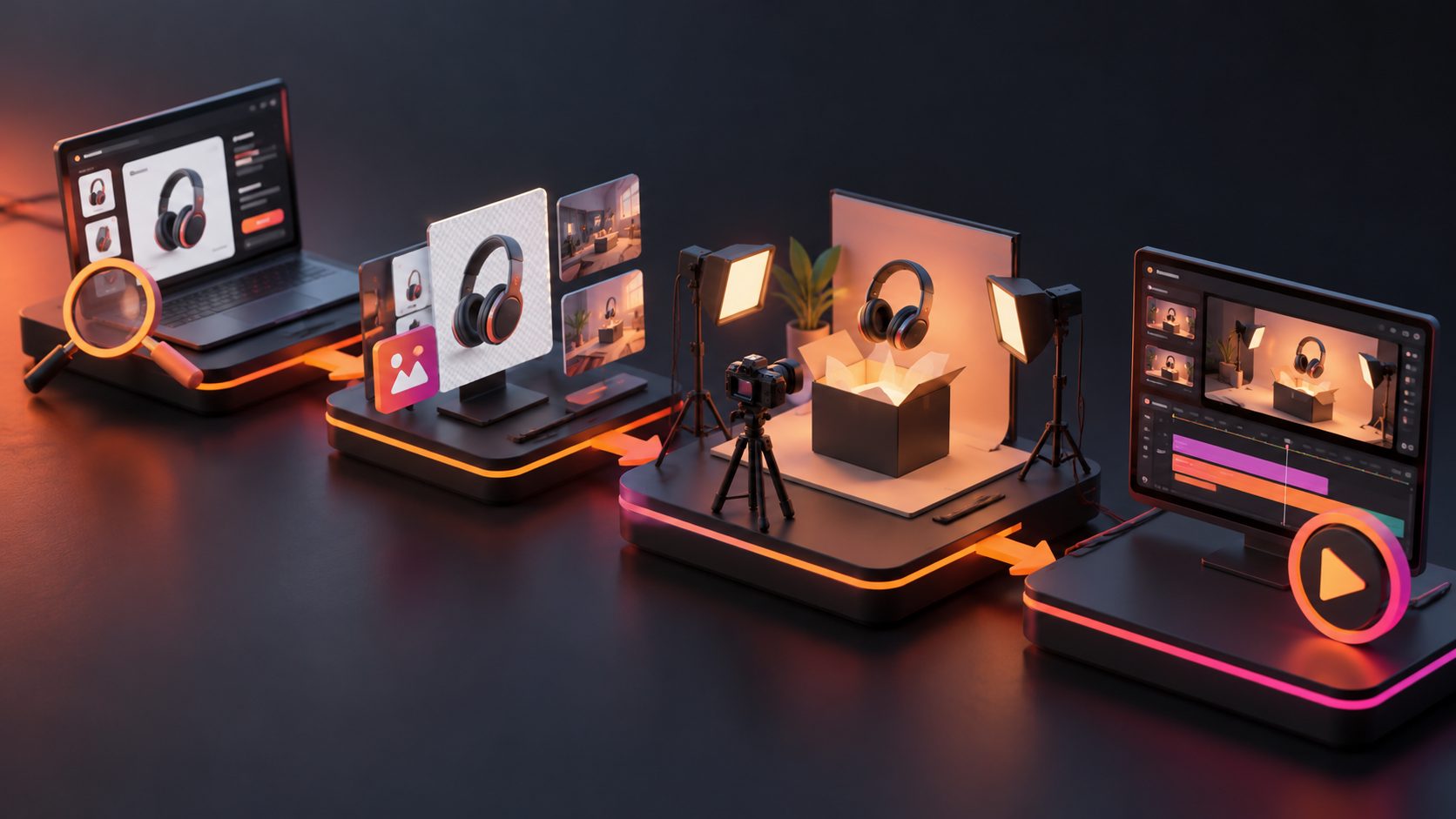
A reliable workflow starts with a small asset kit rather than a complicated production brief.
Minimum asset kit
-
One clear product image
A JPG or PNG image on a plain background is usually the safest starting point. AdsTurbo Product Image can analyze the product’s shape, color, and category, then generate multiple ecommerce image types from the source image. -
Product facts
Prepare three to five accurate selling points, such as size, material, compatibility, included parts, or intended use. -
Packaging direction
If you do not have a packaging photo, use a neutral parcel or unbranded box. Do not invent logos, certifications, accessories, or packaging claims. -
One target format
Start with 9:16 for TikTok, Instagram Reels, and YouTube Shorts. Create square or landscape versions only after the central concept works. -
A short CTA
Examples include “See the details,” “Explore the collection,” or “Shop the new arrival.”
A clean source image is more valuable than a long prompt. If the product image is blurry, heavily cropped, or photographed at an angle that hides important details, the generated video may exaggerate or distort the product.
For a related workflow, see this guide to turning a product photo into a 3D ecommerce video.
How to create the video step by step
1. Prepare the product image
Use a sharp JPG or PNG image with the entire product visible. A solid-color background makes it easier to isolate the item and create a controlled reveal.
If the supplier image contains clutter, remove the background or create a clean white-background version first. AdsTurbo supports product image generation, white-background image creation, background replacement, and image upscaling.
2. Choose an unboxing structure
A useful 15-second structure is:
-
0–2 seconds: Hook
“This compact organizer solves one annoying desk problem.” -
2–5 seconds: Package reveal
Show a parcel opening or a clean product reveal. -
5–9 seconds: Detail sequence
Move through two or three accurate product features. -
9–12 seconds: Use-case scene
Place the product in a realistic environment. -
12–15 seconds: CTA
Show the product clearly with a simple action.
This is more effective than beginning with a slow box-opening sequence. For paid traffic, the viewer should understand the product category and reason to care before the visual novelty wears off.
3. Add controlled motion
The safest motion prompts describe the camera and environment, not new product features.
Use directions such as:
- “Slow push-in toward the product”
- “Hands open a neutral shipping box”
- “Rotate the camera slightly around the product”
- “Reveal the product under soft studio lighting”
- “Show a close-up of the existing texture and shape”
Avoid prompts such as “make it look more luxurious” or “add premium metal details” unless those details are visible in the source asset. These instructions can cause the product to drift away from the actual item.
4. Add captions separately
Text generated inside a video model can be inconsistent. Add the final headline, discount, shipping information, and CTA during editing whenever possible.
AdsTurbo Video Subtitle can automatically transcribe speech, create time-synced subtitles, and export either a video with embedded captions or a separate subtitle file. Its subtitle layouts are designed for formats such as TikTok, Instagram Reels, and YouTube Shorts.
For a detailed production checklist, see this guide to automatic captions for ecommerce video ads.
A practical fidelity framework for dropshipping sellers
A useful way to evaluate a no-sample unboxing video is the 3-layer fidelity rule:
| Layer | What must stay accurate | What can be creative |
|---|---|---|
| Product | Shape, color, logo, visible components | Camera angle and crop |
| Claim | Material, size, function, included items | Hook wording and order |
| Experience | The visual sequence of receiving and opening | Lighting, background, pacing |
If a scene changes the product, invents a performance result, or implies hands-on testing that never occurred, it fails the fidelity test.
This framework creates a simple approval gate before publishing:
- Product check: Does the item look like the supplier or store image?
- Claim check: Can every spoken and written claim be verified?
- Expectation check: Would a buyer feel misled about what the package contains?
The strongest creative variation usually comes from changing the hook, setting, pacing, narrator, or audience—not from changing the product itself.
How to turn one concept into multiple ad tests
Once the base unboxing is accurate, create variations around distinct buying motivations.
Variation A: Curiosity
“Wait until you see what is inside this compact package.”
Variation B: Problem-solution
“Still dealing with cluttered cables every morning?”
Variation C: Feature-led
“Three small design details make this easier to use.”
Variation D: Gift or seasonal
“A simple package reveal for a practical everyday gift.”
Variation E: Localized version
Translate the voiceover, captions, and CTA for a specific market while keeping the visual product sequence consistent.
AdsTurbo supports ad cloning, video translation, lip sync, character replacement, motion control, AI upscaling, and subtitle generation. Its Ad Clone workflow can analyze a reference video’s structure, pacing, shot logic, and CTA pattern, then help produce new variants for different products or audiences. Use that structure as creative inspiration, not as a reason to duplicate another advertiser’s footage or branding.
You can also review this product-image-to-testable-creative workflow for ecommerce.
Common mistakes to avoid
Making the video look like a fake customer review
A faceless product reveal is safer than inventing a customer testimonial. If no person has handled the product, do not present the narration as firsthand experience.
Showing impossible packaging
If the source image does not show a branded box, avoid creating a detailed package with invented labels, inserts, or accessories.
Overusing cinematic effects
Heavy transitions can distract from the product. Use one clear reveal, two or three detail shots, and a readable CTA.
Publishing only one version
A single video cannot tell you whether the problem is the product, hook, pacing, or audience. Build several variations with different openings while keeping the product facts constant.
Ignoring platform layout
Keep important text away from interface areas. A vertical ad may look correct in an editor but become difficult to read after platform buttons and captions are added. AdsTurbo also supports multiple aspect ratios for product and event visuals, helping sellers adapt one concept for different placements.
Frequently asked questions
Is it ethical to make an unboxing video without the product?
Yes, when it is presented as a visual product preview and does not make false claims about personal use, delivery condition, or product performance.
Can I use a supplier’s product image?
Only if you have permission or the right to use it commercially. Check supplier terms and remove third-party watermarks before creating your own compliant asset.
Should I use a white-background image or a 3D render?
Start with a white-background image for accuracy. Add a 3D-style scene only when it preserves the product’s visible shape, color, and details.
What is the best length?
For an initial paid-social test, 15 seconds is a practical starting point. A longer version can work when the product requires more explanation, but the first few seconds still need a clear reason to continue watching.
Can one product image create several videos?
Yes. The same image can support unboxing, product demo, lifestyle, close-up, comparison, and problem-solution concepts. The product facts should remain constant while the script, setting, pacing, and audience angle change.
Final takeaway
A dropshipping unboxing video without product samples works best as a controlled product preview, not a fabricated review. Start with a clean product image, build a five-beat reveal, keep claims verifiable, add captions separately, and create multiple hooks for testing.
For sellers who need to move from one product image to a complete creative system, AdsTurbo combines product image generation, product video creation, ad cloning, localization, subtitles, character replacement, and API-based workflows. Create ecommerce video ads with AdsTurbo.