By adsturbo.ai | Published 2026-10-21 | Updated 2026-10-21
Ecommerce product video bounce rate optimization means improving a product video’s loading behavior, message, placement, and next action so visitors stay long enough to understand the offer and move toward purchase. A product video should not merely attract views; it should reduce uncertainty without delaying the product page.
For Shopify and other direct-to-consumer stores, the most reliable starting point is a short, muted, mobile-first video that communicates one important product benefit within the first three seconds. The page should still display the product, price, variant selector, and purchase action if the video does not autoplay.
What causes a product video to increase bounce rate?
A product video increases bounce rate when it creates more friction than useful information. The most common problems are slow loading, a weak first frame, unclear product relevance, unexpected audio, layout movement, and a call to action that appears too late.
Shopify’s product-page guidance recommends using video when it shows something still images cannot, such as movement, fit, assembly, texture, or product use. It also recommends evaluating product conversion rate, add-to-cart rate, checkout progression, and engagement together rather than treating bounce rate as a standalone success metric. (shopify.com)
A useful diagnostic model is:
| Failure | What the shopper experiences | Better response |
|---|---|---|
| Slow first render | Blank space or spinning loader | Load a poster image first |
| Weak opening | The product is not understood immediately | Show product plus benefit in seconds 0–3 |
| Wrong placement | Video competes with price or variants | Put it in the gallery or beside the purchase zone |
| Audio dependency | Mobile visitor cannot understand it | Use captions and visual proof |
| Layout shift | Buttons move while the player loads | Reserve the video container height |
| No next step | Viewer watches but does not act | Repeat a relevant CTA near the decision point |
The key distinction is between a video problem and a page implementation problem. A strong product demonstration can still hurt performance if its player blocks the critical rendering path or pushes the add-to-cart control below the fold.
How should a 15-second product video be structured?
A high-performing short product video should answer four questions in sequence: What is it? Why does it matter? How does it work? What should the shopper do next?
Use this structure:
-
Seconds 0–2: Identify the product
Show the product clearly in its real context. Avoid opening with a logo animation, abstract transition, or wide shot that hides the item. -
Seconds 2–6: Demonstrate the primary benefit
Show the feature that removes the largest purchase objection. For apparel, this may be fit or movement. For a gadget, it may be setup or operation. -
Seconds 6–11: Add proof
Use a close-up, before-and-after view, scale reference, material detail, or clear use case. Proof should be visual rather than dependent on dense text. -
Seconds 11–15: Reinforce the offer and action
End with the product, key offer, and a concise instruction such as “Choose your size” or “See available colors.”
This sequence is more useful than simply placing a promotional video at the top of the page. The opening must earn attention, while the ending must return the visitor to the buying decision.
For stores starting with a static banner or product image, an image-to-video workflow can create a short testable asset without requiring a full production shoot. The 6–15 second ecommerce banner-to-video workflow explains how to turn an existing visual into a compact product video concept.
Where should the video appear on a Shopify product page?
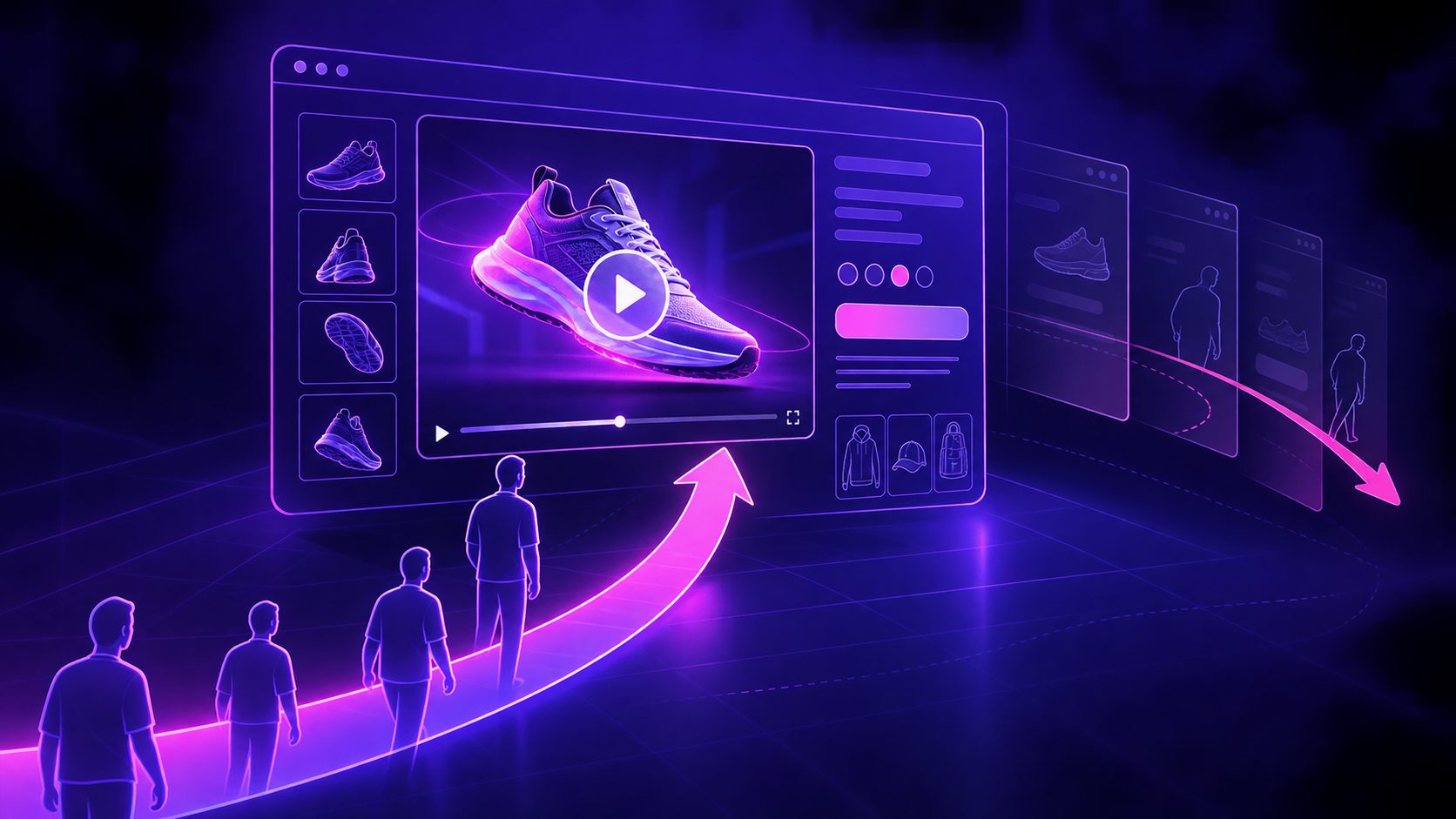
The best placement depends on what the video proves. For most physical products, place the clip inside the main product gallery, often as the second or third media item. This keeps the video close to the product image, title, price, and variant controls.
A video can also appear beside the purchase panel when the demo directly explains a buying objection. For example:
- A clothing video belongs near size, fit, or fabric information.
- A beauty demonstration belongs near application instructions.
- A home product demo belongs near dimensions, assembly, or function details.
- A technical product video belongs near compatibility and setup information.
Avoid stacking several autoplay videos above the fold. Multiple moving elements compete for attention and can make the page feel unstable. A single focused clip is usually easier to understand and easier to measure.
The video should complement, not replace, the product image gallery. A poster image gives the page a stable visual entry point, while the video supplies motion, scale, and use context.
How can video improve page speed and reduce bounce?
Video performance begins before playback. The page should render the product information and purchase controls without waiting for the full video file or player interface.
Use this implementation checklist:
- Create a fixed aspect-ratio container to prevent cumulative layout shift.
- Use a clear poster image that works even when playback is blocked.
- Keep autoplay muted and avoid relying on audio to explain the offer.
- Lazy-load video when it is below the initial viewport.
- Avoid loading several third-party players on the same page.
- Provide captions or on-screen text for silent viewing.
- Test on a slower mobile connection, not only on a fast desktop network.
- Compare the page with video against a static-image control.
Video hosting guidance for ecommerce identifies autoplay behavior, thumbnail quality, mobile delivery, and Core Web Vitals as central factors. A poor poster frame can make a polished video look broken before playback begins, while an incorrectly sized player can move the price or add-to-cart area after the page has rendered. (gumlet.com)
Google’s ecommerce video guidance also emphasizes matching the video to the page’s purpose. A product page should use video to support product understanding, not simply embed unrelated promotional content. (developers.google.com)
What should you measure in a product video test?
Do not judge a product video by play count alone. A video can generate many plays while producing fewer purchases if it distracts visitors or slows the page.
Track the following metrics by device and traffic source:
| Metric | What it reveals |
|---|---|
| Page bounce or engagement rate | Whether the landing experience retains attention |
| Video start rate | Whether the thumbnail and placement attract interaction |
| Three-second hold rate | Whether the opening communicates quickly |
| Add-to-cart rate | Whether the video supports product understanding |
| Time to first add-to-cart | Whether the page moves visitors toward action |
| Checkout initiation rate | Whether interest continues beyond the product page |
| Revenue per session | Whether the creative improves commercial outcomes |
| Page speed and layout stability | Whether implementation creates friction |
An original testing rule for ecommerce teams is the Friction-to-Proof Ratio:
Friction-to-Proof Ratio = added loading or interaction friction ÷ meaningful product uncertainty removed
If the video adds a visible delay but only repeats information already shown in photos, the ratio is high and the asset is a poor candidate for above-the-fold placement. If it quickly demonstrates fit, motion, texture, or operation, the ratio is lower and the video has a stronger reason to stay near the top.
Test one variable at a time:
- Static poster versus autoplay muted video.
- Product-first opening versus lifestyle-first opening.
- Gallery placement versus purchase-panel placement.
- Benefit-led caption versus feature-led caption.
- Fifteen seconds versus a shorter cut.
Keep the offer, price, traffic source, and page layout stable during each comparison. Measure downstream actions, not just viewing behavior.
How can AdsTurbo support product video iteration?
AdsTurbo supports product video creation and editing workflows for ecommerce sellers, including product video generation, ad cloning, motion control, lip sync, character replacement, translation, upscaling, background replacement, and subtitles.
For a product-page test, a seller can create several variations around the same product claim: a product-only demo, a UGC-style introduction, a close-up proof sequence, and a localized version. AdsTurbo Product Video accepts JPG or PNG product images, with clear product photos on a plain background producing the best results.
For longer source assets, automatic captions for ecommerce video ads can help convert spoken explanations into synchronized on-screen text. AdsTurbo Video Subtitle supports embedded-caption video downloads or separate subtitle-file exports, which is useful when the same creative must be adapted across storefronts and social placements.
When a winning reference ad has a strong opening and CTA structure, Ad Clone for ecommerce creative testing can help reconstruct variations around the product, offer, and audience. The important safeguard is to preserve the buying message while changing only the variables being tested.
AdsTurbo also provides video upscaling for improving low-resolution source footage and supports asynchronous generation through status polling or webhook completion events. For larger teams, advanced plans include team workflows, API access, and custom workflow support.
Common questions
Is autoplay always best for ecommerce product videos?
No. Muted autoplay can work for lightweight, highly visual clips, but click-to-play is safer when page speed is sensitive or the product requires deliberate explanation. Autoplay behavior can also vary by browser, so it should not be the only way shoppers access essential product information. (developer.adobe.com)
How long should a product-page video be?
A 6–15 second clip is a practical range for a first test because it can show one benefit without becoming a brand film. Longer videos may work lower on the page when shoppers need installation, comparison, or detailed education.
Should the video replace the main product image?
Usually not. Keep a clear product image as the poster or first gallery item, then use video to demonstrate motion, use, fit, scale, or texture.
What is the most important metric?
Start with add-to-cart rate and revenue per session. Engagement and video starts explain behavior, but downstream actions reveal whether the video improves the purchase path.
Can one video be reused across ads and product pages?
Yes, but edit it for the context. An ad may need a stronger hook, while a product-page video should answer a product question quickly and lead naturally toward selection or purchase.
Final checklist for lowering product-page bounce
Before publishing a product video, confirm that:
- The first frame clearly shows the product.
- The first three seconds communicate one meaningful benefit.
- The video works without sound.
- The poster image is sharp and relevant.
- The player reserves space before loading.
- The product, price, and purchase controls remain easy to find.
- The clip demonstrates something images cannot.
- Performance is tested on mobile.
- Add-to-cart and revenue metrics are included in the experiment.
- Each variation has one clear hypothesis.
The strongest ecommerce product video bounce rate optimization strategy is not “add more video.” It is to place one useful, fast-loading demonstration at the moment when shoppers need proof, then measure whether it improves the next commercial action.