作者:adsturbo.ai|发布日期:2026-09-01|更新日期:2026-09-01
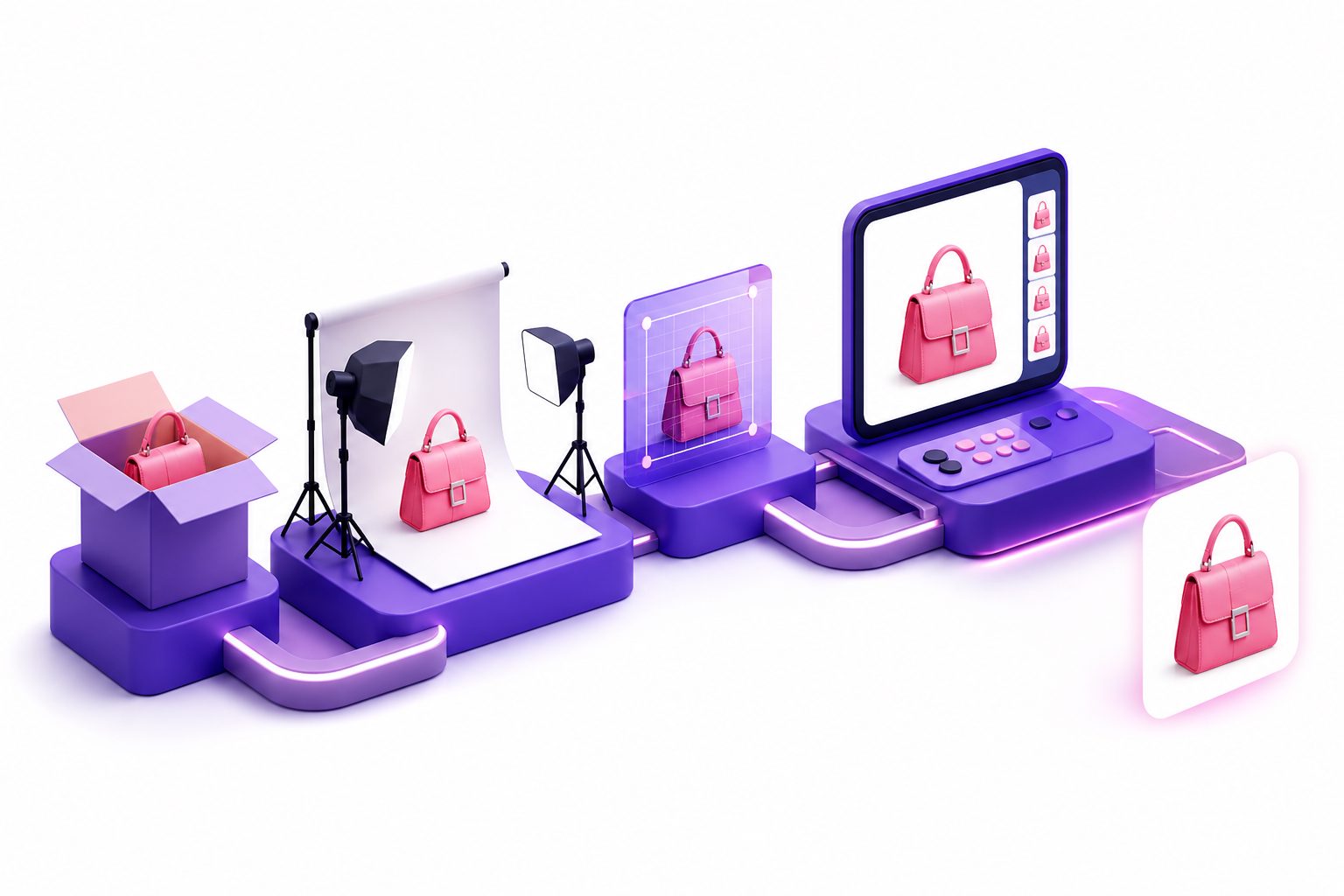
An image on white background is more than a clean product photo. For ecommerce teams, it is the base asset that keeps marketplace listings compliant, makes catalog grids consistent, and gives creative tools a reliable starting point for banners, lifestyle images, and video ads.
Most guides stop at “use a lightbox” or “remove the background.” That is useful, but incomplete. The real workflow is: capture or generate a clean packshot, verify platform rules, preserve product truth, then repurpose the asset into selling creative without breaking compliance.
What is an image on white background?
An image on white background is a product photo where the item is isolated against a clean white or near-white surface, usually with minimal props, readable edges, and accurate color. In ecommerce, the goal is to make the product instantly recognizable without visual distractions.
For marketplace main images, “white” often means more than “looks white.” Amazon category style guides have historically specified pure white as RGB 255, 255, 255 for main images, and Google Merchant Center recommends a solid white or transparent background for many product images through its image link requirements. Walmart Marketplace also states that main images should show items on a seamless white background in its image guidelines and requirements.
The practical takeaway: a white product photo is both a presentation format and a compliance asset. Treat it like source material, not just a one-time listing upload.
Why do ecommerce platforms prefer white background product photos?
Platforms prefer white background product photos because they reduce ambiguity. A clean background helps shoppers compare items quickly, lets search grids look consistent, and avoids misleading lifestyle context in the main product image.
For sellers, the benefits are operational:
- Fewer listing risks: A clean main image avoids common problems such as busy backgrounds, text overlays, logos, or extra props.
- Better catalog consistency: When every SKU uses the same visual logic, collections and search results feel more professional.
- Easier creative reuse: A clean product cutout can become a hero image, ad poster, comparison card, or video opening shot.
- Cleaner automation: AI image and video tools generally perform better when product edges, colors, and category cues are easy to detect.
This is where many teams underuse the asset. A white background image should not be the end of the workflow. It should be the control asset from which you create channel-specific variations.
Marketplace rules: what actually matters?
The safest ecommerce standard is simple: use a real product photo, keep the product dominant in the frame, remove distracting elements, and avoid promotional claims in the main image. Exact rules vary by marketplace, category, and country, so always check the current seller documentation before uploading.
A practical comparison looks like this:
| Platform or use case | White background expectation | What to watch |
|---|---|---|
| Amazon main image | Often strict for marketplace main images | Pure white, no text, no watermark, product fills most of frame |
| Google Merchant Center | Solid white or transparent is recommended in many cases | Product should be clear; avoid promotional overlays |
| Walmart Marketplace | Main images should use seamless white | No watermarks, logos, or inaccurate product representation |
| Shopify store | Flexible, but white backgrounds are common | Consistency across product grids matters more than strict compliance |
| Paid social ads | Not required | White packshots work best when transformed into native-looking creative |
Google’s Merchant Center guidance recommends framing products so they take up no less than 75% and no more than 90% of the image space in many cases. Amazon style guidance commonly points sellers toward a product occupying at least 85% of the frame for main images, though the exact requirement can depend on category documentation.
The operational rule: build one master white image that passes the strictest channel, then adapt downward for more flexible channels.
The White-to-Video Creative Ladder
The White-to-Video Creative Ladder is a practical framework for turning one compliant product image into a complete creative system. It prevents teams from treating listing images, ad images, and video ads as separate production jobs.
Use four layers:
- Compliance layer: A clean product shot for marketplace main images.
- Catalog layer: Consistent product images for Shopify, Amazon, TikTok Shop, and Instagram shopping surfaces.
- Campaign layer: Promo posters, bundles, discount visuals, and seasonal assets.
- Video layer: Short UGC-style product videos, demo clips, localized ads, and retargeting variations.
The insight is simple: the white background image is the most reusable asset because it contains the product with the least creative bias. Once the product is cleanly represented, you can add context intentionally: a kitchen scene for cookware, a bathroom counter for skincare, or a hand-held demo for gadgets.
AdsTurbo’s White Background Image Guide for Ecommerce Product Photos covers the image foundation. From there, sellers can use background replacement for ecommerce creative workflows when a plain catalog asset needs to become a more persuasive ad scene.
How to create a clean white background product image
A good white background product image can be shot, edited, or generated from an existing product photo. The best method depends on SKU volume, product complexity, and how often your catalog changes.
Step 1: Start with a clean source photo
Use a sharp JPG or PNG image with the full product visible. Avoid motion blur, harsh reflections, cropped edges, and messy backgrounds. If the product is white, translucent, metallic, or glossy, preserve edge contrast with careful lighting instead of overexposing the background.
AdsTurbo Product Image supports JPG and PNG product uploads. Clear photos on a solid-color background tend to produce the best results because the product shape, color, and category are easier to analyze.
Step 2: Keep product truth intact
Do not “beautify” the product into something customers will not receive. Keep proportions, packaging details, labels, material texture, and included accessories accurate.
This matters for trust. A white image can make a product look premium, but it can also hide scale and texture if edited too aggressively. Add secondary images or videos to show use, scale, and details instead of forcing the main image to do everything.
Step 3: Check edges, shadows, and color
The most common white-background failures are not dramatic. They are small quality issues that make a listing look low trust:
- Gray corners that looked white on a phone screen
- Jagged AI cutout edges around hair, fabric, or transparent plastic
- Missing shadows that make the product look pasted on
- Over-whitened packaging that loses label detail
- Color shifts caused by mixed lighting
- Export compression that creates artifacts around the product
For white products on white backgrounds, use subtle edge definition. Shopify’s product photography help notes that black foam board can deepen edges when shooting white products on white surfaces, while white reflector cards can soften dark shadows in other cases.
A 10-point QA checklist before uploading
A white product image is ready when it passes both visual and commercial checks. Use this 10-point checklist before it enters a listing, ad library, or AI video workflow.
- Background: White, seamless, and free of visible corners or texture.
- Product scale: Product is large enough to identify in search results.
- Edges: No halo, cutout fringe, missing straps, or broken transparent parts.
- Color accuracy: Product color matches the real item under neutral light.
- No extra claims: Main image does not contain coupons, badges, or marketing text.
- No unauthorized marks: No watermarks, supplier logos, or irrelevant labels.
- Image sharpness: Texture and packaging details remain readable.
- File format: Export matches platform needs, usually JPG or PNG.
- Aspect ratio: Prepare platform-specific crops without cutting the product.
- Creative readiness: Save a master version for posters, lifestyle images, and video generation.
This checklist is intentionally broader than marketplace compliance. A technically acceptable image can still be weak for growth if it cannot be repurposed into ads.
How to turn a white background image into video ad assets
A clean product image becomes more valuable when it feeds video creative. For ecommerce teams, the main challenge is not producing one beautiful asset; it is producing enough variations to test hooks, angles, formats, and audiences.
AdsTurbo supports Product Video generation from a JPG or PNG product image up to 10MB. The workflow can automatically analyze the product and generate UGC-style short video ads, including product review videos, product introduction videos, and product demonstration videos.
A practical sequence:
- Upload the master product image.
- Add selling points or promotion details when needed.
- Generate a short product video for testing.
- Create variants by changing hooks, scenes, actors, or language.
- Adapt outputs for TikTok, Instagram Reels, YouTube Shorts, Meta, and store pages.
For sellers who already have a reference ad, AdsTurbo’s Ad Clone workflow can preserve the strong opening seconds, pacing, shot logic, and CTA structure while rebuilding the creative around the seller’s own product. This is especially useful when the white-background packshot needs to become a native-feeling short-form ad rather than a static catalog asset. See the UGC video ad generator playbook for a broader testing workflow.
When should you keep the white background, and when should you replace it?
Keep the white background when the image must function as a neutral, compliant, product-first asset. Replace it when the shopper needs context, emotion, scale, or a use case to understand why the product matters.
Use this decision rule:
| Asset type | Keep white background? | Reason |
|---|---|---|
| Marketplace main image | Yes | Compliance and search-grid clarity |
| Product detail secondary image | Sometimes | Use close-ups, dimensions, or lifestyle scenes |
| Shopify collection tile | Often | Consistency across SKUs |
| Email campaign hero | Sometimes | White can look premium, but seasonal context may convert better |
| TikTok or Reels ad | Rarely as the only scene | Native video usually needs motion, people, or demonstration |
| Retargeting ad | Sometimes | Clear packshot helps recognition after first visit |
AdsTurbo Background Replace can automatically identify subject edges and match lighting, perspective, and color temperature without manual cutouts. That makes it useful when a product photo needs to move from compliance mode into campaign mode.
For static ecommerce expansion, AdsTurbo Product Image can generate multiple product image types from a single uploaded product photo, including main banner, lifestyle scene, close-up, material detail, usage instruction, and brand image. It also supports 9 output aspect ratios for platforms such as Amazon, Shopify, TikTok Shop, and Instagram.
Common mistakes that make white product photos underperform
The most damaging mistake is using the same image everywhere. A clean packshot is ideal for product identification, but it is rarely enough for persuasion.
Watch for these issues:
- Over-cleaning: Removing all shadow can make the product feel fake.
- Wrong crop: A square crop may work for a marketplace but fail in a 9:16 video opening.
- No scale cue: Small products need a hand, model, or environment in secondary creative.
- Single-language creative: A global campaign needs localized text, voice, and captions.
- No testing structure: Random variations make it hard to know whether the hook, product angle, actor, or offer caused the result.
AdsTurbo supports multilingual localization through video translation and AI lip sync workflows. It also provides Video Subtitle, which can automatically transcribe speech and generate time-synced subtitles, with subtitle styling adapted for TikTok, Instagram Reels, and YouTube Shorts formats.
A practical workflow for SKU teams
A scalable ecommerce workflow separates the master asset from the test assets. This keeps compliance stable while allowing creative variation.
Use this structure:
- Master folder: Original product photo, clean image on white background, transparent cutout if needed.
- Listing folder: Marketplace-specific exports with correct crop, size, and naming.
- Store folder: Shopify collection image, product page hero, detail crops.
- Campaign folder: Promo posters, seasonal banners, discount creatives.
- Video folder: Product review, demo, UGC hook tests, localized variants.
- Learning folder: Winning hooks, thumbnails, CTAs, and rejected creative notes.
This system also helps when using AI tools. AdsTurbo generation tasks are asynchronous and can return completion events through status polling or Webhook callbacks. Higher-tier plans support team workflows and custom workflow support (API access itself is available on every plan), which matters when creative production moves from occasional uploads to repeatable batch operations.
Frequently asked questions
Is a white background always required for ecommerce product photos?
No. A white background is often required or strongly preferred for marketplace main images, but secondary images and ads can use lifestyle scenes, close-ups, models, or contextual backgrounds. The main image should identify the product clearly; supporting assets should answer shopper objections.
What is the best format for a white background product image?
JPG and PNG are the most common formats. JPG is usually efficient for standard product photos, while PNG is useful when preserving transparency or sharper graphic edges matters. AdsTurbo Product Image and Event Poster support JPG and PNG uploads.
Should the background be pure white or slightly off-white?
For strict marketplace main images, pure white is usually safer. For brand websites, slightly off-white can look warmer, but it may create inconsistency in catalog grids. If the image will feed ads, keep a pure white master and create styled variations separately.
Can one white product photo become a video ad?
Yes. A clear product image can be used as the starting point for product videos, demos, UGC-style ads, and localized variants. AdsTurbo Product Video supports uploading a JPG or PNG product image and can generate product review, introduction, and demonstration videos.
How many versions should a seller create from one product image?
Start with one compliant listing image, three to six secondary product images, and three short video angles: problem-solution, product demo, and offer-led. For paid social, test multiple hooks before changing too many visual variables.
Final takeaway
An image on white background is the foundation of an ecommerce creative system. Use it to satisfy listing requirements, keep your catalog consistent, and create a clean source asset for campaign visuals and short-form video.
The strongest sellers do not stop at a compliant packshot. They preserve one accurate master image, then build controlled variations for platforms, languages, scenes, and video formats. With tools such as AdsTurbo Product Video for ecommerce ads, that white-background asset can move from static listing photo to scalable creative testing input.