ISOFIX Car Seat Installation Video Guide Ecommerce

Summarize with
Summary
Create an ISOFIX car seat installation video guide for ecommerce with click-lock close-ups, indicator checks, and a clear self-check sequence. Build yours with AdsTurbo.
By adsturbo.ai | Published 2026-10-27 | Updated 2026-10-27
An isofix car seat installation video guide ecommerce asset should do more than show a seat inside a vehicle. It must make the locking action, visual indicators, support leg or tether, and final self-check easy to understand in a few seconds—especially for Amazon shoppers deciding whether installation will be simple and reliable.
For child-safety products, the video should explain the product without presenting itself as a substitute for the car seat manual, vehicle owner’s manual, or professional inspection. The NHTSA car seat installation tips advises following both manuals and checking that the seat is secured correctly for the specific vehicle and restraint.
What should an ISOFIX installation video prove?
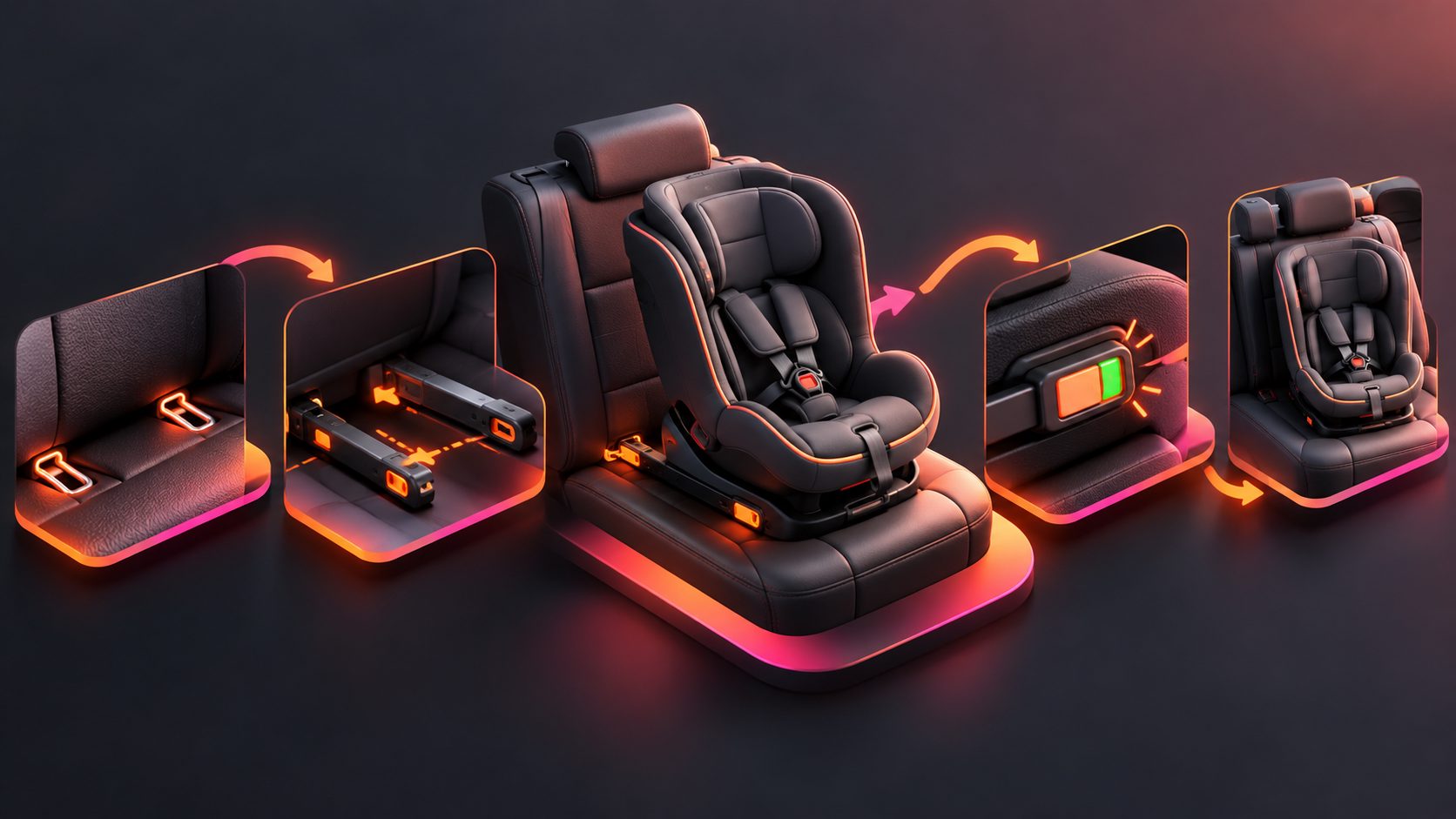
An ISOFIX installation video should prove that the seat connects to the vehicle anchors, reaches the correct indicator position, and receives any required third-point support. The most persuasive sequence is not a wide lifestyle shot; it is a series of visible actions that answer the shopper’s practical questions.
A useful installation video should show:
- Where the vehicle’s ISOFIX anchors are located.
- How the connectors extend from the seat or base.
- The connector entering the anchor and producing an audible or visible lock.
- The indicator changing to the manufacturer’s “correct” color.
- The base being pushed against the vehicle seatback when required.
- The support leg or top tether being secured.
- A final pull or movement check at the correct point.
Manufacturer guidance commonly emphasizes both the click and the indicator. For example, Maxi-Cosi describes an audible click and color indicators for the fixings and third-point installation. (maxi-cosi.co.uk)
The “click, color, contact” framework
A practical creative framework for sellers is click, color, contact:
- Click: Show the connector locking into the anchor.
- Color: Zoom in on every relevant green, red, or other status indicator.
- Contact: Show the seat or base positioned firmly as required by the manual.
This framework adds an important layer that many generic product videos miss: it turns installation into three observable proof points rather than one vague demonstration.
How should the video be structured for Amazon shoppers?
A strong Amazon product video should answer the installation question before introducing secondary features. The first seconds should reduce uncertainty, not spend time on branding animations or unrelated family scenes.
Recommended 30-second storyboard
0–3 seconds: Show the finished result
Open with the properly installed seat and a close-up of the correct indicators. Add a short overlay such as “ISOFIX installation check.”
3–7 seconds: Locate the anchors
Use a medium shot of the rear vehicle seat, then cut to the gap between the cushion and backrest. A simple arrow can identify the anchor points.
7–13 seconds: Demonstrate the connection
Show both connectors extending and entering the anchors. Use a close crop for the moment of engagement. Avoid covering the connector with a hand.
13–18 seconds: Confirm the indicators
Hold the frame long enough for viewers to see the status indicators. If the product has two indicators, show both rather than implying that one side represents the entire installation.
18–24 seconds: Show the third point
If the model uses a support leg or top tether, show its exact connection and adjustment. Do not add a generic step that does not apply to the specific seat.
24–30 seconds: Perform the self-check
Show the installer checking the seat at the correct belt path or attachment area, then close with a reminder to follow the product and vehicle manuals.
The car seat installation video examples from Traffic Safety Marketing also demonstrate the value of using separate visual sequences for different installation actions rather than compressing every step into one wide shot. (trafficsafetymarketing.gov)
Which shots reduce confusion and returns?
The most useful shots are macro installation shots, not polished lifestyle footage. A shopper needs to see exactly where force is applied, which indicator changes, and how the final check is performed.
| Installation question | Best shot | On-screen explanation |
|---|---|---|
| Where are the anchors? | Rear-seat close-up | “Locate the two ISOFIX anchor points.” |
| Did the connector lock? | Connector macro shot | “Push until the lock engages.” |
| Is each side correct? | Two-indicator close-up | “Check both indicators.” |
| Does the base need support? | Side view of leg or tether | “Secure the third fixing point if required.” |
| Is the seat positioned correctly? | Side profile | “Follow the model’s required position and angle.” |
| How is the final check done? | Hand at the correct attachment area | “Check movement according to the manual.” |
One important editing principle is do not hide the proof with captions. Place text in empty space beside the hardware, keep the connector visible, and use a freeze frame only after the lock has happened.
The custom-fit car floor mats installation video guide offers a useful ecommerce lesson that applies here: installation content performs better when the viewer can match each physical action to a visible fit or alignment result.
What should sellers avoid saying?
Installation content sits close to a safety decision, so sellers should avoid absolute claims such as “100% safe,” “impossible to install incorrectly,” or “works in every car.” ISOFIX compatibility, seat direction, recline angle, support-leg placement, and tether requirements can vary by product and vehicle.
Avoid these common mistakes:
- Showing a different seat model from the one being sold.
- Demonstrating only one side of a two-sided connector system.
- Cutting away before the indicator becomes visible.
- Treating a “click” as sufficient without checking the indicator.
- Showing a support leg without confirming that the model uses one.
- Using a dramatic shake test that does not match the manufacturer’s instructions.
- Adding universal legal or safety promises unsupported by the manual.
- Using a child in the seat when the installation demonstration does not require one.
The Kia owner guidance for ISOFIX installation similarly stresses hearing the click and checking the connection by pulling, while also directing users to the child-seat and vehicle manuals. (ownersmanual.kia.com)
How can ecommerce teams produce installation variants efficiently?
A single master demonstration can be adapted into multiple marketplace and advertising assets. Start with one clear horizontal or vertical recording, then create versions for the product detail page, paid social, retargeting, and customer-support content.
AdsTurbo supports clip-by-clip editing, video subtitles, video translation, AI upscaling, background replacement, and product video creation. Its subtitle tool can transcribe speech and produce synchronized captions, with layouts suited to TikTok, Instagram Reels, and YouTube Shorts. For a cross-border listing, the same installation sequence can be localized with translated audio and subtitles without changing the core hardware proof.
A practical asset set includes:
- A 30-second full installation guide.
- A 15-second “click and indicator” cut.
- A silent captioned version for marketplace autoplay.
- A troubleshooting cut showing common incorrect indicator states.
- A translated version for priority markets.
- A customer-support version with slower pacing and larger labels.
AdsTurbo’s asynchronous generation workflow supports status polling or Webhook completion events, while advanced plans support team workflows, API access, and custom workflows. This is useful when a catalog team needs to generate several aspect ratios or language versions without manually tracking every rendering task.
Common questions about ISOFIX installation videos
Should the video show a click?
Yes. The click is a useful audible cue, but it should be paired with a visible indicator and a final check. Audio alone may be missed on autoplay or muted marketplace placements.
Should both ISOFIX sides be shown?
Yes. Show the left and right connectors, or clearly show a final frame where both indicators are visible. A one-sided demonstration can leave shoppers unsure whether the second connector is engaged.
Should the video include the child?
Usually, no. A product-only installation demonstration keeps attention on the hardware and reduces unnecessary safety complexity. Add child-fitting instructions only when they are specifically supported by the product manual.
Is a wide lifestyle shot enough?
No. Use a wide shot for context, then switch to close-ups for the anchors, connector, indicator, support leg, tether, and final check. The close-ups carry the installation proof.
Can AI create the entire installation demonstration?
AI tools can help create product videos, subtitles, translations, edits, and visual variations, but the critical installation actions should come from accurate product footage or approved reference material. Do not invent connector locations, indicator behavior, or safety steps.
Final checklist for an ecommerce installation video
Before publishing, verify that the video:
- Matches the exact seat or base being sold.
- Shows the ISOFIX anchors and both connectors.
- Captures the lock action clearly.
- Shows the correct status indicators.
- Includes the support leg or top tether when applicable.
- Uses model-specific instructions rather than universal claims.
- Includes readable captions for muted playback.
- Provides a final self-check without exaggerating safety claims.
- Has vertical and horizontal versions for the intended channels.
A useful ISOFIX installation video is a proof-first product demonstration: it makes the correct actions visible, keeps safety language precise, and removes the uncertainty that often leads shoppers to delay purchase or return a product because installation felt unclear.