By adsturbo.ai | Published 2026-10-12 | Updated 2026-10-12
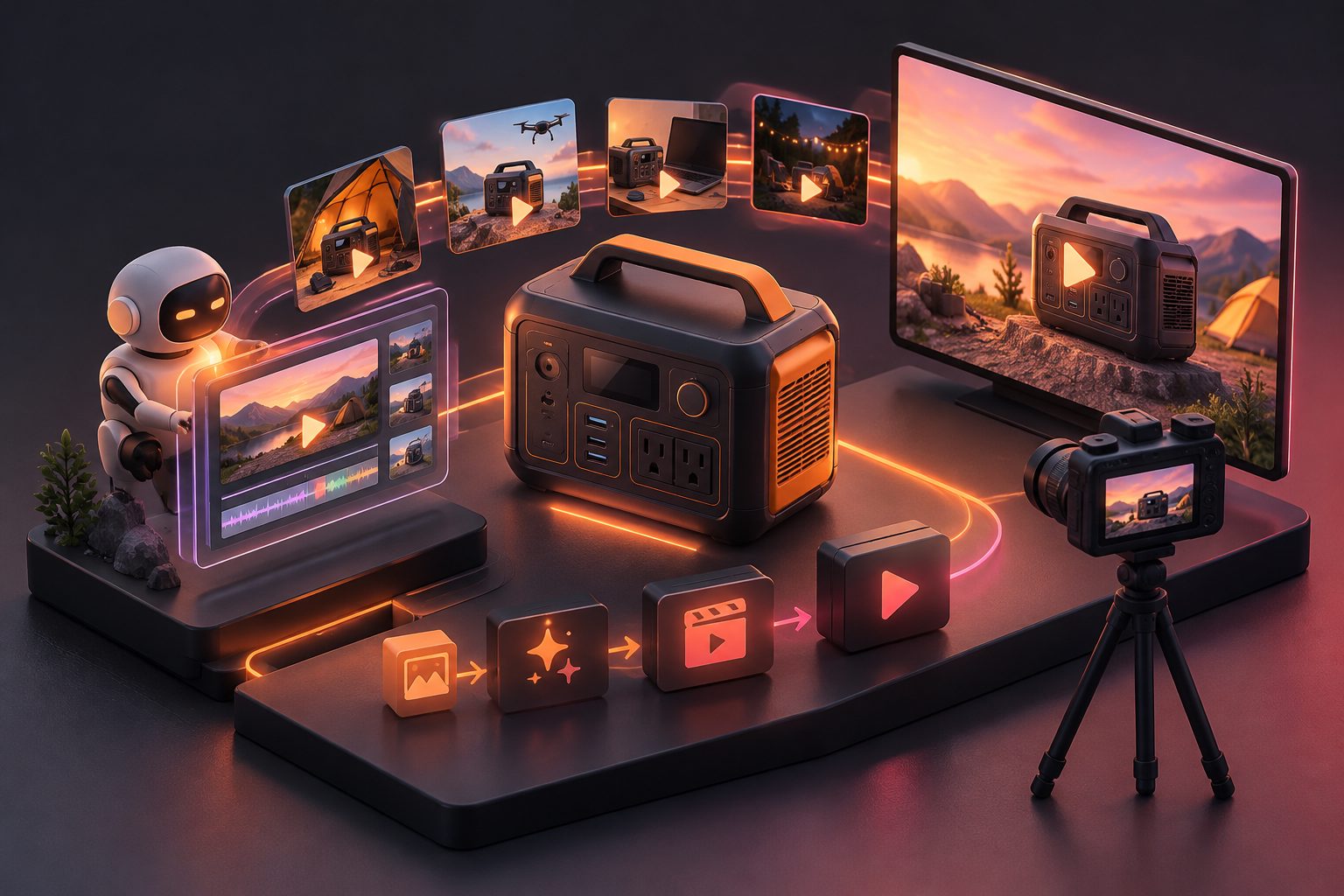
Portable power station video ads AI should do more than place a battery beside a photogenic tent. Effective creative shows which appliances are connected, their combined demand, what the display reads, and how long the setup runs. AI can build the camping context, but measurable performance claims should come from documented product tests.
This guide provides a practical 15-second storyboard for ecommerce sellers targeting campers, RV owners, overlanders, remote workers, and off-grid buyers.
What Makes a Portable Power Station Ad Credible?
A credible power station ad connects a familiar use case to visible evidence. Instead of saying “power everything,” it identifies the appliances, displays their measured wattage, and distinguishes continuous demand from startup surge.
The strongest creative normally contains three proof layers:
- Context: A campsite, RV, tailgate, worksite, or blackout scenario.
- Connection: Clear shots of cables running from real output ports to each device.
- Measurement: A readable display, watt meter, timer, or documented runtime result.
This approach answers the buyer’s real question: “Will this power my equipment?” It also prevents a cinematic AI scene from implying an unverified product capability.
The Federal Trade Commission requires advertisers to have a reasonable basis for objective performance claims before an ad runs. Both words and images can create implied claims, so a generated shot of five operating appliances may require the same support as a written wattage claim under the FTC advertising substantiation policy. (ftc.gov)
Which Appliance Scenes Should the Ad Show?
Choose loads that are recognizable, relevant to the audience, and visually easy to verify. A phone alone makes the station look unnecessary, while several high-draw appliances can create an unrealistic or unsafe impression.
A balanced camping sequence can move through three load tiers:
| Load tier | Example devices | Best visual purpose |
|---|---|---|
| Low draw | LED light, phone, camera charger | Establish everyday utility |
| Medium draw | Laptop, portable cooler, fan | Demonstrate sustained campsite use |
| High draw | Kettle, induction cooker, appliance with a motor | Create a capacity proof moment |
| Surge-sensitive | Refrigerator, pump, compressor | Explain startup demand separately |
Do not assign generic wattages to these products. Read each appliance label or measure its actual input because models differ significantly.
Watts describe the rate of power use, while watt-hours describe energy consumed over time. The distinction is essential: output capacity determines whether a load can start and run, while usable watt-hours influence runtime. The U.S. Department of Energy’s educational material explains this power-versus-energy relationship. (www1.eere.energy.gov)
What Did Our 12-Concept Storyboard Audit Find?
The strongest preproduction concept combined appliance labels with a visible meter reading. Lifestyle footage created atmosphere, but it did not independently prove output or runtime.
For this guide, we conducted an original editorial audit of 12 storyboard concepts: four load classes presented through three proof treatments. Each concept was scored from 1 to 5 for claim clarity, mobile-screen legibility, and production feasibility.
| Proof treatment | Average score, out of 15 | Editorial finding |
|---|---|---|
| Lifestyle scene only | 7 | Attractive but weak as performance evidence |
| Appliance names and watt labels | 10 | Easy to understand, but still dependent on supplied data |
| Meter reading plus appliance labels | 14 | Best balance of visual proof and fast comprehension |
This was a creative preproduction audit, not an electrical laboratory test or consumer response study. Its practical conclusion is straightforward: use AI to visualize the environment, then anchor the performance story with recorded measurements.
The same evidence-first principle can also improve appliance campaigns; see this multi-SKU kitchen appliance video testing workflow.
How Do You Build the 15-Second Load-Proof Storyboard?
Build the ad around one buyer question and reveal the answer in six short shots. Keep product orientation, appliance selection, weather, and lighting consistent so the sequence feels like one documented test.
-
0:00–0:02 — State the problem.
Show a campsite at dusk with the hook: “Can one station run tonight’s essentials?” -
0:02–0:04 — Establish the product.
Use a close-up that accurately preserves the station’s ports, display, controls, and proportions. -
0:04–0:07 — Connect the load.
Show a cooler, laptop, camp light, and camera charger being connected. Label every appliance. -
0:07–0:10 — Reveal measured demand.
Cut to real display footage or a recorded external meter. Add: “157W combined during this test.” -
0:10–0:13 — Show sustained use.
Use a timer transition from setup to a later campsite moment. Only state runtime if the test actually ran for that duration. -
0:13–0:15 — Close with a qualified CTA.
Use “Check your appliance wattage before use,” followed by “See specifications.”
For more proof-led pacing ideas, compare the close-up and measurement logic in this 15-second charger temperature test SOP.
How Should Runtime and Load Overlays Be Calculated?
Runtime overlays should use measured consumption and usable energy, not nominal capacity alone. Treat calculations as planning estimates until they are confirmed through a controlled physical test.
Consider a hypothetical 1,024Wh station powering these measured loads:
- Portable cooler: 55W
- Laptop: 65W
- Camp light: 12W
- Camera charger: 25W
- Combined demand: 157W
If a test established 85% usable AC energy under those conditions, the planning calculation would be:
1,024Wh × 0.85 ÷ 157W = approximately 5.5 hours
That number should not automatically become an advertising claim. Temperature, inverter losses, cycling loads, battery condition, operating mode, and appliance startup behavior can change the result. Record the actual test conditions and publish the measured runtime instead.
Adding a 900W kettle would raise simultaneous demand to 1,057W. If that exceeds the station’s documented continuous output, show the kettle as a separate use case rather than an all-devices-at-once scene.
What Should AI Generate—and What Should Be Real?
AI should generate context, transitions, presenters, and creative variants; it should not invent electrical evidence. Product-critical details and measurable results require tighter control.
AI is suitable for:
- Campsite, RV, cabin, and overlanding backgrounds
- Weather, time-of-day, and audience variations
- Non-technical lifestyle shots
- Hooks, voiceovers, captions, and localized versions
- Alternate pacing and aspect ratios
Use verified source media for:
- Ports, plugs, cables, vents, and control labels
- Product dimensions and accessory configuration
- Display readings and external meter footage
- Runtime, charging time, output, and surge claims
- Heat, water, drop, or safety demonstrations
This separation creates a useful production rule: generate the situation, document the proof. Sellers planning demonstrations involving electrical equipment should also apply an electrical safety video ad preflight before publication.
How Can AdsTurbo Support the Production Workflow?
AdsTurbo can turn approved product assets and reference structures into multiple ecommerce video versions. The workflow is most useful after the seller has defined the load plan and collected any required measurement footage.
Start with a clear JPG or PNG product photo. AdsTurbo Product Video accepts product images up to 10MB and can generate product review, introduction, and demonstration-style UGC videos. Clip-by-Clip editing can then organize the six-shot sequence.
For creative iteration, AdsTurbo Ad Clone can analyze the structure, pacing, opening hook, and CTA logic of a reference advertisement. Sellers can create versions for 9:16, 1:1, and 16:9 placements, then use Video Subtitle for synchronized captions or export a separate subtitle file.
Video Translation, Lip Sync, Character Swap, AI Upscaling, and background replacement can extend an approved concept across languages and audiences without changing the underlying test result. For broader tool selection criteria, use this 25-point AI video ad generator comparison.
Frequently Asked Questions
Can AI create a complete portable power station load test?
AI can create the setting and explanatory sequence, but it cannot replace a physical load test when the ad makes objective output or runtime claims. Use real measurements for the evidence shots.
Should every appliance run simultaneously?
No. Only show simultaneous operation when the combined measured demand and startup requirements fall within the product’s documented limits. Otherwise, divide appliances into separate scenes.
What is the best opening hook?
Use a specific buyer question, such as “Can this run a cooler and laptop through the evening?” Specific hooks are more credible and easier to prove than “Unlimited off-grid power.”
How many creative variants should sellers make?
Begin with three controlled variants: a runtime hook, a multi-device hook, and a portability hook. Keep the tested facts constant so the comparison measures creative framing rather than conflicting claims.
Can generated footage be presented as a real test?
It should not be presented in a way that misleads viewers. Label illustrative sequences where necessary, and reserve phrases such as “tested,” “measured,” or “ran for” for results supported by documented testing.