By adsturbo.ai | Published 2026-10-21 | Updated 2026-10-21
An AI aesthetic product video generator no model workflow turns a product photo into a short, visually directed social video without filming a creator, booking a studio, or showing a person on camera. For independent beauty and jewelry brands, the strongest results come from controlling product accuracy, lighting, motion, pacing, and the final call to action—not from adding random cinematic effects.
What is a no-model aesthetic product video?
A no-model aesthetic product video is a product-led clip where the item remains the visual focus. Instead of relying on a talking head or human testimonial, the video uses close-ups, controlled camera movement, texture, lighting, packaging details, captions, sound design, and product benefits.
This format is especially useful when a brand has only one clean product image. Several tools in the current search landscape promote a similar image-to-video workflow for jewelry and other products, including macro rotations, lifestyle scenes, and short clips for Reels, TikTok, ads, and product pages. (tryhylo.com)
The important distinction is that “aesthetic” does not mean “decorative.” Every visual choice should support one of three jobs:
- Reveal the product clearly.
- Create a desirable mood around it.
- Give the viewer a reason to act.
Why no-model videos work for small beauty and jewelry brands
No-model production removes several common constraints: finding a suitable creator, coordinating a shoot, managing lighting, and producing enough variations for testing. It also gives a small brand more control over visual consistency across product launches.
The format works best for products whose value can be communicated visually:
- Jewelry that benefits from sparkle, scale, and material detail.
- Skincare that relies on packaging, texture, and ritual.
- Makeup that can be shown through color, finish, or application context.
- Fragrance, accessories, and giftable products with strong packaging.
- Limited drops that need quick launch assets before a full campaign shoot.
However, a no-model video should not pretend to demonstrate a physical result that the footage cannot prove. A serum video can show the bottle, texture, and usage ritual, but it should avoid inventing clinical outcomes. A ring video can show reflection and rotation, but it should not alter the setting, stone shape, or metal color.
That accuracy-first principle is the main gap in many aesthetic product video workflows: visual polish is easy to request, while product fidelity requires deliberate inputs and review.
The five-part visual formula for an aesthetic product video
A reliable short-form structure is:
| Section | Purpose | Example for a jewelry brand |
|---|---|---|
| Hook | Stop the scroll | Extreme close-up of a stone catching light |
| Product reveal | Establish what is being sold | Slow rotation showing the full silhouette |
| Detail proof | Make the product believable | Clasp, texture, engraving, or finish |
| Lifestyle mood | Add emotional context | Soft morning light, vanity, or evening table |
| CTA | Tell viewers what to do | “Explore the new collection” or “Shop the drop” |
For beauty and jewelry, the detail proof is often more valuable than an elaborate background. A camera move across a gemstone, embossed package, or metallic surface can communicate quality more effectively than a busy scene.
This is a useful original editing rule: use one “hero” visual idea and one “proof” visual idea per video. The hero creates desire; the proof reduces uncertainty. Combining five different moods in a six-second clip usually weakens both.
How to create the video from one product image
1. Start with a product-accurate source image
Use a clear JPG or PNG image with the product separated from visual clutter. A plain-color background is often the strongest starting point because the system can identify the product’s shape, color, and category more reliably.
For jewelry, capture the complete outline and important details. For cosmetics, include the label, cap, pump, and package proportions. Avoid source photos where the product is cropped, heavily shadowed, or partially hidden.
AdsTurbo Product Image supports JPG and PNG uploads, and its product workflow can analyze product shape, color, and category. It can also generate multiple image types, such as banners, lifestyle scenes, close-ups, material details, usage instructions, and brand visuals.
2. Define the aesthetic before generating motion
Do not begin with a vague prompt such as “make it luxurious.” Translate the mood into observable production choices:
- Soft luxury: ivory background, diffused highlights, slow lateral camera movement.
- Editorial beauty: high contrast, sculptural shadows, clean typography.
- Fresh skincare: pale colors, water reflections, bright morning light.
- Night jewelry: dark background, narrow highlights, controlled sparkle.
- Playful accessory: saturated color block, quick cuts, graphic text.
A strong creative brief specifies the surface, light, movement, palette, and pace. This gives the generator constraints that can be reviewed frame by frame.
3. Build motion around the product
Good motion options include:
- Slow macro push-in.
- Controlled 180-degree rotation.
- Floating product reveal.
- Light sweep across a reflective surface.
- Match cut from packaging to product detail.
- Gentle parallax between foreground and background.
Avoid motion that changes the product’s physical identity. Excessive spinning, liquid effects, or complex object transformations can create attractive frames that no longer represent the actual item.
AdsTurbo supports product video generation, motion control, background replacement, clip-by-clip editing, and AI upscaling. A practical workflow is to generate the broad concept first, then use editing controls to shorten weak sections and preserve the strongest product reveal.
4. Add captions as part of the composition
Captions should not be added as an afterthought. Place them in a safe area that does not cover the product, especially when exporting vertical videos for TikTok, Instagram Reels, or YouTube Shorts.
A simple caption sequence might be:
- “Designed for everyday shine”
- “Water-resistant finish”
- “A smaller detail with a bigger effect”
- “Shop the new drop”
AdsTurbo Video Subtitle can automatically transcribe speech, generate synchronized captions, and export either a video with embedded subtitles or a separate subtitle file. Caption styles can be adapted for short-form social formats.
5. Create variants with one controlled change
The fastest way to learn what works is not to make five unrelated videos. Create a small testing matrix:
| Variable | Version A | Version B |
|---|---|---|
| Opening shot | Macro detail | Full product reveal |
| Mood | Soft daylight | Dark editorial |
| Message | Material benefit | Styling benefit |
| CTA | Shop now | View the collection |
Keep the product image, offer, and approximate duration consistent. Change one major variable at a time so performance feedback is easier to interpret.
For a broader testing system, the bulk TikTok product video workflow explains how to organize product creatives around a SKU testing matrix rather than producing isolated assets.
A practical AdsTurbo workflow for ecommerce sellers
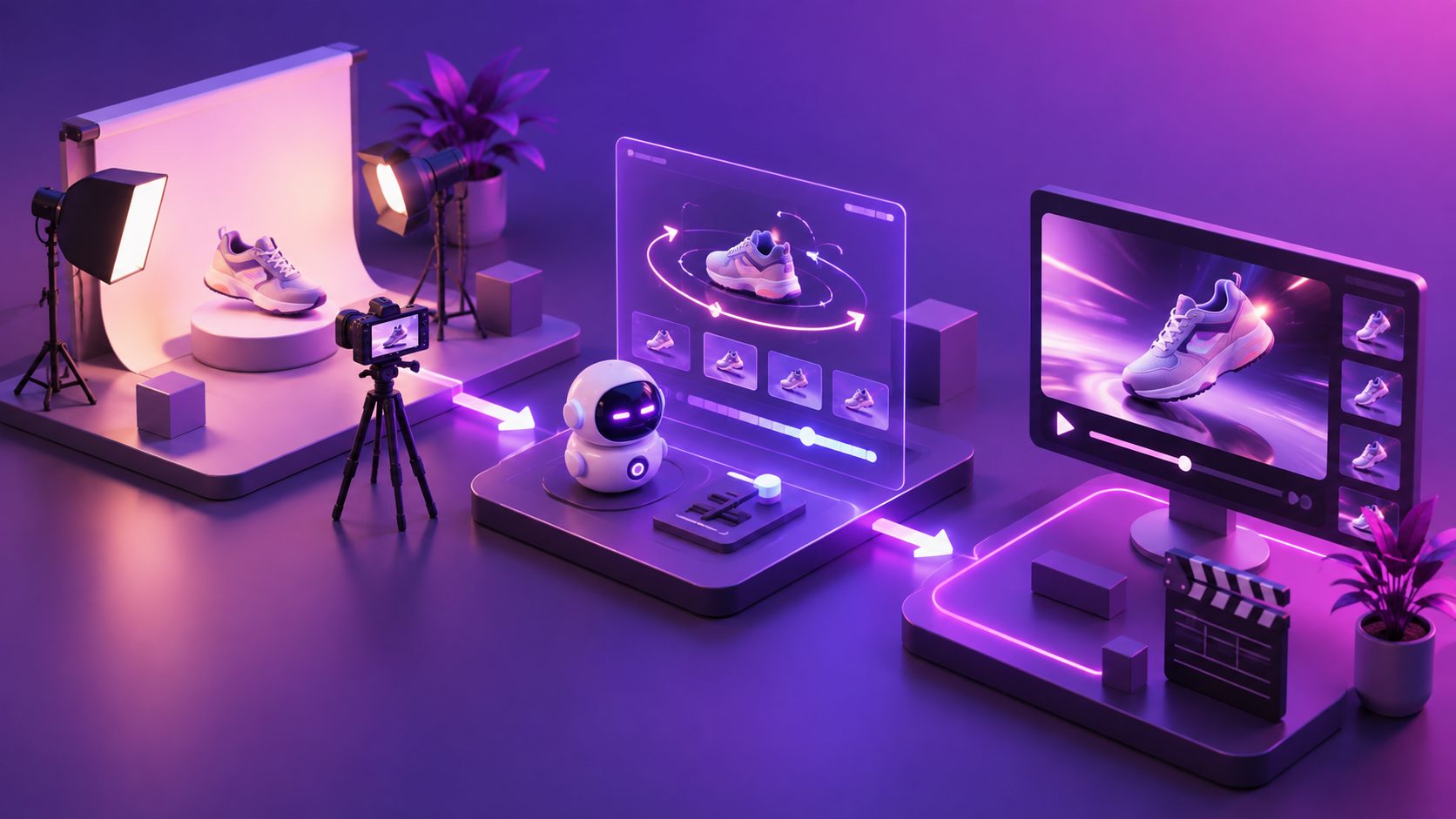
A compact production sequence looks like this:
- Upload a clean JPG or PNG product image.
- Select a product-video direction based on the product category.
- Add the key selling point, promotion, or launch message.
- Generate a product-led concept without a visible model.
- Review product shape, color, label accuracy, and motion.
- Edit the strongest sections clip by clip.
- Add captions or translated versions where needed.
- Upscale the final video if the source or output needs more clarity.
- Export platform-specific variations.
For campaigns built from an existing high-performing reference, AdsTurbo Ad Clone can analyze a reference video up to 12 seconds and help reconstruct its structure, pacing, shot logic, on-screen text, and CTA into new ad variations. The useful principle is to borrow the creative architecture, not copy another brand’s product claims or identity.
The jewelry macro video ads guide is also relevant when the product’s selling point depends on sparkle, facets, finish, or fine material detail.
What commonly makes these videos look artificial?
The most common problems are not dramatic model failures. They are subtle product inconsistencies:
- A logo changes between frames.
- A bottle cap becomes a different shape.
- Jewelry stones multiply or disappear.
- Reflections move in ways that contradict the product surface.
- Text becomes unreadable during camera motion.
- The background attracts more attention than the product.
- The video begins with mood but delays the product reveal.
Use a three-pass review:
- Identity pass: Is the product still the same item?
- Attention pass: Does the eye reach the product quickly?
- Conversion pass: Is the benefit and next action understandable without sound?
For low-resolution source footage or compressed assets, AdsTurbo AI Upscaling can improve output clarity, with before-and-after preview support and 4K export. Upscaling should enhance a valid source; it cannot reliably repair an incorrect product shape or invented label.
Common questions
Can I make an aesthetic product video without a human model?
Yes. Use a clean product image, a defined visual direction, product-focused camera movement, captions, and a clear CTA. This approach is particularly suitable for packaging-led beauty and jewelry content.
Is a product photo enough to create a video?
A product photo can be enough for a short concept, especially when the image is clear and the product is isolated. More angles or detail images improve the ability to show the back, texture, scale, or usage context accurately.
Should a no-model video look like a traditional advertisement?
Not necessarily. A polished editorial look may suit a jewelry launch, while a simpler phone-style product reveal may fit a social feed better. Choose the visual language based on the audience and product, not only on what looks cinematic.
How long should the video be?
The right length depends on the platform and message. Keep the first version focused on one product promise, then create shorter and longer cuts for testing. The opening seconds should reveal either the product or a strong visual reason to continue watching.
Can the same video be localized for different markets?
Yes. AdsTurbo supports video translation and multilingual subtitle workflows. You can also create variations with different voiceovers, captions, characters, and product messaging for regional testing.
Final takeaway
The best AI aesthetic product video generator no model workflow is not a substitute for creative direction. It is a way to turn one accurate product image into a controlled system of visual experiments.
Start with product fidelity. Add one memorable aesthetic idea, one proof detail, and one clear CTA. Then generate measured variations instead of endlessly changing the entire concept. For small beauty and jewelry brands, that combination creates more useful social assets without requiring a model-led production day.