Author: adsturbo.ai | Published: 2025-05-14 | Updated: 2025-05-14
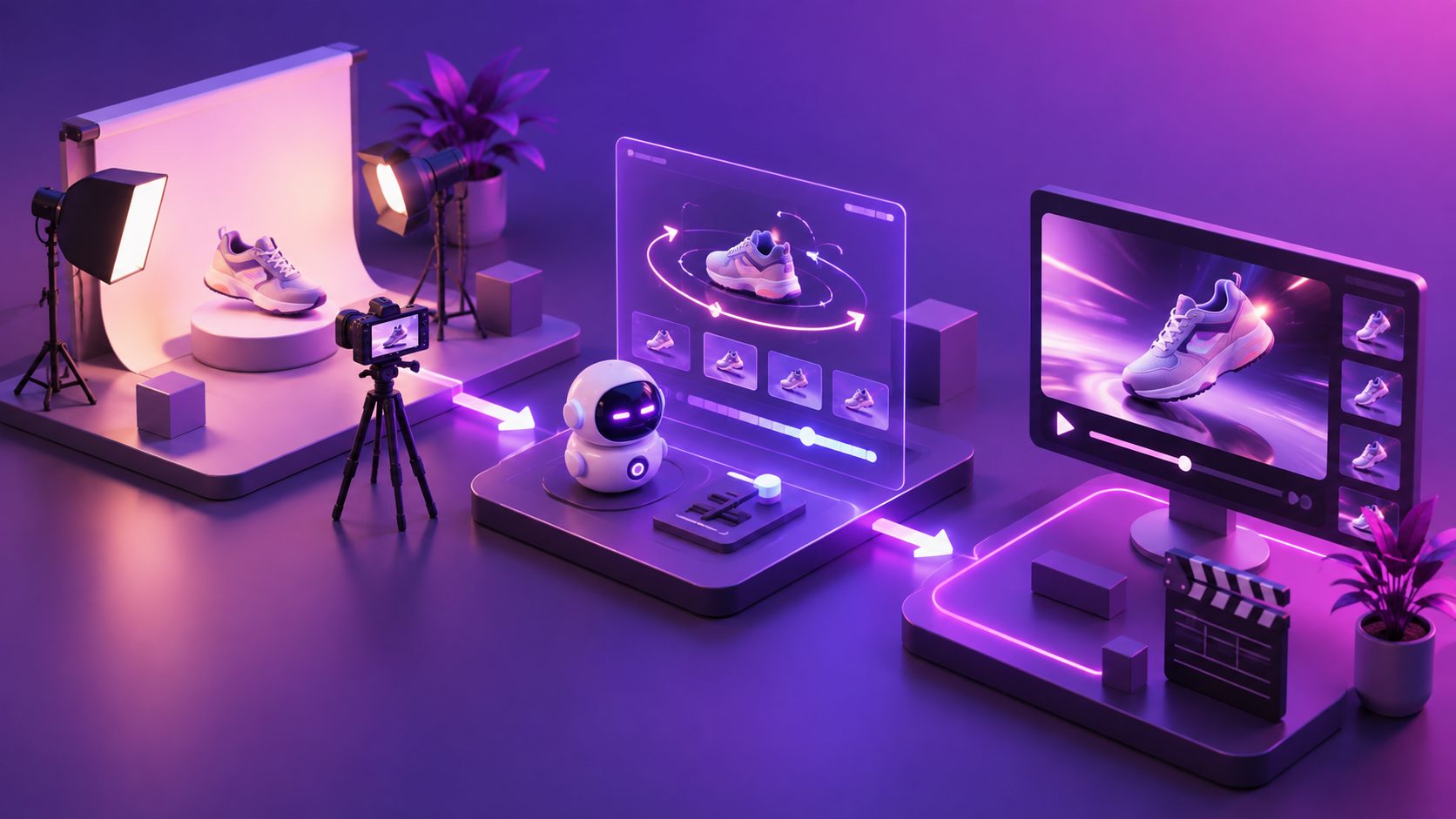
An ai camera movement product video generator is an artificial intelligence system that computes depth geometry, surface physics, and directional lighting to simulate cinematic studio camera trajectories—such as orbits, sweeping push-ins, and dynamic tilts—from a single static ecommerce product photo.
For DTC brands and marketplace sellers, turning flat catalog shots into commercial-grade video traditionally required motion-control robotic arms, physical turntable rigs, and studio lighting directors. Today, generative models reconstruct product geometry from flat packshots, simulating physical optics and kinetic movement in seconds.
What Is an AI Camera Movement Product Video Generator?
An ai camera movement product video generator utilizes visual depth estimation and latent diffusion transformers to synthesize motion paths around an isolated object. Instead of executing basic 2D digital pans or static zooms that warp scale, the engine generates continuous 3D camera parallax, realistic specular light shifts, and organic depth-of-field transitions.
+--------------------------+       +-------------------------------+
| Static Packshot          | ----> | Spatial Geometry Estimation   |
| (Clean JPG/PNG Image)    |       | (Normal Maps & Depth Planes)  |
+--------------------------+       +-------------------------------+
                                                  |
                                                  v
+--------------------------+       +-------------------------------+
| Exported 4K Motion Video | <---- | Trajectory Simulation Engine  |
| (TikTok / Meta / Shorts) |       | (Orbit, Dolly, Specular Flow) |
+--------------------------+       +-------------------------------+
When evaluating tools to bridge catalog assets and performance creatives, merchants often begin with an end-to-end product photo to video ads maker to eliminate the overhead of physical reshoots.
4 Core Cinematic Camera Moves and Their Physics
Standard video templates often apply generic motion presets that distort product geometry. Producing conversion-ready commercial creatives requires selecting camera paths tailored to specific physical textures and design silhouettes.
| Camera Movement Type | Optical Physics Simulated | Best Product Categories | Conversion Impact |
|---|---|---|---|
| 360° Continuous Orbit | Dynamic rim-light reflection, metallic refraction, depth parallax | Watches, bottled cosmetics, electronics | Establishes 3D scale and authentic build quality |
| Macro Dolly-In (Push) | Narrow depth of field, surface bokeh, texture detail micro-contrast | Fine jewelry, skincare serums, leather goods | Highlights craftsmanship and premium materials |
| Sweeping Low-Angle Tilt | Forced perspective, dramatic vertical gradient, ceiling light sweep | Footwear, luxury handbags, hardware tools | Creates visual authority and dynamic scale |
| Lateral Tracking Arc | Progressive background occlusion, focal length perspective shift | Home decor, ergonomic furniture, consumer packaged goods | Demonstrates real-world volume and usage context |
For brands selling accessories with intricate details, combining tight focal lengths with macro paths is essential. Review our dedicated guide on jewelry macro video ads maker to see how dynamic lighting captures microscopic engravings and diamond refraction.
How to Transform White Background Photos into Cinematic Motion Ads
Executing cinematic motion from flat imagery requires structured preprocessing to avoid digital artifacts and model hallucination.
Step 1: Input Optimization (Clean Solid-Color JPG/PNG)
  │
Step 2: Scene Depth Mapping & Specular Ray Tracing
  │
Step 3: Trajectory & Kinetic Speed Configuration
  │
Step 4: Clip Assembly, Sound Layering & Export
Step 1: Input Asset Preparation
Upload a high-resolution JPG or PNG file of the product. The AI performs best when presented with clear lighting on a solid background, allowing edge detection algorithms to accurately map contours without confusing background textures with product edges.
Step 2: Depth Mapping and Lighting Simulation
The generative engine evaluates the silhouette, isolating primary product planes from background depth. Light-tracing algorithms then project virtual key lights and rim lights across the surface, simulating realistic highlights as the simulated camera moves.
Step 3: Trajectory Selection and Speed Ramping
Choose the motion trajectory that matches your campaign objective. Fast, dynamic sweeping arcs excel as 2-second visual hooks for social feeds, while gentle 180-degree orbital tracks provide clear structural inspection for consideration-phase retargeting ads.
Step 4: Post-Production Enhancements and Aspect Ratio Formatting
Once the motion sequence renders, refine the final output with clip-by-clip editing, on-screen text overlays, and synchronized audio. Export variations across 9:16 vertical, 1:1 square, and 16:9 widescreen formats to ensure native display across TikTok, Meta Ads, and YouTube Shorts.
For high-volume multi-channel operations, running an ecommerce video ads ROAS testing cycle helps pinpoint which camera paths deliver the lowest cost-per-acquisition across different customer personas.
Enterprise Production: Motion Control at Scale with AdsTurbo.ai
Producing custom 3D animations for hundreds of SKUs can create significant operational bottlenecks. AdsTurbo.ai provides an integrated creative infrastructure that automates dynamic visual production for modern ecommerce teams.
AdsTurbo offers foundational generative video tools, including:
- Product Video & Ad Clone: Generate complete short-form UGC ads, unboxing perspectives, and product showcases directly from static JPG or PNG images (under 10MB) or reference URLs.
- Advanced Motion Control & Video Editing: Access targeted post-processing controls including Motion Control, Lip Sync, Character Swap, Video Translation, Video Analysis, and AI Upscaling.
- Credit-Based Rendering: Transparent consumption rates charge Ad Clone and UGC marketing videos at 10 credits/second; AI Lip Sync and Character Swap at 20 credits/second; Motion Control at 12 credits/second; and Video Translation, Resolution Upscaling, and Watermark Removal at 5 credits/second. Static image generation uses 5 credits per image, while custom personas require 350 credits.
- Developer API & High-Volume Automation: The standard REST API utilizes Bearer API Key authentication across 8 video endpoints (shot analysis, lip sync, watermark removal, translation, upscaling, face swap, motion control, and subtitles) alongside 6 modular blocks (image generation, persona, AI actors, ad clone, video generation, and task processing). All operations run asynchronously with status polling or webhook notifications.
Teams managing multi-market campaigns can explore ecommerce video ad translation to localize generated video assets with voiceovers and synchronized captions across regions.
Common Challenges and Troubleshooting Solutions
Even sophisticated diffusion pipelines encounter optical challenges when handling reflective or transparent assets. Use these proven adjustments to resolve common rendering artifacts:
1. Edge Warping on Reflective Surfaces
- Symptom: Chrome accents, mirrored finishes, or glossy bottles distort during orbital camera passes.
- Fix: Provide a clean source image with neutral diffuse lighting. Avoid input photos with severe flash reflections, which can disrupt depth estimation algorithms.
2. Texture Hallucination on Fine Typography
- Symptom: Small nutritional labels, ingredient lists, or micro-logos blur during rapid dynamic camera pans.
- Fix: Select slower pan trajectories like a lateral tracking arc, and pass the generated clip through the AdsTurbo AI Video Upscaling tool to preserve fine typography.
3. Background Separation Artifacts
- Symptom: Fringing around complex product geometries such as bristles, mesh fabric, or foliage.
- Fix: Use source images shot against solid white or neutral gray backgrounds, allowing the segmentation model to cleanly differentiate edges before rendering motion paths.
Frequently Asked Questions
What image format is best for generating AI camera movements?
High-resolution JPG or PNG packshots shot against clean, solid-color backgrounds deliver the most accurate depth calculations. Clear lighting and sharp contrast between the product boundaries and the backdrop prevent edge warping during orbital camera sweeps.
How do AI camera movements differ from simple 2D zoom effects?
A 2D digital zoom merely enlarges pixels on a flat plane, resulting in resolution loss and static perspective. An AI camera movement generator recalculates the 3D depth of the object, generating realistic perspective shifts, foreground-background parallax, and specular light flow across physical contours.
Can I generate multiple camera movement variations from one photo?
Yes. From a single input photograph, you can generate an array of visual variations, including 360-degree orbits, macro push-ins, and sweeping low-angle tracks. This enables rapid creative testing across paid social channels without booking physical studio reshoots.