Author: adsturbo.ai|Published: August 30, 2026|Updated: August 30, 2026
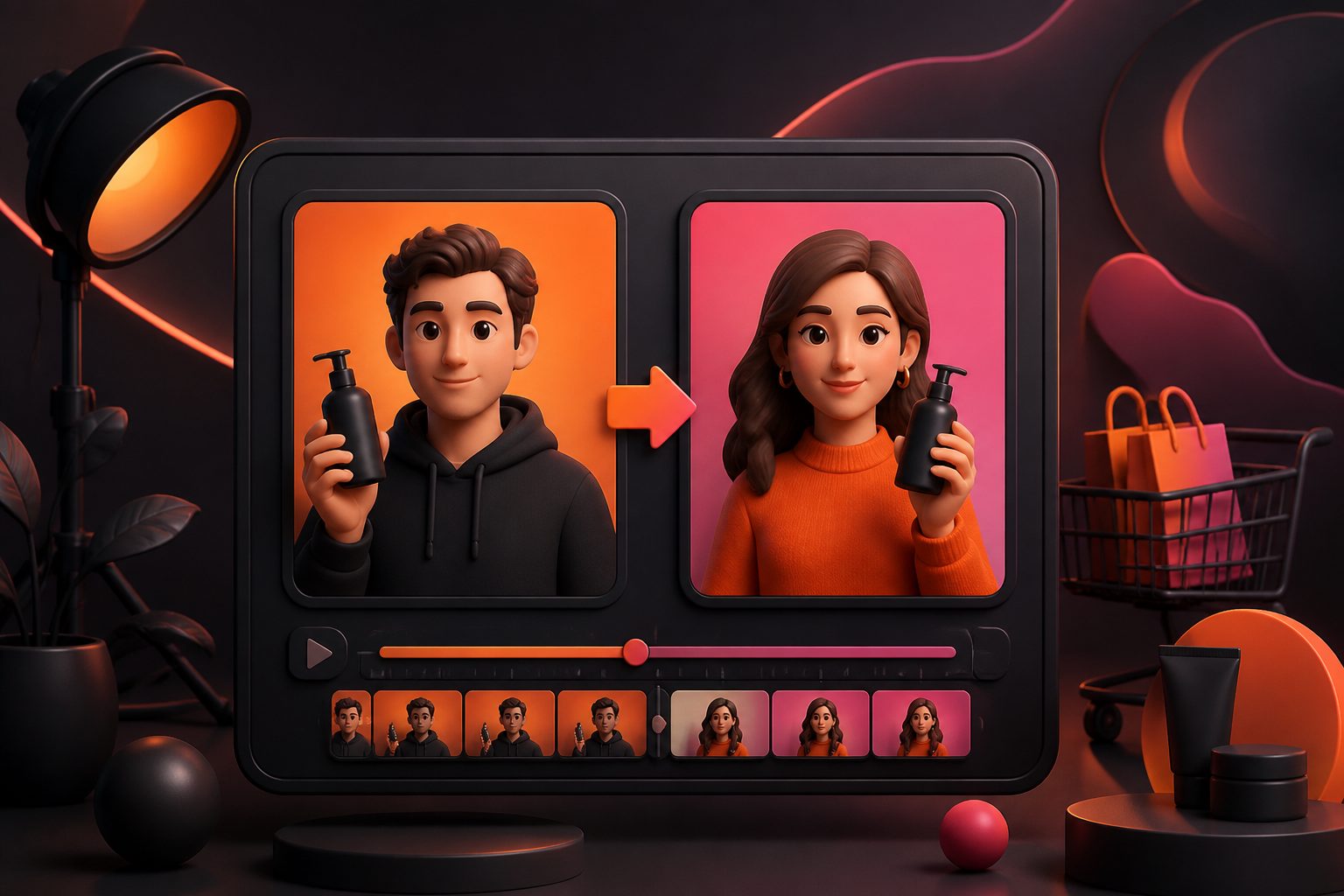
AI character swap is the use of generative video AI to replace the visible person or character in a video while preserving the source clip’s motion, camera rhythm, scene context, and timing. For ecommerce teams, its highest-value use is not novelty; it is faster actor testing, regional localization, and creative iteration without reshooting every product demo.
Unlike a basic face swap, character replacement can affect the whole on-screen subject: face, hair, clothing, body shape, pose, and sometimes voice alignment. That makes it useful for UGC-style ads, testimonial formats, product demonstrations, fashion try-ons, and localized creator variants.
What is AI character swap?
AI character swap means replacing the person in an existing video with a new reference character while keeping the original performance structure. The source video supplies motion, framing, gestures, and scene timing; the target character image or persona supplies identity and appearance.
In practical terms, a video character swap workflow usually needs two inputs:
- A source video with the motion, setting, and action you want to reuse.
- A target character reference such as a clear image or AI actor asset.
The output should feel like the same ad was filmed with a different person. In ecommerce, that can turn one strong product video into several audience-specific variants: different age ranges, styles, regions, languages, or brand personas.
AdsTurbo’s Character Swap workflow supports uploading a source video or image plus a target character image, then replacing the on-screen person while preserving motion, lighting, and scene realism. It also fits with adjacent workflows such as AI ads actors for ecommerce video ads, product demonstrations, and multilingual localization.
AI character swap vs face swap vs motion control
The main difference is scope: face swap changes identity at the face level, character swap replaces the broader subject, and motion control transfers movement to a chosen character. Choosing the wrong method often creates artifacts or wastes production credits.
| Workflow | Best for | What it changes | Common risk |
|---|---|---|---|
| Face swap | Keeping the same body, outfit, and scene | Face identity and expression | Mismatched skin tone, jawline, lighting, or consent issues |
| Character swap | Replacing an actor or full on-screen subject | Face, hair, body, outfit, and subject appearance | Temporal inconsistency, hand artifacts, clothing flicker |
| Motion control | Making a still character follow a reference motion | Pose, gesture, and movement | Stiff motion or mismatch between character and scene |
| Lip sync | Matching mouth movement to audio | Mouth shapes and timing | Unnatural phonemes or language mismatch |
For ecommerce advertisers, the most reliable decision rule is simple: use face swap only when the original body, wardrobe, and context already match the campaign. Use full character replacement when the visible actor no longer fits the audience, brand, or market.
AdsTurbo provides Character Swap, AI Face Swap, Lip Sync, Motion Control, Video Translation, and Video Upscaling capabilities, so teams can separate identity replacement from speech, language, and quality fixes instead of forcing one tool to solve every production problem.
When should ecommerce teams use character replacement AI?
Use character replacement AI when the winning part of the ad is the structure, not necessarily the actor. If the hook, product reveal, gesture, pacing, or CTA already works, replacing the character can help scale variants without rebuilding the whole creative.
Strong use cases include:
- Localized UGC ads: keep the same product sequence, but test different presenter looks for different regions.
- Audience-fit variants: adapt a beauty, fashion, fitness, or gadget demo to multiple buyer personas.
- Seasonal creative refreshes: reuse a proven ad structure while changing the presenter style.
- Creator asset reuse: turn a licensed reference structure into new brand-safe variants.
- Product-market testing: compare whether customers respond better to an expert, peer, founder-style, or lifestyle presenter.
A common mistake is using AI character swap on weak source footage. The AI can replace who appears in the video, but it cannot fully rescue a poor hook, unclear product benefit, or confusing CTA. If the original ad has no persuasive structure, start with a better product video concept instead. For Shopify or DTC teams, a workflow like a Shopify product video maker for ecommerce may be a better first step.
A practical 36-shot swapability scorecard
The fastest way to predict output quality is to score the source clip before generation. This original scorecard is based on a 36-shot ecommerce creative audit: 12 hook shots, 12 product-demo shots, and 12 testimonial-style shots reviewed for swap difficulty.
This is not a model benchmark. It is a production-planning framework for deciding whether a clip is worth sending into an AI character swap workflow.
| Factor | Low-risk source clip | High-risk source clip | Score |
|---|---|---|---|
| Face visibility | Front-facing or slight angle | Extreme profile, fast turns, occlusion | 1–5 |
| Body motion | Controlled gestures | Dancing, jumping, rapid spins | 1–5 |
| Hand-product contact | Product held steadily | Fingers cover logo or small moving parts | 1–5 |
| Lighting | Even, stable, natural | Flashing light, heavy shadows, reflections | 1–5 |
| Background complexity | Static room, plain set, simple shelf | Crowds, mirrors, glass, moving background | 1–5 |
| Shot length | 2–6 seconds per shot | Long continuous take with many actions | 1–5 |
Interpretation:
- 24–30 points: good candidate for actor replacement.
- 18–23 points: usable, but split into shorter clips first.
- Below 18 points: reshoot, simplify, or use a different workflow.
The highest-scoring ecommerce clips in this framework were short product reveal shots and seated testimonial clips. The hardest were mirror scenes, fast hand demonstrations, and dense lifestyle footage where the actor crosses reflective surfaces.
How to prepare assets for cleaner results
Cleaner inputs produce cleaner swaps: use short clips, clear character references, stable lighting, and explicit creative constraints. Most visible failures come from asking the model to infer too much from poor source material.
Use this preparation checklist:
- Trim the source video into short shots. Keep each unit focused on one action: hold product, point to benefit, open package, apply product, or deliver CTA.
- Choose a clear target character image. Use a front-facing, well-lit reference where the face and upper body are visible.
- Avoid conflicting wardrobe logic. If the source actor wears long sleeves but the target image implies a sleeveless outfit, expect visual instability.
- Keep product visibility separate from character replacement. Product labels, packaging, and hands near the product are harder to preserve during full-body edits.
- Write a production prompt, not a fantasy prompt. Specify actor replacement, scene preservation, gesture preservation, brand-safe clothing, and no change to product appearance.
- Plan post-production. Use subtitles, upscaling, translation, or lip sync after the identity swap if the ad needs localization.
AdsTurbo’s workflow ecosystem includes Character Swap, Lip Sync, Video Translation, Video Subtitle, AI Upscaling, AI Eraser, Background Replace, and Product Video creation. For teams trying to build a broader video testing engine, the AI TikTok ad generator guide explains how to think about creative iteration for short-form platforms.
A consent-safe workflow for commercial ads
Commercial character replacement should start with rights, consent, and disclosure—not with generation. If the person, voice, likeness, product claim, or endorsement could mislead viewers, the creative may create legal or platform risk.
A safer ecommerce workflow looks like this:
- Use owned or licensed footage. Do not scrape creator videos and reskin them without permission.
- Confirm likeness rights. Get written permission for any real person, creator, employee, or model whose identity appears.
- Avoid celebrity or public-figure imitation. Even if technically possible, it can imply false endorsement.
- Separate synthetic acting from real testimonials. Do not make an AI actor appear to be a real customer unless the claim is truthful and properly disclosed.
- Keep product claims substantiated. Actor replacement does not reduce the need to prove claims about results, ingredients, durability, or performance.
- Review platform policies before launch. Requirements can differ across Meta, TikTok, YouTube, Amazon, and regional markets.
The FTC’s guidance on endorsements states that advertising messages can be deceptive when consumers are likely to believe they reflect someone’s independent opinion without proper context; see the FTC Endorsement Guides FAQ. Meta has also described expanding AI transparency signals for ads in its GenAI transparency update for ads products.
The practical rule is simple: if the swap changes who viewers think is speaking, demonstrating, or endorsing, treat disclosure and permission as part of production.
How AdsTurbo fits an ecommerce character swap workflow
AdsTurbo is useful when character replacement is part of a repeatable ad production system, not a one-off edit. Ecommerce teams often need multiple hooks, actors, languages, aspect ratios, captions, and product visuals from the same creative idea.
Within AdsTurbo, teams can combine several AI video and image workflows:
- Character Swap: replace a person in video or image using a source asset and target character image.
- Ad Clone: analyze a reference ad’s structure, pacing, opening seconds, shot logic, and CTA pattern to create brand-specific variants.
- Product Video: upload a JPG or PNG product image, optionally add selling points or promotion details, and generate UGC-style product videos.
- Lip Sync and Video Translation: localize speech and mouth movement for multilingual campaigns.
- Video Subtitle: generate time-synced subtitles and export either burned-in videos or standalone subtitle files.
- Background Replace and Product Image: produce platform-ready product visuals for Amazon, Shopify, TikTok Shop, Instagram, and other channels.
For a deeper workflow focused specifically on replacing the on-screen person, see Replace Character in Video AI: A Practical Guide for Ecommerce Ads. For motion-led edits, the companion guide on controlling motion in AI video ads is more relevant.
QA checklist before publishing a swapped-character ad
A character-swapped ad should be reviewed frame by frame before it enters paid media. The goal is not only visual quality; it is also trust, claim accuracy, and campaign usefulness.
Use this QA checklist:
- Identity consistency: Does the character’s face, hair, outfit, and body stay stable across the shot?
- Hands and product contact: Do fingers, packaging, labels, and product edges remain believable?
- Lighting match: Does the new character inherit the scene’s shadows, highlights, and color temperature?
- Mouth movement: If speech is present, does lip sync match the language and pacing?
- CTA integrity: Did the swap accidentally change, hide, or distort the call to action?
- Subtitles: Are captions readable in TikTok, Instagram Reels, and YouTube Shorts layouts?
- Claims: Are before/after statements, results, discounts, and comparisons still accurate?
- Rights: Do you have permission for the source performance and target likeness?
- Disclosure: Is synthetic or sponsored content labeling handled according to platform and regional rules?
A useful rule for paid social: never judge the output only in a desktop preview. Watch it at phone size, muted, once at normal speed and once frame by frame. Most ecommerce ad failures show up in the first three seconds, around hands, mouths, text overlays, or product packaging.
Common mistakes that reduce ad performance
The biggest mistakes are swapping too much, hiding the product, and optimizing for realism instead of conversion clarity. A beautiful replacement can still fail if the buyer cannot understand the offer.
Avoid these errors:
- Using long continuous clips. Shorter clips are easier to control and easier to test.
- Changing the actor and the script at the same time. If performance changes, you will not know which variable mattered.
- Ignoring audience fit. A character should match the buyer context, not just look polished.
- Overusing synthetic perfection. Some UGC ads work because they feel informal and direct.
- Skipping subtitles. Many short-form viewers watch without sound.
- Using unlicensed reference videos. This can create takedown, reputation, and account-risk problems.
- Letting the product become secondary. The actor should clarify the product benefit, not compete with it.
A better testing plan is to keep the same product, hook, and CTA, then vary only one character dimension at a time: age range, style, language, role, or region.
Frequently asked questions
Is AI character swap the same as deepfake?
Not always. AI character swap is a technical workflow; “deepfake” usually refers to synthetic media that may deceive viewers about identity or events. In commercial ads, the safer line is consent, licensing, truthful claims, and clear disclosure where required.
Can I replace a real creator with an AI actor?
Only if you have the right to use the source footage and do not imply a false endorsement. If the original creator’s performance, voice, likeness, or content is protected by contract or platform terms, get permission before using it as a reference.
What type of ecommerce video works best?
Short product demos, testimonial-style shots, and simple hook clips usually work best. Avoid crowded scenes, mirrors, fast turns, heavy occlusion, and complex hand-product interactions when possible.
Should I use character swap or create a new AI product video?
Use character swap when the source ad structure is already strong. Use a new product video workflow when you need a fresh concept, clearer product explanation, or a different scene from the start.
Can character replacement help with localization?
Yes, but it should be combined with translation, subtitles, and cultural review. Changing the actor alone rarely creates a fully localized ad. Speech, captions, offer framing, and visual norms should also match the market.