Author: adsturbo.ai|Published: 2026-08-26|Updated: 2026-08-26
Replace character in video AI means using generative video tools to swap the visible person, avatar, or product demonstrator in an existing clip while preserving the original camera movement, timing, scene, lighting, and performance structure. For ecommerce sellers, the highest-value use case is not novelty editing. It is turning one proven product video into localized ad variations without reshooting every actor, language, or market angle.
That distinction matters. A casual AI character swap can look impressive for one shot but fail in paid ads if the hand position, product interaction, face angle, or disclosure context changes. A production-ready workflow treats character replacement as part of a creative testing system: source clip selection, replacement identity control, lip sync, subtitles, localization, QA, and compliance.
What is AI character replacement in video?
AI character replacement in video is the process of replacing an on-screen person or character with another identity while retaining the source clip’s motion, scene structure, and timing. In advertising, it is useful when a product demo works but the performer, language, audience, or market context needs to change.
Most tools use some combination of video-to-video generation, face or body reference images, motion transfer, masking, and video inpainting. Research on video character replacement frames the task as image-conditioned, pose-driven video inpainting, where a reference identity is inserted into selected video regions while surrounding motion stays coherent, as described in the paper “Replace Anyone in Videos” on arXiv.
For ecommerce, the practical question is simple: can the new character still hold the bottle, point to the skincare texture, unbox the gadget, or deliver the hook without breaking trust? If not, the output may be visually interesting but commercially weak.
When should ecommerce teams replace an actor instead of reshooting?
Use AI character replacement when the original video’s structure is already valuable: a strong opening hook, clear product handling, persuasive pacing, or a proven CTA. Reshoot when the scene requires complex new actions, regulated claims, exact hand-product interaction, or legally sensitive endorsement context.
A useful rule is the 70/20/10 replacement test:
| Decision factor | Replace with AI | Reshoot |
|---|---|---|
| 70% of the original motion still works | Yes | No |
| Only 20% needs identity, language, or styling changes | Yes | Maybe |
| More than 10% of the product interaction must change | Risky | Yes |
For example, a beauty brand can often replace a model in a “hold product, smile, point to text” clip. A kitchenware brand should be more careful with knife handling, flame, steam, or safety claims. The more the product physically interacts with the performer, the more QA matters.
A practical workflow to replace a character in video with AI
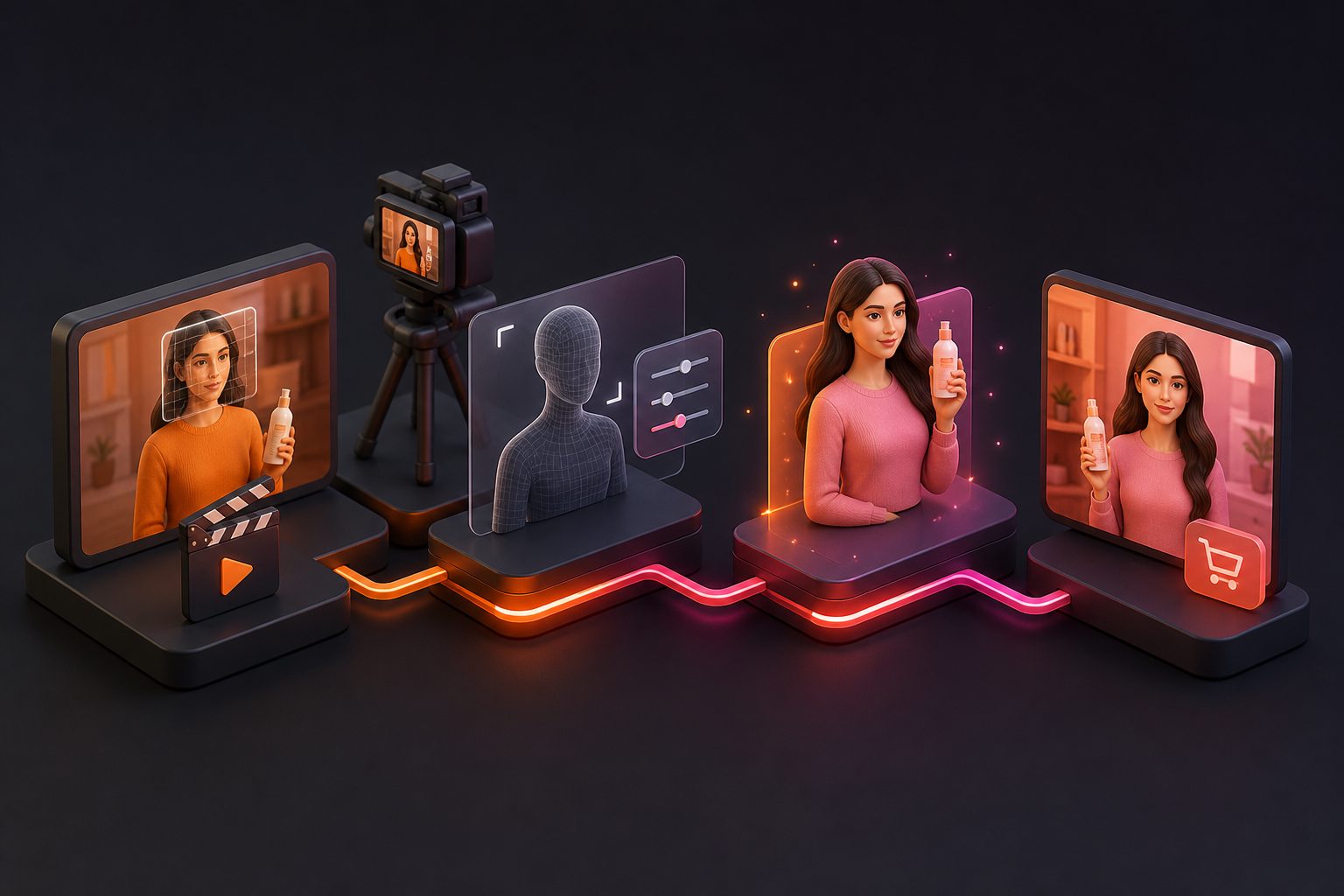
The best workflow is not “upload and hope.” It is a controlled pipeline: choose a clean source clip, provide a clear replacement reference, preserve motion, repair speech, add subtitles, then export platform-specific versions for testing.
-
Select a source video with simple visual logic.
Choose clips with one main person, stable lighting, limited occlusion, and a visible product. Avoid fast cuts, mirrors, crowds, transparent objects, and heavy motion blur. -
Prepare the replacement identity.
Use a clear image or approved AI actor reference. Front-facing and three-quarter views usually help maintain identity during head turns. -
Run character replacement.
Tools such as AdsTurbo Character Swap support uploading a source video or image plus a target character image, while preserving motion, lighting, and scene realism during replacement. -
Fix speech and mouth movement.
If the performer talks, use lip sync instead of accepting mismatched mouth shapes. AdsTurbo provides AI Lip Sync and requires clear JPG/PNG portraits plus MP3/WAV audio files for that workflow. -
Localize captions and voice.
Add subtitles for TikTok, Instagram Reels, and YouTube Shorts formats. AdsTurbo Video Subtitle can automatically transcribe speech and generate time-synced captions, with options to download embedded-caption videos or separate subtitle files. -
Export variants for paid testing.
Repurpose one source into different roles: creator, expert, shopper, founder, or localized spokesperson. If the product page itself is the creative source, this guide on AI product video from URL for ecommerce teams explains how URL-based product context can support ad production.
The Scene-Fit Score: a faster way to choose winning source clips
The Scene-Fit Score is a 10-point checklist for deciding whether a video is a good candidate for AI character replacement. It prevents teams from wasting credits on clips that look easy but are technically fragile.
| Criterion | Score 0 | Score 1 |
|---|---|---|
| One main character | Multiple people overlap | One clear subject |
| Product visibility | Hidden or constantly blocked | Visible in key shots |
| Lighting | Flickers or changes sharply | Stable lighting |
| Camera motion | Fast pans/zoom | Slow or static |
| Hands | Cross face/product often | Mostly separate |
| Occlusion | Hair, props, hands cover face | Face mostly clear |
| Speech | Fast, emotional, side profile | Clear and frontal |
| Background | Crowded or reflective | Simple scene |
| Wardrobe | Fine patterns/transparency | Solid shapes |
| CTA structure | Weak or unclear | Strong final action |
A score of 8–10 is ideal for AI replacement. A score of 5–7 can work if the ad only needs short hooks or simple localization. A score under 5 usually costs more in retries than a controlled reshoot.
This framework is especially useful for teams cloning high-performing UGC ad structures. AdsTurbo’s Ad Clone workflow can preserve the first few seconds, pacing, shot logic, and CTA structure of a winning ad while rebuilding it around a product and new creative direction.
What makes an AI character swap look realistic?
A realistic character swap preserves five things at once: identity, motion, lighting, product contact, and timing. If any one of these breaks, viewers may feel something is wrong even if they cannot name the issue.
The most common failures are:
- Identity drift: the face changes across frames or angles.
- Hand mismatch: fingers warp while touching the product.
- Lighting conflict: the new person looks pasted into the scene.
- Lip desync: speech timing no longer matches the mouth.
- CTA breakage: the new version changes the persuasive rhythm.
For ecommerce ads, product contact is often the hardest. A face-only replacement may pass in a talking-head testimonial, but a full character replacement must also respect wrists, sleeves, fingers, packaging edges, and shadows. AdsTurbo Background Replace, for example, is designed to automatically identify subject edges and match lighting, angle, and color temperature for image backgrounds; the same visual principles apply when judging video replacements.
Character replacement vs face swap vs motion control
Character replacement, face swap, and motion control are related but not identical. Choosing the wrong workflow can create unnecessary artifacts or waste production time.
| Workflow | Best for | Limitation |
|---|---|---|
| Face swap | Changing only the face in an existing person-led clip | Body, wardrobe, and hair may remain unchanged |
| Character replacement | Replacing the visible performer or persona | Needs careful source selection and QA |
| Motion control | Transferring motion from a video to a target character image | May create a new scene rather than preserve the original one |
| Lip sync | Matching mouth movement to new audio | Does not solve full-body identity by itself |
| Video translation | Localizing speech, subtitles, and voice | Works best when the visual identity is already acceptable |
AdsTurbo offers Face Swap, Character Swap, Motion Control, Lip Sync, Video Translation, Video Subtitle, AI Upscaling, and AI Eraser tools. For ecommerce teams, these are not separate tricks. They are stackable stages in one ad localization pipeline.
How to use character replacement for localized UGC ads
The strongest ecommerce use case is turning one proven ad concept into market-specific versions. Replace the performer, translate the message, adjust subtitles, and keep the hook, shot order, product proof, and CTA consistent.
A simple localization map looks like this:
- US version: direct hook, creator-style delivery, discount CTA.
- Japan version: softer claim language, localized on-screen text, careful product demonstration.
- Korea version: beauty or lifestyle framing, fast captions, social proof angle.
- EU version: clearer disclosure, benefit-led copy, localized subtitles.
AdsTurbo’s AI video translation supports uploading MP4, MOV, or WEBM files, or using links such as Google Drive, YouTube, or a URL, and can generate translation, dubbing, and subtitles in more than 40 target languages. Product Image and Event Poster workflows also support localized image text in seven languages, including English, Chinese, Japanese, and Korean.
For teams building larger campaigns, the adsturbo.ai homepage gives an overview of ad cloning, product video generation, video translation, and other AI ad creation workflows.
What should teams check before publishing?
Before publishing, check consent, rights, disclosure, claims, and platform fit. AI replacement can change who appears to endorse a product, so the creative must still be truthful, authorized, and clear to viewers.
Use this preflight checklist:
- Identity rights: use approved actors, licensed AI actors, or owned persona assets.
- Endorsement clarity: do not imply a real person used or recommends a product if they did not.
- Claims accuracy: avoid changing a compliant claim into a stronger unverified one.
- Disclosure: paid or material relationships should be disclosed where required.
- Platform formatting: export 9:16 for short-form feeds, 1:1 for square placements, and 16:9 for broader video inventory.
- Human QA: watch the final ad at normal speed and 0.5x speed, especially around hands, mouth, eyes, and product edges.
In the United States, the FTC’s guidance on endorsements, influencers, and reviews is relevant when an ad could be understood as an endorsement or testimonial. AI-generated or AI-modified creative does not remove the advertiser’s responsibility to avoid misleading consumers.
How AdsTurbo fits into an AI character replacement workflow
AdsTurbo is an AI video ad generation platform for ecommerce sellers that supports character replacement, ad cloning, product video creation, localization, and post-production editing. It is most useful when a team wants to create many ad variants from a small set of products, references, and selling points.
Relevant AdsTurbo capabilities include:
- Character Swap for replacing a person in a source video or image with a target character image.
- Ad Clone for analyzing a reference video’s structure and generating product-specific ad variants.
- Lip Sync for matching mouth movement to new audio.
- Video Translation for multilingual localization.
- Video Subtitle for time-synced captions and social caption styling.
- AI Upscaling for improving video resolution, including export support for 4K video.
- Product Video for generating product review, product introduction, and product demo videos from JPG or PNG product images up to 10MB.
- API access on every plan, using a standard REST API with Bearer API Key authentication, asynchronous task execution, polling, and Webhook callbacks.
AdsTurbo also provides more than 300 AI actors and more than 100 product ad templates, which helps ecommerce teams avoid relying on a single spokesperson style.
A repeatable ecommerce ad variant plan
A practical campaign does not need hundreds of random videos. It needs structured variation. Start with one source clip and create a controlled matrix of character, language, hook, and CTA.
Example variant plan:
| Variable | Option A | Option B | Option C |
|---|---|---|---|
| Character | Everyday shopper | Product expert | Founder-style presenter |
| Hook | Problem-first | Result-first | Discount-first |
| Language | English | Japanese | Korean |
| CTA | Shop now | Claim offer | See demo |
| Format | 9:16 | 1:1 | 16:9 |
This creates 243 theoretical combinations, but most teams should begin with 9–18 deliberate variants. Keep the source motion constant first. Then vary one or two elements at a time. That makes performance learnings cleaner than changing actor, hook, subtitle style, product angle, and CTA all at once.
Common mistakes to avoid
The biggest mistake is treating AI character replacement as a final creative strategy instead of a production method. The goal is not simply to replace a person. The goal is to preserve what made the original ad persuasive while adapting it for a new audience.
Avoid these errors:
- Replacing a character in copyrighted clips you do not have rights to use.
- Using celebrity likenesses or real people without permission.
- Starting with low-resolution, shaky, compressed footage.
- Ignoring hands and product contact during QA.
- Translating words but not adapting tone, offer, or subtitle rhythm.
- Publishing outputs that imply false personal experience.
For ecommerce, trust is part of conversion. A slightly less spectacular video that clearly shows the product and makes honest claims will usually be safer than a visually flashy but confusing AI edit.
Frequently asked questions
Can AI replace a whole person in a video, not just the face?
Yes. AI character replacement can replace more than the face when the workflow supports body or persona replacement. However, full-body replacement is harder than face swap because it must preserve posture, clothing boundaries, hand movement, shadows, and product interaction.
Is AI character replacement good enough for paid ads?
It can be, especially for short UGC-style clips with one clear subject, stable lighting, and limited hand occlusion. Paid ads need stricter QA than organic experiments because artifacts can reduce trust and waste media spend.
What files do I need to replace a character in a video?
Most workflows need a source video and a replacement character image. For AdsTurbo Character Swap, users provide a source video or image containing a person and a target character image. For lip sync, AdsTurbo requires a clear JPG/PNG portrait plus MP3/WAV audio.
How is this different from generating a new AI video from text?
Text-to-video creates a new scene from a prompt. Character replacement starts from an existing video and aims to keep the source performance, timing, camera movement, and shot logic. That makes it better for adapting a proven ad.
Should I disclose AI-edited characters in ecommerce ads?
Disclosure depends on the ad, platform, jurisdiction, and whether viewers may be misled. If the video implies a real testimonial, paid endorsement, or personal product experience, follow applicable advertising rules and platform policies. When in doubt, use clear, conservative disclosure.
Key takeaway
AI character replacement is most valuable when it protects the winning parts of a video: hook, pacing, product proof, and CTA. For ecommerce teams, the smart workflow is to score source clips first, replace only where the scene can survive the edit, then combine character swap with lip sync, subtitles, translation, and structured variant testing.