By adsturbo.ai | Published 2026-09-27 | Updated 2026-09-27
Senior model product demo video ads AI can help ecommerce brands show how a product fits into real daily life without organizing a traditional shoot. The strongest approach is not simply placing an older-looking AI actor beside a product. It combines clear product proof, respectful representation, readable captions, and a structured testing plan for health, accessibility, wellness, and home products.
Current ecommerce AI video pages commonly focus on uploading a product image, selecting an avatar, generating UGC-style scenes, and producing multiple creative variations for TikTok, Meta, and YouTube. (highreach.ai) The missed opportunity is a senior-specific framework: older audiences often need stronger demonstrations of setup, handling, comfort, visibility, and everyday usefulness before they trust an offer.
What are senior model product demo video ads?
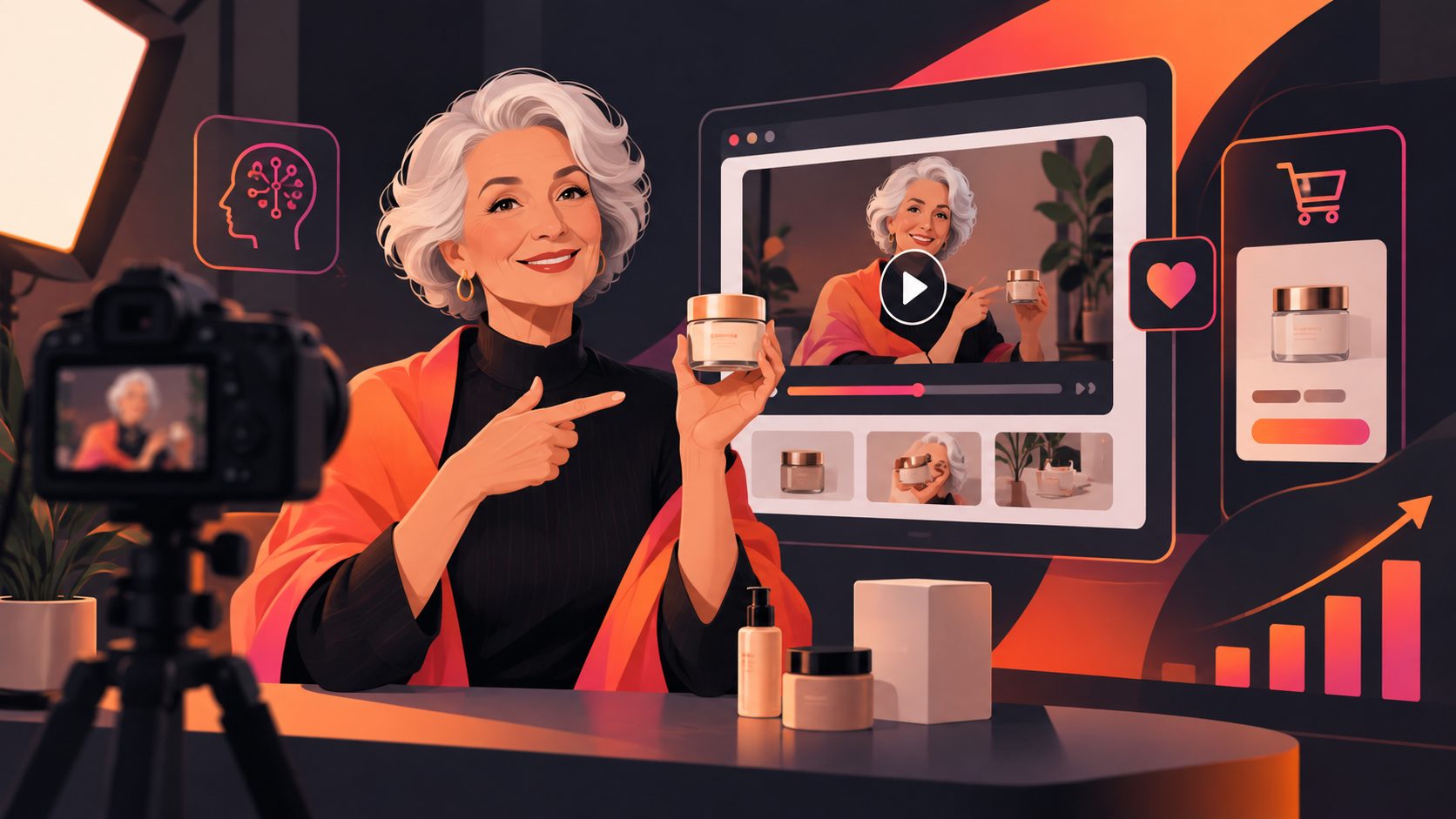
Senior model product demo video ads are short ecommerce videos that use an older-presenting model or AI actor to demonstrate a product in a realistic context. They are most useful when the audience needs to understand how the product works, not just what it looks like.
For example, a home-safety brand might show a senior model opening, installing, and using a device. A wellness brand might focus on packaging, routine, and ease of use rather than unsupported health outcomes. A furniture seller might demonstrate grip, seating height, storage access, or movement around the product.
The senior model is therefore a context signal, not proof of product performance. The product still needs visible evidence: close-ups, before-and-after states where appropriate, operating steps, measurements, compatibility details, and a direct call to action.
Why does a senior presenter improve product understanding?
A senior-presenting actor can make a product scenario feel more relevant to older shoppers and their caregivers, but relevance only works when the scene reflects a believable use case. Generic “happy older person” imagery is weaker than a specific demonstration tied to a real customer question.
Use the presenter to answer one practical concern:
- “Can I set this up without help?”
- “Can I read the controls?”
- “Will it fit into my daily routine?”
- “How does it reduce friction at home?”
- “What happens after I open the package?”
This approach also helps brands avoid age stereotypes. Do not portray older people as helpless, confused, or automatically unhealthy. Show capability, choice, and a credible reason for using the product.
For health and wellness products, avoid turning an AI character into a fake patient testimonial. The FTC states that endorsements must be truthful, material relationships should be disclosed, and marketers should not imply results they cannot substantiate. (ftc.gov)
What is the best script structure for a senior product demo?
A practical structure is Concern → Demonstration → Evidence → Next step. This is more useful than beginning with a vague lifestyle scene because it gives every second of the video a job.
1. Start with a specific concern
Open with a relatable friction point:
“If small controls are difficult to see, this design gives you a simpler way to adjust the settings.”
The opening should describe a product-use problem without making a medical or exaggerated claim.
2. Show the product in use
Move quickly to the demonstration. Use a medium shot for context and close-ups for the important interaction: pressing a button, opening a latch, adjusting a handle, reading a display, or placing the product in a room.
3. Add evidence, not empty praise
Use screen text for concrete facts such as dimensions, materials, included accessories, battery type, warranty terms, or compatibility. If a claim depends on testing or certification, show only information the brand can support.
4. End with one clear next step
Use a single CTA such as “See the full setup,” “Compare sizes,” or “Shop the collection.” A senior-oriented product video should reduce uncertainty before asking for the click.
How should brands produce these videos with AI?
A reliable workflow starts with accurate product assets rather than a complicated prompt. AdsTurbo Product Video supports JPG or PNG product uploads, with a clear product photo on a plain background producing the best result. The platform can analyze the product and create UGC-style product videos, including review, introduction, and demonstration formats.
Use this five-step workflow:
- Prepare the product source. Upload a clean JPG or PNG image. Check that labels, buttons, colors, and proportions are visible.
- Define the audience situation. Write one use case, such as medication organization, kitchen access, mobility support, or home comfort. Keep the situation specific.
- Choose the presenter direction. Specify age range, tone, clothing, setting, pace, and whether the person is a user, demonstrator, or brand spokesperson.
- Build the evidence sequence. List the exact product actions the video must show. Avoid relying on narration alone.
- Create controlled variations. Change one variable at a time: opening concern, presenter style, room setting, CTA, or product benefit.
AdsTurbo offers more than 300 AI actors and over 100 product advertising templates. Its tools also support lip sync, character replacement, motion control, video translation, subtitles, background replacement, and resolution enhancement. These capabilities are useful when one approved concept needs different presenters, languages, or placements.
For a broader product validation workflow, see the guide to testing ecommerce video ads from a single product image.
What should the testing matrix include?
The original testing framework below is designed specifically for senior-focused product demonstrations. It separates trust variables from creative variables, making it easier to understand why one ad performs better.
| Test layer | Version A | Version B |
|---|---|---|
| Opening concern | Ease of setup | Ease of daily use |
| Presenter role | Product demonstrator | Peer-style explainer |
| Proof style | Close-up product action | Text-led specification |
| Setting | Bright home interior | Plain product-focused background |
| CTA | View full details | Shop now |
Start with six to twelve variants, not dozens of random combinations. Keep the product, offer, and landing page consistent while changing only one or two creative elements per batch. Review watch-through rate, click-through rate, landing-page engagement, and conversion quality together. A high click-through rate with weak conversion may indicate that the hook is interesting but the product proof is insufficient.
You can also repurpose a longer demonstration into captioned short-form clips. AdsTurbo supports automatically cutting long videos into subtitled short videos, then editing and translating them for additional placements.
How can brands localize senior product demo ads?
Localization should change more than the spoken language. Adapt the presenter, setting, examples, pacing, subtitles, and CTA to the market while keeping the product facts consistent.
AdsTurbo Video Subtitle can automatically transcribe speech, create time-synchronized captions, and export either a video with embedded subtitles or a separate subtitle file. Its video translation tools support multilingual localization, while AdsTurbo Product Image can generate localized ecommerce visuals with text in languages including English, Chinese, Japanese, and Korean.
For international campaigns, create a translation checklist:
- Confirm product names and measurements.
- Review whether the voice sounds natural for the market.
- Check subtitle size and contrast on mobile screens.
- Replace culturally unfamiliar examples.
- Keep disclaimers close to the claims they qualify.
- Review every translated CTA manually.
For a larger localization workflow, see AI video translation for ecommerce ads.
What are the main compliance and trust risks?
The largest risk is presenting a fictional AI actor as if they were a real customer with personal experience. If the video implies a testimonial, make the nature of the presentation clear. Do not show an AI senior model claiming to have personally achieved a health result unless the statement is truthful, properly supported, and legally reviewed.
The FTC emphasizes that disclosures should be clear and conspicuous, and health-related claims generally require competent and reliable scientific evidence. (ftc.gov) In practice, keep disclosures readable, place them near the relevant claim, and avoid hiding them in tiny captions or fast-moving end cards.
A trust-first video should also avoid:
- Promising to treat or cure a condition without evidence.
- Using age as a shortcut for credibility.
- Showing product interactions the item cannot perform.
- Changing packaging, labels, or specifications in generated scenes.
- Using emotional pressure instead of clear product information.
Frequently asked questions
Can AI create a senior product demonstration without filming?
Yes. An AI workflow can create presenter-led product videos from product images and a written brief. The brand still needs to verify product accuracy, claims, pronunciation, subtitles, and the final customer experience.
Should the senior model act like a customer?
Not necessarily. A demonstrator, educator, or brand spokesperson is often safer and clearer than a simulated customer testimonial. The role should match what the video can honestly support.
What product categories fit this format?
The format works well for home organization, accessibility-oriented products, kitchen tools, wellness accessories, furniture, personal care, and consumer electronics. The strongest categories are those where seeing the product in use answers a real buying question.
Can one video be adapted for multiple platforms?
Yes. AdsTurbo Ad Clone can analyze a reference video of up to 12 seconds and generate advertising variations. Its workflows also support different aspect ratios, subtitles, translation, character changes, and resolution enhancement for multi-channel testing.
How can a brand scale production?
Use a repeatable input system: approved product images, claim-safe scripts, presenter directions, shot lists, subtitle rules, and naming conventions. Advanced AdsTurbo plans support team workflows, API access, and custom workflows for larger production systems.
For high-consideration products, combine the presenter-led demo with an ecommerce trust video framework that connects the product claim to visible evidence.