By adsturbo.ai | Published 2026-10-01 | Updated 2026-10-01
A Shopify product link to video workflow turns a public product page into a structured short-form ad. The system typically reads the product title, description, images, selling points, and offer details, then converts them into a script, scenes, captions, and platform-ready creative. The important part is not simply pasting a URL—it is controlling what the AI is allowed to claim, show, and test.
This guide explains a reliable process for Shopify sellers creating TikTok, Instagram Reels, and Meta ads, including URL preparation, prompt tuning, creative validation, and variation testing.
What does Shopify product link to video mean?
Shopify product link to video means using a public Shopify product-page URL as the starting input for an AI-generated product video or video ad. Instead of manually copying product information into a brief, the tool extracts page content and uses it to build a creative concept.
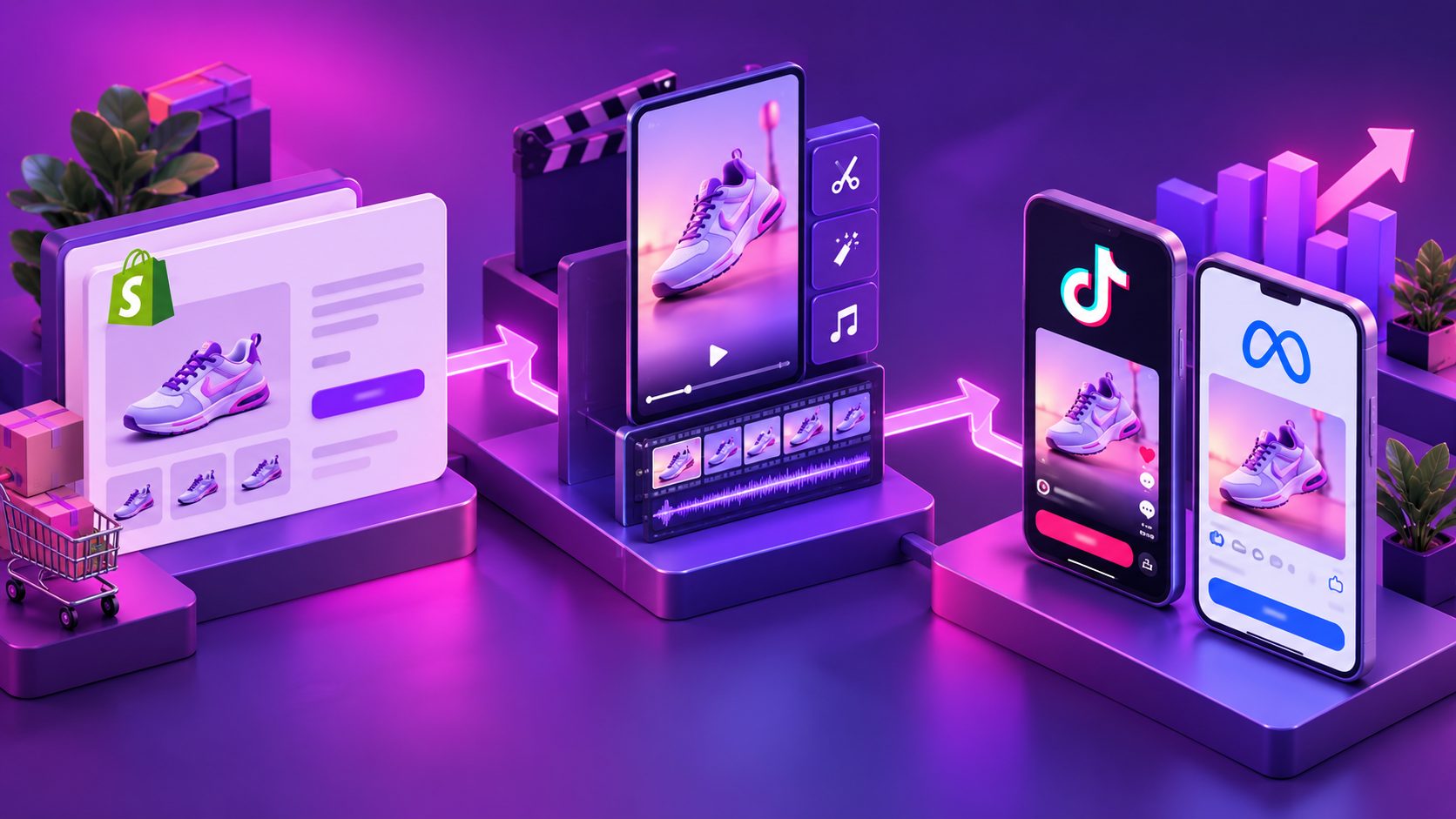
Most URL-to-video workflows follow this sequence:
- Paste a public Shopify product URL.
- Extract the product title, description, images, features, and offer details.
- Convert the information into hooks, a storyboard, voiceover, captions, and scenes.
- Select the target platform, aspect ratio, language, and creative style.
- Review the claims and product visuals.
- Render, export, and test the resulting video.
This approach is useful for sellers who have product pages but lack original footage. However, a product page is an information source—not automatically a complete advertising brief. The page may describe features without explaining the strongest customer problem, objection, or use case.
What should a Shopify product page contain before video generation?
A strong product page gives the generator enough evidence to create a specific ad. Before submitting the URL, check five areas:
| Page element | What the video system needs | Common problem |
|---|---|---|
| Product title | A clear product identity | Generic or keyword-heavy naming |
| Main images | A recognizable product shape and color | Low resolution, cluttered backgrounds |
| Description | Benefits, use cases, and differentiators | Features without customer outcomes |
| Offer details | Discount, bundle, shipping, or urgency | Promotions missing or outdated |
| Trust information | Reviews, warranty, proof, or demonstrations | Claims that cannot be visually supported |
Shopify allows merchants to add images, videos, and 3D models to product pages, and the first media item functions as the featured product media. That makes the primary image especially important when a URL-based workflow selects assets automatically. (help.shopify.com)
A practical URL-readiness score
Use this five-point check before generating:
- 1 point: The product is visible in the first image.
- 1 point: The description states a customer problem or use case.
- 1 point: At least one benefit is supported by a visual demonstration.
- 1 point: The offer is current and easy to verify.
- 1 point: The page identifies the intended customer or situation.
A score of 4–5 usually supports a focused product ad. A score of 2–3 calls for a stronger prompt and possibly an uploaded product image. A score of 0–1 means the page should be improved before expecting a useful video.
This framework is an original quality-control step: it separates “the URL is accessible” from “the URL contains enough evidence to create a credible ad.”
How to turn a Shopify product URL into a TikTok or Meta video
Step 1: Use the canonical product page
Copy the public product-page URL rather than a checkout link, preview link, or password-protected URL. Remove unnecessary tracking parameters when possible.
The page should load without requiring an account. If the page blocks automated access or hides product media behind scripts, download the product image and provide it separately. A URL alone cannot compensate for inaccessible or incomplete source material.
Step 2: Define one audience and one buying situation
Avoid prompts such as:
Make a viral video for everyone who needs this product.
Use a narrower creative brief:
Create a 20-second vertical ad for US renters who need a compact way to organize charging cables on a small desk. Lead with the clutter problem, show the product in use, explain one practical benefit, and end with a direct shopping CTA.
A narrow audience improves the script because it forces the video to choose one problem, one context, and one reason to buy.
Step 3: Choose a hook based on the product page
The most reliable hooks usually come from one of four product angles:
- Problem-first: “Still dealing with ___?”
- Demonstration-first: “Watch how this solves ___.”
- Comparison-first: “A simpler alternative to ___.”
- Offer-first: “Get ___ before the promotion ends.”
Do not ask the generator to use all four angles in one video. Generate separate variations so the test reveals which message attracts attention.
Step 4: Specify the visual proof
A good prompt tells the system what must be shown, not only what must be said.
Use instructions such as:
- Show the product from the same general shape and color as the source image.
- Demonstrate the primary function within the first five seconds.
- Use close-ups for texture, size, or mechanism.
- Do not invent accessories, certifications, test results, or product components.
- Keep text overlays short enough to read on a phone.
- Place key captions away from the platform interface areas.
For TikTok, official creative guidance emphasizes full-screen 9:16 video, clear product visibility, readable messaging, sound or voiceover, and a clear call to action. TikTok also recommends checking safe zones and using suitable commercial music for ads. (ads.tiktok.com)
For Meta Reels, Meta reports better results in its testing when ads use 9:16 video, audio, and key messages placed in the safe zone. Treat that as a creative direction rather than a guaranteed performance outcome. (facebook.com)
How should the prompt be adjusted for better output?
The most useful prompt adjustment is to separate facts, creative direction, and restrictions.
Fact layer
List only verified information from the product page:
- Product name
- Main use case
- Two or three confirmed benefits
- Materials or dimensions, if clearly stated
- Current promotion
- Target market
Creative layer
Define:
- Platform
- Video length
- Audience
- Hook angle
- Scene order
- Voice style
- Caption style
- CTA
Restriction layer
Add safeguards:
- Do not make medical, financial, safety, or performance claims unless stated and substantiated.
- Do not change the product’s appearance.
- Do not show a result that the product cannot reasonably produce.
- Do not mention a discount unless it appears on the current page.
- Do not use “best,” “guaranteed,” or “number one” without evidence.
A useful template is:
Create a [length]-second [9:16 / 1:1 / 16:9] video ad for [audience].
Use the product page as the source of truth.
Hook: [one customer problem or desired outcome].
Scenes:
1. [problem or attention moment]
2. [product introduction]
3. [visual demonstration]
4. [benefit and objection handling]
5. [CTA]

Use only verified product claims. Keep captions concise.
Do not invent specifications, reviews, certifications, accessories, or results.
How can AdsTurbo fit into this workflow?
AdsTurbo supports product video creation, ad cloning, motion control, lip sync, character replacement, video translation, AI upscaling, background replacement, and video subtitles. For sellers starting with a Shopify page, the most useful workflow is to treat the URL as the product brief, then refine the output with product images, reference videos, or a more specific creative direction.
If the product page lacks strong lifestyle media, a clean JPG or PNG product image can be used as an additional source. AdsTurbo Product Image works best with a clear product photo on a plain background and can analyze the product’s shape, color, and category before generating image variations.
For ad teams with a winning reference video, the AdsTurbo Ad Clone workflow can be used to study the original structure, pacing, shot logic, and CTA pattern before creating a product-specific variation. For sellers who need more visual inputs, the one-photo white-background product video workflow offers a useful way to turn a clean product image into a motion concept.
AdsTurbo also supports subtitles that can be embedded into the video or exported as a separate subtitle file. This is helpful when testing localized versions for different markets or producing caption-led ads for sound-off viewing. Its asynchronous generation model means tasks are completed in the background, with completion events available through status polling or Webhook callbacks.
How should Shopify video ads be tested?
Do not test ten variables at once. Start with a controlled creative matrix:
| Variable | Version A | Version B |
|---|---|---|
| Hook | Problem-first | Demonstration-first |
| Presenter | Product-only | AI actor or character |
| Proof | Feature explanation | Visual use case |
| CTA | Shop now | See how it works |
| Format | 9:16 | 1:1 or feed adaptation |
Keep the product, audience, offer, and landing page consistent while changing one major creative variable. This makes the result easier to interpret.
A practical first batch is six videos:
- Two different hooks
- Two visual treatments
- One consistent offer
- One clear CTA
Then review thumb-stop behavior, three-second retention, average watch time, click-through rate, and conversion rate together. A high click-through rate with weak conversion may indicate a mismatch between the promise in the video and the Shopify product page.
For broader repurposing, this guide to turning organic TikTok content into paid ads explains how to preserve native creative qualities while adapting content for paid distribution.
Common mistakes to avoid
Treating the product page as a finished script
A listing is usually written for browsing and comparison. A short video needs a sequence: attention, problem, proof, benefit, and action.
Using every product feature
Feature-heavy videos often become difficult to follow. Select one primary benefit and use secondary features only to support it.
Letting AI invent visual proof
Generated scenes can look persuasive while showing an impossible use case. Review every product interaction before publishing.
Ignoring the landing-page match
The video’s product name, offer, visual identity, and CTA should match the Shopify page. A creative mismatch can waste traffic even when the video looks polished.
Frequently asked questions
Can I create a video from any Shopify product link?
Only if the page is publicly accessible and contains usable product information or media. A URL that requires login, blocks access, or has minimal content may need a separate JPG or PNG product image and a manual brief.
Is a product URL enough to make a high-converting ad?
No. It can provide the raw material, but performance still depends on the audience, hook, proof, offer, creative quality, and landing-page consistency.
Which format should Shopify sellers start with?
Start with 9:16 for TikTok, Reels, and other vertical placements. Create square or landscape adaptations only when the campaign requires them. TikTok and Meta both emphasize vertical, mobile-first creative for their short-form placements. (facebook.com)
Should the video use an AI actor or only the product?
Use an AI actor when explanation, testimonial-style delivery, or localization is important. Use product-led scenes when the item’s mechanism, texture, transformation, or visual result is the strongest proof.
Can the same Shopify product link generate multiple ads?
Yes, but each variation should have a distinct hypothesis. Change the hook, audience situation, demonstration, or presenter—not just the background music.