By adsturbo.ai | Published 2026-09-22 | Updated 2026-09-22
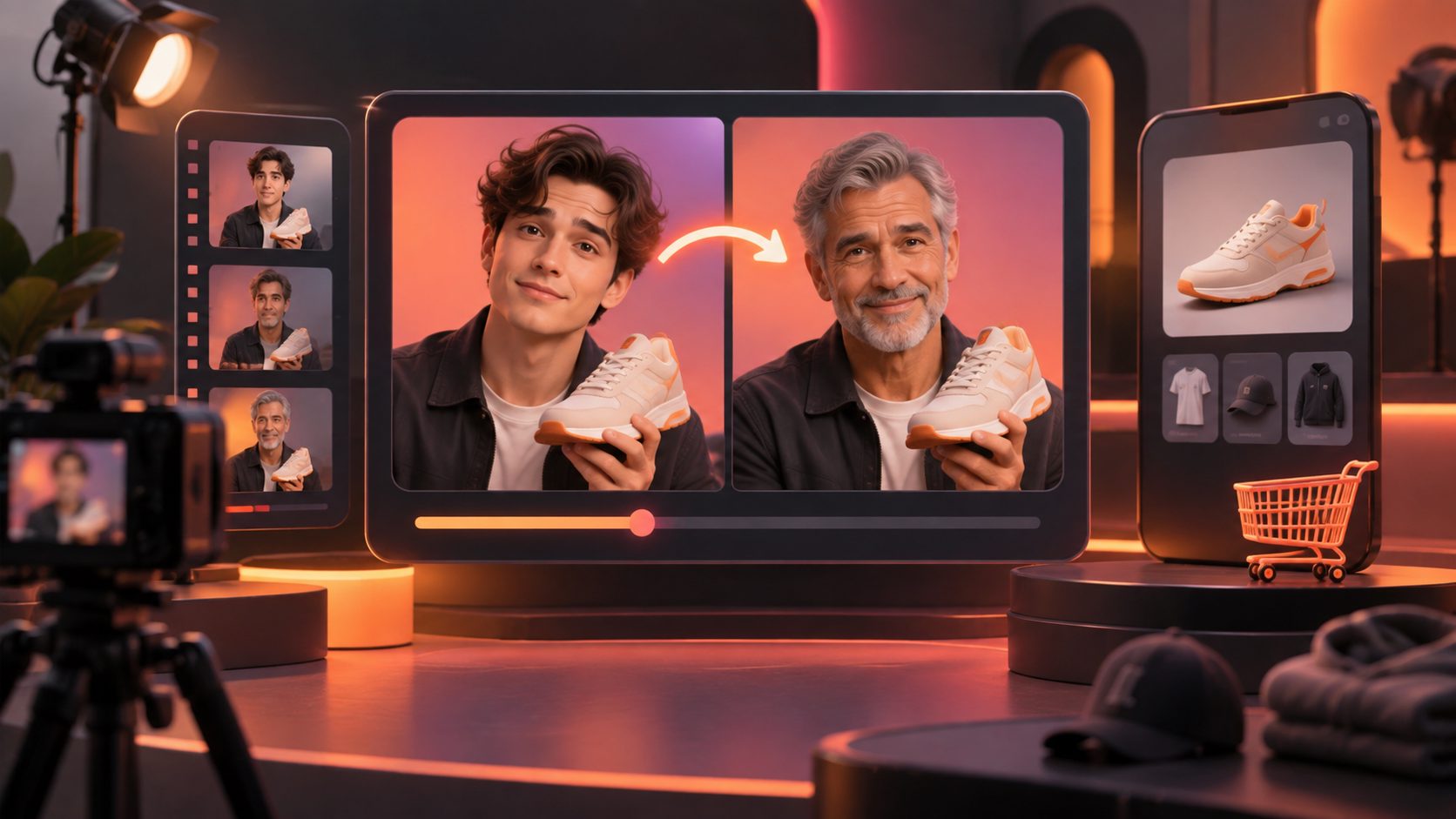
An ai video swap actor different age ecommerce workflow lets sellers reuse a strong product ad while testing younger, middle-aged, or mature presenters. Instead of reshooting the product, script, and camera sequence, you can replace the on-screen person, then compare how different audience personas respond to the same offer.
The useful goal is not to make a random collection of AI videos. It is to create controlled creative variants where age is the primary variable and the product promise, pacing, and CTA remain consistent.
What is AI actor swapping for ecommerce ads?
AI actor swapping is the process of replacing the person in an existing video while preserving important parts of the original performance, such as movement, framing, lighting, and product interaction. In ecommerce, it is best used to recast a proven ad for different audience segments rather than to create an unrelated video from scratch.
A practical age-swap workflow usually includes:
- A source video containing the original presenter.
- A target character image or actor reference.
- The same product, offer, script structure, and CTA.
- A review step for face consistency, hand movement, lip alignment, and product visibility.
Research on video face replacement describes the technique as transferring a source identity into a target performance while retaining the target video’s action. That distinction matters for ecommerce: the value comes from preserving the selling action, not simply changing a face. (arxiv.org)
AdsTurbo’s Character Swap workflow supports a source video or image plus a target character image. It is designed to preserve the original action, lighting, and scene realism while replacing the person, making it suitable for audience and localization tests.
Why test different-age actors instead of changing the whole ad?
Different presenters can change how an advertisement is perceived, even when the product and claim stay the same. A younger presenter may fit a fast, trend-led beauty or fashion hook, while a mature presenter may create stronger relevance for comfort, reliability, household, wellness, or practical-use products.
The key is to isolate the variable. If you change the actor, headline, soundtrack, editing rhythm, product angle, and offer at the same time, performance data becomes difficult to interpret.
Use this controlled matrix:
| Variable | Keep consistent | Test separately |
|---|---|---|
| Product | Same SKU, color, packaging, and demonstration | Different product only in a separate test |
| Structure | Same hook, proof sequence, and CTA | Alternative storyboard in another batch |
| Actor | Same approximate role and delivery | Younger, adult, and mature personas |
| Format | Same aspect ratio and duration | 9:16, 1:1, or 16:9 as a separate test |
| Localization | Same translated meaning | Language, voice, or regional adaptation |
This approach turns actor replacement into a useful creative experiment instead of a cosmetic edit.
How to preserve a winning ad structure
The strongest age-swap workflow starts with an ad that already has a clear sequence. A typical ecommerce structure is:
- Hook: Identify the problem or desired outcome in the first few seconds.
- Product reveal: Show the product early enough to establish relevance.
- Proof: Demonstrate the feature, use case, texture, fit, or result.
- Objection handling: Address price, ease of use, setup, comfort, or durability.
- CTA: State what the viewer should do next.
AdsTurbo’s Ad Clone workflow can analyze a reference video and help reconstruct its script, pacing, shot logic, and CTA structure. Its Ad Clone API can analyze reference clips up to 12 seconds and generate ad variations in parallel, which is useful when a seller wants to build a structured testing batch rather than produce one isolated remake.
For adjacent production needs, a product photo to video ads workflow can provide a new product-led baseline when the original footage is too low quality or does not show the item clearly.
A better framework: age as the only changing variable
A useful original framework for this workflow is the Age-Locked Creative Test. It separates what should remain stable from what should change.
Layer 1: Lock the commercial message
Keep the product benefit, offer, proof point, and CTA unchanged. If the message changes, you are no longer testing presenter age alone.
Layer 2: Define the audience role
Do not describe an actor only as “young” or “old.” Define the role the person plays:
- A trend-aware first-time buyer
- A busy parent looking for convenience
- A practical shopper comparing value
- An experienced user explaining reliability
- A mature customer demonstrating ease of use
This produces more meaningful variation than changing facial age without changing delivery style.
Layer 3: Adjust performance, not claims
The actor’s tone, pace, gestures, and setting can support the intended audience. However, the product claim should remain accurate. A mature presenter should not imply medical authority, and a younger presenter should not be used to imply personal experience that did not occur.
Layer 4: Review the proof moment
The product demonstration is usually more important than the presenter’s face. Check that the item remains the correct shape, color, size, and orientation. If the product becomes distorted during the swap, the variation may create a lower-quality test rather than a valid audience test.
How to build the workflow in AdsTurbo
A practical production sequence looks like this:
- Choose the reference ad. Select a video with clear presenter visibility, stable lighting, and a product interaction worth preserving.
- Define two or three personas. For example, young adult, working-age adult, and mature shopper.
- Prepare target images. Use clear character references with visible facial features and a compatible pose.
- Run Character Swap. Replace the original presenter while preserving the action and scene.
- Apply Lip Sync if needed. When the new actor’s mouth movement does not match the original audio, use lip synchronization to improve alignment.
- Translate or localize. For international campaigns, create translated audio and captions after the core actor test.
- Generate subtitles. AdsTurbo Video Subtitle can automatically transcribe speech, create time-synced captions, and export either a captioned video or a separate subtitle file.
- Export platform formats. Prepare versions for TikTok, Instagram Reels, YouTube Shorts, or other placements.
All AdsTurbo generation tasks run asynchronously. Teams can monitor task status through polling or receive completion events through Webhook callbacks, which is useful when generating multiple actor variants through an automated workflow.
For campaign-scale production, AdsTurbo supports API access and modular endpoints for video processing, including character replacement, lip sync, translation, upscaling, motion control, subtitles, and other editing operations.
What should you measure after launch?
Do not judge an age variant only by click-through rate. A presenter can attract attention but fail to communicate the product clearly.
Track the funnel in stages:
- Hook hold rate: Does the opening keep viewers watching?
- Product-view rate: Do viewers reach the product demonstration?
- Landing-page click-through rate: Does the message create intent?
- Add-to-cart rate: Does the traffic fit the offer?
- Purchase conversion rate: Does the creative attract buyers?
- Creative fatigue: Does performance decline after repeated exposure?
For a broader testing system, the ecommerce video ads ROAS framework can help connect creative metrics with spend and revenue instead of optimizing for views alone.
A strong result is not necessarily the video with the cheapest click. It is the presenter variant that produces qualified traffic and sustainable purchase behavior at an acceptable cost.
Common mistakes to avoid
Swapping age while changing the message
This creates a confounded test. Keep the hook, product promise, and CTA stable whenever age is the main research question.
Choosing incompatible target references
A target image with a very different pose, angle, or lighting can increase visual artifacts. Use clear, front-facing references whenever possible.
Ignoring product accuracy
AI-generated video can introduce changes to labels, packaging, hands, or small product details. Review every product close-up before publishing.
Treating AI actors as customer testimonials
An AI presenter should not imply a real person used the product unless that representation is truthful and properly authorized. Use transparent, accurate ad messaging.
Making every variant look identical
Controlled testing does not mean lifeless repetition. Keep the commercial structure stable, but allow appropriate changes in delivery, wardrobe, framing, and audience context.
Frequently asked questions
Can I use one ecommerce ad to create younger and mature actor versions?
Yes. Use the original video as the source and provide a target character reference for each persona. Keep the product, offer, and CTA consistent so the results remain comparable.
Is actor swapping the same as face swapping?
Not always. Face swapping may focus mainly on facial identity, while character replacement can change the broader presenter appearance while preserving action, lighting, and scene continuity.
Should I change the voice when I change the actor’s age?
Only when voice is part of the audience test or localization strategy. If you are measuring actor age alone, keep the audio consistent where possible and use Lip Sync to improve mouth alignment.
What if the original video is too low-resolution?
Use AI Upscaling before or after editing. AdsTurbo supports video resolution enhancement and preview comparison, helping teams inspect the improved result before export.
How many age variants should an ecommerce seller create?
Start with two or three clearly defined personas. More variants are useful only when each one tests a meaningful audience hypothesis and the campaign has enough traffic to compare them fairly.