How to Create Amazon A+ Content Videos

Summarize with
Summary
Learn how to create Amazon A+ Content videos that fit Premium A+ modules, detail pages, review rules, and scalable AI workflows.
作者:adsturbo.ai|发布日期:2026-09-13|更新日期:2026-09-13
To learn how to create Amazon A+ Content videos, start with placement: A+ videos usually belong in Premium A+ modules below the main product media block, while product detail page videos can also appear in the image block, video section, or search-related placements. The best workflow is to define the shopper question, storyboard one proof-focused video, produce compliant assets, submit through A+ Content Manager, then reuse the same creative system for SKU variations.
What is an Amazon A+ Content video?
An Amazon A+ Content video is a video module used inside A+ Content to explain product benefits, use cases, comparisons, or brand context on a product detail page. Amazon describes A+ Content as a tool for adding videos, enhanced images, text placements, comparison charts, and other rich content to listings through eligible seller accounts and brands.
The key point is that A+ video is not just “a nicer product ad.” It sits in a lower-intent, research-heavy part of the page, where shoppers are comparing materials, fit, compatibility, setup, and trust signals. That makes it different from a fast paid social video.
Amazon says A+ Content can be used to showcase products and brand story, while Premium A+ unlocks richer modules such as videos, hotspots, carousels, and Q&A modules in eligible cases. See Amazon’s official overview of A+ Content for product listings.
A+ Content video vs. product detail page video
The practical difference is placement and job-to-be-done. A product detail page video in the main image block must explain the product quickly; an A+ Content video can go deeper into proof, comparison, story, or objection handling.
| Video type | Common placement | Best use | Creative risk |
|---|---|---|---|
| Main image block product video | Near product images | Quick product overview, demo, dimensions | Too much brand story before product proof |
| Premium A+ video module | Product description / A+ section | Use case, comparison, feature education, lifestyle proof | Overproduced visuals that ignore buyer questions |
| Sponsored Products video | Ads placements | Feature-led acquisition | Must follow ad-specific moderation and format rules |
| Social UGC video reused for Amazon | Sometimes adapted into listing assets | Authenticity, human use, simple demo | Claims, captions, logos, pacing, or audio dependence may not fit Amazon |
Amazon’s own seller education notes that product videos can be added to the main image block or through Premium A+ Content, depending on eligibility and placement. Its product video guidance also says videos on product detail pages may show function, dimensions, and features, including overviews, how-to content, and brand narratives.
A simple structure for A+ videos that convert
A strong A+ Content video answers one shopper doubt per video. Use this five-part structure: product context, problem, visible proof, usage detail, and next-step reassurance. It works because shoppers in the A+ section are usually validating, not discovering.
A practical 25–40 second structure:
- 0–3 seconds: product identification
Show the product clearly, not just a lifestyle scene. - 3–8 seconds: buyer problem
Name the use case visually: storage, setup, fit, comfort, cleaning, compatibility, durability. - 8–20 seconds: proof in motion
Demonstrate the feature with hands, scale, material, before/after, or close-up movement. - 20–32 seconds: objection removal
Address size, parts, care, installation, ingredients, noise, weight, or what is included. - Final seconds: brand-safe close
End with the product and a neutral benefit, not a hard coupon-style pitch unless allowed in context.
For sellers producing many SKUs, build a repeatable video template instead of a one-off script. AdsTurbo’s AI product video generator workflow is useful when you want to turn product images into testable ecommerce videos before selecting the best structure for Amazon listing use.
The A+ Video Decision Matrix
Most guides explain where to upload video. The missing step is deciding which video your page actually needs. Use this matrix before production:
| If shoppers hesitate because of… | Make this A+ video | Must show on screen |
|---|---|---|
| “Will it fit?” | Fit and scale demo | Product next to body, room, device, bag, shelf, or measured context |
| “Is it easy to use?” | Setup or how-to video | Hands completing the task in real time |
| “Is the material good?” | Detail and durability video | Texture, seams, hinges, surface, stretch, weight, close-ups |
| “Why this bundle?” | Unboxing / what’s included video | Every included item, labeled visually |
| “Which version should I buy?” | Comparison video | Side-by-side models, sizes, colors, or use cases |
| “Can I trust the brand?” | Brand story or lifestyle proof | Realistic use environment, not generic stock footage |
This framework prevents a common mistake: making one beautiful brand film for a listing that actually needs a setup demo. A+ video should reduce friction at the exact moment the shopper is deciding whether the product is practical enough to buy.
How to create Amazon A+ Content videos step by step
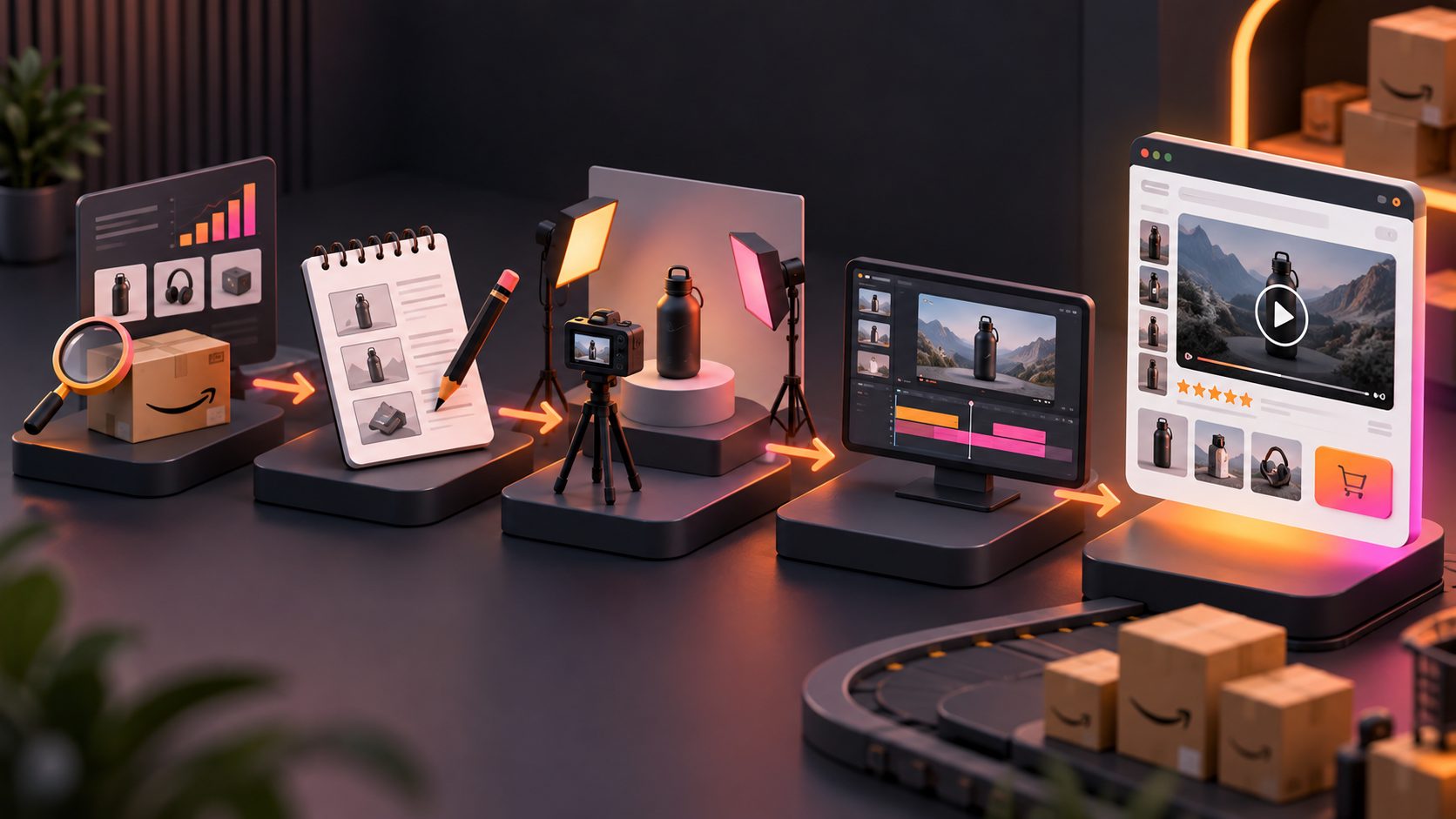
The reliable workflow is: confirm eligibility, map shopper questions, script a compliant module, produce the video, upload it in A+ Content Manager, apply ASINs, submit for review, and monitor performance. Keep each step tied to a buyer objection.
-
Confirm eligibility and placement
Amazon states that A+ Content requires a Professional selling account and an appropriate Brand Representative or Reseller role for a brand in Brand Registry, or eligible generic products in your catalog. -
Choose the video’s job
Do not begin with “make a 30-second video.” Begin with “prove that the blender cleans easily” or “show that the organizer fits under a sink.” -
Create a storyboard
Plan the opening frame, proof shot, close-up, usage shot, and final product frame. Avoid relying on audio alone because many shoppers browse muted. -
Produce the video assets
Use clean product photography, stable motion, consistent lighting, and readable on-screen text. For product-image-first workflows, AdsTurbo supports Product Video creation from JPG or PNG product images, with optional selling points and promotion details. -
Prepare variants for multiple SKUs
If colors, sizes, bundles, or regional versions differ, build one master storyboard and swap the product, captions, actor, or language as needed. AdsTurbo supports video translation, lip sync, character swap, subtitles, and product video workflows, which can help ecommerce teams localize or adapt video assets without rebuilding every clip manually. -
Upload and submit through Amazon’s tools
In Seller Central, Amazon’s A+ workflow involves A+ Content Manager, module selection, applying ASINs, and review submission. Amazon notes that approved A+ Content appears on the corresponding detail pages in the selected language.
Review and compliance checks before submission
The safest Amazon A+ video is product-first, accurate, and easy to verify. Avoid unsupported claims, exaggerated results, distracting effects, blurry footage, or anything that makes the product hard to evaluate.
Use this pre-submit checklist:
- Product visibility: Is the product clearly visible in the first three seconds?
- Claim support: Can every claim be proven by packaging, product specs, certification, or visible demonstration?
- No misleading scale: Are size, quantity, and accessories represented accurately?
- Text legibility: Are captions large enough for mobile viewing?
- No dependency on audio: Does the video still work muted?
- No generic lifestyle padding: Does every shot answer a buying question?
- Consistent ASIN match: Does the video show the exact product, bundle, variation, and included accessories?
For ad placements, rules can differ. Amazon Ads’ Sponsored Products video guide specifies moderation, MP4 or MOV formats, recommended 1920 × 1080 resolution for 16:9, and feature-led content rules. Even if your A+ video is not an ad, these standards are useful quality guardrails.
How AI helps scale A+ video production
AI is most valuable after your creative logic is clear. It can help generate variants, translate assets, add subtitles, resize creative, improve resolution, or adapt one reference video into multiple product-specific versions. It should not invent unsupported product claims.
For ecommerce teams managing many listings, a practical AI workflow looks like this:
- Start with a reference video or product image.
- Extract the hook, pacing, shot logic, and CTA structure.
- Generate SKU-specific product videos.
- Create language or regional variants.
- Export review-ready versions for human compliance checks.
AdsTurbo’s Ad Clone workflow supports using a reference video to preserve the early hook, pacing, shot logic, and CTA structure while reconstructing variants. The platform also offers product video generation, video subtitles, background replacement, AI upscaling, lip sync, face swap, character swap, and video translation. For sellers testing many creative angles outside Amazon before narrowing down page assets, the bulk product video generator workflow explains a multi-SKU production approach.
For localization, AdsTurbo Video Subtitle can automatically transcribe speech and generate time-synced subtitles, and it supports downloading videos with embedded subtitles or exporting subtitle files. That matters because an Amazon-ready video should still communicate clearly when muted.
A 30-second A+ video template you can reuse
Use this template when you need a fast, compliant first draft:
Video goal: Prove the product solves one practical problem.
Length: 25–35 seconds.
Format: Product-first, muted-friendly, mobile-readable.
Script outline:
- Scene 1: Product on clean background with one clear benefit.
- Scene 2: Show the problem or messy before state.
- Scene 3: Demonstrate the product in use.
- Scene 4: Close-up of the most persuasive feature.
- Scene 5: Show scale, parts, or what comes in the box.
- Scene 6: Final product shot with concise benefit text.
Example for a kitchen storage product:
- “Organize narrow cabinet space”
- Show cluttered cabinet
- Slide organizer into place
- Close-up of rail, handle, or material
- Show dimensions visually
- End with product in finished setup
This is more useful than a generic lifestyle montage because it creates proof. The shopper can see what changes after using the product.
Measurement after the video goes live
Measure A+ videos by their effect on shopper confidence, not vanity production quality. Since Amazon listing-level reporting varies by tool and placement, combine available Amazon metrics with a controlled content log.
Track:
- Date the video went live
- ASINs affected
- Video type: demo, comparison, setup, brand story
- Main objection addressed
- Sessions, conversion rate, unit session percentage, and return reasons where available
- Review themes before and after update
- Questions answered by the new module
If you are also running paid video ads, Amazon Ads reporting may include metrics such as impressions, clicks, CTR, view-through rate, orders, sales, ROAS, and 5-second view data for Sponsored Products video placements. Keep ad performance separate from A+ module performance so you do not over-credit one asset.
For broader ecommerce creative testing, AdsTurbo’s guide to creating video ads at scale for SKU, platform, and market testing can help you separate Amazon listing proof videos from acquisition-focused ad variants.
Common mistakes to avoid
The biggest mistake is making a video that looks good but answers no buying question. Amazon shoppers usually need clarity, not cinematic mystery.
Avoid these patterns:
- Opening with a logo animation instead of the product
- Using stock lifestyle clips that do not show the exact ASIN
- Making claims that are not visible or documented
- Showing accessories that are not included
- Reusing TikTok-style captions that clutter the frame
- Depending on voiceover without text support
- Creating one brand story video for every SKU when each SKU has different objections
- Forgetting mobile readability
If your team already has social video assets, adapt them carefully. A social hook may be useful, but an A+ video needs tighter product evidence, calmer pacing, and fewer unsupported persuasion tactics.
Frequently asked questions
Can Basic A+ Content include videos?
Basic A+ Content focuses on images, text, logos, comparison charts, and specification-style modules. Video is generally associated with Premium A+ Content modules, while product videos may also be added through other product detail page video placements depending on eligibility.
How long should an Amazon A+ Content video be?
A practical A+ video is often 25–45 seconds, long enough to demonstrate one feature or answer one objection. Longer videos can work for setup-heavy products, but each scene should prove something specific.
Can I reuse TikTok or Instagram videos for A+ Content?
Yes, but only after adapting them. Remove platform-native clutter, verify claims, ensure the exact ASIN is shown, make the story understandable without audio, and avoid edits that distract from product evaluation.
What is the best video type for a new Amazon listing?
For a new listing, start with a product-in-use demo or setup video. These usually answer the highest-friction buyer questions faster than a brand story video.
Can AI create Amazon A+ Content videos?
AI can help create product videos, subtitles, translations, resized variants, and localized versions. Human review is still essential for Amazon policy fit, product accuracy, and claim substantiation.
Conclusion
The best way to approach how to create Amazon A+ Content videos is to think like a shopper comparing options, not a brand making a commercial. Choose one objection, prove it visually, keep the product visible, follow Amazon’s module and review workflow, and build reusable creative systems for SKU variants.
AdsTurbo can support the production side with Product Video, Ad Clone, Video Subtitle, Video Translation, Lip Sync, Character Swap, AI Upscaling, Background Replace, and API workflows. Use those tools to scale what already works: clear product evidence, localized messaging, and repeatable video structures for ecommerce listings.