By adsturbo.ai | Published 2026-10-14 | Updated 2026-10-14
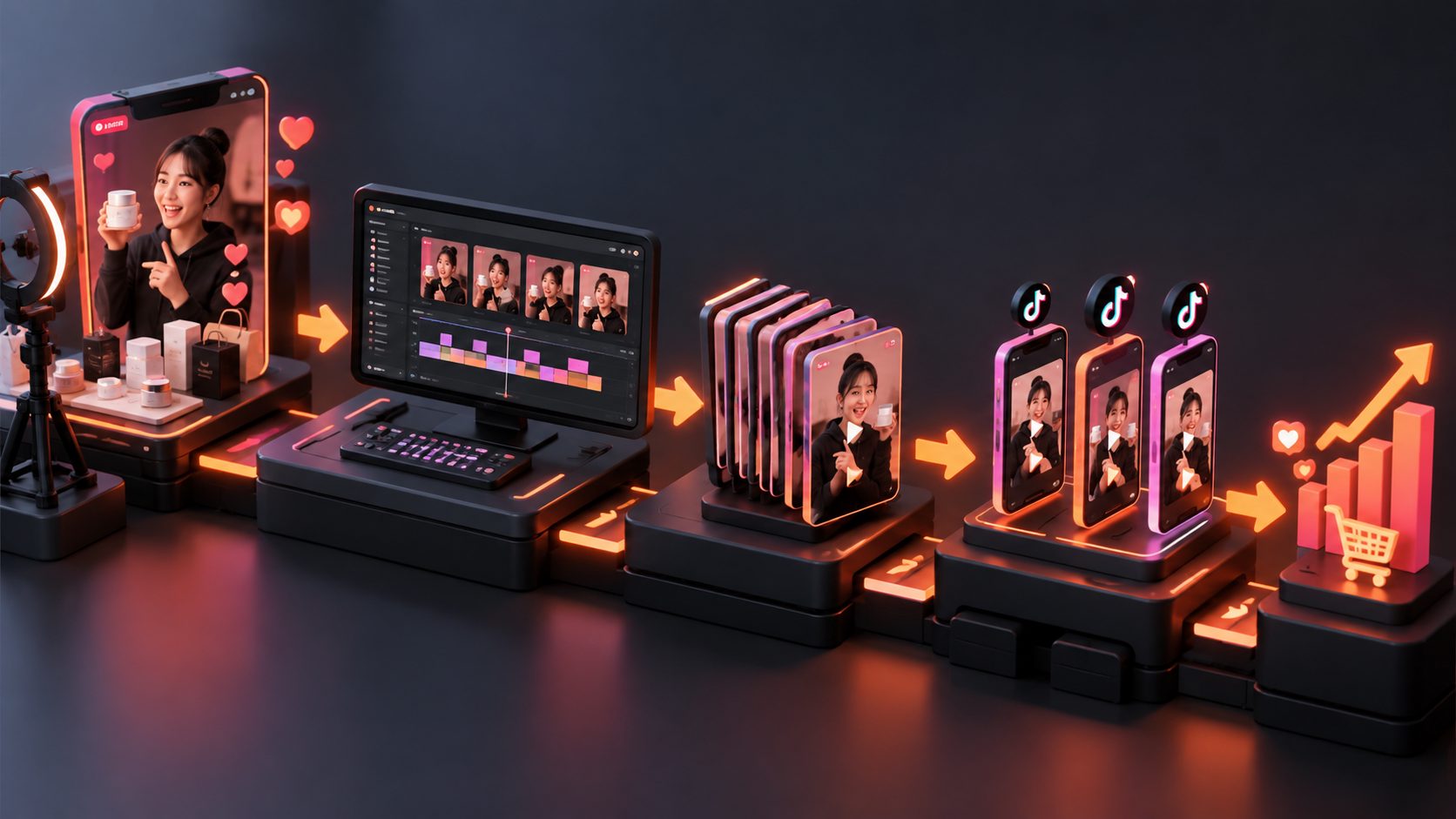
If you want to batch edit TikTok live stream clips for traffic, do not treat the replay as one long video. Treat it as a library of product proofs, objections, offers, and audience reactions that can become separate entry points into your TikTok Shop LIVE.
The most effective workflow is not “cut every exciting moment.” It is to identify moments with a clear buying question, package each one as a standalone short video, and connect the clip to a specific traffic action.
What makes a TikTok LIVE clip useful for traffic?
A traffic-focused LIVE clip is a short, self-contained video that creates enough curiosity or confidence to move a viewer toward your shop, product page, or next LIVE. It should communicate one product idea rather than summarize the entire broadcast.
TikTok Shop guidance distinguishes short-video traffic from LIVE traffic: short videos depend heavily on retention and sharing, while LIVE performance is more closely tied to product clicks, orders, and sales efficiency. (seller-us.tiktok.com)
That means a replay clip needs two jobs:
- Win attention in the feed.
- Create a reason to continue shopping.
A useful clip usually contains four elements:
- Hook: A question, surprising result, problem, or offer.
- Proof: A demonstration, close-up, comparison, testimonial, or response to a real objection.
- Product context: What the item is and who it is for.
- Next action: Visit the product, follow the shop, or join the next LIVE.
Which moments should sellers extract first?
Start with moments that answer a buying question. In practice, these are more valuable than generic greetings, long introductions, or unedited host commentary.
Use this extraction map:
| Clip type | Shopper question answered | Example angle |
|---|---|---|
| Product demonstration | “What does it actually do?” | Show the product solving a visible problem |
| Objection response | “Why should I trust this?” | Answer durability, fit, size, or quality concerns |
| Comparison | “Which option is better for me?” | Compare two sizes, colors, bundles, or use cases |
| Social proof | “Do other people like it?” | Use a customer reaction or repeated audience question |
| Offer reveal | “Why should I act now?” | Show the promotion, bundle, or limited-time benefit |
| Host reaction | “Is the result noticeable?” | Capture a genuine before-and-after response |
For most ecommerce sellers, one long LIVE can be organized into three batches:
- Discovery batch: curiosity-led clips for new viewers.
- Proof batch: demonstration and objection-handling clips.
- Return-to-LIVE batch: teasers that point viewers toward the next broadcast.
This structure is more useful than producing twenty clips with the same sales pitch.
How to batch edit the replay without making every clip identical
Batch editing works best when the source clips share a repeatable visual system but not the same narrative.
Step 1: Build a clip inventory
Mark timestamps while reviewing the replay. Record the product, claim, proof type, audience question, and intended CTA for each moment.
A simple inventory can look like this:
| Timestamp | Product | Moment | Viewer intent | CTA |
|---|---|---|---|---|
| 04:12 | Hair tool | Heat demonstration | High curiosity | See product |
| 17:45 | Hair tool | “Will it work on thick hair?” | Objection | Watch next LIVE |
| 31:08 | Hair tool | Customer comment | Social proof | Shop the item |
This prevents the common mistake of editing clips first and deciding their purpose afterward.
Step 2: Separate clips by traffic job
Do not give every clip the same ending. A discovery clip may end with an open question. A proof clip should make the product benefit unmistakable. A pre-LIVE clip should include a specific reason to return.
Recommended CTA patterns:
- Discovery: “Would this solve your version of the problem?”
- Product click: “See the exact item in the shop.”
- Next LIVE: “Join the next LIVE for the full comparison.”
- Follow-up: “Follow for the next restock or demo.”
Step 3: Apply consistent editing rules
Use the same caption position, font treatment, product naming, and visual safe zones across the batch. Then vary the opening three seconds, crop, pacing, and CTA.
For vertical TikTok content, practical starting specifications are:
- 9:16 framing
- 15–35 seconds for most test clips
- One primary product per clip
- Captions that follow the spoken message
- A visible product moment before the first major cut
- No long dead air, greeting, or repeated offer explanation
If the original LIVE was recorded horizontally, reframe around the host’s face and the product separately. A single center crop often cuts off the product or the demonstration area.
A traffic-first scoring model for clip selection
A useful way to prioritize batch edits is to score each candidate from 0 to 3 on five factors:
- Hook strength
- Product visibility
- Proof clarity
- Audience relevance
- CTA fit
The maximum score is 15. Start with clips scoring 11 or higher, revise clips scoring 8–10, and discard clips below 8 unless they contain important product information.
This scoring model creates a practical editing queue:
- Tier A: Publish first as discovery or traffic tests.
- Tier B: Recut with a stronger opening or shorter explanation.
- Tier C: Keep as source material for future scripts, not as immediate posts.
The key insight is that a clip can be entertaining but still weak for traffic. A strong traffic clip must make the viewer understand why this product, why this moment, and what to do next.
How to use captions, translations, and visual variants
Captions should not simply transcribe every word. They should clarify the product promise, emphasize important numbers, and make the clip understandable with sound off.
For multilingual sellers, create separate language versions rather than shrinking several languages into one frame. AdsTurbo’s multilingual subtitle synchronization workflow can support caption generation and translation-oriented production workflows. AdsTurbo Video Subtitle can also generate time-synced subtitles and export either a captioned video or a separate subtitle file.
Create variants by changing one variable at a time:
- Hook wording
- First frame
- Caption emphasis
- Product angle
- Host or character
- Language
- CTA
Avoid changing everything at once. Otherwise, you will not know which version improved traffic.
How to connect clips to the next TikTok LIVE
A short video should not only sell the product; it can also sell the next viewing session. TikTok’s US seller playbook describes LIVE highlights and Video to LIVE as ways to turn short content into additional entry points for a broadcast. (seller-us.tiktok.com)
Build a simple lifecycle:
- Before LIVE: Publish a teaser based on a product question or promised demonstration.
- During LIVE: Capture product reveals, reactions, and answers to repeated objections.
- After LIVE: Publish proof clips, offer clips, and “you missed this” moments.
- Before the next LIVE: Re-edit the strongest clips with a new hook and a clear session reason.
TikTok also recommends using strong LIVE moments as short-form content rather than treating the replay as a passive archive. (seller-us.tiktok.com)
For higher-volume teams, AdsTurbo supports long-video repurposing into subtitled short clips, along with video editing and translation workflows. Its asynchronous tasks can be monitored through status polling or Webhook callbacks, which is useful when a batch contains many outputs.
A practical QA checklist before publishing
Review every clip against these questions:
- Is the product visible within the opening seconds?
- Does the clip answer one buying question?
- Are captions synchronized and easy to read?
- Does the hook match the actual proof?
- Is the offer still accurate for the intended campaign?
- Does the CTA point to one clear next action?
- Is the crop safe for TikTok’s interface elements?
- Does the video avoid unnecessary logos, overlays, or watermarks?
- Are claims supported by what the video visibly demonstrates?
For additional creative testing, AdsTurbo’s Ad Clone workflow can help teams analyze reference structures and create variations around pacing, hooks, and CTA patterns. Use the structure as inspiration, not as a reason to copy another seller’s identity or claims.
Frequently asked questions
How long should TikTok LIVE clips be?
Start with 15–35 seconds for most product clips, then test shorter or longer versions based on whether the moment needs more explanation. The best length is the shortest version that preserves the proof.
Should every clip include a product link?
If the clip is designed for direct shopping, a product-linked format is usually appropriate. Discovery and pre-LIVE clips may instead focus on generating curiosity, follows, or attendance.
Can one LIVE produce multiple useful clips?
Yes. One broadcast can produce separate discovery, proof, objection, comparison, social-proof, and next-LIVE clips. The value comes from assigning each clip a distinct job.
What if the original video quality is poor?
Use tighter crops only when the product remains clear. AdsTurbo provides video resolution enhancement and preview-based upscaling workflows for improving lower-resolution or compressed source footage.
How can sellers scale batch production?
Create a repeatable inventory, scoring model, caption style, CTA library, and QA checklist. For larger teams, AdsTurbo provides team workflows, API access, and customizable workflow support in higher-level plans.
Final takeaway
Batch editing TikTok LIVE footage is most effective when every clip has a defined traffic role. Extract one buying question at a time, separate discovery from proof, vary one creative element per test, and connect the strongest clips to the next shopping action.
The result is not simply a collection of cut-down videos. It is a reusable traffic system built from the demonstrations, objections, and product proof already inside your LIVE content.