作者:adsturbo.ai|发布日期:2025-01-15|更新日期:2025-01-15
A beauty ecommerce video ads generator is an AI tool that converts product photos, shade swatches, and reference footage into ready-to-run short video ads — without booking a studio, a model, or an editor. For beauty DTC brands, this matters more than in almost any other category: shoppers buy texture, finish, and shade accuracy, and static images rarely communicate any of the three.
This guide breaks down the three creative formats that actually convert for cosmetics (texture close-ups, shade comparisons, before-after sequences), then walks through a batch production workflow you can run weekly — including real credit costs and platform specs.
Why beauty ads fail without texture, shade, and proof
Beauty is a sensory category sold through a screen. Meta's own advertising guidance for video rewards motion in the first three seconds, and for cosmetics that motion is usually one of three things:
- Texture in motion — a serum spreading, a cream's sheen, a lip tint's finish catching light.
- Shade comparison — the same product on different skin tones, swatched side by side.
- Before/after transformation — application result, ideally under consistent lighting.
Static packshots can't deliver any of these. Meanwhile, hiring UGC creators for every SKU and shade variant gets expensive fast — a single creator batch covering 10 shades can run into four figures before ad spend even starts. That cost gap is exactly where a beauty ecommerce video ads generator fits: not replacing hero shoots, but covering the long tail of SKUs, shades, and platform placements.
The three beauty video formats worth batch-producing
Texture close-ups
A texture clip shows the product itself in motion — squeeze, spread, blend. The realistic way to generate these without filming is to start from a clean product photo and let AI build the motion around it. AdsTurbo's Product Video tool accepts JPG or PNG images (up to 10MB) — clear shots on a solid background produce the best results — and can generate product review, introduction, and demo-style clips automatically.
Shade comparisons
Shade comparison is where AI genuinely saves money. Instead of booking multiple models, you can use Character Swap: upload a source video (or image) containing a person plus a target character image, and the tool replaces the person while preserving motion, lighting, and scene realism. One swatch video becomes a multi-skin-tone variant set for regional testing. Character Swap is billed at 20 credits per second of output, so a 10-second variant costs 200 credits.
Before-after and UGC-style proof
For proof-style ads, combining a product image with optional selling points and promo info is enough to generate a UGC-style short — AdsTurbo's UGC workflow needs only a JPG/PNG product photo, with benefits and offers as optional inputs. Ad Clone (10 credits/second) can also deconstruct a competitor or top-performing reference video's structure, pacing, and CTA logic, then rebuild it for your product.
A weekly batch workflow with a beauty ecommerce video ads generator
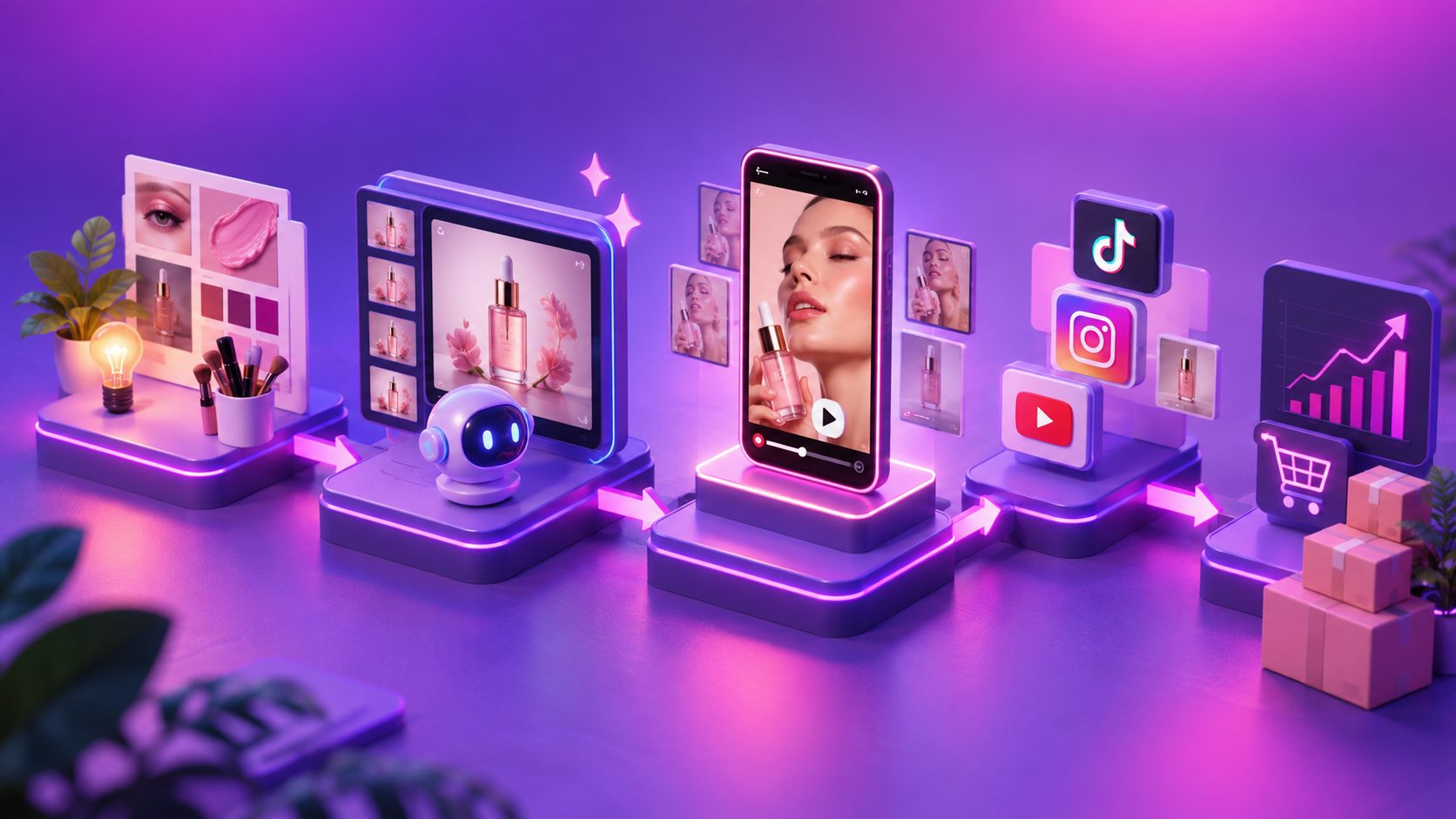
Here is the workflow we'd recommend for a mid-size cosmetics brand with 20–40 active SKUs:
- Collect inputs (Monday): one clean product photo per SKU on a solid background; optional selling points, discount codes, and promo dates.
- Generate base videos (Tuesday): produce 15–30 second demo or review-style clips per SKU. Budget roughly 10–40 credits/second depending on the feature used.
- Create audience variants (Wednesday): run Character Swap for shade/skin-tone localization and Lip Sync (20 credits/second) if the video includes spoken lines.
- Localize for regions (Thursday): Video Translation, AI upscaling, and watermark removal each cost 5 credits/second. Subtitles are auto-transcribed and time-synced, with layouts matched to TikTok, Reels, and Shorts.
- Resize and ship (Friday): export 9:16, 1:1, and 16:9 versions from a single master and push to Meta, TikTok, and YouTube.
If you're testing hooks at scale, pair this with a structured TikTok ad creative variations workflow so each batch maps to a clear testing matrix. For brands managing large catalogs, the same logic extends into bulk SKU video ad generation.
What it costs: realistic credit math
Pricing transparency is rare in this space, so here is the actual math using AdsTurbo's published rates:
| Task | Rate | 15-sec video cost |
|---|---|---|
| Ad Clone / UGC promo video | 10 credits/sec | 150 credits |
| Video translation / upscaling / watermark removal | 5 credits/sec | 75 credits |
| Lip Sync / Character Swap | 20 credits/sec | 300 credits |
| Single product image generation | 5 credits/image | — |
A realistic weekly batch — 20 base UGC clips (3,000 credits) + 10 character variants (3,000 credits) + 10 translations (750 credits) — totals roughly 6,750 credits per week, a fraction of one traditional UGC production round. Plans come in Creator, Growth, Pro, and Enterprise tiers, and you can cancel anytime in account settings.
Platform specs checklist for beauty creatives
- TikTok / Reels / Shorts: 9:16, 1080×1920, hook within 2 seconds, captions burned in (most viewing is sound-off).
- Meta feed: 1:1 or 4:5, 15 seconds or less for prospecting.
- YouTube / Performance Max: 16:9 masters, plus vertical cuts — see this Performance Max video specs guide for full asset group requirements.
Before publishing, upscale older footage to 4K where needed — AdsTurbo's Video Upscaling offers a before/after preview and direct 4K export, which is especially useful for low-resolution creator clips. If you're also localizing winners across markets, this ecommerce video ad translation guide covers the multilingual workflow in detail.
Frequently asked questions
Can AI generate realistic makeup texture shots? AI works best building motion around real product photos. Upload a clear JPG/PNG on a solid background and the generator animates demo-style clips; for macro-level texture realism, a short real shoot still wins.
How do I show shades on different skin tones? Use Character Swap: one swatch video plus different target character images produces multi-skin-tone variants at 20 credits/second — far cheaper than booking multiple models.
Do I need subtitles for beauty ads? Yes. Most social video is watched muted. AdsTurbo's Video Subtitle auto-transcribes speech, syncs timing, and matches TikTok, Reels, and Shorts layouts, with AI translation for multilingual versions.
What's the fastest way to copy a competitor's winning ad structure? Ad Clone analyzes a reference video (up to 12 seconds via API) and rebuilds its pacing, shot logic, and CTA structure with your product and rewritten on-screen text.
Can I automate this via API? Yes. AdsTurbo offers a REST API with Bearer key authentication, 8 video processing endpoints (analysis, lip sync, translation, upscaling, face swap, motion control, subtitles, watermark removal), and webhook callbacks for async task completion. Higher-tier plans include team workflows and custom workflow support — questions go to support@adsturbo.ai.
Bottom line
A beauty ecommerce video ads generator doesn't replace your brand film — it industrializes the 90% of creative that performance marketing actually consumes: texture demos, shade variants, and localized proof clips. Start with one SKU, run the five-day workflow above, and let the credit math speak for itself. Try AdsTurbo with your best-selling product photo today.