Flat Lay to 3D Runway Video AI Fashion Ecommerce: A Fidelity-First Workflow

Summarize with
Summary
Learn how to turn a flat-lay garment image into a 3D runway-style ecommerce video, control shots, test fit fidelity, and build ad variants with AdsTurbo.
By AdsTurbo.ai | Published 2026-10-25 | Updated 2026-10-25
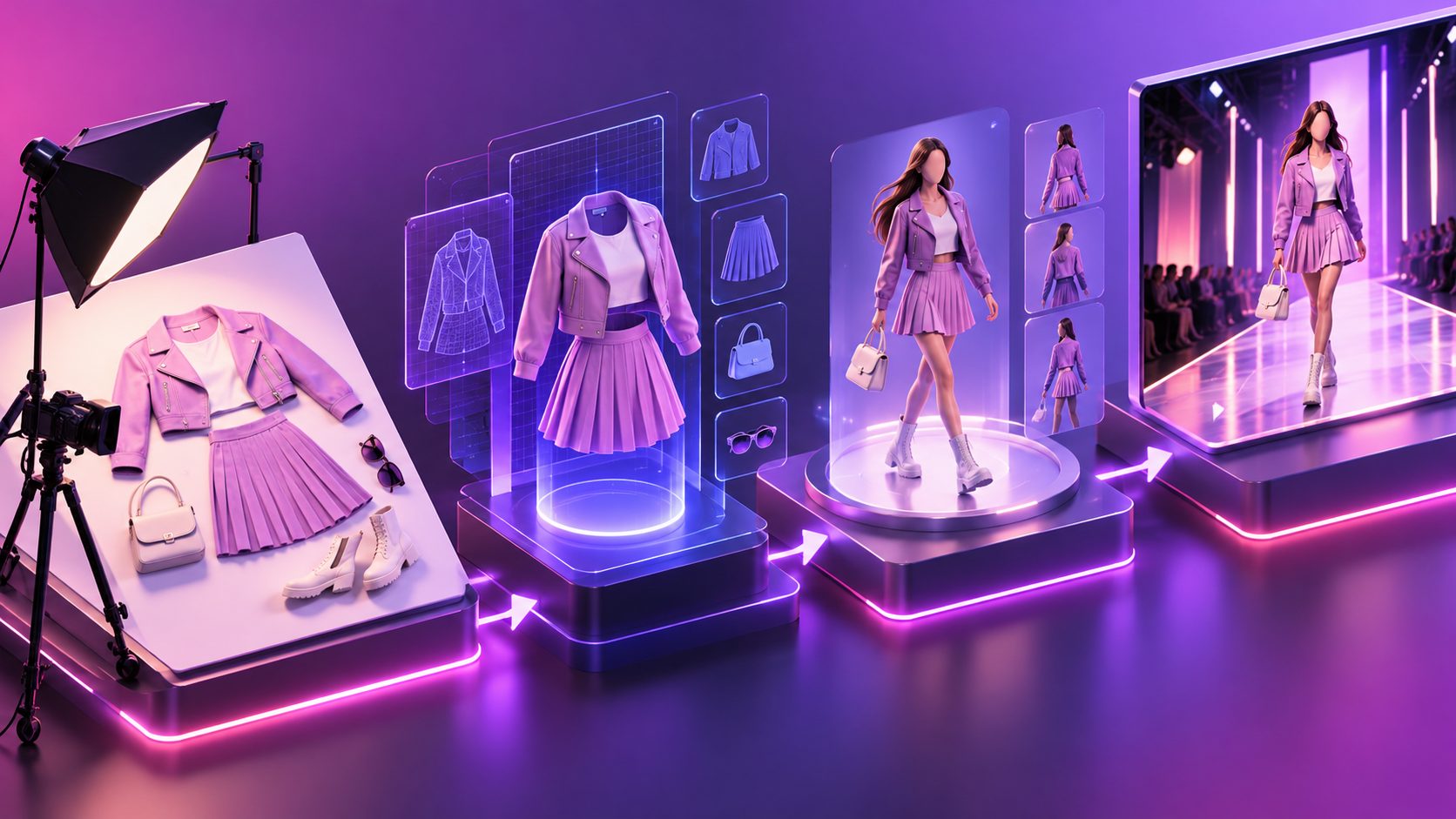
A flat lay to 3D runway video AI fashion ecommerce workflow turns a static garment image into a short fashion clip with movement, model presentation, and advertising structure. For independent clothing stores without model photography, the useful question is not only whether the video looks attractive—it is whether the generated garment still matches the real product.
What is a flat-lay-to-runway video workflow?
A flat-lay-to-runway workflow uses a product photo as the visual source, generates an on-model or mannequin-style presentation, and animates it with a controlled walk, turn, pose, or camera move. The result is usually a short-form asset for TikTok, Instagram Reels, YouTube Shorts, product pages, or paid social ads.
Search results commonly focus on three steps: upload a flat lay, generate an on-model image, and animate it into a short clip. That sequence is practical, but it leaves out the most important ecommerce risk: motion can expose product inaccuracies that are invisible in a still image. AI fashion platforms often advertise runway walks, street-style scenes, 360-degree turns, and Reels-ready exports, while product fidelity and review criteria receive less attention. (myaiwear.com)
For a no-model clothing seller, the workflow should therefore have two outputs:
- A visually appealing runway-style video.
- A pass/fail record showing whether the garment remains commercially trustworthy.
Why flat-lay input quality controls the result
A clean product image gives the generation system more reliable information about shape, color, neckline, sleeves, closures, and surface details. AdsTurbo Product Image accepts JPG or PNG product images, and clear photos on a plain-color background generally provide the strongest starting point.
Before generating video, prepare the source image with these checks:
- Place the garment flat and fully visible.
- Avoid hands, hangers, heavy shadows, and overlapping accessories.
- Keep the front and back views separate rather than combining them into one crowded image.
- Make seams, pockets, buttons, zippers, prints, and logos easy to inspect.
- Use a neutral or solid background.
- Crop with enough margin around the garment so the system does not cut off sleeves or hems.
A useful rule is to treat the flat lay as a product specification, not merely a mood image. If the source cannot clearly answer “where is the hem, opening, pocket, or print boundary?”, the resulting runway video should not be used as a product-accuracy reference.
For supporting product-image preparation, see this guide to making an ecommerce product photo background white.
How to control the runway video sequence
A reliable short fashion ad is easier to generate when the clip is divided into shots rather than described as one long cinematic prompt. A 12–15 second structure can use five compact beats:
| Time | Shot purpose | Recommended visual control |
|---|---|---|
| 0–2 seconds | Product hook | Front-facing hero frame; keep the garment large |
| 2–5 seconds | Silhouette | Slow forward walk or controlled side movement |
| 5–8 seconds | Construction detail | Medium crop on collar, sleeve, pocket, or texture |
| 8–11 seconds | Shape and drape | Three-quarter turn; avoid extreme body rotation |
| 11–15 seconds | Conversion frame | Product name, offer, or CTA with a stable pose |
The key distinction is between subject motion and camera motion. A walking model with a slow camera push is usually easier to review than a fast spin, whip pan, or heavily changing background. The more variables move simultaneously, the harder it becomes to determine whether a distorted sleeve or changed pattern came from the garment or the camera.
For paid social, generate the same concept in 9:16, 1:1, and 16:9 when the campaign requires multiple placements. AdsTurbo Ad Clone can also analyze a reference advertisement up to 12 seconds and generate structured variations, which is useful when testing different hooks, pacing, or CTA arrangements without copying the original asset directly.
The garment fidelity test most sellers skip
The strongest information gain in this workflow is a garment fidelity scorecard. Instead of judging the video only by realism, review each clip against the original flat lay.
Score every category from 0 to 2:
- Color: 0 = materially wrong, 1 = slightly shifted, 2 = consistent.
- Silhouette: 0 = different garment shape, 1 = partly changed, 2 = recognizable and consistent.
- Construction: 0 = missing or invented details, 1 = minor drift, 2 = accurate.
- Pattern or logo: 0 = unreadable or altered, 1 = partially preserved, 2 = stable.
- Length and proportions: 0 = visibly wrong, 1 = uncertain, 2 = consistent.
- Motion behavior: 0 = severe warping, 1 = distracting artifacts, 2 = natural enough for advertising.
A practical acceptance threshold is 10 out of 12, with no zero in color, silhouette, or construction. This is not a universal industry standard; it is a decision framework for reducing avoidable product mismatch. A clip that scores 12 but has a wrong logo should still fail, because one high-risk defect can matter more than several attractive camera movements.
Run the scorecard at three moments:
- The opening frame.
- The highest-motion frame.
- The final CTA frame.
The middle frame is often the most revealing. Sleeves may merge into the torso, thin straps may disappear, and repeating prints may change during a turn.
3D runway style versus product demonstration
A runway-style video is designed to communicate attitude, silhouette, and movement. It is not automatically a substitute for a technical product demonstration.
Use runway motion when the product decision depends on:
- Overall shape
- Styling and outfit context
- Length and proportion
- Brand mood
- Movement in a social-feed environment
Use a closer product demonstration when shoppers need to inspect:
- Fabric texture
- Stitching
- Buttons and closures
- Pocket placement
- Print alignment
- Functional details
The most effective ecommerce sequence often combines both. Start with a runway hook, follow with a detail crop, and finish with a clean product frame. AdsTurbo Product Video can create UGC-style product videos from a JPG or PNG product image, while its subtitle workflow can transcribe speech and create timed captions for social formats.
For a broader product-image-to-motion concept, compare this product photo to 3D video workflow.
How to create useful ad variants without losing control
Variation should change one major creative variable at a time. Otherwise, a seller cannot tell why one ad performs better.
Build a test matrix such as:
- Hook: close-up detail versus full-body entrance
- Motion: forward walk versus three-quarter turn
- Setting: studio runway versus minimal street scene
- Copy: benefit-led versus offer-led
- Audience: general fashion versus a specific style segment
- Format: 9:16 versus square
Keep the garment, offer, and landing page consistent while testing the creative variable. This creates cleaner learning than producing six completely different videos.
AdsTurbo supports product videos, ad cloning, motion control, lip sync, character replacement, video translation, background replacement, subtitles, and AI upscaling. These functions are especially useful after the first garment-faithful clip has passed review: motion control can create pose variations, subtitles can improve silent viewing, and translation can adapt the same creative for additional markets.
Common questions
Can one flat-lay image create a realistic runway video?
Yes, but the result depends heavily on source-image clarity and garment complexity. Simple silhouettes with visible edges are easier to preserve than layered garments, reflective materials, fine patterns, or heavily folded clothing.
Should the AI model turn around completely?
Not by default. A full turn may create useful visual energy, but it also increases the chance of invented back details or pattern drift. Begin with a front-to-three-quarter movement and add a full turn only after fidelity review.
Is a runway video suitable for a product detail page?
It can support a product page, but it should not replace accurate still images or close-up detail photography. Use the video to show styling and movement, then use stills for construction and material inspection.
How many variations should a small clothing store make?
Start with three to six controlled variations for one garment. Test the opening hook, motion, and CTA separately before expanding into more models, scenes, or languages.
Can the same fashion video be localized?
Yes. A finished video can be adapted with translated voiceover, subtitles, or on-screen text. AdsTurbo Video Subtitle supports multilingual subtitle generation and can export either a captioned video or a separate subtitle file.
A practical publishing checklist
Before sending a flat-lay-to-runway asset to a campaign, confirm:
- The garment color matches the source.
- The neckline, sleeves, hem, and closures remain stable.
- Logos and prints are not invented or distorted.
- The most dynamic frame passes the fidelity scorecard.
- The CTA remains inside the platform’s safe area.
- Captions are readable without audio.
- The selected format matches the placement.
- The landing page shows the same product clearly.
A strong flat lay to 3D runway video AI fashion ecommerce workflow is not just “photo in, video out.” It is a controlled chain from source-image preparation to shot planning, fidelity testing, variant production, and placement-specific editing. For independent fashion sellers, that discipline helps turn limited product photography into more useful creative without allowing visual polish to hide product inaccuracies.