Multilingual Product Manual Video: Turn Instructions into Reusable Ecommerce Content


Summarize with
Summary
Learn how to turn product manuals into multilingual product manual video modules for product pages, support emails, and ad testing. Build a reusable workflow with AdsTurbo.
By adsturbo.ai | Published 2026-11-15 | Updated 2026-11-15
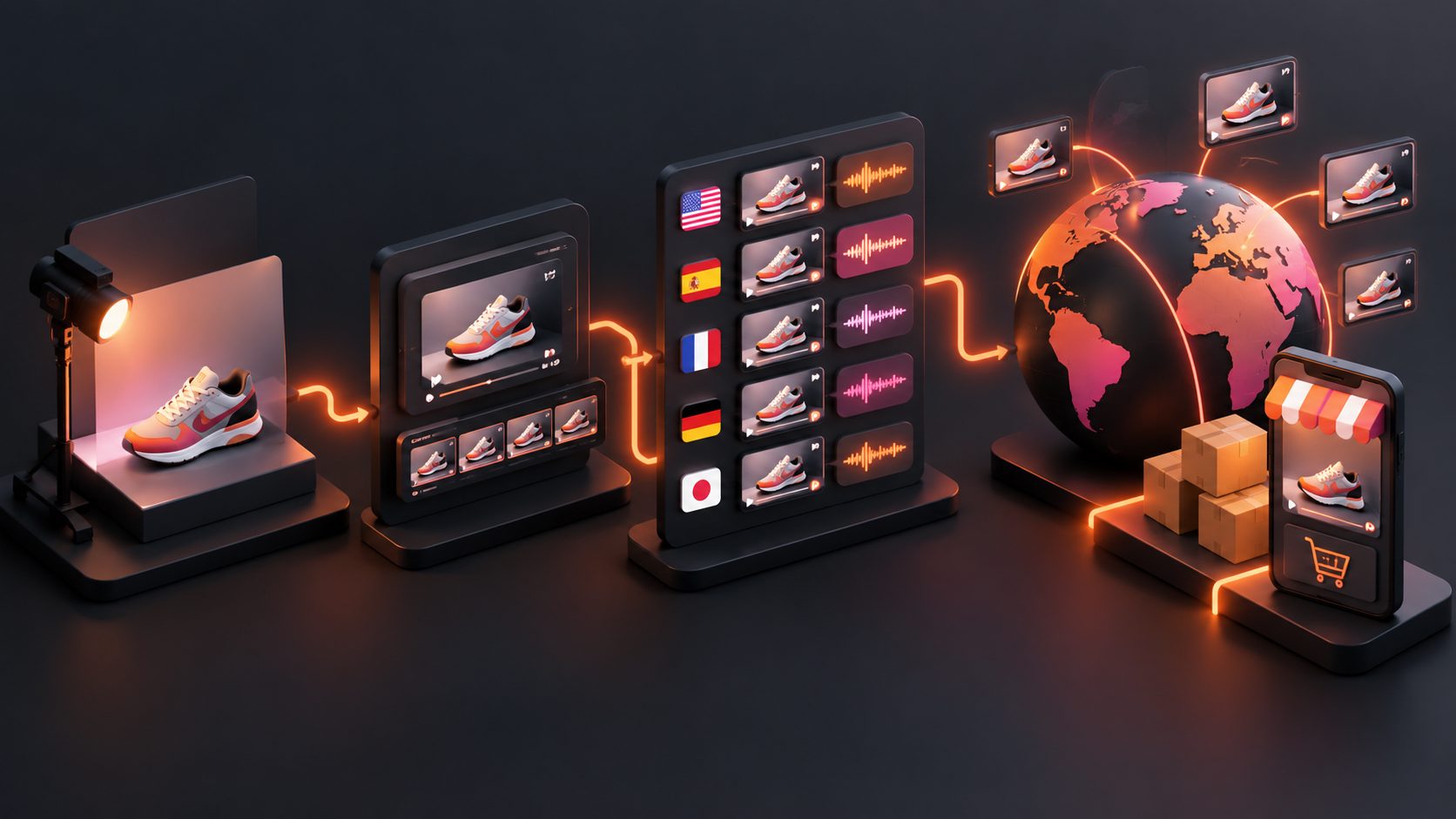
A multilingual product manual video converts written instructions, product photos, and demonstration steps into visual content that customers can understand in their preferred language. For ecommerce sellers, the best workflow is not to create one long video for every market, but to build reusable step modules that can serve product pages, support emails, QR codes, and advertising tests.
What is a multilingual product manual video?
A multilingual product manual video is a localized instructional video that explains how to assemble, install, use, clean, or troubleshoot a product through visuals, narration, subtitles, and on-screen labels.
The useful distinction is between translation and content localization. Translation changes the language. Localization also adapts terminology, measurements, examples, voice pacing, captions, and visual emphasis for the target market.
Search results commonly focus on generating a complete tutorial from a prompt, product photo, or recorded demonstration. That is useful for a first draft, but ecommerce teams need a stronger content system: one structured source version, modular scenes, and language-specific outputs that remain easy to update. A maintainable process separates the workflow from the language layer and reviews each localized version against the actual product experience. (kling.ai)
Why convert a product manual into video?
Product manuals are precise, but they often create friction when customers need to perform a physical task. A video can show hand position, orientation, sequence, and expected results more clearly than a dense page of text.
For cross-border sellers, one modular video system can support four jobs:
- Pre-purchase education: Show how the product works before checkout.
- Post-purchase onboarding: Explain setup, charging, installation, or first use.
- Customer support: Answer repetitive “how do I use this?” questions.
- Creative testing: Turn individual instruction scenes into short demonstration ads.
This reuse is the main economic advantage. A scene such as “insert the filter,” “fold the hinge,” or “connect the cable” can appear in a product detail page, a help-center email, a QR-linked package insert, and a short-form ad without rebuilding the visual explanation each time.
For examples of ecommerce demonstration structures, see this guide to demo videos for ball mount bike racks, which shows how a product video can focus on proof, sequence, and practical use rather than generic promotion.
Which manual sections should become video modules?
Start by splitting the manual according to customer decisions and physical actions, not according to page numbers.
| Manual content | Recommended video module | Best reuse case |
|---|---|---|
| What is included | Unboxing and parts overview | Product page, marketplace listing |
| Safety warnings | Do and do not sequence | Support email, package QR code |
| Assembly | Numbered action steps | Product page, onboarding |
| First use | Demonstration with expected result | Ads, product detail page |
| Maintenance | Cleaning or replacement routine | Retention email, support |
| Troubleshooting | Symptom-to-solution clips | Help center, customer service |
| Specifications | Visual measurement or compatibility guide | Listing, comparison content |
A practical rule is to keep each module focused on one question: What must the customer do next? If a scene answers three unrelated questions, split it into smaller clips.
The strongest source format is usually:
- One overview module
- Three to seven action modules
- One result or confirmation module
- Optional troubleshooting modules
This structure makes updates less expensive. If a connector changes, replace the connector scene instead of recreating the entire product manual video.
How to create a multilingual product manual video
1. Build a visual source version
Use the clearest available product photos, diagrams, or demonstration footage. Product details such as ports, buttons, clips, labels, and safety marks must remain visually accurate.
Write narration around actions rather than marketing claims. For example:
“Align the groove with the rail, then slide the panel forward until it clicks.”
This is stronger than:
“Install the innovative panel with ease.”
Instructional narration should use short sentences, consistent verbs, and explicit references to visible parts. Avoid idioms, vague phrases such as “do it like this,” and words that may be pronounced differently across languages.
2. Create a terminology sheet
Before translating, define the words that must remain consistent. Include:
- Product and model names
- Part names
- Button and menu labels
- Measurement units
- Safety terms
- Technical verbs
- Preferred translations
- Words that must not be translated
This step is often missing from generic AI video workflows. Without a terminology sheet, one language version may call the same component a “latch,” another a “lock,” and a third a “clip.” That inconsistency increases customer confusion and support workload.
3. Localize narration and captions separately
Narration, subtitles, and on-screen labels have different space and timing requirements. A translated sentence may be longer than the source sentence, while a button label may need to stay exactly as printed on the product.
A good localization pass checks:
- Whether the instruction still matches the visible action
- Whether the voice finishes before the next step
- Whether captions cover the product detail
- Whether numbers and units are correctly adapted
- Whether technical terms are pronounced correctly
- Whether the target language reads naturally rather than literally
AI-assisted tutorial workflows commonly recommend using one clean source edit, then generating language versions from that shared visual structure. This reduces unnecessary re-recording, but every localized version still needs a functional review. (scrum.org)
4. Export several aspect ratios
A product manual video is not limited to a help page. Prepare versions for:
- 16:9: Product pages, YouTube, help-center articles
- 9:16: TikTok, Reels, Shorts, mobile ads
- 1:1: Marketplace feeds and social posts
Keep the product action near the center of the frame so it survives vertical cropping. Captions should remain large enough for mobile viewing but must not cover the part being demonstrated.
For visual campaigns that need multiple placements, campaign poster templates for ecommerce promotions offer a useful companion format for static reminders, discount messages, or QR-code entry points.
How to reuse instruction modules in ads
A manual explains the product; an ad explains why the viewer should care. The same scene can serve both purposes if the opening and ending change.
For an ad variation, use this structure:
- Problem: Show the customer’s task or frustration.
- Action: Demonstrate one product feature.
- Proof: Show the correct result.
- CTA: Invite the viewer to learn more, shop, or see the full guide.
For example, an assembly scene can become:
- “Still losing time during setup?”
- Show the alignment step.
- Show the completed installation.
- “See the full setup guide.”
Do not turn every manual step into an ad. Select scenes that demonstrate a visible benefit: easier installation, faster use, cleaner results, safer handling, or compatibility with a specific situation.
If the original footage is soft, compressed, or too small for current placements, an AI video enhancer can improve the working resolution before captions, reframing, or localization. Enhancement should clarify real product details, not invent details that were absent from the source.
A practical review framework for every language
Before publishing, review each version with a five-part checklist:
- Product accuracy: Does every action match the real product?
- Language accuracy: Are terminology, numbers, and warnings correct?
- Timing: Does narration match the step shown on screen?
- Readability: Can captions be read without hiding the action?
- Channel fit: Is the aspect ratio suitable for the destination?
A useful internal test is to mute the video and ask someone to complete the task using visuals alone. Then play the video without showing the product and ask whether the narration is specific enough to identify the correct action. If either test fails, the module needs clearer visual or verbal instructions.
This two-pass test is an independent quality-control method: it separates visual usability from language usability, instead of treating translation accuracy as proof that the video works.
Frequently asked questions
Should the same video use subtitles or separate voiceovers?
Use subtitles when the visual steps are simple, the audience often watches without sound, or production speed matters most. Use localized voiceovers when pronunciation, accessibility, or guided hands-on use is important. Many product teams use both.
How long should a product manual video be?
Keep each instructional module as short as the task allows. A single action may need only 10–30 seconds, while a complete setup guide can be divided into chapters. Short modules are easier to reuse in support, listings, and paid ads.
Should every market have a completely different video?
Not necessarily. Keep the product actions and visual sequence consistent when the product is unchanged. Localize narration, subtitles, measurements, warnings, and examples where needed. This preserves production efficiency without forcing every market into identical wording.
Can a manual video also support advertising?
Yes. Use the instructional footage as proof, then add a problem-focused opening and a clear CTA. The strongest ad modules show a concrete action and visible result rather than repeating general product claims.
How should sellers update localized versions?
Maintain one approved source script, one scene list, and one terminology sheet. When a product change affects one step, update that module first, then regenerate only the language and channel versions connected to it.