By adsturbo.ai | Published 2026-10-13 | Updated 2026-10-13
An open box product video condition inspection ecommerce workflow turns a returned item’s actual condition into visible evidence. In 30 seconds, the video should identify the unit, reveal cosmetic wear, confirm included accessories, demonstrate one core function, and disclose anything the buyer will not receive.
This is not a polished unboxing commercial. It is a visual condition report designed to reduce the expectation gap that causes questions, complaints, and avoidable second returns.
What Should an Open Box Condition Video Prove?
An open box condition video should prove five facts: which unit is for sale, what it looks like, what is included, what was tested, and what limitations remain. Buyers should be able to compare the footage with the listing description without finding contradictory details.
Marketplace labels are not interchangeable. Amazon’s US condition guidance distinguishes open-box or like-new inventory from products with greater wear, while eBay’s category-specific condition definitions can require open-box items to have no wear and include original accessories. Sellers must use the condition label permitted for their category rather than inventing a more favorable grade. (sell.amazon.com)
The video must also show the actual resale unit whenever practical. The FTC advises marketplace buyers to examine whether sellers provide several images of the real item rather than relying only on stock photography. (consumer.ftc.gov)
How Do You Build a 30-Second Inspection Video?
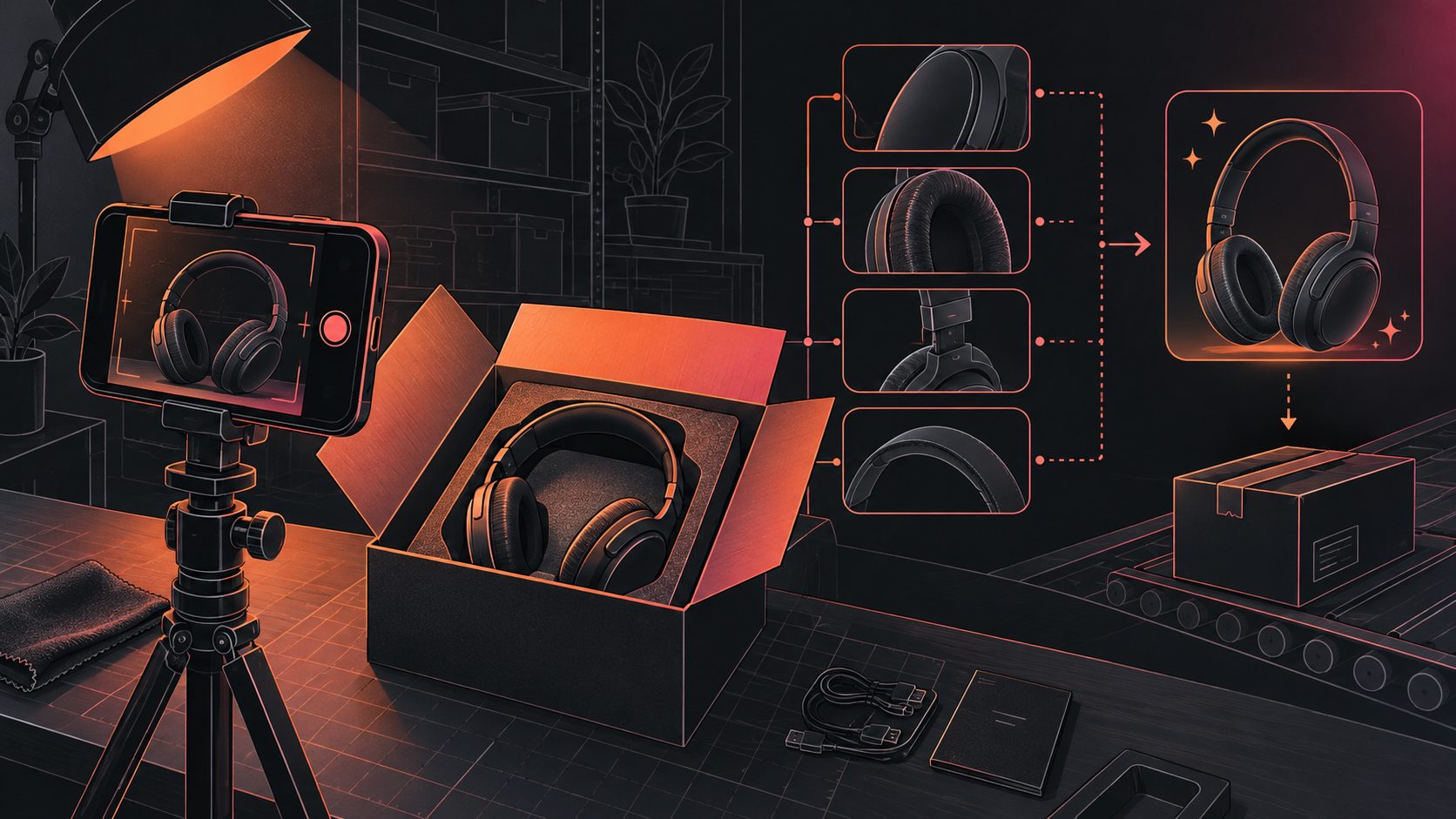
Use a five-part sequence that moves from identity to limitations. The CPAB framework—Condition, Proof, Accessories, Boundaries—is an original evidence-budget model for deciding which shots deserve time when a warehouse operator cannot document every possible feature.
| Time | Inspection shot | Evidence to capture | Suggested overlay |
|---|---|---|---|
| 0–5 sec. | Product and condition card | Model, color, grade, unit ID | “Open box — actual unit shown” |
| 5–13 sec. | Exterior sweep | Front, back, edges, ports, visible wear | “Minor mark on rear corner” |
| 13–20 sec. | Function test | Power, display, motor, controls, or connectivity | “Power-on test passed” |
| 20–27 sec. | Accessory layout | Every included cable, part, manual, and package | “Includes unit + charger” |
| 27–30 sec. | Boundary frame | Missing parts, packaging damage, test limits | “Battery endurance not tested” |
The final frame is crucial. “Powers on” does not mean every feature passed, and “complete” should never appear when an accessory is missing.
Which Condition Details Must Be Visible?
Show details that can change the buyer’s decision, not every harmless texture or reflection. A strong inspection covers identity, cosmetic state, cleanliness, functional evidence, packaging, and completeness using neutral language that a second warehouse employee could verify.
Record these checkpoints before filming:
- Match the model, variant, color, size, and serial number to the inventory record.
- Inspect high-contact and damage-prone areas under steady lighting.
- Capture scratches, dents, stains, cracks, discoloration, or repaired surfaces.
- Test the product’s main purchase-driving function.
- Lay out all included accessories in one frame.
- Identify absent packaging, manuals, adapters, consumables, or optional parts.
- Confirm that on-screen statements match the listing’s condition field.
Do not hide a scratch with aggressive color correction or describe a cleaned item as refurbished unless it meets the marketplace’s definition. For a repeatable warehouse intake method, adapt the six-cut used-goods condition video SOP to the product category.
How Should Sellers Film Cosmetic Wear?
Film cosmetic defects with a wide shot, a locating shot, and a close-up. This three-distance method prevents two common failures: showing a mark so closely that buyers cannot locate it, or filming so widely that the defect disappears.
Use diffused side lighting instead of a front-facing ring-light reflection. Rotate glossy electronics slowly, hold the camera perpendicular to screens, and place a ruler or fingertip beside unusually sized damage when scale is unclear.
Keep descriptions factual:
- Prefer “6 mm scratch on left edge” over “tiny cosmetic issue.”
- Prefer “outer box crushed; product housing intact” over “box slightly imperfect.”
- Prefer “charger included; USB cable missing” over “most accessories included.”
The objective is not to make wear look worse. It is to make the listing understandable without requiring the buyer to guess.
What Functional Tests Belong in the Video?
Demonstrate the shortest test that verifies the product’s primary purpose. A coffee grinder should run, a display should power on without visible panel damage, and a speaker should connect and produce sound. Secondary features can remain untested if that boundary is disclosed.
A useful proof hierarchy is:
- Observed: “Display powers on.”
- Tested: “HDMI input tested with a laptop.”
- Not tested: “Long-duration battery performance not tested.”
- Not included: “Remote control not included.”
- Unsupported claim: Avoid “works perfectly” unless every material function has been checked.
Capture the test result in the warehouse inspection record as well as the video. The listing text, condition grade, accessory count, and footage should function as one evidence set—not four independently written descriptions.
If marketplace duration limits force cuts, preserve defects, included items, and test boundaries before lifestyle footage. The Amazon product video compression workflow explains how to shorten footage without removing decision-critical information.
How Can Ecommerce Teams Standardize Production?
Standardization starts before recording. Give operators a category-specific shot list, controlled vocabulary, inspection card, and file-naming rule. Each video should remain traceable to one physical unit or to a clearly defined batch with identical condition.
A practical filename is:
SKU_unit-ID_grade_inspection-date_version.mp4
Use a locked vocabulary such as passed, failed, observed, not tested, included, missing, cosmetic wear, and packaging damage. Avoid subjective terms such as “basically new,” “perfect enough,” or “barely noticeable.”
AdsTurbo’s Clip by Clip editing can assemble separate condition, function, accessory, and disclosure shots. Its Video Subtitle tool can generate time-synchronized captions, while video upscaling can improve low-resolution inspection footage. Captions should repeat verified facts rather than add unsupported claims.
Before publishing, run the export through the Amazon video transcoding troubleshooting SOP when the marketplace rejects or stalls the file.
Pre-Publish Quality-Control Checklist
A condition video is ready only when a reviewer can reconcile every frame with the sellable unit and listing. The reviewer should reject footage that hides defects, shows unrelated accessories, overstates testing, or uses a grade inconsistent with the marketplace field.
- Actual unit or accurately identified batch is shown.
- Model, color, size, and unit identifier match the record.
- All material cosmetic defects are visible and described.
- Included accessories appear together in one clear shot.
- Missing items are stated in both video and listing.
- Functional claims do not exceed the completed test.
- Condition wording matches the selected marketplace grade.
- Return, warranty, and packaging statements match the offer.
- Captions remain readable on a mobile screen.
- Exported video plays correctly from beginning to end.
For multilingual resale listings, apply the same terms consistently across voiceover, captions, and product-page text using a multilingual subtitle synchronization QA workflow.
Frequently Asked Questions
Is an open box condition video the same as an unboxing video?
No. An unboxing video presents the packaging experience, while an open box inspection video documents the actual item’s condition, accessories, tested functions, and limitations. Its primary purpose is evidence rather than entertainment.
Should every returned item receive a unique video?
High-value items, serialized electronics, and units with individual defects benefit most from unit-specific footage. Lower-value products may use batch footage only when every item shares the condition shown and the listing clearly explains that approach.
How long should an ecommerce condition video be?
Thirty seconds is sufficient for many products when each shot has a defined evidence purpose. Complex equipment may require longer footage, but length should follow the number of material condition questions rather than an arbitrary advertising format.
Can sellers use AI to improve inspection footage?
AI can assist with editing, subtitles, translation, background cleanup, or resolution enhancement. It should not remove real damage, replace missing accessories, simulate untested functionality, or materially alter the condition of the item shown.
What should appear in the first five seconds?
Show the full product, its condition label, and an identifier that connects the footage to the listing. Do not lead with the discount; buyers first need to understand what the offer actually includes.
Create consistent product and condition-video assets with AdsTurbo.