By adsturbo.ai | Published 2026-09-27 | Updated 2026-09-27
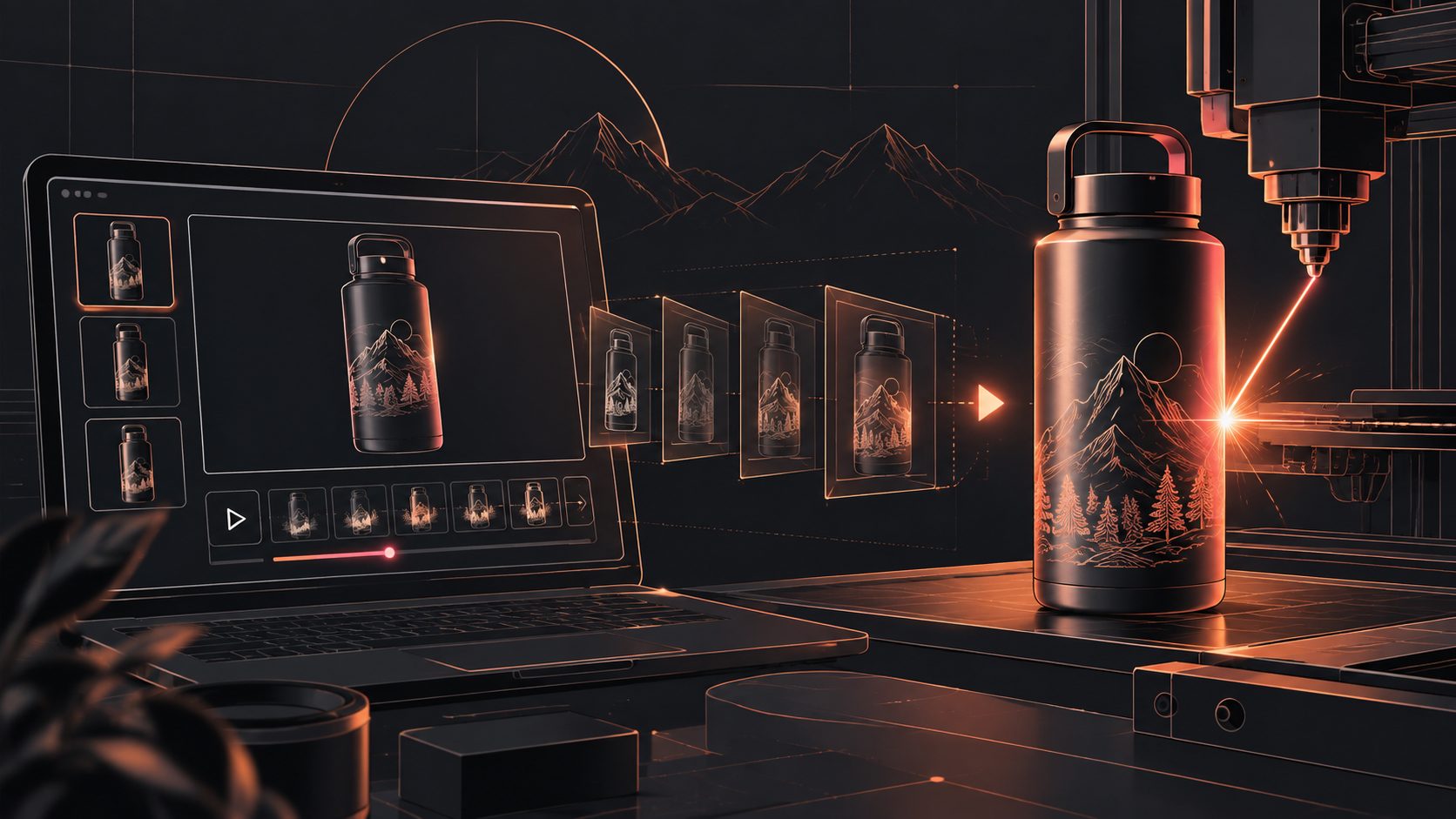
A personalized product engraving preview video generator turns a static product image, custom text, and a few selling points into a short video that shows shoppers what their finished item may look like. For Etsy and Shopify sellers, the best workflow is not simply adding animated text. It is a proof-focused sequence that makes the personalization readable, believable, and easy to understand before purchase.
What is an engraving preview video?
An engraving preview video is a short product clip that demonstrates the relationship between a blank item, the customer’s personalization, and the expected finished appearance. It can show a name, date, monogram, message, logo, or other design placed on a tumbler, necklace, cutting board, leather wallet, wooden sign, or similar product.
Most existing personalization tools concentrate on live storefront previews, where shoppers type text and see a product mockup update on a product page. Other tools focus on generic Etsy listing videos made from product photos. (apps.shopify.com)
A preview video serves a different job: it brings the personalization into motion. The video can show the engraving area, reveal the customized text, demonstrate scale, and explain that the displayed result is a preview rather than a production guarantee.
Why static mockups are not enough for personalized products
Personalized products carry a special kind of purchase uncertainty. Shoppers are not only asking, “Does this product look good?” They are also asking:
- Will my name fit?
- Is the text large enough to read?
- Where will the engraving appear?
- Does the product still look premium after customization?
- What will I actually receive?
A static image can answer some of these questions, but it often leaves the personalization visually flat. A short video can use movement and sequencing to direct attention toward the engraving area.
This does not replace a live product customizer. Storefront tools can collect text, images, fonts, placements, and order details, while a video supports discovery and persuasion across listing pages, social posts, email, and paid ads. (rivenforge.com)
The five-frame engraving proof framework
The following framework is an original way to structure a preview video for POD and handmade product sellers. It prioritizes proof over decoration.
1. Product identity
Open with the complete product in a clean composition. Show the item, its material, and its use case before introducing the custom text.
Example overlay:
Personalized walnut keepsake box
Add a name, date, or short message
This first frame prevents the video from feeling like a typography demonstration disconnected from the product.
2. Personalization input
Show the custom text as an intentional design choice. Use a short name or message that resembles a real order, but avoid implying that the example is a customer testimonial.
Example:
Enter: “The Carter Family”
Choose your preferred style
For a product image workflow, upload a clear JPG or PNG image. AdsTurbo Product Image works best when the product is photographed clearly against a solid-color background. It can analyze the product’s shape, color, and category before producing additional visual variations.
3. Placement and scale
Use a slow zoom, pan, or controlled camera movement toward the engraving area. The goal is to answer two questions: where does the personalization go, and how large is it?
Keep the text inside a safe visual boundary. Long names should not be stretched unnaturally just to fill the frame. For jewelry, plaques, and small accessories, close-up detail usually matters more than a wide lifestyle shot.
4. Finished-look preview
Reveal the custom product with realistic contrast and lighting. The preview should communicate the intended appearance without claiming that the digital render is identical to every physical production result.
A useful disclaimer is:
Preview for placement and appearance. Final results may vary by material and production method.
This is particularly important for wood grain, brushed metal, leather texture, and other materials where color, depth, and surface variation can affect the final engraving.
5. Purchase-oriented close
End with a clear action connected to personalization:
- “Add your name at checkout”
- “Create a meaningful wedding gift”
- “Personalize yours for the holiday season”
- “Upload your design and preview the result”
The CTA should reinforce the product’s use case rather than simply saying “Shop now.”
How to create the video from one product image
Step 1: Prepare the product asset
Use a sharp JPG or PNG product image with the item fully visible. A plain or solid-color background makes it easier to isolate the product and create clean variations. Remove clutter, reflections, and competing props unless they are essential to the product story.
If you need multiple ecommerce images before making the video, AdsTurbo Product Image can generate product banners, lifestyle scenes, close-ups, material-detail images, instruction visuals, and brand-oriented images from a single product photo.
Step 2: Define the personalization logic
Write down the exact information the shopper may enter:
- Name or initials
- Date or coordinates
- Short message
- Font or style option
- Engraving location
- Maximum character count
Then choose one realistic example for the video. A preview becomes confusing when it shows several names, fonts, and placements without explaining which option is being demonstrated.
Step 3: Generate the base product video
Combine the product image, personalization example, and selling point into a short product video. AdsTurbo Product Video supports JPG and PNG product uploads and can generate UGC-style product videos, including product review, introduction, and demonstration formats.
For an Etsy listing, keep the first seconds understandable without relying on audio. For Shopify traffic from social platforms, create a stronger hook in the opening frame and use a direct CTA near the end.
Step 4: Add readable subtitles
Personalized-product videos are often watched with sound off. AdsTurbo Video Subtitle can automatically transcribe speech, create time-synchronized captions, and export either a video with embedded subtitles or a separate subtitle file. Its subtitle styling is designed for formats such as TikTok, Instagram Reels, and YouTube Shorts.
Use short captions rather than full paragraphs. One idea per screen is usually easier to read:
Add a name
Preview the placement
Order your custom gift
Step 5: Export platform-specific versions
Prepare at least two versions:
| Channel | Recommended focus | Useful video treatment |
|---|---|---|
| Etsy listing | Product clarity and personalization proof | Silent-friendly captions and close-ups |
| Shopify product page | Trust and conversion support | Product details, options, and CTA |
| TikTok or Reels | Fast visual hook | Vertical format and stronger motion |
| Email campaign | Product reveal | Short GIF-style sequence or lightweight clip |
For additional email-specific ideas, see the ecommerce email embedded GIF video workflow.
A practical testing matrix for Etsy and Shopify sellers
Do not test only different colors or music. Test the buyer’s main uncertainty.
Create four variants:
- Name-first: Opens with the personalized name and then shows the product.
- Material-first: Opens with wood, metal, leather, or acrylic texture.
- Gift-first: Leads with the occasion, such as wedding, anniversary, or graduation.
- Process-first: Shows the design becoming part of the finished product.
Keep the product, offer, and core personalization example consistent. Change only the opening angle and message. This gives you a cleaner read on which promise attracts attention.
For sellers validating new products from limited assets, the product validation video ads workflow offers a useful testing mindset: begin with one product image, produce several creative directions, and compare the response before investing in a larger content library.
How AdsTurbo fits the workflow
AdsTurbo is useful when the goal is to move from product assets to multiple ecommerce creative formats. Its tools include Product Video, Ad Clone, Video Subtitle, Background Replace, AI Upscaling, Character Swap, Lip Sync, Video Translation, and image-generation workflows.
For a personalization campaign, a practical combination is:
- Product Image for additional product scenes and aspect ratios
- Product Video for demonstration or UGC-style clips
- Video Subtitle for silent-friendly captions
- AI Upscaling when the source image or video is low resolution
- Video Translation when the same concept needs regional localization
AdsTurbo generation tasks run asynchronously. Completion can be received through status polling or a Webhook callback, which is useful when a seller or agency is generating several product variations through an automated workflow. Advanced plans also support team workflows, API access, and custom workflow support.
For developers, the TikTok Shop bulk video generator workflow shows how a similar variation-based approach can be applied when multiple SKUs need distinct short-form creatives.
Common questions
Can I make an engraving preview video from one product photo?
Yes. Start with a clear JPG or PNG product image, define the sample engraving text, and build the video around placement, scale, material, and use case. A clean source image produces a more convincing result.
Is a preview video the same as a live product customizer?
No. A live customizer lets each shopper enter information and see an interactive preview on the storefront. A preview video is a marketing asset designed to explain the personalization experience and attract or reassure shoppers.
Should the video show the engraving process?
It can, but the process should not overpower the product. If the production footage is unavailable, use a controlled visual transition from blank product to personalized result and label it as a preview.
What should Etsy sellers show first?
Show the product and personalization benefit immediately. Since many viewers may watch without sound, make the name, message, or customization area readable through on-screen text.
How can Shopify sellers create more variations?
Change one variable at a time: opening hook, gift occasion, material close-up, personalization example, or CTA. This creates a useful testing matrix instead of producing many nearly identical videos.
Final takeaway
A strong personalized product video does more than animate a name on a mockup. It answers the buyer’s practical questions about placement, scale, material, and expected appearance while connecting the customization to a real gift or use case.
The most efficient workflow is to start with one clean product image, create one carefully chosen personalization example, build the five-frame proof sequence, add readable captions, and then adapt the result for Etsy, Shopify, social, and email. That approach gives POD sellers a reusable system for turning customization uncertainty into clearer product communication.