By adsturbo.ai | Published 2026-09-27 | Updated 2026-09-27
A TikTok Shop bulk video generator is most useful when it produces a controlled set of creative variations—not a folder full of near-identical videos. For US ecommerce sellers, the practical goal is to turn each SKU into multiple hook, benefit, proof, and CTA combinations that can be reviewed, published, and tested without filming every product from scratch.
TikTok’s own AI Video Maker supports product-based video creation inside Seller Center, but its official workflow still requires sellers to review each output for accuracy, policy compliance, and third-party rights. (seller-us.tiktok.com) The scalable advantage comes from designing the creative system around your catalog before generating anything.
What is a TikTok Shop bulk video generator?
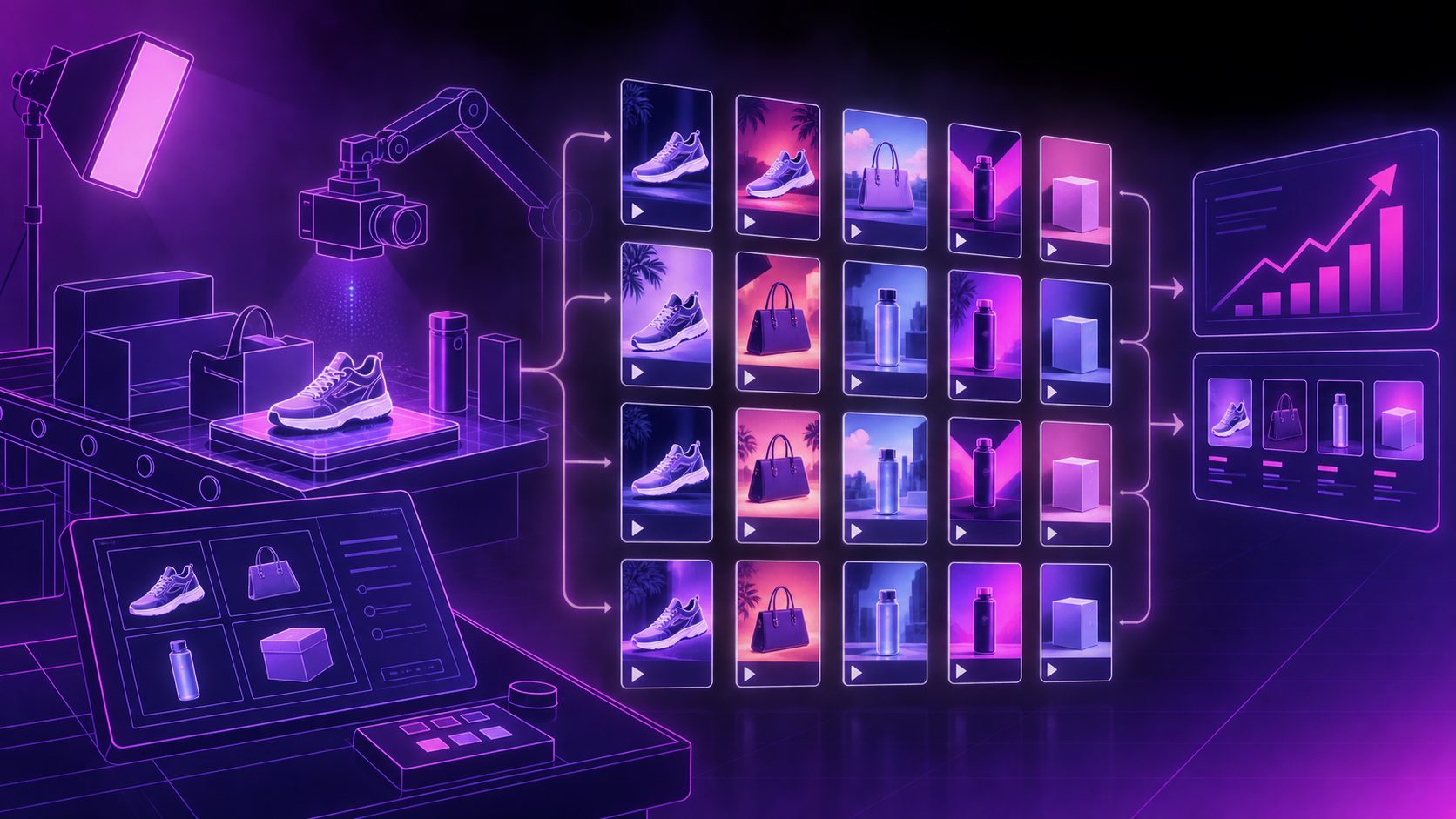
A TikTok Shop bulk video generator turns product assets and structured selling points into multiple short-form videos in one production workflow. Instead of creating one video per product manually, sellers can combine a product image, a target audience, a selling angle, and several hook concepts to produce a testable batch.
The important distinction is between bulk rendering and bulk testing:
- Bulk rendering creates many files quickly.
- Bulk testing creates variations that differ in a meaningful way.
- Creative operations connect each video to a SKU, angle, audience, and result.
A useful batch may include the same product with different openings, such as:
- A problem-first hook.
- A demonstration hook.
- A comparison hook.
- A price or promotion hook.
- A gifting or lifestyle hook.
This structure prevents the common mistake of changing only the caption while keeping the first three seconds, visual sequence, and CTA identical.
Why bulk production matters for TikTok Shop sellers
TikTok Shop product videos must compete for attention before the viewer has any reason to care about the listing. A single polished video can communicate the product, but it cannot tell you which message is strongest for a particular audience.
Bulk production helps answer four practical questions:
| Testing question | Example variable |
|---|---|
| What makes viewers stop? | Curiosity, pain point, visual reveal |
| What makes the product understandable? | Demo, close-up, before-and-after |
| What creates buying intent? | Social proof, use case, offer |
| What improves catalog coverage? | New SKU, color, bundle, or audience |
The best batch is not necessarily the largest batch. A smaller set with clear differences creates cleaner learning. For example, five products multiplied by four creative angles produces 20 distinct tests. That is more useful than producing 20 videos that all begin with the same generic “Here’s why you need this” introduction.
TikTok’s current Seller Center guidance says its AI Video Maker generally generates two to three videos per request and that generation may take around 30–45 minutes, depending on settings and system conditions. (seller-us.tiktok.com) For larger catalogs, a separate batch workflow can make asset organization and variation planning easier.
The SKU-to-creative matrix that scales
A practical bulk system should use four columns: SKU, audience, angle, and format. Each generated video should occupy one cell in the matrix.
1. Start with the SKU
Group products by the reason someone would buy them. A beauty product may be organized by shade or concern. A home product may be organized by room, use case, or problem solved. Avoid treating every product image as interchangeable.
2. Assign three to five angles
Use angles that reflect the product’s actual value:
- Problem and solution
- Demonstration
- Feature explanation
- Lifestyle use
- Offer or seasonal promotion
3. Change one major variable at a time
If the hook, voice, scene, CTA, and product framing all change together, the result becomes difficult to interpret. A better first batch holds the product and core claim steady while changing the opening angle.
4. Label every output
Use a naming system such as:
SKU-Audience-Angle-Hook-Format
For example:
MUG-HomeOffice-Demo-HeatRetention-9x16
This small operational detail is an original but high-impact improvement over simple batch exporting. It connects the creative file to the decision it is meant to test.
How to create bulk TikTok Shop videos from product images
A reliable workflow begins with clean inputs. AdsTurbo Product Video supports JPG and PNG product images, and a clear product photo on a plain background is the recommended starting point. Its Product Image workflow can analyze a product’s shape, color, and category, then generate ecommerce image variations for different uses.
Use this five-step process:
-
Prepare the catalog.
Collect one clear hero image, key selling points, price or promotion details, and any restrictions on claims. -
Define the audience.
Replace broad labels such as “everyone” with a specific buyer context, such as small-apartment renters, new parents, or gym commuters. -
Create the hook set.
Write three to five opening ideas that address different reasons to stop scrolling. -
Generate the base videos.
AdsTurbo can create product videos from product images and optional selling points or promotion information. It also provides more than 300 AI actors and over 100 product advertising templates for different creative directions. -
Produce controlled variations.
Use character changes, motion control, lip sync, background replacement, subtitles, and translation only when they serve a testing purpose.
For sellers with existing winning ads, AdsTurbo’s Ad Clone workflow for rebuilding ecommerce creatives can analyze a reference structure and help reconstruct its pacing, shot logic, and CTA pattern for a new product. The safer approach is to borrow the communication structure—not copy a creator’s identity, footage, or protected brand elements.
Where AdsTurbo fits in the production workflow
AdsTurbo is useful when the workflow requires more than a single text-to-video prompt. Its available capabilities include Ad Clone, Product Video, Lip Sync, Motion Control, Character Swap, Video Translation, AI Upscaling, Background Replace, AI Eraser, and Video Subtitle.
For TikTok Shop operations, three areas are particularly relevant:
- Product coverage: Generate product videos and product images from JPG or PNG assets.
- Creative variation: Adapt characters, movement, language, captions, and backgrounds for audience testing.
- Post-production control: Improve resolution, generate subtitles, translate videos, or remove unwanted visual elements where the seller has the right to do so.
AdsTurbo Video Subtitle can automatically transcribe speech, synchronize captions, and export either a video with embedded subtitles or a separate subtitle file. Subtitle layouts can be adapted for TikTok, Instagram Reels, and YouTube Shorts.
For larger teams, AdsTurbo supports asynchronous generation with status polling or Webhook completion events. Its higher-tier plans include team workflows, API access, and custom workflow support. The API uses standard REST architecture with Bearer API key authentication, which makes it suitable for connecting catalog systems, batch queues, and internal review steps.
A quality-control checklist before publishing
Bulk creation should never mean bulk publishing without review. TikTok’s official guidance places responsibility on sellers to verify that AI-generated videos accurately represent the product and comply with platform rules, applicable laws, and third-party rights. (seller-us.tiktok.com)
Review every batch for:
- Product shape, color, size, and included accessories
- Accurate prices, discounts, shipping statements, and availability
- Claims that can be supported by the product listing
- Clear disclosure when an AI-generated representation could mislead viewers
- Correct captions and translation
- Safe framing around faces, logos, packaging, and trademarks
- A visible product benefit in the opening seconds
- A CTA that matches the actual TikTok Shop buying path
A useful decision rule is reject the video if the viewer could reasonably misunderstand what they will receive. Visual polish cannot compensate for an inaccurate product representation.
For additional testing ideas, the bulk TikTok organic video workflow for ecommerce products shows how to create distinct posts rather than repeating one asset with minor edits.
Common mistakes that reduce bulk video performance
Making every video look the same
Changing only the background or music does not create a meaningful creative test. Change the opening argument, demonstration order, or target use case.
Starting with brand information
Most product videos need to earn attention before introducing the store name. Lead with the product problem, visual result, or surprising use case.
Treating AI output as final
AI generation is a production shortcut, not a compliance shortcut. Inspect hands, labels, product details, spoken claims, subtitles, and translated meaning.
Ignoring asset quality
Low-resolution product photos can produce weak motion and unreliable details. AdsTurbo AI Upscaling can improve supported video assets, but upscaling cannot restore product information that was never captured clearly.
Measuring only views
Views are useful for reach, but the operational question is whether a specific angle earns stronger product-page visits, add-to-cart activity, or sales. Track results by SKU and creative label, not only by posting date.
Frequently asked questions
Can one product generate multiple TikTok Shop videos?
Yes. One product image can support multiple videos when the variations use different hooks, audiences, demonstrations, characters, or CTAs. The product claim should remain accurate across every version.
Is bulk video generation the same as automatic publishing?
No. Generation creates video files or tasks. Publishing, scheduling, product linking, and policy review remain separate operational steps unless the chosen platform explicitly supports those integrations.
What product image works best?
A clear JPG or PNG image on a plain, solid-color background is a strong starting point. Include the full product and avoid obstructing key details.
How many variations should sellers make first?
Start with a small matrix, such as four angles across three priority SKUs. Expand only after the first batch reveals which hooks, formats, or audiences deserve more production.
Can bulk videos be localized for different markets?
Yes. AdsTurbo supports video translation, subtitles, lip sync, character replacement, and multilingual creative workflows. Review translated claims and cultural context before publishing.
Final takeaway
A TikTok Shop bulk video generator creates the most value when it is connected to a testing system. Begin with clean product assets, assign each SKU a clear buyer angle, vary one major creative variable at a time, and label every output so performance can be interpreted later.
For sellers building a repeatable ecommerce content operation, the winning workflow is not “generate as many videos as possible.” It is generate enough distinct videos to learn which product message deserves more budget, more creators, and more distribution.