
Repurpose Live Stream Into Meta Video Ads: A DTC Apparel Workflow

Summarize with
Summary
Learn how to repurpose live stream into Meta video ads for apparel: find buying moments, cut Reels and Feed variants, and build a cleaner testing system.
By adsturbo.ai | Published 2026-11-05 | Updated 2026-11-05
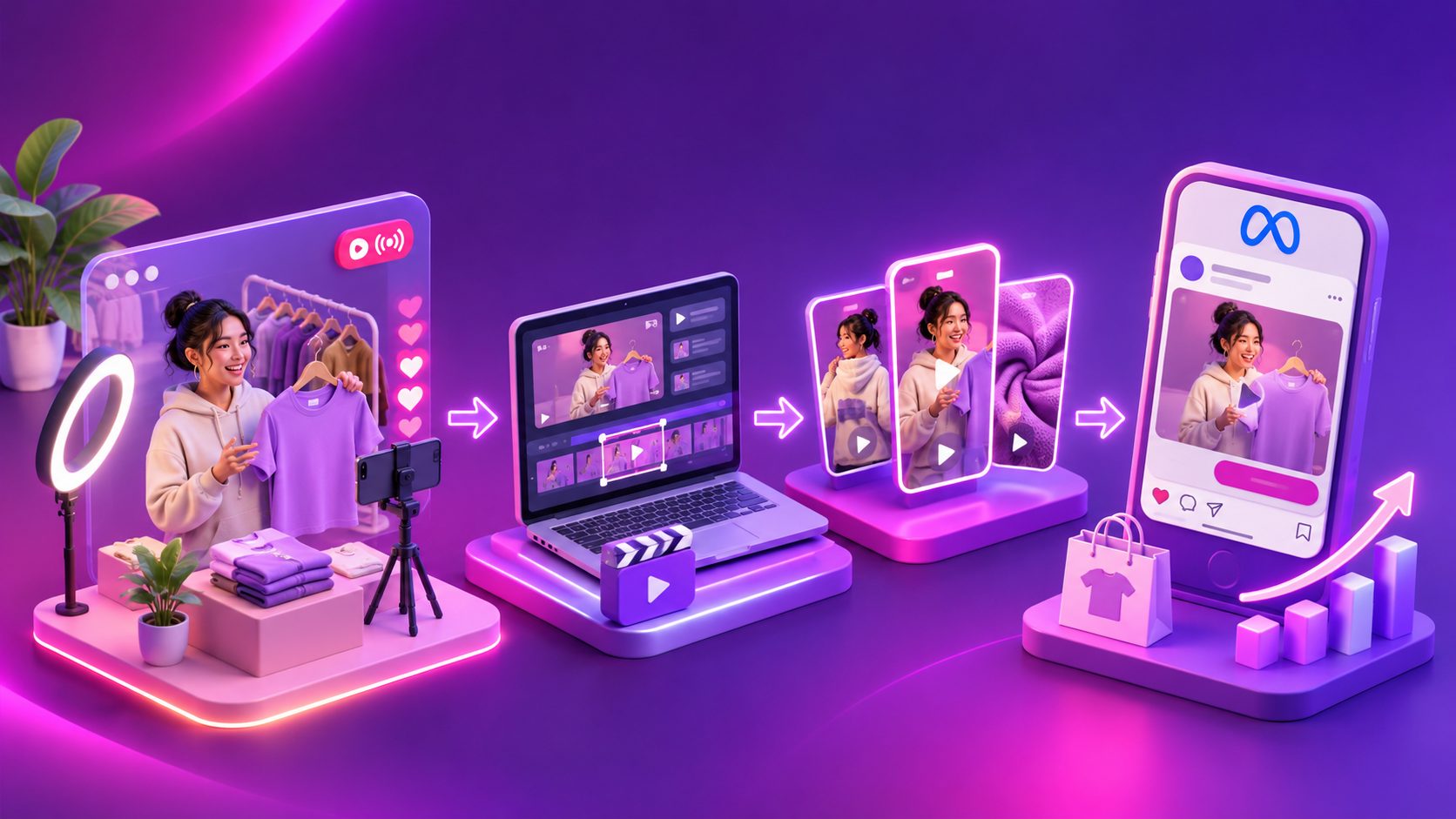
A livestream contains more than one finished video. It contains product objections, fit explanations, reactions, comparisons, offers, and unscripted proof. The practical way to repurpose live stream into Meta video ads is to extract those buying moments, rebuild them for viewers with no broadcast context, and test each creative angle separately.
For DTC apparel brands, this is especially useful because shoppers repeatedly ask the same questions: How does it fit? Is the fabric see-through? Does it stretch? What size is the host wearing? A good live stream can answer those questions more naturally than a polished studio shoot.
What does it mean to repurpose a live stream into Meta video ads?
Repurposing a livestream means turning selected sections of a recorded broadcast into standalone, paid-media creatives for Instagram Reels, Facebook Reels, and Meta Feed. The clip should work without the viewer knowing what happened before or after the original moment.
The best repurposed ad is not necessarily the most entertaining part of the stream. It is the section that communicates a specific product promise quickly, supports it with visible evidence, and gives the viewer a clear next step.
Meta’s own educational guidance emphasizes the relationship between live content, audience reach, and post-event re-engagement. That makes a livestream useful both as a shopping event and as a source of follow-up creative. (facebookblueprint.com)
A useful distinction is:
| Source footage | Paid-ad role |
|---|---|
| Full livestream replay | Long-form content for existing viewers |
| Highlight clip | Organic short-form content |
| Rebuilt ad variation | Paid acquisition or retargeting creative |
| Product answer clip | Objection-handling ad |
| Offer or launch segment | Promotion-focused ad |
The last three require more than trimming. They need a new opening, readable captions, clean framing, and a CTA that makes sense to a cold viewer.
Which livestream moments are strongest for apparel ads?
Start with moments that express customer intent, not simply moments with high energy. In apparel livestreams, five categories are particularly valuable:
- Fit clarification: The host explains height, size, body shape, stretch, or how the garment sits when moving.
- Material proof: The host shows texture, thickness, drape, transparency, seams, or close-up details.
- Objection handling: A viewer asks whether the item runs small, wrinkles, pills, rides up, or works for a particular occasion.
- Styling transformation: One item is shown in multiple outfits, layers, or use cases.
- Offer and urgency: A real discount, bundle, limited color, or event-specific incentive is explained.
A raw clip often starts too slowly. The host may greet viewers, wait for questions, or repeat context for people joining late. For paid media, move the clearest answer to the first few seconds, then retain enough of the original exchange to preserve credibility.
This follows a broader pattern observed in livestream repurposing: objection answers, authentic reactions, demonstrations, scarcity moments, and price reveals are more reusable than generic introductions. (influencers-time.com)
How should one livestream become Reels and Feed ads?
Use one source moment, but create separate edits for different placements. A vertical Reel and a Feed video should not be treated as the same export with a different crop.
1. Build a searchable moment bank
Review the livestream transcript and mark every segment by:
- Product or SKU
- Customer question
- Benefit or proof point
- Offer mentioned
- Speaker
- Visual quality
- Potential audience
A simple tagging system can be more valuable than automatic clipping alone. For example, label clips as fit, fabric, styling, objection, offer, or reaction. This makes later testing easier because each ad can be connected to one clear hypothesis.
2. Score clips before editing
Use this original five-factor score to prioritize production:
| Factor | Question | Score |
|---|---|---|
| Clarity | Is the product point understandable without context? | 0–2 |
| Proof | Does the viewer see or hear evidence? | 0–2 |
| Relevance | Does it answer a common apparel buying concern? | 0–2 |
| Hook strength | Can the first three seconds create curiosity? | 0–2 |
| Editability | Can the clip be reframed, captioned, and shortened cleanly? | 0–2 |
Prioritize clips scoring 7 or higher. This prevents teams from generating dozens of variants from weak source material. It also separates creative volume from useful creative coverage.
3. Create three edit families
For each strong moment, create three distinct versions:
- Reels proof cut: 9:16, fast opening, large captions, close product framing, one message.
- Feed explanation cut: 1:1 or a Feed-suitable crop, slightly more context, stronger product and offer framing.
- Retargeting cut: More direct objection handling, social proof, and a clear purchase reminder.
Meta Reels are full-screen vertical placements, while Feed gives the viewer a different viewing context. Placement-specific framing and text treatment therefore matter. (mockingbird.digital)
AdsTurbo’s video subtitle workflow can automatically transcribe speech and create time-synced captions, with layouts adapted for formats such as TikTok, Instagram Reels, and YouTube Shorts. The captions should reinforce the spoken point rather than repeat every filler word.
What should the first three seconds say?
The opening should present the buyer’s question or the product proof—not the livestream’s original greeting.
Examples for apparel:
- “Does this dress actually stretch?”
- “She is 5'6" and wearing a medium.”
- “Here is how the fabric looks in daylight.”
- “One blazer, three work-to-weekend outfits.”
- “The fit issue customers asked about most.”
Then show the answer immediately. A useful structure is:
- Question or tension
- Live proof
- Product detail
- Offer or reason to act
- CTA
Avoid adding claims that were not supported in the broadcast. If a host says an item is “perfect for everyone,” that is a broad opinion, not necessarily a defensible product claim. Paid ads deserve a separate review for pricing, stock, discounts, testimonials, and creator disclosures.
How should Meta creative testing be organized?
Do not test ten random clips and judge them as one group. Test one variable at a time whenever possible.
A practical first batch could include:
| Test group | Variations |
|---|---|
| Hook | Fit question vs. fabric proof vs. styling transformation |
| Speaker | Host explanation vs. customer question |
| Edit style | Fast proof cut vs. conversational cut |
| CTA | Shop the collection vs. View the product |
| Placement | Reels-first vertical vs. Feed-oriented version |
Keep the product, landing page, offer, and audience consistent while testing the creative angle. Otherwise, a performance difference cannot be confidently attributed to the video.
The key metric is not only the cheapest click. Look at the sequence:
- Thumb-stop or early hold rate
- Three-second or early-view retention
- Landing-page view rate
- Add-to-cart rate
- Purchase conversion rate
- Creative fatigue over time
A clip that earns cheap clicks but produces weak product-page engagement may be entertaining without being commercially useful. A slower fit explanation may produce fewer clicks but better downstream intent.
For scaling, AdsTurbo supports ad cloning workflows that can analyze a reference video’s structure, rhythm, shot logic, and CTA pattern, then create new variations. Its API also includes ad-clone processing for analyzing reference clips up to 12 seconds and generating variants in parallel. Use this for controlled variation—not for copying another brand’s identity or unsupported claims.
How can AdsTurbo fit into the workflow?
A practical production chain is:
- Export the livestream recording and transcript.
- Identify moments by product, objection, and proof type.
- Trim the strongest sections into standalone clips.
- Generate captions and adjust the layout for Reels or Feed.
- Use background replacement, character replacement, translation, or upscaling only when they solve a specific production problem.
- Export several creative hypotheses.
- Launch a structured Meta test and record results by angle.
AdsTurbo also supports long-video repurposing into captioned short videos, video editing, and translation. Its asynchronous tasks can be tracked through status polling or Webhook callbacks, which is useful when a batch contains many clips rather than one manual export.
For brands testing multiple markets, translated audio and subtitles can create localized versions while preserving the original product demonstration. Review measurements, size terms, currency, and promotional language before publishing.
Common questions
Can a full livestream be used directly as a Meta ad?
Usually, it is better to use selected sections. A full livestream contains pauses, repeated explanations, and context that a cold viewer does not have. Short standalone edits are easier to match to a product, audience, and testing hypothesis.
How long should a repurposed apparel ad be?
There is no universal winning duration. Start with the shortest cut that preserves the question, proof, and CTA. Create one concise version and one slightly longer explanation version rather than assuming every clip should have the same length.
Should livestream clips use burned-in captions?
Captions are strongly useful because many social viewers encounter video in environments where audio is unavailable or ignored. Use readable contrast, safe margins, and short phrases. AdsTurbo Video Subtitle can export either a video with embedded captions or a separate subtitle file.
Is a livestream highlight the same as an ad creative?
No. A highlight is selected for replay value. An ad creative must make sense to a new viewer, communicate one commercial message, and guide the viewer toward an action.
How many clips should be produced from one stream?
The right number depends on footage quality and product range. A better rule is to produce enough variations to cover multiple buying questions without repeating the same hook. The scoring framework above helps decide which moments deserve editing first.
A repeatable operating rule
Treat every livestream as a customer-question database, not merely a broadcast recording. Extract one clip for each meaningful buying concern, rebuild it for the placement, and connect every version to a measurable hypothesis.
That approach turns authentic live selling into a repeatable Meta creative system: fewer random edits, clearer learning, and more opportunities to find the message that makes an apparel shopper stop, understand, and click.
AdsTurbo’s bulk AI video ad generation workflow can support larger batches, while its ecommerce social media ad creative framework provides a broader structure for organizing creative tests.