By adsturbo.ai | Published 2026-10-19 | Updated 2026-10-19
A Shopify thank you page upsell video app can turn the order-confirmation experience into a second conversion opportunity. The strongest setup is not simply adding a video below the receipt. It combines a relevant offer, a short product demonstration, clear next steps, and measurement that separates incremental revenue from repeat buyers.
What is a Shopify thank you page upsell video app?
A Shopify thank you page upsell video app helps merchants present an additional product, bundle, upgrade, or replenishment offer after the customer completes an order. The video acts as the explanation layer: it demonstrates why the next product is useful instead of relying on a static product card.
Shopify distinguishes between a post-purchase offer shown after payment and before the thank-you page and content placed directly on the thank-you or order-status page. Shopify’s documentation explains that checkout apps can add features such as surveys and upsell offers to these customer experiences. (shopify.com)
The practical implication is important: first decide where the offer should appear, then choose the video and app architecture around that placement.
Thank-you page versus post-purchase offer
| Experience | Timing | Best use | Main limitation |
|---|---|---|---|
| Post-purchase upsell | After payment, before the thank-you page | One-click add-ons or immediate upgrades | The buyer may feel interrupted |
| Thank-you page offer | On the order confirmation or order-status experience | Education, replenishment, loyalty, and cross-sell | Attention may be lower than on a dedicated offer page |
| Email or SMS follow-up | After the session | Longer explanations and delayed offers | Requires consent, delivery, and another visit |
Many Shopify upsell tools focus on product blocks, discounts, bundles, and one-click offers. The opportunity for a video layer is to answer the buyer’s next question: “Why should I add this now?” The Shopify App Store currently lists more than 1,000 apps associated with thank-you-page upsell features, so differentiation should come from offer relevance and creative quality—not from adding another generic recommendation block. (apps.shopify.com)
When does a post-purchase video increase AOV?
A post-purchase video is most useful when the offer has a natural relationship with the completed order. It should reduce uncertainty, show a use case, or make the next purchase feel like a logical continuation.
Use these four offer types:
- Complementary product: A case, refill, accessory, or matching item.
- Upgrade: A larger size, premium version, or additional feature.
- Usage bundle: A second product that helps the customer achieve the promised result.
- Replenishment: A reminder to secure the next supply before the first purchase is consumed.
A simple prioritization score can make the decision less subjective:
Upsell priority = product relevance × visual demonstrability × purchase urgency
Score each factor from 1 to 5. A product that scores 5 for relevance but 1 for demonstrability may be better presented with an image or comparison table. A product that scores highly across all three factors is a stronger candidate for video.
The 15-second “proof, offer, action” structure
A short post-purchase video should not repeat the original sales pitch. The buyer has already converted. Instead, use this structure:
- 0–3 seconds: Confirm the decision. “Your order is on its way.”
- 3–8 seconds: Show the next use case. Demonstrate how the complementary item fits the original purchase.
- 8–12 seconds: State the benefit. Explain the convenience, savings, or improved result.
- 12–15 seconds: Give one action. “Add it to this order” or “Complete your routine.”
This framework creates information gain after checkout: the video should answer a question that the product page did not need to answer before the first purchase.
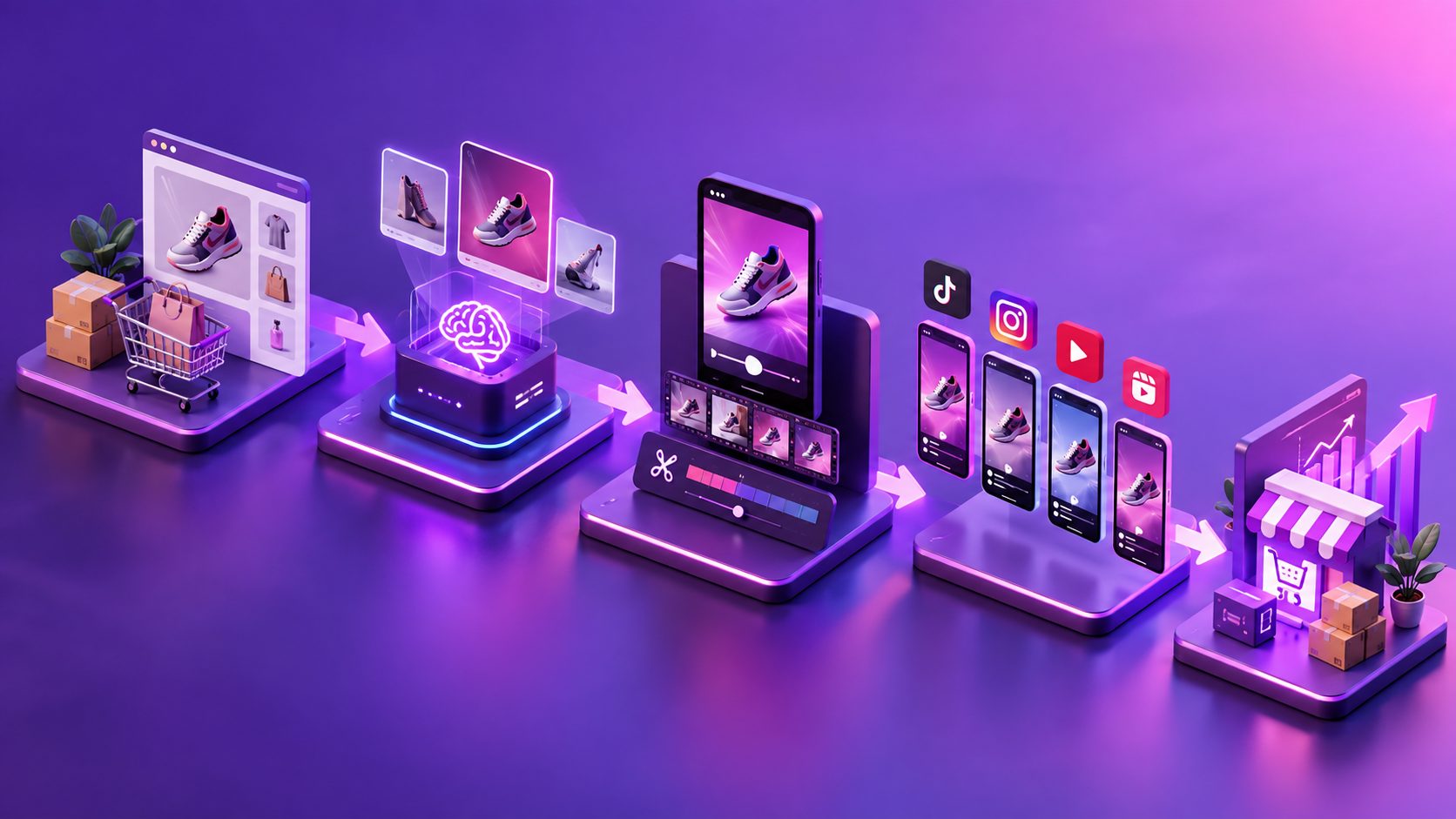
For production, AdsTurbo can create product videos from JPG or PNG product images, with optional selling points and promotional information. It also supports product-image workflows for ecommerce formats and can generate product-focused visual assets for different placements.
How should the offer and video be matched?
The offer should determine the creative angle, not the other way around. A generic brand video may earn views but fail to produce an additional order because it does not explain the specific reason to buy.
| Original purchase | Better video angle | Example CTA |
|---|---|---|
| Skincare product | Show the complementary step in the routine | “Add the next step” |
| Apparel | Demonstrate styling, layering, or fit | “Complete the look” |
| Electronics | Show an accessory solving a setup problem | “Add the essential accessory” |
| Consumable | Explain timing and replenishment | “Save your next delivery” |
| Home product | Show installation or usage improvement | “Make setup easier” |
Keep the first frame understandable without sound. Use large captions, a visible product, and one dominant button label. AdsTurbo’s Video Subtitle tool can automatically transcribe speech and create synchronized captions, with styling adapted for short-form platforms such as TikTok, Instagram Reels, and YouTube Shorts. That workflow is also useful when the same creative is repurposed for paid retargeting or lifecycle email.
How do you build the workflow without overcomplicating it?
A reliable setup separates offer logic, creative production, and measurement.
1. Define the eligibility rule
Start with one rule, such as:
- Customers who bought Product A see Product B.
- Customers above a specific order value see a premium bundle.
- Customers who declined the first offer see a lower-friction accessory.
Avoid showing the same product that the buyer just purchased. A relevant cross-sell is usually easier to justify than a duplicate offer.
2. Produce two creative variants
Create one version focused on utility and one focused on value. For example:
- Variant A: “Here is how the accessory improves your setup.”
- Variant B: “Add the accessory now to save time on your next use.”
AdsTurbo’s Ad Clone workflow can analyze a reference video of up to 12 seconds and help reconstruct its structure, pacing, shot logic, and CTA pattern into new advertising variants. This is useful when a brand already has a proven creative style but needs multiple post-purchase versions.
For a deeper production workflow, the post-purchase upsell video framework covers the relationship between offer logic, short-form scripting, and AOV measurement.
3. Use a clear technical handoff
The Shopify app controls where the offer appears. The video-production layer creates the assets. If the business needs automation, AdsTurbo supports asynchronous generation with status polling or Webhook completion events. Its API uses standard REST architecture with Bearer API key authentication, while higher-level plans support team workflows, API access, and custom workflows.
This separation reduces operational risk: the storefront does not need to wait for a video-generation request during a customer session.
4. Measure incremental value
Do not evaluate the video only by click-through rate. Track:
- Offer impressions
- Video starts and completions
- Upsell click-through rate
- Upsell conversion rate
- Incremental revenue per eligible order
- Refund or cancellation rate
- Margin after discounts and fulfillment costs
The most useful comparison is an eligible-order control group versus the video-offer group. AOV alone can be misleading if the offer attracts discounts without improving contribution margin.
Which features should you look for in an app?
A good Shopify thank-you-page upsell video app should be evaluated against the entire customer journey, not just its video widget.
Prioritize:
- Placement control: Thank-you page, order-status page, or post-purchase interstitial.
- Product targeting: Rules based on products, cart value, or offer history.
- Mobile performance: The video should load quickly and remain readable on small screens.
- Caption support: Essential for muted viewing and accessibility.
- A/B testing: Test the offer, opening frame, CTA, and discount separately.
- Revenue attribution: Distinguish accepted upsells from unrelated repeat purchases.
- Order handling: Confirm whether the added item is appended to the original order or processed separately.
- Creative portability: Reuse the video in email, paid social, and retargeting.
For stores that need more creative variations, AdsTurbo also provides video translation, lip sync, AI upscaling, character swap, background replacement, and subtitle generation. These capabilities support localization and repurposing, but the offer logic should remain controlled by the Shopify commerce workflow.
The ecommerce landing page video guide is useful when the same product clip will be reused beyond the thank-you page. For competitive creative planning, the competitor video ad script analysis tool can help identify hooks, pacing, and CTA patterns before producing variants.
Common questions
Is a thank-you page upsell the same as a post-purchase upsell?
No. A post-purchase upsell generally appears after payment and before the thank-you page. A thank-you page upsell appears within the confirmation or order-status experience. The two surfaces can support different goals and should not automatically use the same creative.
Should the video autoplay?
Autoplay can help communicate the offer quickly, but muted playback, readable captions, a visible pause control, and a strong first frame are safer design choices. The video should still make sense when the customer does not watch beyond the opening seconds.
What length works best?
Start with 10–20 seconds for a simple complementary product. Use a longer asset only when the offer requires demonstration, installation, or education. The shorter the video, the more important the first three seconds become.
Can one video be reused across channels?
Yes, if the core footage is reframed and the CTA is adapted. A thank-you page video may emphasize “add to this order,” while an email or paid-social version may use “shop the bundle.” AdsTurbo supports product videos, subtitles, translation, upscaling, and multiple output formats for broader creative reuse.
Final recommendation
Treat the thank-you page as a contextual recommendation surface, not another product page. Start with one highly relevant offer, produce two short videos, keep the CTA singular, and compare incremental revenue per eligible order. The best implementation pairs a Shopify upsell app for placement and order logic with a focused creative workflow for producing, captioning, localizing, and iterating the video.