How to Create Temu Product Video Ads: A Seller Workflow


Summarize with
Summary
Learn how to create Temu product video ads from product images, selling points, and reference footage, then localize and batch-test creative. Start building.
Author: adsturbo.ai | Published: September 14, 2026 | Updated: September 14, 2026
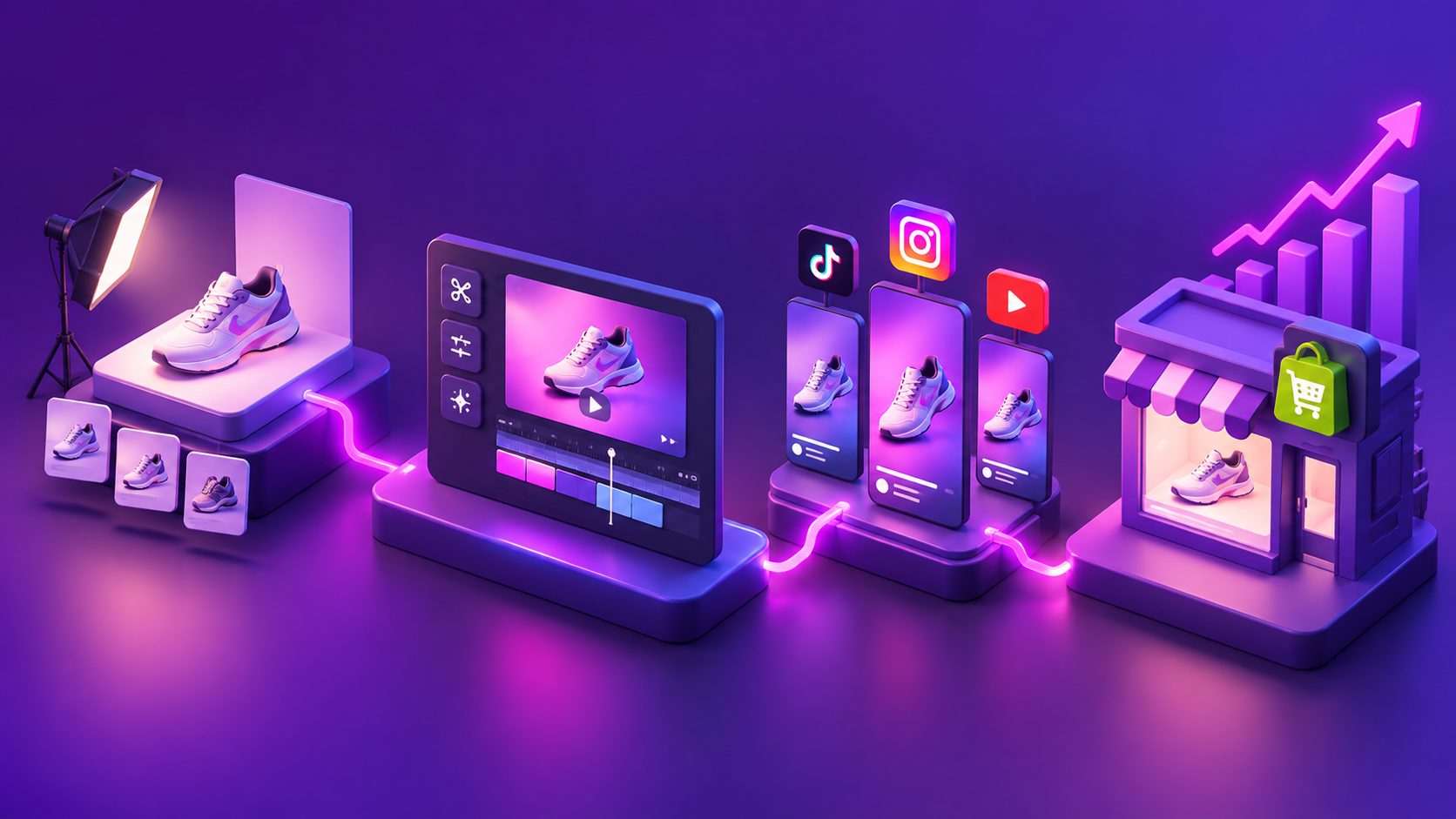
Learning how to create Temu product video ads starts with more than adding motion to a product photo. A useful ad must show the product clearly, communicate one strong benefit, fit the intended placement, and give shoppers a reason to act. For most sellers, the fastest workflow combines product images, a focused script, short-form editing, captions, and systematic creative testing.
What makes a Temu product video effective?
A Temu product video is a short selling asset that demonstrates what the product is, why it matters, and how a shopper can use it. The strongest versions usually place the product in the first seconds, use simple visual proof, and finish with a clear offer or call to action.
Temu sellers often compete in crowded categories where several listings appear similar. A video can create differentiation by demonstrating:
- The product’s size, shape, texture, or operation
- A problem it solves
- A before-and-after outcome
- A practical use case
- A promotion, discount, or seasonal angle
- A reason to trust the product description
The current seller interface and submission requirements should be checked inside the official Temu Seller Center, because marketplace tools and policies can change.
A useful rule is one video, one promise. Do not attempt to explain every feature in a 20-second ad. Select the benefit most likely to influence the target buyer, then make every shot support that benefit.
What assets do you need before production?
You can create a product video with a small asset package, provided the inputs are accurate and visually clear. Prepare the following:
- A clean product image: JPG or PNG files work well for product-focused generation. A sharp photo on a plain background usually gives the most reliable result.
- Three to five selling points: Write them as customer benefits rather than technical specifications. For example, “stores flat in small spaces” is more useful than “foldable polypropylene construction.”
- The target audience: Define who should care about the product and in what situation.
- Offer details: Add only verified discounts, coupon codes, shipping information, or event dates.
- Reference footage, if available: A strong existing ad can provide ideas for pacing, shot order, and call-to-action structure.
- Output formats: Decide whether the video is for a Temu listing, TikTok, Instagram Reels, YouTube Shorts, or paid social placements.
AdsTurbo Product Video supports JPG or PNG product images and can generate UGC-style product review, introduction, demonstration, and showcase videos. The product image is analyzed for its shape, color, and category, which helps create a more consistent visual starting point.
For stronger visual coverage, a single product photo can also be expanded into product-image variations such as a hero banner, lifestyle scene, close-up, material detail, instruction image, or branded visual. See the AI product video generator workflow for a product-first production approach.
How do you create a Temu product video step by step?
The most reliable process is to move from product truth to creative variation, rather than asking an AI tool to invent the entire advertisement without guidance.
1. Choose the selling angle
Start with one of five common angles:
- Problem-solution: Show an everyday frustration, then demonstrate the product.
- Product demonstration: Focus on how the item works.
- Before-and-after: Contrast an inconvenient state with a better result.
- UGC-style recommendation: Present the product in a natural, creator-led format.
- Promotion-led: Lead with a sale, bundle, coupon, or seasonal event.
The angle should match the product. A kitchen organizer may benefit from a demonstration, while a beauty accessory may work better with a transformation or routine-based concept.
2. Write a short script
Use a simple structure:
- Hook: Identify the problem or surprising benefit.
- Proof: Show the product in use.
- Benefits: Explain two or three reasons to care.
- Offer: State a verified promotion or value proposition.
- CTA: Tell viewers what to do next.
For example:
“Still losing space in your kitchen? This compact organizer turns one crowded cabinet into an easy-to-reach storage zone. It folds away when you do not need it. Find the product on Temu and check today’s offer.”
Keep on-screen text short enough to read without pausing. Avoid claims that cannot be supported by the listing, product documentation, or actual demonstration.
3. Generate the first video
Upload the product image, enter the selling points, choose the desired style, and review the generated scenes. If using reference footage, focus on the structure rather than copying another seller’s exact creative.
AdsTurbo Ad Clone can analyze a reference video up to 12 seconds and help reconstruct its opening pattern, pacing, shot logic, and CTA structure into new ad variations. This is best used as a creative analysis and adaptation workflow, not as permission to reuse copyrighted footage, music, logos, or another brand’s identity.
4. Edit for clarity
Review the result manually before publishing. Check that:
- The product remains visually consistent from shot to shot
- The product shown matches the product being promoted
- Text does not cover important product details
- The first scene communicates the category quickly
- The offer and CTA are accurate
- Music and footage are cleared for commercial use
- No unwanted watermark, badge, or artifact remains
Use automatic captions for ecommerce video ads when spoken content is important. AdsTurbo Video Subtitle can transcribe speech, synchronize captions, and export either a video with embedded subtitles or a separate subtitle file.
How should Temu sellers create multiple ad variations?
The highest-value improvement is usually not making one “perfect” video. It is creating controlled variations where only one major creative variable changes at a time.
An original 3 × 3 testing framework
Build nine versions from:
| Variable | Version A | Version B | Version C |
|---|---|---|---|
| Hook | Problem | Product surprise | Offer |
| Proof style | Demonstration | Lifestyle use | Close-up details |
| CTA | Shop now | See how it works | Check the deal |
This creates a structured test set instead of nine unrelated videos. Keep the product, landing destination, and core offer consistent. Change the hook first, then test proof style and CTA after identifying which opening earns stronger attention.
For example, a seller could create:
- Problem hook + product demonstration
- Problem hook + lifestyle use
- Product surprise + close-up details
- Offer hook + demonstration
- Offer hook + lifestyle use
This framework adds a practical decision layer often missing from basic AI video tutorials: test the reason people stop before testing the polish of the edit.
For larger catalogs, a bulk workflow is more efficient. Use one approved product-data sheet with SKU, verified benefits, prohibited claims, offer terms, and target language. Then generate variations in batches while preserving product accuracy. AdsTurbo’s bulk product video generator workflow is designed around multi-SKU creative production.
How can you localize and resize the videos?
Localization should change more than subtitles. Adapt the spoken language, on-screen text, examples, voice, and CTA to the target audience while keeping the product facts unchanged.
AdsTurbo supports video translation, multilingual subtitles, lip synchronization, face or character replacement, and resolution enhancement. These features can help turn one approved concept into versions for different markets or audiences. Always review translated claims and promotional terms manually, especially when prices, guarantees, measurements, or delivery promises appear on screen.
Create separate exports for the destinations you actually plan to use. Common formats include:
- 9:16: TikTok, Instagram Reels, and YouTube Shorts
- 1:1: Square social placements and some marketplace contexts
- 16:9: YouTube and landscape placements
For social-first campaigns, the guide to Instagram Reels ad dimensions and safe zones can help prevent captions and CTAs from being hidden by interface elements.
What should you measure after publishing?
Measure the creative in stages rather than judging only final sales. A practical review sequence is:
- Early retention: Do viewers stay past the opening?
- Click-through behavior: Does the video create enough interest to visit the product?
- Product-page engagement: Do visitors continue evaluating the listing?
- Conversion: Does the creative attract buyers who match the product?
- Profitability: Does the resulting order value support the advertising cost?
A high-click video with weak conversion may have an entertaining hook but poor product matching. A low-click video with strong conversion may need a clearer opening rather than a completely new concept. Preserve the winning element and revise the weakest stage.
AdsTurbo tasks run asynchronously, with completion available through status polling or webhook callbacks. For teams producing many variants, the API supports composable modules for image generation, personas, AI actors, ad cloning, video generation, and task processing. API access is available on every plan, and advanced plans also add team workflows and custom workflows.
Frequently asked questions
Can I create a Temu product video without filming?
Yes. A clear JPG or PNG product image, accurate selling points, and a defined creative angle can be enough to generate a product-focused video. Real demonstrations or customer footage can add credibility when available.
What should appear in the first few seconds?
Show the product or the problem it solves immediately. Avoid long logo animations, generic introductions, or scenes that do not establish the product category.
Should one video include several products?
Usually, one product per short ad makes the message easier to understand and the result easier to measure. A multi-product video is more appropriate for a curated collection, bundle, or event campaign.
How many variations should a seller make?
A practical starting point is nine structured variations using three hooks and three proof styles. Expand only after identifying which combinations generate useful engagement or sales signals.
Can AI-generated videos replace product verification?
No. Every export should be checked for product appearance, feature accuracy, captions, translated wording, pricing, promotions, and commercial-use rights before publishing.