作者:adsturbo.ai|发布日期:2026-09-21|更新日期:2026-09-21
A Temu product video generator can turn a clean product photo into a short, structured selling video without requiring a studio shoot. For sellers using local-warehouse fulfillment, the practical goal is not cinematic production—it is a clear product demonstration that quickly communicates what the item is, how it works, and why a shopper should consider it.
This guide explains how to build that workflow from static product images, how to reduce visual inaccuracies, and how to create variations for listing content and paid testing.
What is a Temu product video generator?
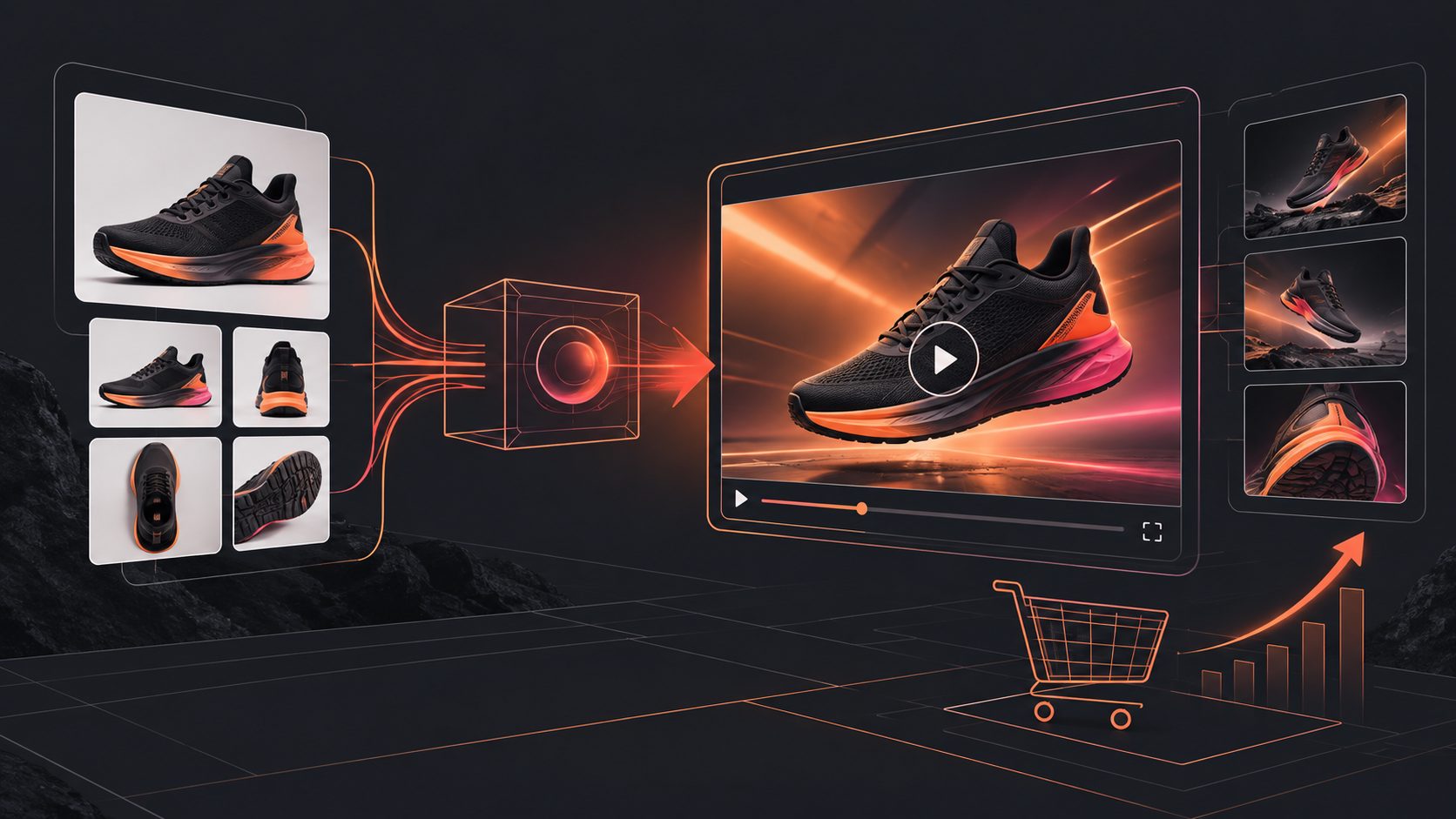
A Temu product video generator is an AI workflow that converts product images, selling points, and optional creative direction into a short product-focused video. It typically adds motion, scene transitions, captions, voice or music options, and a call to action around the original product asset.
The most reliable use case is image-to-video production, not unrestricted text-to-video generation. Starting with an actual product image helps preserve the product’s color, shape, packaging, and distinctive details. That matters when the video is intended to support a marketplace listing rather than simply create an abstract advertisement.
Temu’s Seller Center provides seller onboarding, product management, logistics, and product advertising resources, but marketplace interfaces and submission requirements can change. Sellers should confirm current requirements inside the official Temu Seller Center before publishing or submitting assets. (seller.temu.com)
What product assets should you prepare?
A strong video begins with accurate inputs. For most simple product categories, prepare:
- One clear product image in JPG or PNG format.
- Three to five verified selling points, such as size, material, use case, included accessories, or compatibility.
- One primary customer problem the product solves.
- A promotion or offer, if one is currently valid.
- Any restrictions on claims, especially for beauty, health, children’s products, electronics, or safety-related items.
AdsTurbo Product Video supports JPG and PNG product images, with uploads up to 10 MB. Clear photos on a plain or solid-color background generally provide the best starting point because the product outline is easier to analyze.
Do not upload a visually confusing collage as the only input. If several variants, accessories, or colors are shown, the generated video may not make it clear which item the shopper is buying.
How to turn a flat-lay image into a useful Temu video
The key is to create a visual sequence, not just animate a still image. A practical five-shot structure is:
- Recognition shot: Show the full product immediately.
- Benefit shot: Present the single most important use or advantage.
- Detail shot: Zoom into texture, controls, size, storage, finish, or included parts.
- Context shot: Place the product in a realistic use scenario.
- Action shot: End with the product, offer, and a concise call to action.
This structure is an editorial framework rather than a platform rule. Its value is that every shot answers a different shopper question: What is it? Why do I need it? What does it look like up close? How would I use it? What should I do next?
For example, a portable kitchen organizer could use:
- Full product and available colors
- Drawer or cabinet storage demonstration
- Close-up of compartments and material
- Before-and-after countertop organization
- Discount or “shop the listing” closing frame
The video should support the product page rather than introduce claims that the original listing cannot verify.
How to write the script and captions
Short marketplace videos work better when the script is specific. Replace generic claims such as “high quality” or “must-have item” with observable details.
A simple script formula is:
Problem → Product action → Visible result → Offer or next step
For a rechargeable desk lamp:
- “Need focused light in a small workspace?”
- “Adjust the lamp angle and brightness for reading or late-night work.”
- “The compact design keeps your desk clear.”
- “See available colors and current offers on the product page.”
Keep each caption short enough to read on a phone. Use one idea per screen, maintain strong contrast, and avoid covering the product with text. AdsTurbo Video Subtitle can automatically transcribe speech, create time-synced captions, and export either a video with embedded subtitles or a separate subtitle file.
For social distribution, subtitle layouts can be adapted to TikTok, Instagram Reels, and YouTube Shorts formats. For a marketplace listing, prioritize product clarity over decorative caption effects.
How to make product videos more accurate
The most important quality-control step is a claim-and-visual match review. Before publishing, compare every important statement with the source listing and the product image.
Check these five areas:
- Shape: Is the generated product still the same form?
- Color: Does the video preserve the actual variant?
- Quantity: Are accessories shown that are not included?
- Function: Does the product appear to perform something it cannot do?
- Text: Are labels, measurements, and promotional details readable and correct?
AI-generated motion can make a product appear to bend, stretch, pour, open, or operate in ways that are visually attractive but inaccurate. When the source image is a flat lay, use controlled camera movement, close-ups, and simple transitions before attempting complex interactions.
If the source video is low-resolution, AdsTurbo Video Upscaling can improve output clarity and supports before-and-after previewing before export. This is useful when a seller has an older supplier image, but upscaling should not be treated as a substitute for correcting a wrong product photo.
How to create variations for testing
One video is rarely enough to identify the strongest creative angle. Instead of changing everything at once, create controlled variants:
| Test variable | Example variations |
|---|---|
| Opening hook | Problem-led, product-led, offer-led |
| Product angle | Organization, portability, durability |
| Visual pacing | Calm demonstration, fast feature sequence |
| Caption style | Benefit-focused, specification-focused |
| Ending | Product-page CTA, discount CTA, bundle CTA |
The useful comparison is not simply “which video looks better.” Track whether the opening earns attention, whether viewers reach the product demonstration, and whether the final frame communicates a clear next action.
AdsTurbo supports product video generation, ad cloning, motion control, lip sync, character replacement, video translation, subtitles, and other creative workflows. Its Ad Clone workflow can analyze a reference video of up to 12 seconds and help reconstruct its structure, pacing, shot logic, and CTA pattern for new product variations. Use only reference material you are authorized to adapt.
For broader testing, a product photo can also be combined with selling points and reference footage to create multiple short-form ad concepts. This is particularly useful for new listings that lack original creator footage.
Where AdsTurbo fits into the workflow
AdsTurbo is most useful when the seller needs to move from one product asset to a repeatable content system. In addition to Product Video, the platform includes Product Image, Event Poster, Background Replace, AI Upscaling, Video Subtitle, Ad Clone, and video editing controls.
Product Image can analyze a product’s shape, color, and category, then generate multiple visual types such as banners, lifestyle images, close-ups, material details, instruction images, and brand visuals. Outputs support multiple aspect ratios for channels including Amazon, Shopify, TikTok Shop, and Instagram.
For sellers managing many listings, all generation tasks run asynchronously. Completion can be received through status polling or webhook callbacks. Higher-tier plans support team workflows, API access, and custom workflows, allowing a store or agency to connect product creation with internal review and publishing processes.
The video generation API also exposes eight processing endpoints, including shot analysis, lip sync, watermark removal, translation, upscaling, face swap, motion control, and subtitles. These tools are better viewed as modular production steps: generate the base product video first, then apply only the post-processing required for the destination and audience.
You can also review the product photo to video ads workflow for a broader ecommerce production model, or use the ecommerce video ad translation guide when adapting creative for additional markets.
Frequently asked questions
Can I create a Temu product video from one image?
Yes. AdsTurbo Product Video accepts a JPG or PNG product image and can generate a short product-focused video. A clean image with a solid background usually provides a more reliable starting point than a cluttered collage.
Should the video use a white background?
A white or plain background is useful for product recognition and image analysis, but it does not need to be the only visual treatment. You can use the clean product image for the opening and detail shots, then add a restrained lifestyle or use-case scene.
Can I add subtitles to the generated video?
Yes. AdsTurbo Video Subtitle can transcribe speech, create time-synced captions, translate subtitles, and export either embedded captions or a separate subtitle file.
How can sellers avoid misleading AI visuals?
Review the final video against the actual product listing. Confirm the color, size, quantity, accessories, function, and promotional information. Remove any scene that suggests a capability the product does not have.
Can one product video be reused for other channels?
A video may need different framing, caption placement, pacing, or language for each channel. Create separate exports or edit the same source into versions suited to the intended placement instead of using one layout everywhere.
Final checklist before publishing
Before submitting or promoting a product video, confirm:
- The product appears clearly in the opening seconds.
- The main benefit is easy to understand without sound.
- Every claim matches the actual listing.
- Captions do not hide the product.
- The final frame includes a clear next step.
- Variant, price, discount, and accessory details are accurate.
- The exported aspect ratio suits the intended placement.
- The video has been checked on a mobile screen.
A good Temu product video generator does not replace product accuracy or merchandising judgment. It shortens the distance between a verified product image and a structured video that can be reviewed, adapted, and tested at scale.