Wide Width Shoes Try-On Video Ads: A Fit-First Creative Guide

Summarize with
Summary
Learn how to create wide width shoes try-on video ads that show toe-box space, side profile, movement, and real fit context. Build stronger ecommerce creatives with AdsTurbo.
By AdsTurbo.ai | Published 2026-10-26 | Updated 2026-10-26
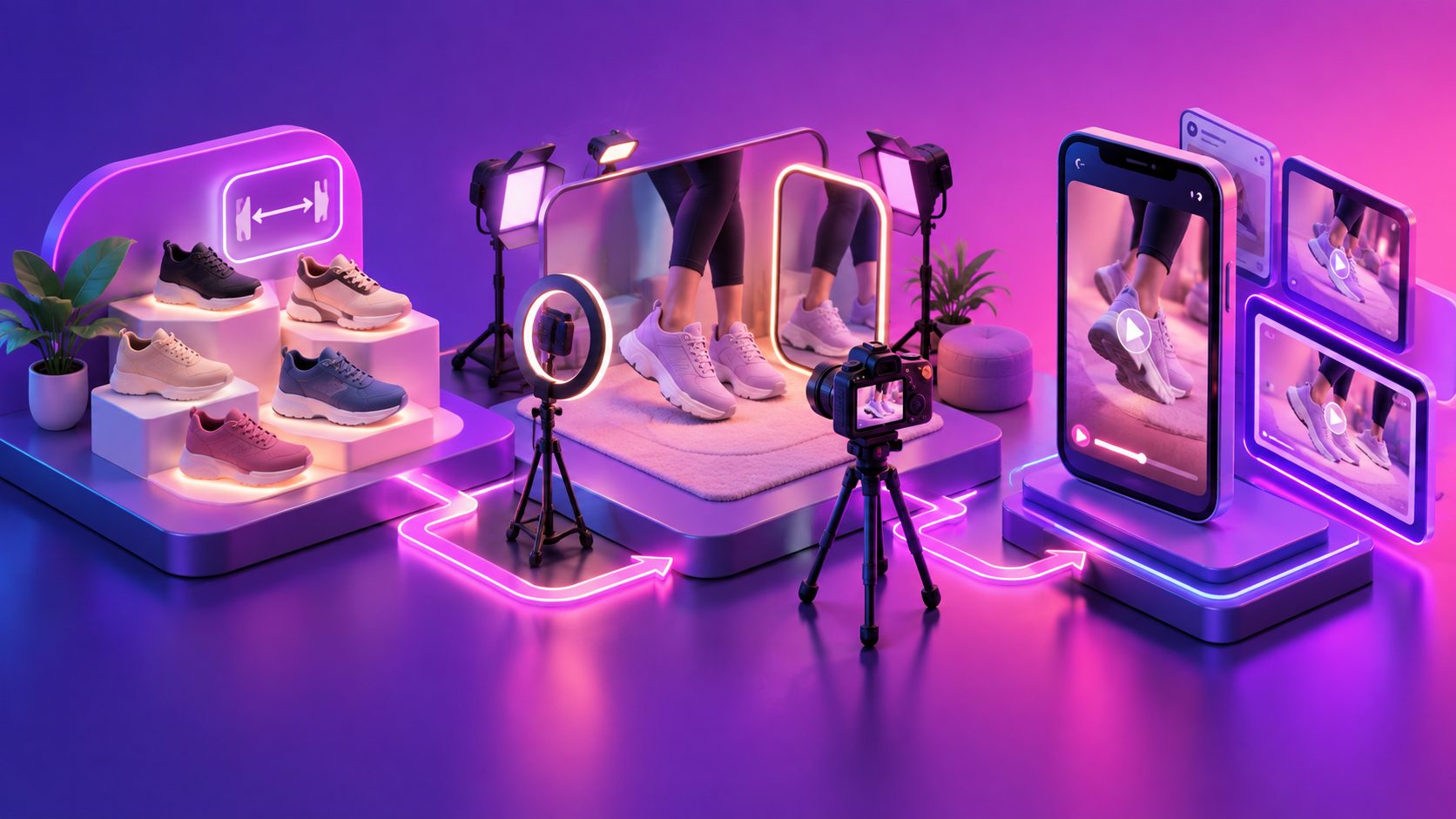
Wide width shoes try-on video ads should answer one question before they sell style: Will this shoe look and feel proportionate on a wider foot? The strongest creative shows the toe box, upper stretch, side profile, heel security, and movement instead of relying on a static product image or a vague “comfortable fit” claim.
What are wide width shoes try-on video ads?
Wide width shoes try-on video ads are short ecommerce videos that show a wide-fit shoe being worn from several practical angles. They combine product close-ups with on-foot movement so shoppers can judge shape, room, styling, and fit context before ordering.
A conventional shoe ad often prioritizes polish: a rotating product shot, a lifestyle scene, or a model walking past the camera. That can communicate fashion, but it may not resolve the concerns of shoppers with wider feet, higher insteps, or difficulty finding attractive larger sizes.
A fit-first video should make those concerns visible:
- Front view: Does the toe area look compressed or naturally shaped?
- Top-down view: Is there visible room around the forefoot?
- Side view: Does the upper crease or pull when the foot bends?
- Heel view: Does the shoe stay aligned during walking?
- Movement view: Does the shoe remain stable during steps, turns, or sitting?
Footwear creative guides commonly recommend showing the shoe on foot, in motion, and in close detail because shoppers cannot physically test a shoe through a screen. (topgrowthmarketing.com)
Why wide-fit footwear needs more than a beauty shot
Wide-fit shoppers are not evaluating only color and design. They are trying to predict pressure, visual proportions, and whether the shoe will resemble the product photos when worn.
The central creative mistake is treating “wide” as a label rather than something to demonstrate. A badge that says “wide width” may attract attention, but a sequence showing the foot entering the shoe, the forefoot from above, and several natural steps gives the claim visual context.
A practical distinction helps:
| Creative approach | What it communicates | What it leaves uncertain |
|---|---|---|
| Product-only rotation | Shape, color, finish | Real foot-to-shoe proportion |
| Full-body styling shot | Outfit compatibility | Toe-box and width details |
| Static mirror selfie | Basic appearance | Movement and heel security |
| Fit-first try-on | Appearance plus wear context | Exact individual sizing, which still needs clear size guidance |
This does not mean a video can prove fit for every shopper. It means the ad can reduce avoidable uncertainty by showing the evidence shoppers actually inspect.
The Width Proof Matrix: a stronger creative framework
The Width Proof Matrix is an editorial framework for planning wide-fit shoe ads around four visible proof zones: forefoot, upper, movement, and scale. Each zone answers a different objection, so repeating the same angle wastes valuable seconds.
1. Forefoot proof
Start with a low, front-facing shot while the model stands naturally. Keep both shoes visible and avoid an extreme wide-angle lens, which can distort proportions.
Then add a top-down angle. This helps viewers inspect the toe shape, vamp coverage, and visible space around the forefoot. Do not force the model to spread their toes or exaggerate comfort; natural posture is more credible.
2. Upper proof
Use a close side shot while the model flexes one foot or takes a slow step. The goal is to show how the upper behaves around the widest part of the foot.
For sneakers, highlight the material and closure. For flats or loafers, show the vamp and opening. For sandals, show strap placement without hiding the foot beneath decorative captions.
3. Movement proof
A walking sequence should include at least three actions: a forward step, a turn, and a stop. This provides more information than a single runway pass.
A useful 15-second structure is:
- 0–2 seconds: Open with the shoe already on foot and a direct fit hook.
- 2–5 seconds: Show front and top-down forefoot views.
- 5–9 seconds: Capture a side profile during walking and a gentle turn.
- 9–12 seconds: Add a close-up of the upper, sole, or fastening.
- 12–15 seconds: Show the full outfit, size context, and call to action.
4. Scale proof
Include the model’s height, usual shoe size, and the size worn when accurate information is available. This does not replace a measurement chart, but it gives the viewer a reference point.
The most useful version is not “fits true to size” without context. It is a concise statement such as: “Model usually wears US 9; wearing US 9 wide.” The wording should match the seller’s verified product information.
Which camera angles make width easier to judge?
A strong wide-width shoe ad uses different angles for different questions, not random cutaways. The following sequence is designed for TikTok, Instagram Reels, YouTube Shorts, and product-page video.
- Low front angle: Shows the silhouette and front width.
- Top-down angle: Shows toe-box shape and forefoot coverage.
- Three-quarter angle: Balances style with visible width.
- Side profile: Shows upper tension, sole thickness, and heel shape.
- Rear tracking shot: Helps viewers see whether the heel stays aligned.
- Seated entry shot: Shows how easily the foot enters the shoe.
- Walking close-up: Connects the product to natural movement.
Keep the product consistent across every shot. The upper color, laces, logo placement, sole proportions, and material texture should not change between scenes. This is especially important when using synthetic or AI-assisted production workflows.
For additional footwear production ideas, the footwear video angles guide offers a useful way to connect visual proof with shopper questions, while the clothing try-on video ads framework provides transferable guidance on size context and movement.
How to write the script without overpromising comfort
The script should describe what viewers can observe rather than make absolute claims. Avoid statements such as “guaranteed pain-free” or “fits every wide foot.” Width, volume, arch shape, and sizing preferences vary.
Use a simple problem-proof-action structure:
“Need more room through the forefoot? Here’s the front, side, and walking view of this wide-fit style. Check the size guide before choosing your pair.”
Alternative hooks include:
- “The width detail you cannot see in a flat lay.”
- “A closer look at how this wide-fit shoe sits on foot.”
- “Front view, side view, and a real walking test.”
- “If standard shoes feel tight across the toes, watch this fit check.”
The visual sequence should carry the claim. If the voiceover says “roomier through the front,” the next shot should show the front or top-down angle—not another full-body pose.
How to produce variations for ecommerce testing
Wide-fit shoe sellers rarely need one perfect ad. They need a controlled set of variations that changes one creative variable at a time.
Create a small test matrix:
| Variable | Version A | Version B |
|---|---|---|
| Opening | Front fit reveal | Model steps into frame |
| Proof angle | Top-down toe-box shot | Side flex close-up |
| Presenter | Direct-to-camera UGC | Voiceover with product shots |
| Context | Bedroom mirror | Outdoor pavement |
| CTA | “Check your width” | “See the size guide” |
AdsTurbo can support product video creation from JPG or PNG product images, while its Ad Clone workflow can analyze a reference video’s structure and help reconstruct variations around pacing, shot logic, and CTA structure. For localization, video translation and subtitle tools can adapt the same creative to different markets, and Video Subtitle supports embedded subtitles or separate subtitle-file exports.
The best practice is to preserve the factual product details while changing the presentation. Do not use a new model, background, or language version as an excuse to alter the shoe itself.
For a broader modular workflow, see the scale ecommerce video ads guide. If the product needs visual cleanup or a sharper source asset, the product photo to 3D video guide can help plan motion from a single product image.
Common questions about wide-fit shoe video ads
Do try-on videos guarantee lower returns?
No. They can set more accurate expectations, but returns also depend on sizing accuracy, construction, customer preference, and fulfillment. Use video to show fit context, not to promise a result for every shopper.
Should the model wear socks?
Use the styling that matches the real buying context. Bare feet may reveal shape more clearly, while socks may better represent sneaker or boot use. If socks are used, keep their thickness consistent and disclose it when relevant.
Is a full-body shot enough?
Usually not. A full-body shot helps with styling and scale, but it cannot replace close views of the forefoot, upper, and heel. Combine it with at least two fit-focused angles.
What video length works best?
A 10–25 second cut is often suitable for paid social when it contains one hook, one proof sequence, and one CTA. Longer product-page videos can include sizing, materials, fastening, and additional views. (nereo.io)
Can one video serve every platform?
The core footage can be reused, but framing and subtitles should be adapted. AdsTurbo Event Poster and product-image workflows support multiple aspect ratios, while video subtitle styling can be adapted for short-form social formats.
Final checklist before publishing
Before launching a wide-width shoe ad, confirm that it:
- Shows the shoe on foot within the opening seconds.
- Includes front, top-down, side, and movement views.
- States verified model size information when available.
- Avoids distorted lenses and heavy color filters.
- Keeps the product visually consistent between cuts.
- Uses captions that do not cover the toe box or sole.
- Matches the CTA to a size guide, product page, or width selector.
- Creates at least two versions with different openings or proof angles.
The strongest creative does not ask shoppers to trust a generic comfort claim. It gives them enough visual evidence to make a more informed decision.