AI Dance Video From Photo: A Brand-Safe Motion Transfer Workflow

Summarize with
Summary
Learn how to create an AI dance video from photo assets using a licensed motion reference, prepare brand-ready images, review outputs, and adapt clips for TikTok and Reels.
By AdsTurbo.ai | Published 2026-11-16 | Updated 2026-11-17
An AI dance video from photo workflow turns a still person, mascot, or character image into a short clip that follows movement from a reference video. For ecommerce brands, the useful application is not just making a novelty animation. It is creating repeatable TikTok and Instagram Reels concepts without reshooting every product campaign.
What is an AI dance video from photo?
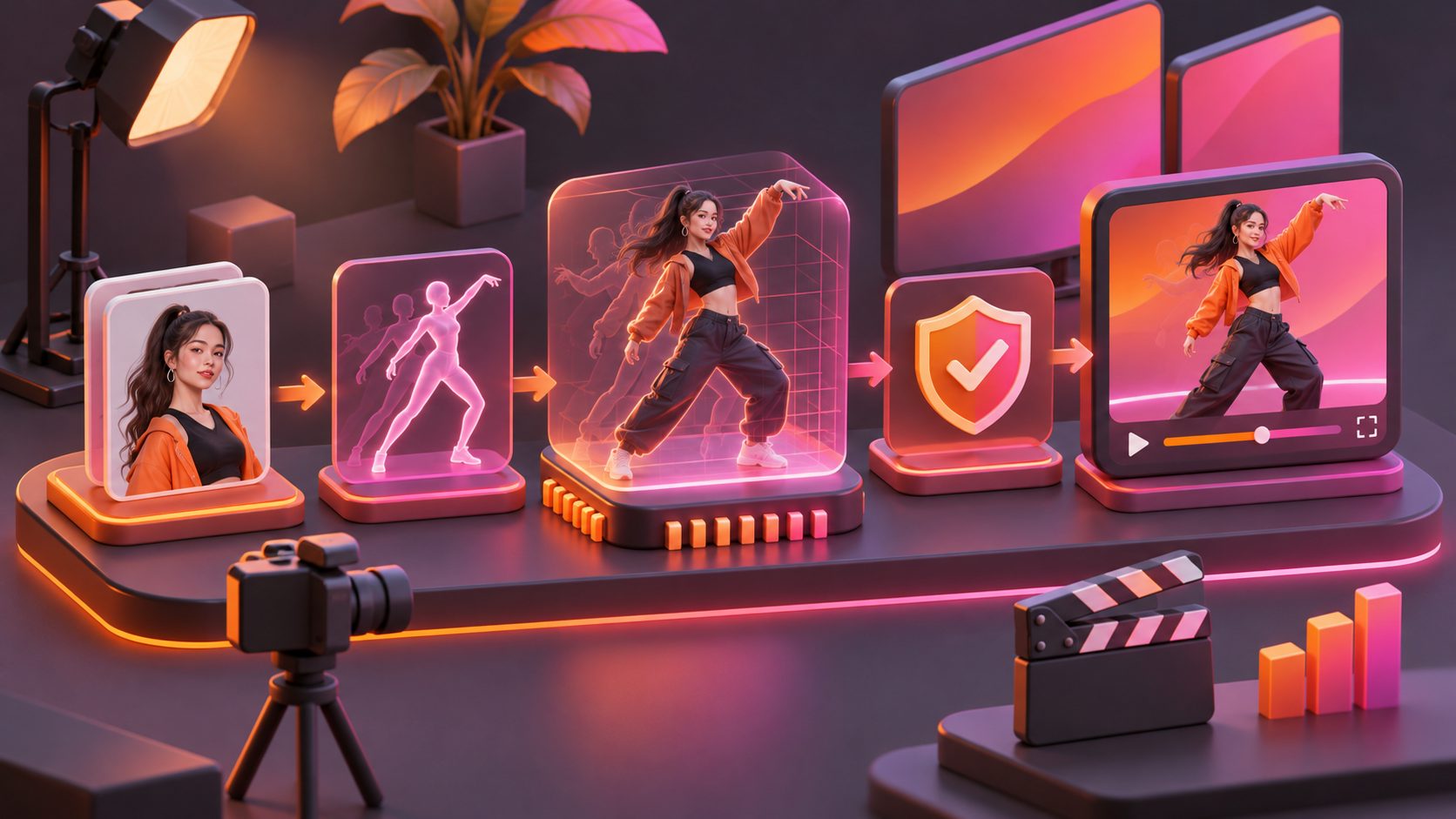
An AI dance video from photo is a motion-transfer process: one image supplies the subject’s appearance, while a separate video supplies the body movement, timing, poses, and gestures. The result is a new video in which the photographed subject performs a similar dance or action.
This differs from ordinary image-to-video animation. A prompt-based generator may invent motion, while AI dance motion transfer is guided by an actual movement reference. Research on image-conditioned dance generation similarly treats the image as the appearance source and the motion or music signal as the movement condition. (arxiv.org)
For a brand, the distinction matters:
| Workflow | Best for | Main limitation |
|---|---|---|
| Prompt-based image-to-video | Invented gestures, camera movement, atmosphere | Motion may be unpredictable |
| Dance template generator | Fast trend-style experiments | Less control over brand-specific movement |
| Motion transfer | Reusing a chosen dance, gesture, or performance | Requires a suitable reference clip and rights |
The strongest commercial use is usually recognizable motion plus a clear product message, rather than a dance with no connection to the offer.
Why brands use dance motion for short-form ads
Dance clips can create an immediate visual hook because movement is understood before viewers read the caption. A mascot, product character, or branded spokesperson can enter a trend format while keeping the creative tied to a product launch, promotion, or community moment.
However, a dance should support the ad rather than replace it. A practical structure is:
- Movement hook: the character starts with a recognizable pose or beat.
- Product reveal: the product, logo, or benefit appears during a natural pause.
- Message: one short promise, offer, or use case.
- CTA: tell viewers what to do next.
This structure also makes the asset easier to test. Instead of producing five unrelated videos, a seller can keep the same dance reference and vary the opening image, product angle, headline, or CTA.
A useful original planning framework is the Motion–Message–Market matrix:
- Motion: dance, celebration, pointing, unboxing gesture, or product interaction.
- Message: new arrival, discount, feature, social proof, or seasonal theme.
- Market: TikTok, Reels, paid social, product page, or regional campaign.
Only change one or two variables per batch. That makes performance results easier to interpret than changing the motion, product, script, and audience at the same time.
How to prepare the photo and motion reference
The input quality determines whether the generated clip looks intentional or unstable. Prepare the two assets separately.
1. Choose a clean character or mascot image
Use a front-facing or three-quarter image with the subject clearly visible. Avoid heavy cropping at the hands, feet, or head. A mascot should have enough contrast from the background for its silhouette to remain readable during movement.
For ecommerce use, prepare a version that protects brand recognition:
- Keep the main colors, logo placement, and distinctive accessories visible.
- Avoid extreme perspective or motion blur.
- Use a neutral background when the subject will be composited into a campaign.
- Keep important text out of areas likely to bend or move.
- If the image contains a person, confirm that you have permission to use their likeness.
A full-body image is generally more suitable for a full dance. A waist-up image is better for gestures, cheering, pointing, or reaction-style creative.
2. Select a rights-cleared reference video
Use an original dance clip, a licensed reference, or a video for which your brand has explicit permission. The reference should show one clear subject and readable movement. Avoid clips with fast cuts, crowded scenes, severe occlusion, or camera movement that hides the performer.
Music rights and motion rights are separate considerations. Permission to use a dance video does not automatically grant permission to use its soundtrack. For paid advertising, select platform-cleared music or add audio through the destination platform’s commercial music options.
How to make photo dance AI with motion control
The simplest workflow is to upload the motion reference and the character image, choose the output quality, and generate a clip for review. AdsTurbo Motion Control supports a reference motion video and a target character image, with 720p standard and 1080p higher-resolution output options. The same character image can also be reused with different motion references for creative testing.
For the full workflow, see AI dance motion transfer. To start from a single photo with a ready-made dance, try the AI dance generator.
A practical five-step process
- Define the ad job. Decide whether the clip is for awareness, a product reveal, a promotion, or a retargeting variation.
- Trim the reference conceptually. Choose a movement with a clear beginning, middle, and end. The most useful section is not always the most complicated one.
- Upload the two inputs. Add the permitted motion video and the clean character or mascot image.
- Select output quality. Use the higher-resolution option when the clip will be cropped, enlarged, or used in a sharper paid placement.
- Review before publishing. Check hands, feet, facial consistency, brand marks, clothing edges, and whether the motion still supports the message.
Do not judge only the first frame. Scrub through the full clip and watch for identity drift, warped logos, disappearing accessories, or awkward transitions at the start and end.
Five ecommerce ideas for a dance video from photo
1. Mascot trend response
Turn a brand mascot into a short reaction to a seasonal trend. Add a product benefit as an on-screen caption rather than forcing the dance to explain the entire offer.
2. New product launch
Use the dance as the opening hook, then cut to a clean product shot. This works well when the product image needs more visual attention than the character.
3. Sale or promotion announcement
Pair a celebratory movement with a discount, offer code, or launch date. Keep the promotional text in a stable safe area so it remains readable across placements.
4. Regional creative testing
Reuse the same motion with different character images, captions, or localized voiceovers. This creates a controlled creative test instead of producing entirely different concepts for every market.
5. Product-category humor
A character can dance after solving a familiar customer problem: a storage item after decluttering, a beauty product before an event, or an accessory after completing an outfit. The product still needs a clear visual role.
For more structured testing, a short video ad variants matrix can help separate hook, benefit, proof, and CTA changes.
Quality review and platform publishing checklist
Before posting a photo-to-dance video, check four areas:
- Visual integrity: Does the face, mascot design, product, and logo remain recognizable?
- Motion integrity: Are limbs, hands, clothing, and contact points coherent?
- Brand safety: Does the reference contain third-party people, logos, locations, or choreography that create clearance concerns?
- Placement fit: Does the main action remain visible in a vertical crop, and are captions away from interface overlays?
If the source image is soft or compressed, improve it before editing. AdsTurbo’s AI video enhancer can help prepare low-resolution video assets for clearer export, but enhancement cannot restore details that were never captured.
Add captions when the message must work without sound. AdsTurbo Video Subtitle can transcribe speech, create synchronized captions, and export the video with the subtitles embedded.
Common questions
Can I make a dance video from one photo?
Yes. A single character, mascot, or person image can provide the appearance source, while a separate motion reference provides the dance or gesture.
Is an AI dance video generator the same as motion transfer?
Not always. Some generators create movement from a prompt or preset. Motion transfer specifically uses movement from a reference video, giving the creator more control over timing and poses.
Can a product photo dance by itself?
A product-only image may be animated, but full-body dance motion is usually more suitable for a character, person, or mascot image. Product images work better for reveal, rotation, movement, or scene-based product videos.
Should brands use viral dance videos?
Only when the reference, performer likeness, choreography, and music usage are appropriately cleared for the intended publication and advertising context.
How can I improve the output?
Start with a clean, visible subject and a simple reference motion. Review the full clip, keep text away from moving body parts, and test one creative variable at a time.