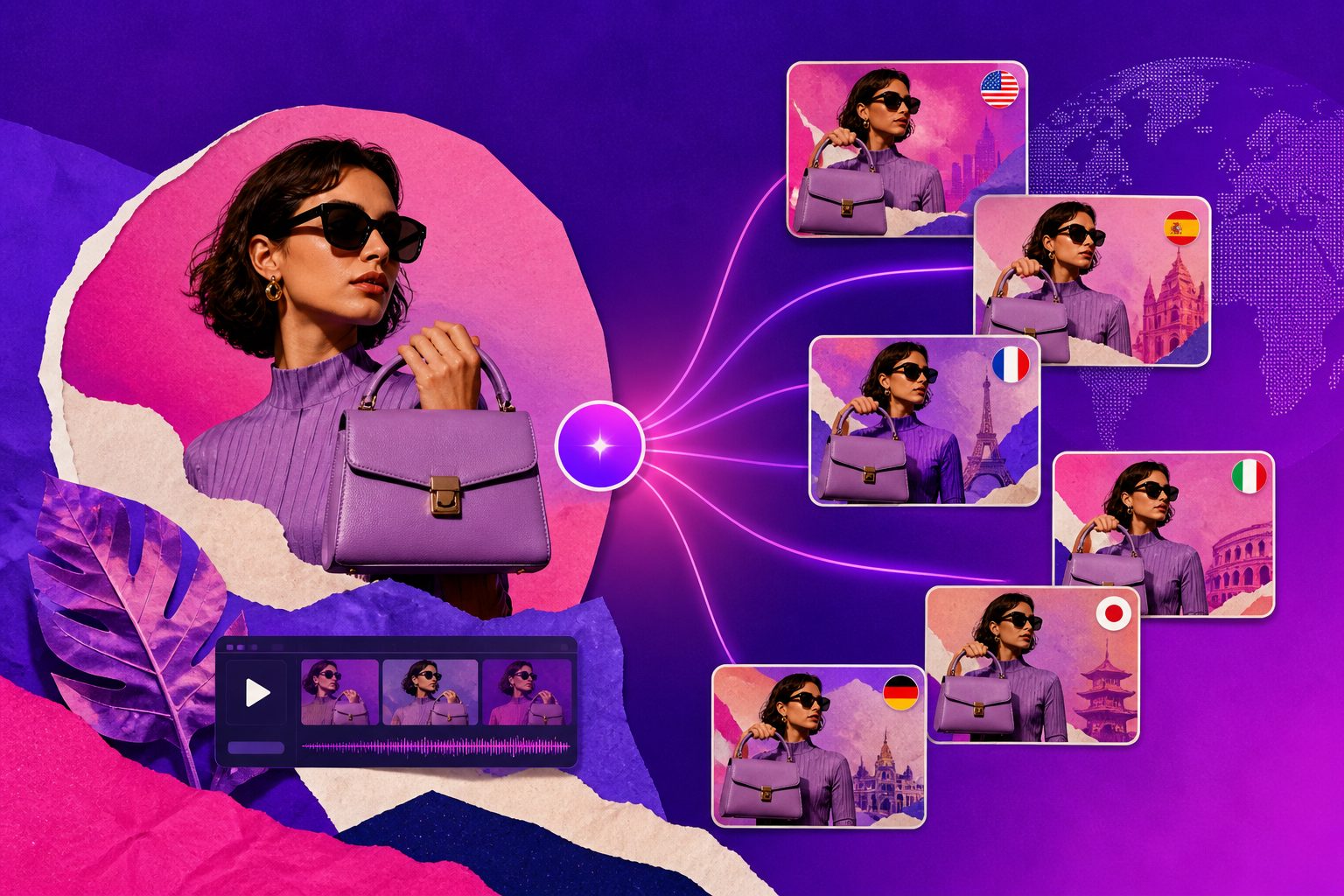
A character swap AI video tool replaces the person in a clip with another character from a reference image, while keeping the original motion, camera movement, and timing. Looking for a free one makes sense: you want to know whether the idea works before you pay for it.
Short answer: free character swap tools are good enough for a quick feasibility test. For an ad you plan to publish, you need full-length output without a watermark, commercial usage rights, and footage you have permission to edit, and that is usually where free tiers stop. On AdsTurbo, signing up is free, but new accounts do not include free credits: Character Swap runs on credits, and a one-time starter pack costs $9.90 for 600 credits.
This guide explains what "free" usually means in this category, how to run a cheap test that tells you something, and how to move a promising swap into a publishable ecommerce ad.
What is AI character swap in video?
AI character swap is video character replacement: the system reads a source clip, follows the performer's pose and motion, then renders a different person or character into the same scene. It goes further than a face swap, because it can change the head, body, clothing, and proportions while keeping the performance.
For ecommerce, this matters when a product video already has a strong hook, gesture, or demo sequence, but you need a different presenter for another audience. A skincare brand, for example, may want the same product demonstration performed by different presenters for regional testing, while keeping the same hand motion, scene rhythm, and call to action.
The best use cases are controlled, short, and product-focused. Replacing one clearly visible presenter in a 6–12 second clip is far easier than replacing several moving people in a crowded scene.
What "free" usually means for character swap tools
Most "free" character swap offers are a limited tier: a few credits, a length cap, a watermark, or a shared queue. None of these are bad for testing, but each one limits what you can publish.
| Free offer you will see | What it usually means | Check before you rely on it |
|---|---|---|
| Free trial credits | A small number of generations, then you pay | How many seconds of video the credits actually cover |
| "Free 30-second" or "60-second" swap | A length cap per clip, often with lower resolution | Whether the export is watermarked or downscaled |
| "No sign-up" web demo | Short clips in a shared queue | Where your uploaded footage is stored and who can access it |
| Free plan with watermark | The full workflow, but branded output | Whether commercial use is allowed at all |
| Open-source models | Free software, but you supply the GPU and setup | Hardware, setup time, and license terms |
Limits change often, so check each tool's current terms instead of trusting a headline. Offers of long free swaps (several minutes) deserve extra scrutiny: ask what resolution you get, whether a watermark is added, and what happens to the faces you upload.
Free test vs. publishable ad: where free tiers fall short
Free access is a prototype stage, not a production layer. It rarely covers the full ecommerce workflow: quality control, rights management, batch variants, localization, subtitles, and export formats.
| Decision factor | A free tool is usually fine when… | Use a production workflow when… |
|---|---|---|
| Clip length | You are testing a 3–5 second sample | You run full short-form ads or several variants |
| Output quality | You are checking whether the swap concept works | You publish on TikTok, Meta, Shorts, or marketplaces |
| Control | One presenter, simple motion | Product demos, gestures, subtitles, and CTA timing matter |
| Commercial use | Personal experimentation | Paid advertising or a brand campaign |
| Team workflow | One person testing manually | Several marketers need review, batch production, or an API |
The hidden cost of "free" is rework. If the character's hands distort around the product, the label changes, or the presenter no longer looks credible, the ad is unusable even if the generation cost nothing.
Character swap vs face swap vs motion control vs lip sync
Character swap replaces more of the performer; face swap changes mainly facial identity; motion control transfers movement from a reference video to another character; lip sync matches mouth movement to new audio. Picking the wrong one is why many free tests look impressive in a demo but fail in a product ad.
- Face swap: best when the body, outfit, and scene already work and only the face should change.
- Character swap: best when the whole presenter should change while the original action and camera logic stay.
- Motion control: best when a still character or AI actor needs to perform a movement from a reference clip.
- Lip sync: best when the presenter is fine, but the speech, voiceover, or translated audio must match the mouth.
For the paid-creative angle, Character Swap for Ecommerce Video Ads explains how character replacement fits into creative testing.
How to test a character swap without wasting money
Validate motion and identity fit on a few seconds of footage first, then spend credits only on clips that pass. This keeps both free and paid tests cheap.
- Get permission first. Use footage you own or are licensed to edit, and a reference image of someone who has agreed to appear in your ad (or an AI actor or fictional character).
- Choose a clean source clip. One main person, stable lighting, little occlusion, and a visible product.
- Prepare a clear reference character. A front-facing image with even lighting gives better identity transfer; for full-body motion, show the body and limbs too.
- Test the most important 3–5 seconds. The hook, the product reveal, or the key gesture.
- Score the result before editing. Check face stability, hands, product shape, scene realism, and CTA readability (see the score below).
- Create only the best variants. Change one variable at a time: presenter, language, offer, or opening line.
- Add subtitles and localization. Short-form ads usually need captions; Video Subtitle generates time-synced captions, and Video Translation adapts the speech for new markets.
- Upscale only after approval. Don't spend on upscaling before you know the performance works.
The swap character video workflow covers how to reuse a winning ad with new presenters while keeping the structure that already performed.
The Swap Readiness Score: a quick quality framework
Before uploading any clip, score it out of 10 on five factors: motion clarity, face visibility, product safety, lighting match, and editability. Clips scoring 8 or higher are usually good candidates for AI character replacement.
| Factor | 0 points | 1 point | 2 points |
|---|---|---|---|
| Motion clarity | Fast blur or chaotic movement | Some stable movement | Clear, trackable pose |
| Face visibility | Mostly hidden | Side angles mixed with front | Clear face for most frames |
| Product safety | Product is covered or warped | Product appears but is touched often | Product is visible and stable |
| Lighting match | Harsh shadows or color shifts | Mixed lighting | Even, natural lighting |
| Editability | Text, stickers, or cuts cover the person | Some overlays | Clean frame and simple background |
A 10/10 source is rare. The goal is not perfection; it is avoiding clips that are almost certain to fail. Give product safety extra weight: a beautiful swap is useless if the bottle label, device shape, or apparel detail becomes inaccurate.
What character swap costs on AdsTurbo
AdsTurbo is a paid tool with a free sign-up. Here is exactly what that means today:
- Sign-up is free, but new accounts do not include free credits.
- Character Swap runs on credits. The cheapest way to try it is the one-time starter pack: $9.90 for 600 credits.
- Monthly plans start at $39 (Creator). Growth is $99 and Pro is $299 per month; yearly billing saves 20%. The pricing page lists what each plan includes, such as full commercial usage rights and HD videos without a watermark.
If you only want to see whether a swap is possible at all, a free tool can answer that. If you need a version you can actually run as an ad, start with a short clip and a small credit pack, then scale the variants that pass review.
How AdsTurbo Character Swap works
AdsTurbo Character Swap replaces the person in a video or an image with the character from a reference image. For video, it uses the source motion, timing, lighting, and scene as references.
- Upload the source: one video or image with a visible main person.
- Add a character image: a clear image with the face visible. When the source has full-body motion, use a reference that also shows the body and limbs.
- Generate and review: check faces, hands, edges, and occlusion before you use the result.
You can submit the same source with different character images to create several versions, then review each one separately. Character Swap changes the character only; it does not translate speech, captions, or on-screen text, so pair it with Lip Sync, Video Translation, or Video Subtitle when the message also has to change.
If you need new UGC-style creative rather than an edited clip, AdsTurbo also offers 260+ AI actors and 100+ product ad templates. The UGC Video Ad Generator playbook shows how product-led short videos can be structured for testing.
Consent, likeness, and brand safety
Only swap in people who have agreed to it, and only edit footage you own or are licensed to use. Free tools make experimentation easy, but they do not remove the need for consent, honest endorsements, or advertising compliance.
For ecommerce ads, avoid these patterns:
- Replacing a real creator or customer without permission.
- Making a person appear to endorse a product they never reviewed.
- Using celebrity likenesses or recognizable private individuals.
- Reskinning competitor or creator videos as if they were your own brand assets.
- Removing watermarks from content you do not own or have permission to edit.
The U.S. Federal Trade Commission's Endorsement Guides say endorsements must reflect honest opinions and must not mislead consumers. In practice, if a swapped presenter appears to give a testimonial, claim, or recommendation, you should be able to back up the claim and show you have the right to use that likeness. Many ad platforms also ask you to disclose AI-generated or significantly edited media, so check each platform's current rules before launch.
When character swap is not the best option
If the original clip has poor lighting, heavy occlusion, several people, or complex product handling, generating a new product video is often cleaner than swapping. The best workflow depends on what must be preserved.
Choose character replacement when:
- The original hook and pacing are strong.
- The product interaction is simple.
- Only the presenter identity needs to vary.
- The clip is short enough to review closely.
Choose a new product video when:
- The source clip is low quality.
- Hands frequently block the product.
- You need a different script or offer.
- The scene does not fit the target market.
AdsTurbo supports both paths: replacing characters in existing creative and generating new videos with Product Video. For sellers who start from listings or product URLs, the guide to AI product video from URL covers a more asset-driven workflow.
A simple testing plan for ad variants
A good first test is six variants: two presenters, two hooks, and two CTA styles, while the product, format, and offer stay the same. That is enough variation to learn something without turning the test into chaos.
| Variant | Presenter | Hook | CTA |
|---|---|---|---|
| A | Original | Problem-first | Shop now |
| B | Swapped character 1 | Problem-first | Shop now |
| C | Swapped character 2 | Problem-first | Shop now |
| D | Original | Benefit-first | Get the offer |
| E | Swapped character 1 | Benefit-first | Get the offer |
| F | Swapped character 2 | Benefit-first | Get the offer |
Judge the result on thumb-stop rate, watch time, click-through rate, and comments that mention trust or authenticity. If performance improves but comments question realism, you may need a more natural presenter, clearer disclosure, or a new video rather than more swaps.
Common questions
Can I make a character swap AI video for free?
Usually only a short or watermarked one. Many tools offer a few free credits or a length-capped free tier, which is enough to test whether a source clip and reference character work together. For a commercial ad, check the output rights, watermark, resolution, and consent requirements before publishing.
How long can a free character swap video be?
It depends on the tool and changes often. Free offers commonly advertise 30-second or 60-second caps, and longer "free" swaps tend to come with lower resolution or a watermark. Whatever the cap, test the most important 3–10 seconds first; if those don't hold up, a longer clip won't either.
Does AdsTurbo offer character swap for free?
No. Signing up for AdsTurbo is free, but new accounts do not include free credits. Character Swap runs on credits: you can buy the one-time starter pack ($9.90 for 600 credits) or choose a monthly plan on the pricing page.
What do I need for AI character replacement?
One source video or image with a visible main person, plus one clear image of the character you want to swap in. Better results come from clear faces, simple motion, stable lighting, and little overlap between the person and the product.
Is character swap the same as a deepfake?
Not necessarily. Character swap is an editing technique that can be used for authorized creative production, fictional characters, AI actors, or brand-owned assets. It becomes a problem when it imitates real people without consent or misrepresents an endorsement, identity, or evidence.
How can ecommerce teams use it responsibly?
Use permissioned footage and likenesses, avoid deceptive testimonials, keep product claims accurate, and review every generated frame that shows the product. For paid ads, keep records of source assets, approvals, and final exported versions.