By adsturbo.ai | Published 2026-10-20 | Updated 2026-10-20
A crowdfunding survey product exploded view video turns a static product diagram into a short visual explanation of what the product contains, how its parts fit together, and why the design matters. For Kickstarter or Indiegogo pre-launch surveys, this format can help respondents understand an unfamiliar product before asking them about interest, pricing, features, or purchase intent.
A survey respondent should not have to decode a technical drawing before answering. The goal is not to create a cinematic trailer. It is to remove uncertainty quickly enough that the answer reflects product appeal—not confusion.
What is an exploded view video for crowdfunding research?
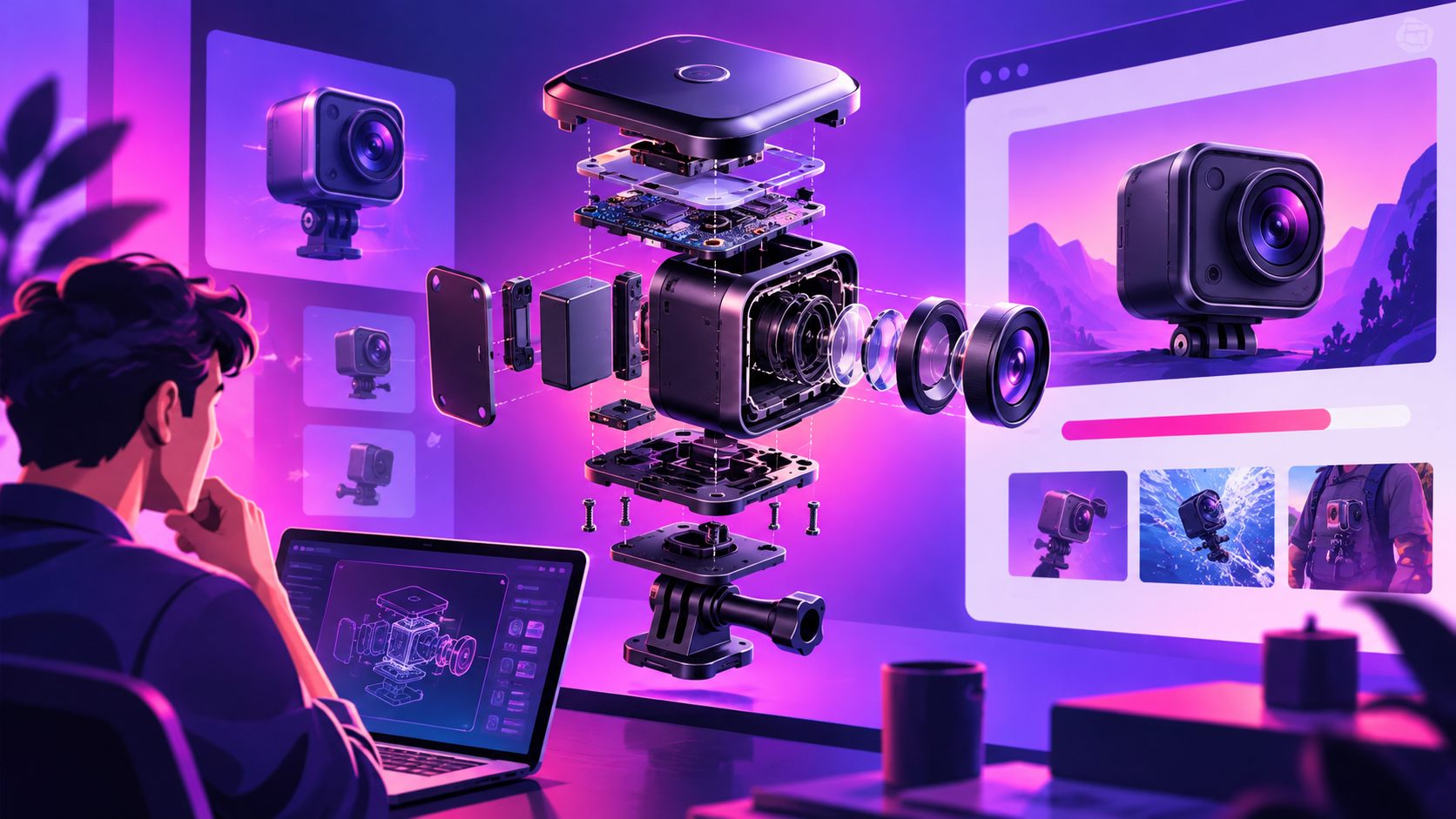
An exploded view video is a product animation that separates components in space, labels their roles, and then reassembles them into the finished product. In crowdfunding, it works as a bridge between a concept sketch and a believable product demonstration.
The strongest version answers three questions in sequence:
- What is the product?
- What is inside or different about it?
- Why should a potential backer care?
Crowdfunding video guidance commonly emphasizes explaining the product early, showing how it works, introducing the creator or project context, and ending with a clear action. Kickstarter also recommends using product visuals, demonstrations, and organized supporting content to help visitors understand a project. (updates.kickstarter.com)
For pre-launch research, the action is different from “pledge now.” It may be “join the waitlist,” “choose your preferred configuration,” or “tell us which feature matters most.”
Why static product diagrams often underperform in surveys
A product diagram can be technically accurate but still difficult to process. Respondents may miss assembly order, misunderstand the scale of a component, or focus on decorative details instead of the feature being tested.
This creates a measurement problem: a low survey score may indicate weak demand, or it may simply indicate poor comprehension.
An animated exploded view helps by adding motion, sequence, and hierarchy. For example:
- The outer shell moves away first.
- The internal mechanism pauses in the center.
- A key component receives a short label.
- The product reassembles before showing the use case.
- The final frame connects the feature to a survey question.
This sequence is especially useful for hardware, modular accessories, kitchen products, smart devices, tools, and products with hidden mechanisms. Product demo guidance also recommends showing what a prototype can actually demonstrate rather than presenting an idealized future product as if it already exists. (media.io)
The survey-specific advantage
The unique value is not merely “more attractive content.” It is question alignment. Each animation beat should prepare respondents for one decision.
For example:
| Survey question | Visual beat |
|---|---|
| Which feature is most useful? | Highlight three distinct components |
| Which size do you prefer? | Show scale against a familiar object |
| Would you trust the design? | Reveal materials, fastening, or safety elements |
| What would stop you buying? | Show assembly, storage, or maintenance |
| Would you join the launch list? | End with the complete product in use |
This creates a visual-to-question map that most generic crowdfunding video guides do not provide.
How to structure the video before producing it
Start with the survey, not the animation. List the decisions you need respondents to make, then identify the visual evidence required for each decision.
A practical five-part structure is:
-
Problem frame — 2 to 3 seconds
Show the situation the product is designed to improve. -
Product reveal — 3 to 5 seconds
Present the complete product from a clear angle. Avoid opening with a complicated internal view. -
Exploded sequence — 6 to 10 seconds
Separate only the parts that support the research question. Too many components create visual noise. -
Use-case proof — 5 to 8 seconds
Show how the assembled product works in a realistic setting. -
Survey handoff — 2 to 4 seconds
Present one concise prompt, such as “Which version would you choose?” or “Would this solve your problem?”
This structure follows a useful principle: show the answer before asking for an opinion. A respondent cannot reliably evaluate a feature they have not understood.
How to turn a product image into a convincing 3D-style sequence
You may not have a complete 3D model. In that case, begin with the clearest available product image, schematic, CAD export, or reference video. Separate the visual information into three layers:
- Identity: shape, color, logo, and overall silhouette
- Mechanism: parts that move, connect, open, rotate, or lock
- Value: the reason each visible component matters to the user
Do not invent hidden engineering details simply to make the animation look complete. If a component is conceptual, label it as a concept or planned feature. If the product is still being refined, use language such as “proposed layout” rather than implying manufacturing validation.
AdsTurbo Product Image supports JPG and PNG product uploads, with clear product photos on a plain background producing the best results. Its product-image workflow can also generate multiple ecommerce visual formats, which may help create the survey thumbnail, detail frame, and supporting campaign assets from one source image.
For more product-to-video ideas, see this TikTok Shop product image to video workflow. The same source-first principle applies: begin with a clean product asset, then build variations around a specific audience question.
How to optimize the video for Kickstarter and Indiegogo pre-launch surveys
A survey video should be shorter and more focused than a full campaign film. Its job is comprehension and decision support, not founder storytelling.
Use these production rules:
- Put the product identity in the first few seconds.
- Keep labels short enough to read without pausing.
- Use one visual emphasis at a time.
- Maintain a consistent camera angle during the exploded sequence.
- Show the assembled product again before the question.
- Add captions because many users watch without sound.
- Export versions for desktop survey pages and mobile screens.
- Keep the final call to action separate from the product claims.
Crowdfunding campaign resources frequently recommend clear product demonstrations, an understandable story, and a direct next step. The difference for survey content is that the next step should produce usable research data rather than immediately asking for a pledge. (explainervideos.ca)
AdsTurbo Video Subtitle can automatically transcribe speech and create time-synced captions, with layouts suited to TikTok, Instagram Reels, and YouTube Shorts. That makes it practical to repurpose a survey explanation into short social clips for collecting additional feedback.
A simple testing framework for pre-launch product validation
Create three versions from the same core animation instead of changing everything at once.
Version A: Feature-first
Lead with the internal mechanism and explain what makes the product different. Use this for respondents who already understand the problem.
Version B: Outcome-first
Show the product in use before revealing the components. Use this when the audience may not understand the category.
Version C: Trust-first
Emphasize materials, construction, replaceable parts, or the reasoning behind the design. Use this when perceived quality or reliability is the main barrier.
Keep the survey question, audience, and offer consistent. Change only the opening sequence or emphasis. Track:
- Video completion rate
- Question completion rate
- Feature selection
- Preferred configuration
- Open-text objections
- Waitlist or email opt-in rate
This is the article’s core working framework: one product, three explanations, one decision per respondent. It produces more actionable feedback than asking one audience to interpret a single overloaded video.
For batch creative testing after the survey, AdsTurbo’s AI UGC video ad generator workflow can help turn product assets and selling points into multiple short-form concepts.
How to repurpose one exploded view into a campaign asset system
Do not treat the animation as a one-time survey file. Build it as a modular content source.
From one product breakdown, you can create:
- A 15-second survey introduction
- A longer Kickstarter campaign explanation
- Component-specific GIFs
- Static feature cards
- Product page visuals
- Social media cutdowns
- Email launch content
- FAQ illustrations
- Variant comparison clips
This approach is particularly valuable when the product has multiple sizes, colors, modules, or use cases. AdsTurbo supports clip-by-clip editing, product video creation, subtitles, background replacement, and video upscaling, allowing one source concept to be adapted for different placements.
If the original footage or render is soft, AI video upscaling for clearer ad creatives can improve legibility before exporting close-up component shots. Upscaling should clarify an existing visual; it should not be used to hide missing product evidence.
Common questions
Should the video show every internal component?
No. Show only the components connected to a survey decision. A complete technical teardown can overwhelm respondents and reduce attention on the feature you actually want to test.
Is an exploded view better than a live prototype demo?
Not always. Use a live demo when the prototype can honestly show the real behavior. Use an exploded view when the product is difficult to open, still in design, or dependent on hidden construction details.
How long should a survey product video be?
Aim for the shortest duration that explains the product and supports the question. Many survey clips work well in the 15–30 second range, while a more detailed campaign explanation may need longer.
Can the same video work for Kickstarter and Indiegogo?
Yes, but adjust the final message and surrounding survey context. The core explanation can remain the same, while the question, signup instruction, and campaign language change by audience.
What should the final frame say?
Use one direct prompt: “Which design would you choose?”, “What would you change?”, or “Join the launch survey.” Avoid combining several calls to action in one frame.
Final takeaway
A crowdfunding survey video should do more than make a product look polished. It should make the product understandable enough for a respondent to give a meaningful answer.
The most reliable workflow is to map each survey question to one visual proof point, animate only the necessary product structure, show the complete product in context, and reuse the resulting assets across campaign and social channels. That turns a static schematic into a research tool—and gives your pre-launch team clearer evidence for what to build, explain, and test next.