By adsturbo.ai | Published 2026-10-20 | Updated 2026-10-20
A custom fit car accessories installation video should do more than show a product being mounted. It should help shoppers confirm that the accessory matches their year, make, model, trim, mounting points, and expected installation effort before they buy.
For Amazon and DTC automotive sellers, the strongest installation video is a visual fitment proof system. It shows the exact vehicle context, demonstrates the critical attachment points, explains what “custom fit” means, and makes limitations visible instead of leaving shoppers to guess.
What is a custom fit car accessories installation video?
A custom fit car accessories installation video is a short product video that demonstrates how a vehicle-specific accessory aligns, attaches, and performs on a compatible car or truck. Its purpose is to reduce uncertainty around fitment, installation steps, required tools, and the final appearance.
This is different from a generic automotive lifestyle ad. A lifestyle ad sells the outcome. A fitment video proves the path from vehicle identification to installation to finished fit.
Search results for this topic commonly emphasize vehicle-specific installation libraries, compatibility information, and real installation walkthroughs. Retailers such as FH Group organize installation videos by vehicle brand and model, while eBay’s Guaranteed Fit program centers the buyer journey around vehicle compatibility data. (fhgroupauto.com)
For ecommerce sellers, that suggests a practical rule: the product, vehicle, and attachment method must appear together in the same proof sequence.
Why installation proof can reduce automotive returns
Automotive returns often begin before checkout. A shopper may understand what the accessory looks like but remain uncertain about whether it fits a particular trim, whether modification is required, or whether the finished result will leave gaps.
Fitment data remains the foundation. Video cannot correct an incorrect year-make-model catalog, but it can close the expectation gap after compatibility has been confirmed. Automotive ecommerce guidance commonly pairs fitment selectors with product-page visuals, installation instructions, and customer feedback because these elements answer different parts of the buying decision. (fyresite.com)
A useful way to think about the buyer’s questions is:
| Buyer question | Video proof to show |
|---|---|
| Will it fit my vehicle? | Vehicle year, make, model, trim, and visible interior or exterior context |
| Does it use factory mounting points? | Clips, brackets, holes, rails, or adhesive placement |
| Will the edges line up? | Close-ups of seams, corners, gaps, and contact points |
| Is installation difficult? | Tools, hand positions, sequence, and estimated effort |
| What will it look like afterward? | Wide before-and-after view from the buyer’s likely angle |
This framework is more useful than simply filming a fast installation montage because it maps each shot to a pre-purchase objection.
The six-shot fitment-proof framework
A strong automotive installation creative can be built from six deliberate shots. This is an original production framework designed for sellers who need one repeatable structure across many SKUs.
1. Vehicle identity shot
Open with the compatible vehicle context. Show the dashboard, door panel, trunk area, roof rail, grille, console, or other location that helps identify the application.
Add concise on-screen text such as:
“Designed for 2021–2024 Ford Bronco, 4-door models.”
Do not rely on a vague phrase such as “universal fit” when the item is actually vehicle-specific. If fitment varies by trim, state the limitation directly.
2. Product and mounting-point shot
Show the accessory beside the installation area before touching the vehicle. Then reveal the key mounting points, clips, cutouts, or alignment features.
This is where a product image alone is often insufficient. The viewer needs to see how the part’s geometry relates to the vehicle’s geometry.
3. Critical installation shot
Show the one step most likely to cause confusion. Depending on the product, that may be aligning a lip, routing a cable, pressing a clip, positioning a bracket, or leaving clearance around a control.
Avoid wasting the entire video on repetitive fastening. Spend the most screen time on the step that determines whether the final fit looks correct.
4. Zero-gap or alignment proof
Use close-ups to show the result at the edges. Film the corners, seams, contours, and transitions where shoppers might expect a gap.
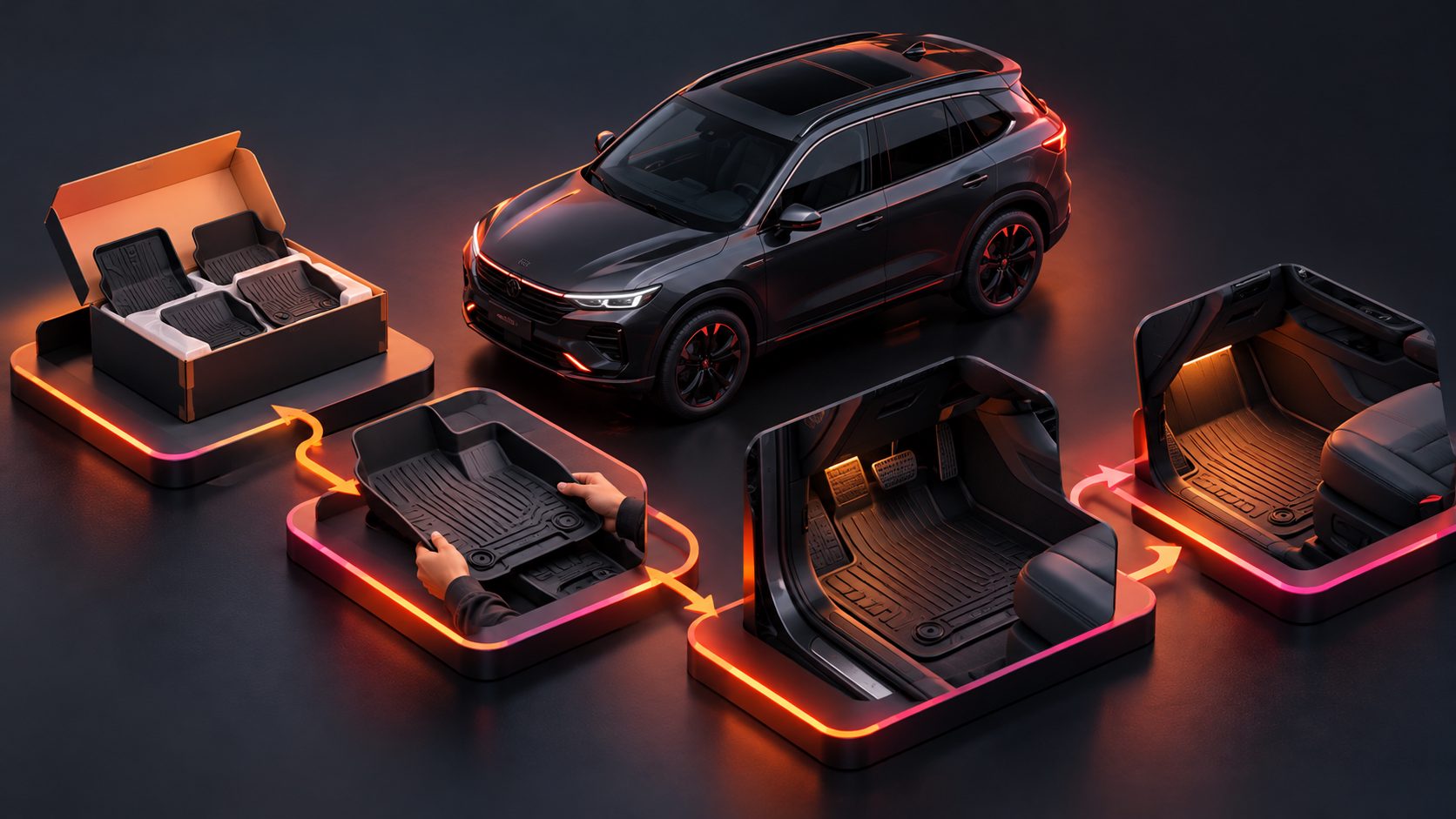
For a dashboard cover, this could mean the instrument cluster opening. For a floor liner, it could mean the door sill and seat rail. For a trim piece, it could mean the contour around the factory panel.
The phrase “perfect fit” is less persuasive than visible evidence of alignment.
5. Function and clearance shot
Demonstrate that the accessory does not interfere with normal use. Show a door closing, a seat moving, a storage lid opening, a charging port remaining accessible, or a switch operating normally.
This shot is especially important for accessories installed near moving parts or user controls. It answers a question that polished product photography often leaves unresolved: does the accessory still work in real use?
6. Finished-view and compatibility reminder
End with the installed product from a normal shopper perspective. Include a short reminder to verify the vehicle details before ordering.
A useful closing structure is:
“Check year, model, trim, and configuration before purchase.”
That message supports conversion without making an unsupported promise that every vehicle variation will fit.
How to produce the video from limited assets
Many sellers do not have professional footage for every vehicle variant. A practical workflow starts with a product image, fitment information, installation logic, and the most important objection.
Use this production brief:
- Product: exact SKU, finish, color, and included components.
- Vehicle: year, make, model, trim, body style, and known exclusions.
- Install action: clip, bolt, slide, press, plug, tape, or place.
- Objection: gap, wobble, difficult access, unclear orientation, or compatibility.
- Proof frame: the close-up that resolves the objection.
- CTA: verify fitment, view compatible vehicles, or shop the matched SKU.
AdsTurbo’s automotive fitment video workflow follows this fitment-first logic by organizing the creative around the product, vehicle details, installation action, objection, proof frame, and CTA.
For product-led generation, use a clear JPG or PNG product image. A clean image with a plain background generally gives the system a better visual reference. Product Video can also turn product images into short UGC-style formats for product reviews, demonstrations, and introductions.
Amazon and DTC placement strategy
The same core video should be adapted to the shopping environment rather than uploaded everywhere unchanged.
Amazon
Lead with compatibility and proof quickly. Use readable captions because many shoppers watch without sound. Keep important text away from platform interface areas and show the exact product in use as early as possible.
A fitment video can support the main listing, A+ content, or supporting creative, depending on the product category and marketplace requirements. The video should answer whether the part fits before spending time on brand storytelling.
For additional marketplace video guidance, see this Amazon Main Image Video guide.
DTC product pages
DTC pages can support more detail. Place the installation video near the compatibility selector, specifications, or installation instructions. Add a short written summary below the player covering required tools, estimated difficulty, and exclusions.
A useful DTC layout is:
- Vehicle compatibility selector
- Installation video
- Fitment table
- Required tools and time
- Common questions
- Reviews mentioning specific vehicle applications
This creates a logical path from technical confirmation to purchase confidence.
Paid social
For TikTok, Reels, and Shorts, open with the visual proof rather than a long introduction. A close-up of a clean factory-style fit can be more relevant than a generic driving shot.
AdsTurbo Video Subtitle can automatically transcribe speech and create synchronized captions. It supports subtitle styling for short-form social formats, while Video Translation can help adapt the same installation explanation for different markets.
How to measure whether the video is working
Do not judge an installation video only by views. Measure whether it improves the quality of the purchase decision.
Track:
- Fitment-related return rate by SKU
- Returns by year, make, model, and trim
- Product-page conversion rate
- Add-to-cart rate after video engagement
- Customer questions about compatibility
- Refunds caused by installation misunderstanding
- Video completion at the fitment-proof shot
The most valuable diagnostic is the combination of video engagement and return reason. If shoppers watch the video but still return for fitment problems, the issue may be incorrect catalog data or an unshown trim limitation. If shoppers leave before the proof shot, the opening may be too slow.
For a batch of variants, create one version per major vehicle application and compare the results by SKU rather than treating the entire category as one audience. AdsTurbo supports batch creative production through product videos, ad cloning, subtitles, translation, and API-based workflows for teams that need to test multiple versions.
Common questions
Should an installation video show every step?
No. It should show every decision-critical step. Prioritize the action that determines alignment, compatibility, safety, or final appearance.
How long should a fitment video be?
Use the shortest length that proves the fit. A simple accessory may need only a few clear sequences, while a multi-part product may require a longer walkthrough. Remove repeated fastening and keep the critical proof visible.
Can one video cover multiple vehicle models?
Only when the installation logic and visible fit are genuinely comparable. If dashboards, mounting points, or trim shapes differ, separate videos usually provide clearer proof.
What if the seller only has a product photo?
Start with the photo, verified fitment data, and a precise shot brief. Use generated video for concept and variation testing, but review geometry, text, alignment, and vehicle details before publishing.
What should the CTA say?
Use an action that reinforces fitment: “Verify your vehicle,” “Check compatible trims,” or “See installation details.” Avoid a generic “Buy now” when the main purchase barrier is compatibility.
A high-performing car accessory video is not simply a product advertisement. It is a compact compatibility guide that shows the shopper what fits, where it attaches, what can go wrong, and what the finished installation should look like.