By adsturbo.ai | Published 2026-10-20 | Updated 2026-10-20
An emergency prep product demo video ad ai workflow is a production strategy that combines captured physical proof of operation with generative artificial intelligence to create high-converting disaster readiness creatives. Survival, tactical, and off-grid brands face a unique conversion hurdle: consumers demand uncompromised reliability during blackouts, storms, and wilderness emergencies, but staging physical flash floods or ice storms for an ad shoot is cost-prohibitive.
By blending real physical hardware handling with AI-generated environmental stress tests, outdoor and prep direct-to-consumer (D2C) brands can validate mechanical trust while dramatizing severe use cases. This guide details how to structure a hybrid emergency prep video ad, avoid compliance pitfalls, and produce scalable variations using synthetic production pipelines.
The Dual-Trust Framework for Emergency Prep Creatives
Emergency readiness gear falls into high-anxiety purchase categories. When buyers consider solar generators, tactical water purifiers, satellite communicators, or crank radios, synthetic-only footage often induces skepticism. Fully AI-generated demonstrations can distort mechanical interfaces, sparking skepticism that hurts performance on platforms like TikTok and Meta.
To maximize Return on Ad Spend (ROAS), top-performing emergency brands employ the Dual-Trust Framework:
- Mechanical Veracity (Physical Layer): Clear, authentic macro clips showing physical hands unboxing, toggling switches, latching gaskets, cranking dynamos, or checking liquid crystal display (LCD) readouts.
- Contextual Urgency (AI Generative Layer): Synthetic environmental backgrounds, synthetic crisis persona reactions, ambient weather shifts, and localized stress conditions that place the physical product in real-world crisis contexts.
When combined properly, the viewer's subconscious receives immediate confirmation that the product exists and functions seamlessly, while the AI layer visualizes the high-stakes threat scenario that prompts the checkout decision. Brands seeking to scale this approach across varied SKUs can review our breakdown on building a SKU testing matrix to align product proof points with varied audience profiles.
5-Part Hybrid Script Architecture for Survival Gear
A standard 15-to-30-second disaster preparedness video ad must overcome emotional avoidance, educate on critical steps, and prove functionality without delay.
| Time Code | Section | Visual Source | Audio / Narration | Core Objective |
|---|---|---|---|---|
| 0:00–0:03 | Threat Hook | AI Atmosphere | "The regional grid just dropped below 20% capacity." | Disrupt passive scrolling; hook target anxiety. |
| 0:03–0:08 | Physical Verification | Real Macro Video | "No apps, no Wi-Fi setup. Flip this mechanical toggle." | Establish tactile trust and mechanical viability. |
| 0:08–0:15 | Synthetic Stress Test | AI Scene Extension | "Built to handle sudden flash flooding and continuous rain." | Dramatize resilience beyond studio constraints. |
| 0:15–0:22 | Persona Realization | AI Persona / Lip Sync | "Having 72 hours of dedicated backup power gave us peace of mind." | Mirror target demographic demographics and emotion. |
| 0:22–0:30 | Hardened CTA | Real / 3D Packshot | "Claim your emergency reserve kit before regional alerts spike." | Drive immediate conversion with finite urgency. |
1. The Threat Hook (0:00–0:03)
Begin with an immediate, grounded crisis trigger. Rather than leaning on cinematic science fiction, emphasize realistic, documented hazards: grid collapse, localized boil-water notices, highway winter isolation, or severe thunderstorms. Utilizing generative visual models allows creators to synthesize moody storm lighting, trembling interior ambient shadows, or dynamic weather overlays around the core messaging.
2. The Physical Mechanical Verification (0:03–0:08)
Cut abruptly to physical hands performing a single, definitive action. For a tactical water pump, this means depressing the plunger and displaying crystal-clear output into an opaque container. For an emergency power station, show a multimeter reading or an instant appliance illumination upon connection. Avoid synthetic rendering for these specific contact points; raw, unfiltered product footage delivers the strongest operational proof.
3. The Synthetic Stress Test (0:08–0:15)
To illustrate operational range without destroying costly prototypes, leverage generative tools to simulate extreme environments around the recorded physical item. AI background replacement and motion synthesis place the gear directly into sub-zero snowfields, torrential downpours, or heatwaves.
Marketers utilizing AI video upscaling for ad creatives can upgrade low-light field testing footage into clear 4K exports to guarantee interface indicators remain legible across all mobile viewports.
4. Persona Realization (0:15–0:22)
Different customer segments prepare for distinct reasons. Suburban homeowners prioritize sump pump operation and medical appliance continuity during storms, while overlanders emphasize rugged portability and dust-proofing. By employing synthetic digital actors, brands can generate demographic-specific testimonials matching multiple target personas from a single baseline script.
5. The Hardened Call to Action (0:22–0:30)
Close on clean, transparent packshot displays that clearly communicate what arrives in the packaging. Pair bold on-screen captions with actionable offers, detailing kit inclusions, storage cases, and backup elements.
Production SOP: Assembling the Hybrid Creative with AdsTurbo
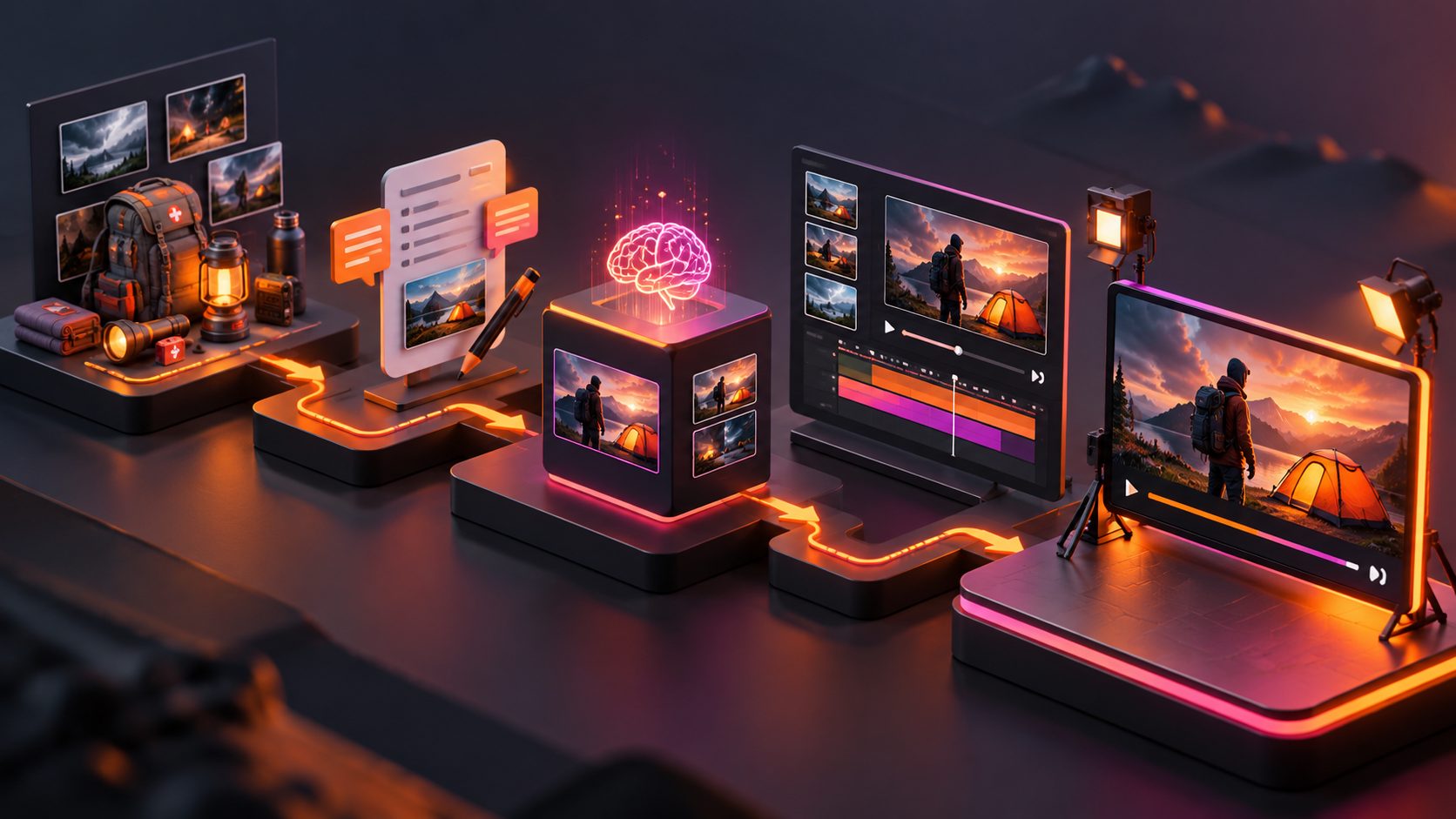
Implementing this hybrid methodology requires a structured workflow that merges physical image or video assets with modular generative tools.
[Raw Physical Assets]
  ├── Macro Product Video (Hands-on)
  └── Clean JPG/PNG Packshots (Solid Backdrop)
            │
            ▼
[AdsTurbo Generative Engine]
  ├── Product Image (6 Ecom Variants: Lifestyle, Close-Up, Usage)
  ├── Motion Control (Migrate Field Movement to Static Assets)
  ├── 300+ AI Actors & Lip Sync (Localized Demographics)
  └── Background Replace (Simulate Torrential Storms, Blackouts)
            │
            ▼
[Assembly & Optimization]
  ├── Video Subtitle (Auto-Transcribed, Burned-in, TikTok/Reels Layout)
  ├── Ad Clone (Structure Deconstruction & Iterative Testing)
  └── Video Upscaling (4K Export for Legible Control Panels)
Step 1: Capture Core Mechanical Assets
Shoot 3 to 5 short clips (5–8 seconds each) using a smartphone on a tripod. Focus entirely on human hands interacting directly with the device: pressing buttons, connecting terminals, turning dials, and checking gauges. Take clean, well-lit photos of the unit against a flat background. AdsTurbo Product Image processes JPG or PNG uploads—delivering optimal segmentation results when the source image features crisp focus on a solid background—to extract the object and generate six standard ecommerce variations, including lifestyle contexts, close-ups, and usage instructional shots across nine aspect ratios.
Step 2: Establish Context and Demographics
Upload the primary product image into the generative environment. Deploy synthetic characters to handle regional targeting. AdsTurbo features over 300 AI actors and 100+ product ad templates. Select personas matching your intended demographic—such as outdoor enthusiasts or rural property owners. For international deployments across multiple territories, implement video ad translation and lip sync to adapt voiceovers into local languages while aligning mouth movements to regional audio tracks.
Step 3: Integrate Motion and Background Transitions
Use AdsTurbo Motion Control by uploading your captured interaction clip alongside a target character image to migrate real handling movements directly onto the generated visual model. Seamlessly transition the scene using AI background replacement to place the product inside an unpowered home interior, a rain-swept campsite, or a snowy roadside shoulder.
Step 4: Add Synchronized Captions and Visual Accents
Emergency ads are frequently consumed with muted audio on social feeds. AdsTurbo Video Subtitle transcribes spoken voiceover into synchronized dynamic subtitles formatted for TikTok, Instagram Reels, and YouTube Shorts. The system supports either burning styled subtitles directly into the video canvas or exporting distinct SRT files for precise platform distribution.
Step 5: Systematize Testing with Iterative Variants
High-velocity creative testing prevents fatigue across paid ad channels. With the AdsTurbo Ad Clone workflow, media buyers can upload a high-performing reference ad or paste a URL. The system deconstructs the reference video's hook, pacing, shot progression, and CTA structure to generate refreshed variations with revised on-screen copy and alternative angles. For detailed strategies on testing multiple variations simultaneously, consult our guide on batch testing paid social video ads.
Compliance and Policy Safeguards for Crisis Marketing
Survival and disaster readiness campaigns face strict advertising policy boundaries. Ad networks monitor crisis-oriented creatives closely to mitigate fearmongering and misleading claims.
                    AD COMPLIANCE SAFEGUARDS
                              │
     ┌────────────────────────┴────────────────────────┐
     ▼                                                 ▼
[Policy Prohibitions]                         [Compliant Frameworks]
- No fabricated news alerts                   - Contextual storm scenarios
- No sensationalist countdowns                - Documented technical specs
- No unverified safety guarantees             - Transparent unboxing proof
- Avoid Sensationalist Panic Tactics: Meta and Google actively flag ads that simulate official civil defense warnings, broadcast emergency alarms, or claim imminent nationwide grid failures. Frame your creative hook around individual preparedness, seasonal storms, or off-grid recreation rather than fabricated societal collapses. Review our operational guide on addressing rejected ecommerce ads under sensitive issue policies to protect your ad accounts.
- Ground Technical Claims in Physical Realities: Never use synthetic visuals to exaggerate physical capabilities. If a portable filtration straw is rated for 0.1-micron particulate filtration, do not visually depict it purifying industrial chemical sludge. Highlight verified operational benchmarks, battery milliampere-hour ratings, and realistic runtimes.
- Disclose Environmental Renderings Appropriately: When deploying extreme backdrop simulations, keep the physical product dimensions and interfaces true to life. Maintaining an exact 1:1 scale of physical controls ensures customers receive precisely what is demonstrated on screen, preventing downstream returns and payment disputes.
Frequently Asked Questions
What is the most effective hook for an emergency prep video ad?
The top-performing hook pairs a tangible, familiar inconvenience—such as a sudden flickering home blackout or an unexpected freeze warning—with an immediate physical solution. Demonstrating a hands-on mechanical action within the first three seconds consistently outperforms generic fear-based imagery or lengthy introductory monologues.
Can generative AI fully replace physical product testing footage?
No. High-involvement survival gear purchases rely on mechanical trust. If consumers suspect the physical interface is completely synthetic, conversion rates drop significantly. The most resilient creative model employs genuine, captured macro footage for hands-on operational moments, utilizing generative AI strictly for environmental backdrops, secondary personas, and voiceover localization.
How does the AdsTurbo credit system calculate billing for video production?
AdsTurbo bills generative processing tasks based on transparent, per-second or per-item credit pricing. Single product image generations consume 5 credits, while custom digital personas require 350 credits. Video processing functions operate on output duration: Ad Clone, product promo videos, and UGC video workflows consume 10 credits per output second. AI Lip Sync and Character Swap run at 20 credits per second, Motion Control consumes 12 credits per second, and Video Translation, Upscaling, and Watermark Removal consume 5 credits per second. Users can cancel or adjust subscription tiers at any time within their account settings.
What specifications are required to generate product images and videos in AdsTurbo?
For product visuals, upload JPG or PNG files up to 10MB; isolating the product on a clean, solid background delivers optimal clarity. For custom digital human workflows, clear portrait photography paired with MP3 or WAV audio tracks produces seamless lip-sync alignment. AdsTurbo delivers asynchronous video and asset rendering, allowing automated notifications via webhook callbacks or status polling once processing finishes.