作者:adsturbo.ai|发布日期:2026-09-21|更新日期:2026-09-21
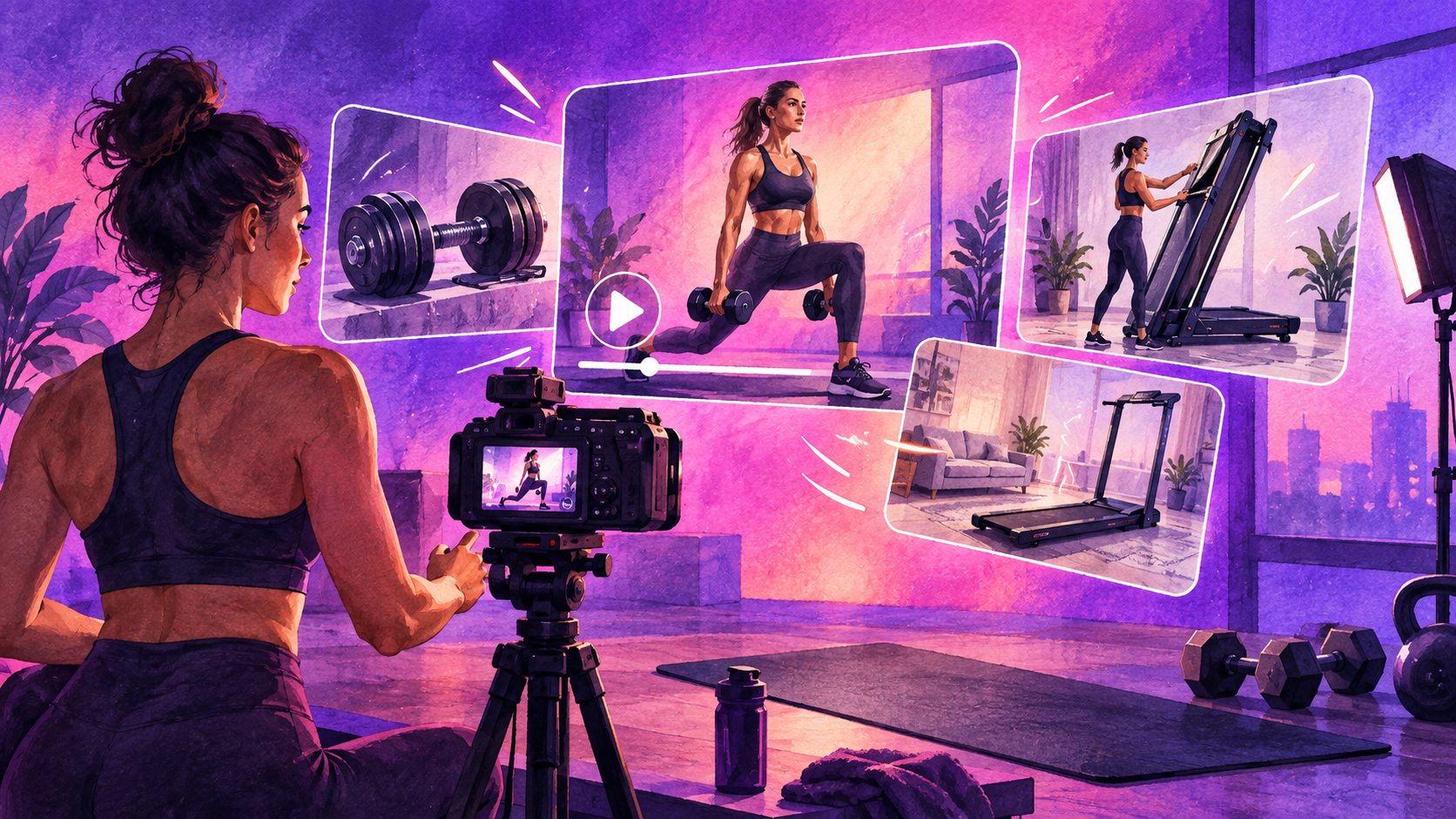
A fitness equipment video ads generator helps ecommerce sellers turn product images, selling points, and reference footage into short-form advertising creatives. For home gym products, the strongest videos should do more than show an athlete exercising: they should make load-bearing strength, movement, storage, and product fit easy to understand.
AI fitness ad tools commonly focus on UGC presenters, energetic workouts, product-in-hand demonstrations, and fast variations for TikTok, Instagram, and YouTube. (newface.ai) The opportunity is to build a more product-specific workflow for bulky equipment such as treadmills, rowing machines, adjustable benches, folding racks, and cable systems.
What should a fitness equipment video ad prove?
A high-performing equipment ad should answer four buyer questions quickly: Can it support real use? How does it move? Where will I store it? Will it fit my space?
For home fitness products, use this four-part proof structure:
- Load: Show the product under realistic use, resistance, or pressure.
- Movement: Demonstrate the exercise path, adjustment mechanism, or range of motion.
- Storage: Show folding, rolling, collapsing, or vertical storage.
- Fit: Establish scale inside a realistic room, garage, apartment, or home gym.
This is more persuasive than a generic “work out harder” montage because it addresses purchase friction. Buyers of large equipment often worry about noise, footprint, setup, stability, and whether the advertised feature is practical in a real home.
The Load–Fold–Fit framework
An original way to plan these ads is to score every product claim against three visual jobs:
| Visual job | Buyer concern | Best shot type |
|---|---|---|
| Load | “Will it feel stable during use?” | Wide shot of use plus close-up of frame, base, grip, or adjustment point |
| Fold | “Can I store it after training?” | Full before-and-after folding sequence with a clear final storage position |
| Fit | “Will it work in my room?” | Human-scale shot showing clearance, footprint, and surrounding furniture |
A fourth layer—movement—connects the three. The equipment must move believably, but the video should not invent technical specifications that are not supported by the product listing or manufacturer documentation.
How to storyboard a 15-second fitness equipment ad
The most effective short video does not need to show every feature. It needs to establish one problem, demonstrate one physical advantage, and end with one clear action.
Use this 15-second structure:
-
0–2 seconds: Show the problem
Open with a crowded room, limited storage, or equipment that takes too long to set up. Use on-screen text such as “No room for a full home gym?” -
2–5 seconds: Reveal the product
Introduce the equipment with a clean product shot. Keep the product shape, colors, and proportions consistent with the source image. -
5–9 seconds: Demonstrate use
Show one recognizable exercise or operating motion. For a rowing machine, prioritize the handle path and seat movement. For adjustable dumbbells, prioritize the weight-change mechanism. -
9–12 seconds: Show folding or storage
Use a continuous-looking sequence: unlock, fold, roll, and place. Avoid jumping directly from open equipment to a completely different storage position. -
12–15 seconds: Add the CTA
End with a product benefit and action, such as “Train at home. Store it in seconds.” The final frame should contain the product, brand, and destination.
AdsTurbo supports product video generation from JPG or PNG product images, with optional selling points and promotional information. Product images with a clear subject and a plain background are especially suitable for analysis and generation. The workflow can be extended with subtitles, background replacement, video translation, and resolution enhancement when the source footage needs localization or cleanup.
For a more general product-photo workflow, see this guide to turning product photos into ecommerce video ads.
How to show weight capacity without making unsupported claims
AI can create attractive exercise scenes, but it should not be used to invent a product’s maximum load, safety certification, resistance level, or performance result. Treat technical claims as source-controlled information.
A safer production method is:
- Add only verified specifications from the product page or packaging.
- Show the equipment in use without displaying a number unless the number is documented.
- Use visual language such as “stable base,” “adjustable position,” or “compact storage” only when the product visibly supports the claim.
- Avoid exaggerated body transformation, guaranteed fitness results, or medical promises.
- Keep the exercise form plausible and appropriate for the equipment.
The key distinction is between demonstrating a function and claiming a measured performance result. A video can show a bench folding flat. It should not imply that the bench supports a specific weight unless that specification is verified.
How to make folding and storage easy to understand
Folding is often the most valuable feature of home fitness equipment, but it is also easy to communicate poorly. A single beauty shot of folded equipment does not prove that the product is convenient.
Use a three-shot storage sequence:
1. Establish the starting footprint
Show the equipment fully open in a room. Include enough floor and surrounding furniture to communicate scale. A close crop can make large equipment look smaller than it is.
2. Show the transition
Capture the key action: release a pin, lower a platform, fold a frame, retract a handle, or move a wheel. If the exact mechanism is not visible in the source material, use a close-up product image or real footage rather than inventing one.
3. Show the stored position
End with the folded product beside a wall, under a bed, inside a closet, or in another realistic location—only when that storage context is accurate. Add a simple overlay such as “Folds away after training.”
AdsTurbo’s background replacement and AI video editing capabilities can help create different room contexts. However, the product geometry and clearance should remain believable. A treadmill that appears to fold into a space narrower than its own deck will reduce trust rather than increase conversions.
How to create platform-ready variations
One source video can support several audience and placement variations. Change one variable at a time so performance results remain interpretable.
Recommended variations include:
- Audience: apartment owner, busy parent, garage-gym user, beginner, or experienced lifter.
- Hook: limited space, quick setup, quiet home training, or full-body workouts.
- Presenter: different AI actors or personas for regional testing.
- Format: vertical 9:16 for Reels, TikTok, and Shorts; square 1:1 for selected feeds; horizontal 16:9 for product pages or YouTube placements.
- Language: localized voice, subtitles, and on-screen text for different markets.
Meta reports that Reels creative using 9:16 video, audio, and safe-zone messaging performed better in its cited split-test analysis than image-based comparison creative. (facebook.com) That does not guarantee results for every fitness product, but it supports designing vertical creative intentionally rather than cropping a horizontal commercial as an afterthought.
AdsTurbo can generate multilingual subtitles, export embedded-caption videos or separate subtitle files, and support video translation for regional campaigns. Its Ad Clone workflow can also analyze a reference video and rebuild its structure, pacing, shot logic, and CTA around another product. For localization planning, see this practical guide to ecommerce video ad translation.
A practical production workflow for ecommerce sellers
Use this five-step process for a new equipment launch or creative refresh:
-
Prepare the source asset
Upload a clear JPG or PNG product image. A plain background makes the product easier to analyze. -
Write the product proof points
List only verified features: folding design, adjustable resistance, transport wheels, included accessories, or storage position. -
Choose one buyer problem
Do not combine “small apartment,” “professional training,” “quiet operation,” and “weight loss” in one 15-second ad. -
Generate three creative angles
Produce one storage-focused version, one use-focused version, and one lifestyle or UGC-style version. -
Review the physical details
Check handles, pedals, joints, screens, logos, shadows, body positions, and transitions before publishing.
AdsTurbo tasks run asynchronously, with completion available through status polling or Webhook callbacks. That makes the workflow suitable for batch production pipelines, especially when a seller needs multiple product, language, or format variations. Advanced plans also support team workflows, API access, and custom workflows.
For a structured approach to measuring creative variations, use this ecommerce video ads ROAS testing framework.
Frequently asked questions
Can AI generate a video from one fitness product photo?
Yes. A single JPG or PNG product image can be used as the starting point for a product video workflow. Add verified selling points and promotional information to guide the creative direction.
Should the ad show an AI athlete using the equipment?
It can, but the product should remain the visual anchor. Use the presenter to demonstrate scale, grip, posture, or use—not to distract from the equipment’s actual features.
How long should a home gym equipment ad be?
For short-form placements, begin with a 15-second version that includes a hook, product reveal, use demonstration, storage proof, and CTA. Longer versions can be created for product pages or detailed demonstrations.
Can one video be localized for multiple markets?
Yes. AdsTurbo supports video translation and multilingual subtitle generation. Sellers can create different language versions while keeping the same product demonstration and campaign structure.
What should be checked before publishing?
Verify product geometry, technical claims, exercise form, text readability, logo placement, storage context, and platform-safe areas. If a detail cannot be verified, remove the claim or replace it with a neutral visual demonstration.
A fitness equipment ad becomes more useful when it answers the physical questions shoppers cannot resolve from a static listing. Show the load, explain the movement, prove the fold, and establish the fit. That combination gives AI-generated creative a clearer commercial purpose than a generic workout montage.