Global Plug Adapter Product Video: A Multi-Market Demo Guide

Summarize with
Summary
Create a global plug adapter product video that explains plug types, voltage limits, and real use cases with a scalable AI production workflow.
By AdsTurbo | Published 2026-11-06 | Updated 2026-11-06
A global plug adapter product video should do more than show a compact gadget rotating on a table. It must quickly answer three buyer questions: Will this plug fit my destination, will it work with my device, and does it convert voltage? A clear demonstration can reduce confusion, improve product-page comprehension, and create localized versions for different ecommerce markets.
What is a global plug adapter product video?
A global plug adapter product video is a short product demonstration that explains an international adapter’s plug compatibility, physical operation, ports, safety limitations, and destination-specific use cases.
The most important distinction is simple: a plug adapter changes the physical plug shape, while a voltage converter changes electrical voltage. Many travel adapters do not convert voltage, so the video should show the product label, supported input range, and a clear warning rather than implying universal electrical compatibility. TravelMore, for example, explicitly states that its adapter is not a voltage converter and warns users to check high-voltage appliances separately. (travelmore.co)
This explanation is often missing from short marketplace videos. Adding it creates practical information value while protecting customers from a common misunderstanding.
Which information should the video cover first?
Start with the destination and compatibility problem, not the product name. Viewers usually care about whether the adapter works in the United States, the United Kingdom, Europe, Australia, Japan, or another target market.
A useful information hierarchy is:
- Destination plug type: Show the relevant pins or sliding selector.
- Connection process: Demonstrate how to extend, lock, release, or retract the plug.
- Device connection: Connect a phone charger, laptop charger, camera charger, or other appropriate device.
- Voltage clarification: State whether the product is an adapter only or includes voltage conversion.
- Port and charging features: Show USB-A, USB-C, AC outlets, or other ports only if the product includes them.
- Travel scenario: Place the adapter in a hotel room, airport lounge, coworking space, or luggage setup.
- Call to action: Direct viewers to choose the correct model or check destination compatibility.
Common international plug families include Type A and B in the United States and Canada, Type C across much of continental Europe, Type G in the United Kingdom and Ireland, and Type I in Australia, New Zealand, and China. However, product coverage varies, so the video should display the exact supported types instead of using “worldwide” as an unsupported promise. (wired.com)
How should the product demonstration be storyboarded?
A strong 20–30 second script can be built around problem, proof, limitation, and application.
| Time | Shot | On-screen message |
|---|---|---|
| 0–3 sec | Traveler opens luggage beside an unfamiliar outlet | “Traveling with the wrong plug?” |
| 3–7 sec | Close-up of the adapter body and plug selectors | “Switch between supported plug types” |
| 7–12 sec | Hand extends and locks the destination plug | “Slide, lock, and connect” |
| 12–17 sec | Charger connects to the adapter | “Power your everyday devices” |
| 17–22 sec | Split screen: US, EU, UK, or AU configurations | “Choose the format for your destination” |
| 22–26 sec | Product label or specification card | “Adapter only—check voltage requirements” |
| 26–30 sec | Packed travel kit and product close-up | “Pack one solution for your next trip” |
The critical production principle is one visual claim per shot. Showing every plug type, port, safety feature, and use case at once creates a crowded frame that is difficult to localize. Instead, create modular clips that can be rearranged for a US landing page, UK marketplace listing, or European social ad.
For a more proof-oriented structure, compare the adapter’s physical operation with a simple graphic showing “plug shape” versus “voltage.” This is more useful than adding generic travel footage because it directly addresses purchase hesitation.
How do plug type and voltage fit into a localized video?
Localization should change the explanation, not only the subtitles. A US-targeted version may open with a Type A or Type B plug and demonstrate compatibility with a laptop charger. A UK version should prioritize the Type G configuration, while an Australia-focused version should lead with Type I.
The same product can therefore use different opening sequences:
- United States: “Need to connect international devices to US outlets?”
- United Kingdom: “Traveling with an EU or US plug in the UK?”
- Europe: “One adapter for common European outlets?”
- Australia or New Zealand: “Switch to the local angled-pin configuration.”
The voltage section also needs localization. A device marked for a broad input range may be suitable with the correct plug adapter, but a single-voltage appliance may require a converter or may not be appropriate for use. Avoid showing hair dryers, straighteners, or other high-wattage appliances unless the manufacturer’s instructions explicitly support them. Product guidance and independent travel-adapter reviews repeatedly emphasize that adapter compatibility and voltage compatibility are separate checks. (travelmore.co)
What makes a product video credible instead of generic?
Credibility comes from showing operational proof and limitations in the same video.
Use these five proof shots:
- Selector movement: Record the actual sliding or folding mechanism.
- Locking action: Show that the selected plug reaches its final position.
- Connection fit: Use a real compatible charger instead of a disconnected prop.
- Specification card: Display supported plug types, input range, output rating, and port information from the product documentation.
- Limitation card: State clearly whether voltage conversion is included.
Avoid claims such as “works everywhere” unless the product documentation supports the exact statement. Some universal adapters cover common types but exclude less common configurations, and physical compatibility alone does not establish electrical safety or voltage conversion. (wired.com)
This proof-first approach is an information gain opportunity: many ranking pages explain plug types or review products, but fewer product videos connect mechanical operation, destination localization, and voltage education inside one short creative system.
How can ecommerce sellers produce multiple versions efficiently?
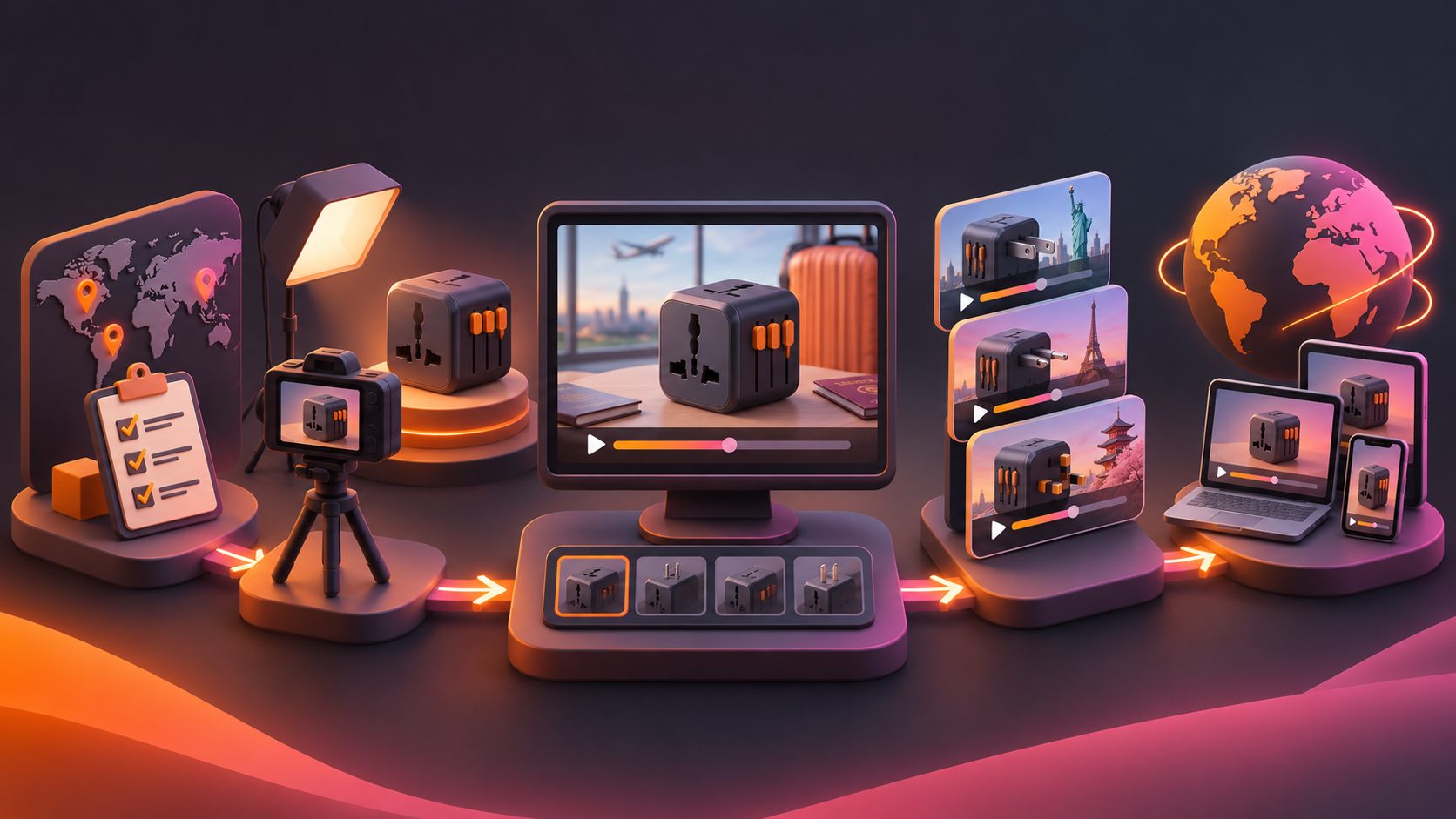
Build the master video as reusable clips rather than one finished sequence. Keep the product close-up, plug-selection demonstration, charging scene, specification card, and closing CTA as separate assets.
An efficient workflow is:
- Photograph the product on a plain background.
- Record or create close-up clips of each supported plug configuration.
- Prepare one master script with destination variables.
- Generate localized voiceover and subtitles for each market.
- Export 9:16 for TikTok, Reels, and Shorts; 1:1 for product feeds; and 16:9 for longer landing-page placements.
- Test different opening hooks while keeping the proof sequence consistent.
- Compare click-through, product-page engagement, and add-to-cart behavior by market.
AdsTurbo supports product-image generation, product video creation, video translation, subtitles, AI upscaling, background replacement, and ad-creative variation workflows. Its Product Video workflow can use JPG or PNG product images, while Video Subtitle can create synchronized captions and export either a captioned video or a separate subtitle file. For sellers starting with static product assets, the TikTok Shop product video workflow provides a relevant framework for turning product information into short-form creative.
For batch testing, an ecommerce seller can create variants around:
- Destination: US, UK, EU, Australia
- Hook: “wrong plug,” “one compact adapter,” or “charge several devices”
- Presenter: hands-only, AI actor, or product-only
- Proof order: mechanism first versus voltage clarification first
- CTA: “Check compatibility” versus “Choose your destination plug”
The goal is not to make every version radically different. It is to isolate one variable at a time so performance differences remain interpretable.
Can existing travel footage be repurposed?
Yes. Existing unboxing footage, installation clips, or customer demonstrations can become a useful source of short ads if the product remains identifiable and the claims are accurate.
A repurposing workflow can extract:
- The strongest first three seconds
- The clearest plug-switching moment
- A clean charging demonstration
- A destination-specific segment
- A final product-and-CTA frame
AdsTurbo’s bulk AI video ad generation workflow can support a structured variation system, while ecommerce creative variation guidance is useful when planning hook, offer, and message tests. For older or compressed footage, AI upscaling can improve clarity, but it should not be used to invent missing product details or alter safety labels.
Common questions about global plug adapter videos
Is a plug adapter the same as a voltage converter?
No. A plug adapter changes the physical connection between a plug and socket. A voltage converter changes electrical voltage. The video should state which function the product actually provides.
Which plug types should a global adapter video show?
Show the exact configurations supported by the product. Common examples include Type A, B, C, G, and I, but coverage differs by model and destination.
Should the video demonstrate high-wattage appliances?
Only when the product documentation supports that use. A phone or laptop charger is usually a clearer demonstration subject because it keeps the focus on connection and compatibility.
What video formats are best for ecommerce?
Use vertical 9:16 for TikTok, Instagram Reels, and YouTube Shorts; square 1:1 for many product feeds; and horizontal 16:9 for product pages, YouTube, or longer demonstrations.
How can sellers make one video work across several countries?
Keep the product proof modular. Replace the opening plug configuration, voiceover, subtitles, destination label, and CTA while preserving the core mechanism demonstration.
Final checklist for a global plug adapter product video
Before publishing, confirm that the video:
- Names the destination or supported plug configuration.
- Demonstrates the adapter’s real mechanism.
- Shows a compatible charger or device.
- Separates plug compatibility from voltage compatibility.
- Avoids unsupported “works everywhere” claims.
- Includes readable captions and localized terminology.
- Exports the aspect ratio required by each channel.
- Uses a clear CTA connected to compatibility checking or product selection.
A well-designed global plug adapter product video is not simply a polished product montage. It is a compact buying guide that turns technical uncertainty into visible proof. By combining destination-specific scenes, transparent voltage messaging, and modular AI production, ecommerce sellers can create more useful videos and scale them across markets without losing clarity.