TikTok Shop Product Video Generator for Cold Start

Summarize with
Summary
Learn how to turn product images into TikTok Shop test videos, build hook variations, and create a measurable cold-start workflow with AdsTurbo.
By adsturbo.ai | Published 2026-11-06 | Updated 2026-11-06
A TikTok Shop product video generator for cold start helps sellers turn existing product images into multiple short-form videos for early testing. The goal is not to create one polished “brand film.” It is to produce enough distinct hooks, demonstrations, and offers to discover which creative earns attention, product clicks, and initial orders.
TikTok’s own US seller education describes a workflow built around selecting a product, uploading assets, choosing a template, reviewing the script, generating the video, and completing posting settings. (seller-us.tiktok.com) For a new or unproven product, the practical advantage is speed: sellers can test creative direction before investing in a full shoot or creator campaign.
What is a TikTok Shop product video generator for cold start?
A TikTok Shop product video generator for cold start is a workflow that converts product photos, selling points, and offers into several vertical videos designed to test a new listing. It is most useful when the seller has a product but lacks enough footage, creator content, or reliable evidence about which angle will convert.
The important distinction is variation, not decoration. A useful first batch should change the marketing hypothesis:
- “This solves a common daily problem.”
- “This product is easier to use than alternatives.”
- “Here is what arrives in the package.”
- “Here is the most visible product benefit.”
- “This offer makes the first purchase easier.”
TikTok’s native AI Video Maker and third-party tools commonly emphasize templates, product images, scripts, captions, and vertical output. (seller-us.tiktok.com) The missing piece in many tutorials is a testing system that connects each video to a specific learning goal.
Why product-image videos are useful during a TikTok Shop cold start
Product images are often the fastest asset a seller already owns. A clear front-facing image, a close-up, a packaging shot, and a usage detail can provide enough visual material to create several early concepts.
However, image-to-video generation should not be treated as automatic proof that a product works. Generated motion can distort packaging, labels, proportions, hands, or product details. A human review is necessary before publishing, especially for products where shape, color, instructions, or performance claims matter.
A strong cold-start workflow uses generated video for creative discovery, while product pages, real demonstrations, customer feedback, and compliant claims provide the evidence. This keeps the production process fast without confusing visual novelty with product-market fit.
How to build the first 12 TikTok Shop product videos
The most efficient starting batch is 12 videos organized into four creative angles, with three variations per angle. This is an editorial testing framework rather than a platform rule.
| Creative angle | Video 1 | Video 2 | Video 3 |
|---|---|---|---|
| Problem | Show the frustration | Show the product as the alternative | Show the result or improvement |
| Product proof | Close-up detail | Demonstration sequence | Before-and-after explanation |
| Audience use case | Beginner use | Gift or household use | Specific lifestyle scenario |
| Offer | Product plus discount | Product plus bundle | Product plus urgency or limited promotion |
Keep the product, offer, and landing listing consistent within the batch where possible. Change one primary variable at a time: the opening line, first visual, creator style, pacing, or call to action.
A practical structure for many short videos is:
- First 1–2 seconds: visual interruption or direct problem statement.
- Next 4–7 seconds: product appearance, use case, or proof.
- Final seconds: benefit recap and a clear shopping action.
The first three seconds should answer why a viewer should continue watching. A slow logo intro or generic product spin may look polished but often fails to establish relevance quickly.
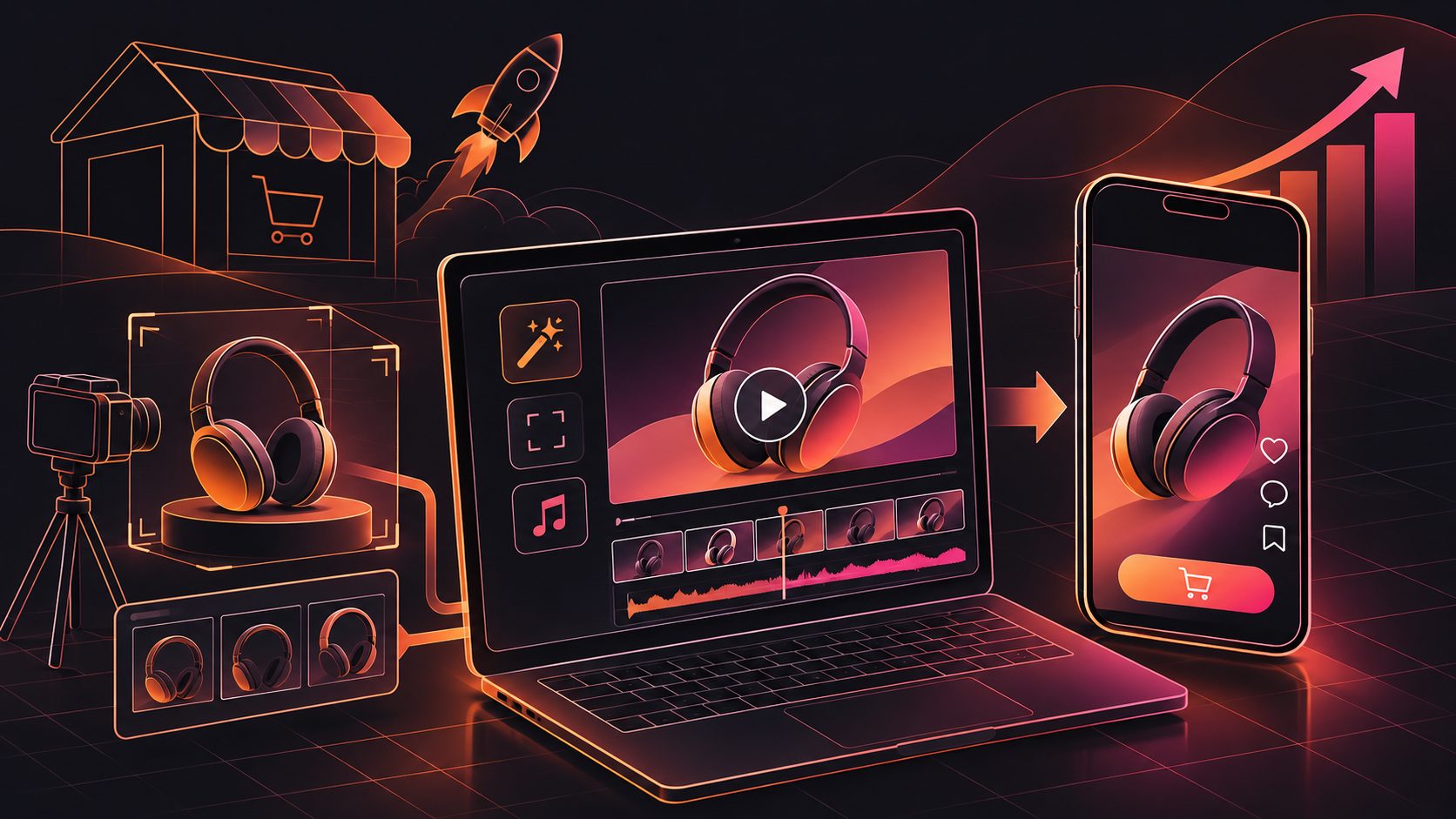
A low-cost workflow from product photo to shoppable video
1. Prepare a clean product asset pack
Start with JPG or PNG product images. A clear product photo on a plain background is usually the safest input because it reduces ambiguity around shape, color, and edges.
Prepare:
- One front-facing product image
- One side or detail image
- One packaging or unboxing image
- Three to five factual selling points
- The target buyer and use case
- Any valid discount, bundle, or promotion details
AdsTurbo Product Video supports JPG or PNG product uploads and can use product information, selling points, and promotion details to create short-form product videos. AdsTurbo Product Image also analyzes product shape, color, and category, which can help organize product-image outputs for different creative needs.
2. Generate different scripts before rendering everything
Do not spend production credits on five videos that use the same hook. First write or generate several scripts, then remove duplicates.
A useful script grid includes:
- A question hook
- A problem-solution hook
- A demonstration hook
- A comparison hook
- A curiosity hook
- An offer-led hook
AdsTurbo’s ecommerce ad creative variation workflow can support this stage by separating hook and offer testing from the final video render.
3. Match the visual style to the product
Not every item should use the same UGC format. Consider:
- Hands-on demonstration: useful for tools, accessories, kitchen products, and practical goods.
- Creator explanation: useful when the buyer needs context or reassurance.
- Close-up product showcase: useful for texture, finish, packaging, or design details.
- Before-and-after sequence: useful when the improvement is visually understandable.
- Unboxing or reveal: useful when packaging and first impressions influence the purchase.
AdsTurbo provides Product Video, AI actors, ad cloning, lip sync, motion control, character replacement, subtitles, and video translation tools. These capabilities allow sellers to test different presenters, pacing, and localized versions without rebuilding every asset manually.
4. Add captions and check the shopping message
TikTok Shop viewers may watch without sound. Captions should reinforce the spoken message rather than introduce a second, conflicting claim.
AdsTurbo Video Subtitle can transcribe speech, create time-synced captions, and export either a video with embedded subtitles or a separate subtitle file. Its caption layouts are designed for short-form formats such as TikTok, Instagram Reels, and YouTube Shorts.
For additional production ideas, the bulk AI video ad generator workflow explains how to organize creative batches instead of producing isolated videos.
How to measure cold-start video performance
The first batch should be judged by stages, not only by orders.
Track each video using a simple sheet with:
- Video ID
- Hook category
- Visual format
- Product angle
- Posting date
- Views
- Average watch time or retention
- Product clicks
- Add-to-cart actions
- Orders
- Revenue
- Notes from comments
Use the results diagnostically:
- Low views: the opening may be weak, unclear, or poorly matched to the audience.
- Views but few product clicks: the video may entertain without explaining why to shop.
- Clicks but few orders: inspect price, listing quality, shipping, reviews, offer, and product-video match.
- Orders but weak margin: improve the offer structure and identify whether the creative attracts the right buyer.
The most valuable output of the first 12 videos is not necessarily the immediate winner. It is the evidence showing which combination of hook, audience, demonstration, and offer deserves another round.
TikTok’s seller workflow includes script review, re-editing, regeneration, and post-generation review. (seller-us.tiktok.com) That review step matters because AI-generated scenes can require correction before publication.
What to avoid when using AI product videos
Avoid these common cold-start mistakes:
- Using one generic video for every audience segment
- Making unsupported performance, health, savings, or comparison claims
- Showing a product action that the real product cannot perform
- Allowing generated hands or presenters to cover the product
- Hiding the offer until the last frame
- Testing several major variables at once
- Treating views as proof of purchase intent
- Publishing videos without checking captions, text placement, and product accuracy
A generated video should make the product easier to understand, not harder to verify.
Can AdsTurbo support a repeatable TikTok Shop testing system?
AdsTurbo can support a repeatable production workflow from product image preparation to video variation, captions, localization, and post-processing. Its Ad Clone workflow can analyze a reference video and reconstruct its structure, pacing, shot logic, and CTA pattern for new product variations. Its API also provides composable modules for image generation, Persona, AI actors, ad cloning, video generation, and task processing.
For larger teams, advanced plans support team workflows, API access, and custom workflows. All generation tasks run asynchronously, with completion available through status polling or webhook callbacks, which is useful when a batch contains multiple video jobs.
For a practical example of scaling existing footage into new paid-social assets, see how to repurpose a live stream into video ads. For image preparation, the guide to pure white background product images covers an important input-quality use case.
Frequently asked questions
Can I create TikTok Shop videos from only product images?
Yes. Product images can be used as the starting point for product showcases, demonstrations, UGC-style concepts, and offer-led videos. Clear images with accurate product details generally provide a safer foundation than low-quality screenshots.
How many videos should a new seller test?
A practical starting point is 12 videos: four creative angles with three variations each. This creates enough comparison to identify patterns without producing an unmanageable content library.
Should every video use an AI presenter?
No. Use presenters when explanation, personality, or trust is central to the buying decision. Use close-ups, hands-on demonstrations, or product motion when the product itself is the strongest visual proof.
What should I change after the first test batch?
Change the variable linked to the weakest stage. Improve the hook when view-through is weak, clarify the shopping message when clicks are weak, and inspect the listing or offer when clicks do not become orders.
Can generated videos be localized for US audiences?
Localization can include language, captions, voice, presenter, and cultural framing. AdsTurbo supports video translation, subtitles, character replacement, and multiple AI actor workflows for creating localized variations.