How to Make Video Ads Without Editing Skills: A 15-Second Product Photo Workflow


Summarize with
Summary
Learn how to make video ads without editing skills from one product photo using a 15-second script, captions, and a practical QA checklist. Start now.
Author: adsturbo.ai | Published: September 7, 2026 | Updated: September 7, 2026
Learning how to make video ads without editing skills starts with simplifying the job. You do not need a timeline, camera crew, or collection of effects. For a basic ecommerce ad, one clear product photo, one selling angle, and a structured 15-second script can provide everything an AI video generator needs.
What Do You Need Before Making the Ad?
A beginner-friendly product video needs four inputs: a clean product image, one audience problem, one credible benefit, and one call to action. Limiting the inputs prevents the AI from producing a crowded ad that tries to explain every feature at once.
Prepare these materials before generating:
- A clear JPG or PNG product photo
- A short product name
- One primary benefit
- One proof point, feature, or demonstration idea
- An optional discount, coupon, or shipping offer
- A destination such as TikTok, Instagram Reels, or YouTube Shorts
Use a sharp photo with simple lighting and visible product details. A plain or solid-color background usually gives image-based generation tools a cleaner product boundary to work with. Remove unsupported claims from your notes before they enter the script.
How Can You Create a 15-Second Video Ad Step by Step?
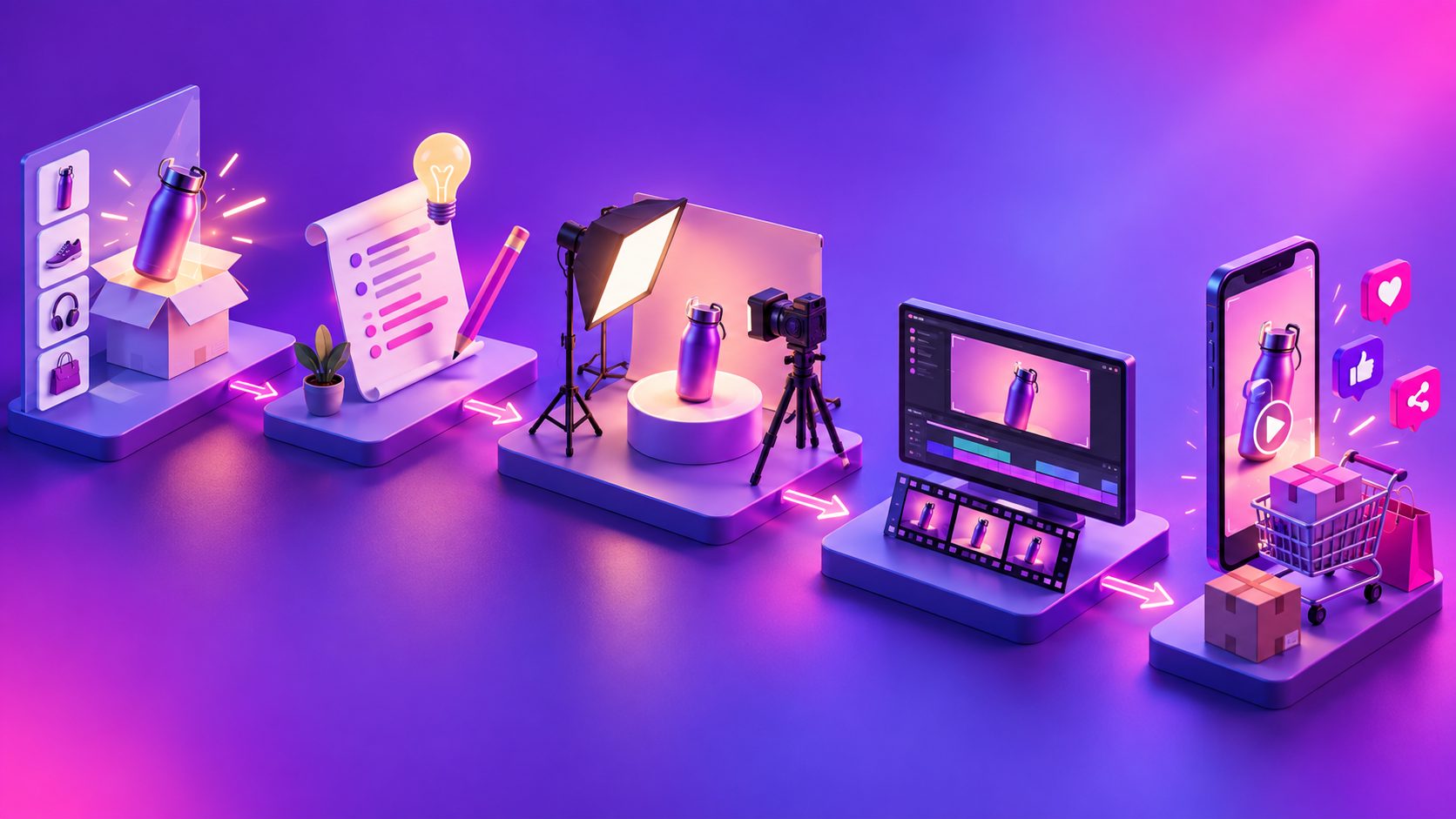
The easiest workflow separates advertising decisions from editing decisions. You choose the customer, message, and offer; the generator handles scene construction, motion, voiceover, captions, and transitions. This keeps the process manageable without giving up control of the sales message.
- Choose one audience. Replace “everyone” with a specific buyer, such as commuters, new parents, or apartment renters.
- Select one problem. Identify the inconvenience your product can visibly address.
- Write a short hook. Open with a question, surprising use case, or recognizable frustration.
- Upload the product image. AdsTurbo Product Video accepts JPG or PNG files up to 10MB and can generate product review, introduction, or demonstration videos.
- Add selling points and promotion details. Include only claims supported by your product page.
- Generate the first draft. Review the product appearance, script, captions, offer, and CTA rather than judging decorative effects first.
- Export one platform-ready version. Start with 9:16 vertical video for mobile-first placements, then create other aspect ratios when needed.
For a deeper look at automated production, see this one-click ecommerce product video workflow.
What Should Happen During Each Second?
A useful 15-second structure is hook, problem, product, proof, and action. Each section should perform one job. Viewers must understand what is being sold even if they miss part of the voiceover, so the product and key message should also appear visually.
| Time | Purpose | Example |
|---|---|---|
| 0–2 seconds | Interrupt scrolling | “Still carrying a leaking bottle?” |
| 2–5 seconds | Show the problem | Wet bag or inconvenient alternative |
| 5–9 seconds | Introduce the product | Product reveal plus main benefit |
| 9–12 seconds | Provide proof | Feature close-up or simple demonstration |
| 12–15 seconds | Give one CTA | “Choose your color today” |
Keep on-screen text shorter than the voiceover. A practical limit is one headline-sized idea per scene, not a paragraph. TikTok recommends vertical 9:16 creative with sound, legible content, and important elements inside the interface safe zone. (ads.tiktok.com)
How Much Script Can Fit Into 15 Seconds?
A safe planning ceiling is approximately 32 spoken words, based on a deliberately moderate assumption of 130 words per minute. This is not a conversion benchmark; it is a reproducible script-fit test that leaves space for pauses, product names, and natural emphasis.
To stress-test the framework, this guide created three hypothetical ecommerce scripts. Each used one hook, one benefit, one proof element, and one CTA.
| Hypothetical product | Script length | Scenes | Text cards | Result |
|---|---|---|---|---|
| Insulated bottle | 29 words | 5 | 3 | Fit within 15-second budget |
| Vitamin C serum | 31 words | 6 | 3 | Fit, with little pause room |
| Cable organizer | 27 words | 5 | 3 | Fit with room for emphasis |
The test suggests a useful operating rule: cap the narration at 30 words when the product name is long or unfamiliar. If the script exceeds the limit, remove secondary features before increasing speech speed. The AI ad script workflow offers more ways to turn product angles into concise video concepts.
How Do You Review an AI-Generated Ad Without Editing Knowledge?
You can quality-check an ad without knowing how to cut footage. Review it as a shopper: pause at several moments, read every claim, and verify that the product remains recognizable. A technically polished video should still be rejected if it misrepresents the item.
Use this five-point review:
- Product accuracy: Shape, color, packaging, labels, and proportions remain consistent.
- Message clarity: A viewer can identify the product and primary benefit within five seconds.
- Claim accuracy: Prices, discounts, results, and features match the landing page.
- Mobile readability: Captions are large, brief, and clear of interface controls.
- Single CTA: The ending asks for one action rather than several competing actions.
Meta similarly emphasizes vertical 9:16 Reels creative, audio, and keeping key messages within the safe zone. (facebook.com) For systematic iterations, use a workflow designed to create ecommerce video ads at scale.
Which Mistakes Make Beginner Video Ads Look Weak?
Most weak first drafts fail because of excessive information, not insufficient editing. More transitions cannot rescue an unclear promise. A simple product reveal with a focused benefit is usually easier to understand than a visually busy montage containing six unrelated claims.
Avoid these common mistakes:
- Opening with a logo instead of a customer problem
- Shrinking the product to make room for too much text
- Using generic hooks that could describe any item
- Adding unsupported testimonials or performance claims
- Allowing captions to cover the product
- Changing the offer without updating the landing page
- Generating one version and treating it as the final answer
Create at least three controlled variants: change the hook first, the selling angle second, and the CTA third. Keeping other elements stable makes each result easier to interpret. This modular approach is also useful when building an Instagram Reels ad testing workflow.
Frequently Asked Questions
Can one product photo produce a usable video ad?
Yes. One clear product photo can support a basic introduction, review-style concept, or visual demonstration. However, a single image cannot prove features that are not visible or documented, so supply accurate selling points rather than asking the generator to infer them.
Do I need to record a voiceover?
No. A short ad can use music and captions, or an AI-generated voiceover. If viewers may watch without sound, the captions should still communicate the product, benefit, and CTA.
What if the generated product looks inaccurate?
Regenerate with a sharper, front-facing photo on a simple background. Reject clips that alter packaging, colors, labels, or functional details. Product fidelity matters more than cinematic motion.
Can the same ad be used on every platform?
Create a 9:16 master for vertical placements, but review cropping, safe zones, captions, and CTA placement for each destination. Google Ads supports vertical, square, and horizontal video orientations, reinforcing the value of maintaining multiple exports. (support.google.com)
How many versions should a beginner make?
Begin with three variants built from the same product image. Test different hooks while keeping the benefit and offer stable. Once a direction shows promise, vary the proof scene, voice, persona, or CTA instead of rebuilding everything.
Make the First Draft Simple and Testable
Knowing how to make video ads without editing skills is less about mastering software and more about making disciplined creative choices. Start with one product, one buyer problem, a script under 30 words, and a five-part storyboard. Generate a clean first draft, check every claim, and improve it through controlled variants rather than complicated edits.