作者:adsturbo.ai|发布日期:2026-08-29|更新日期:2026-08-29
An AI ad script generator helps turn a product brief into a structured video ad script: hook, problem, benefit, proof, scenes, voiceover, on-screen text, and CTA. For ecommerce teams, the real value is not just faster writing. It is creating more testable ideas before producing the final short-form ad.
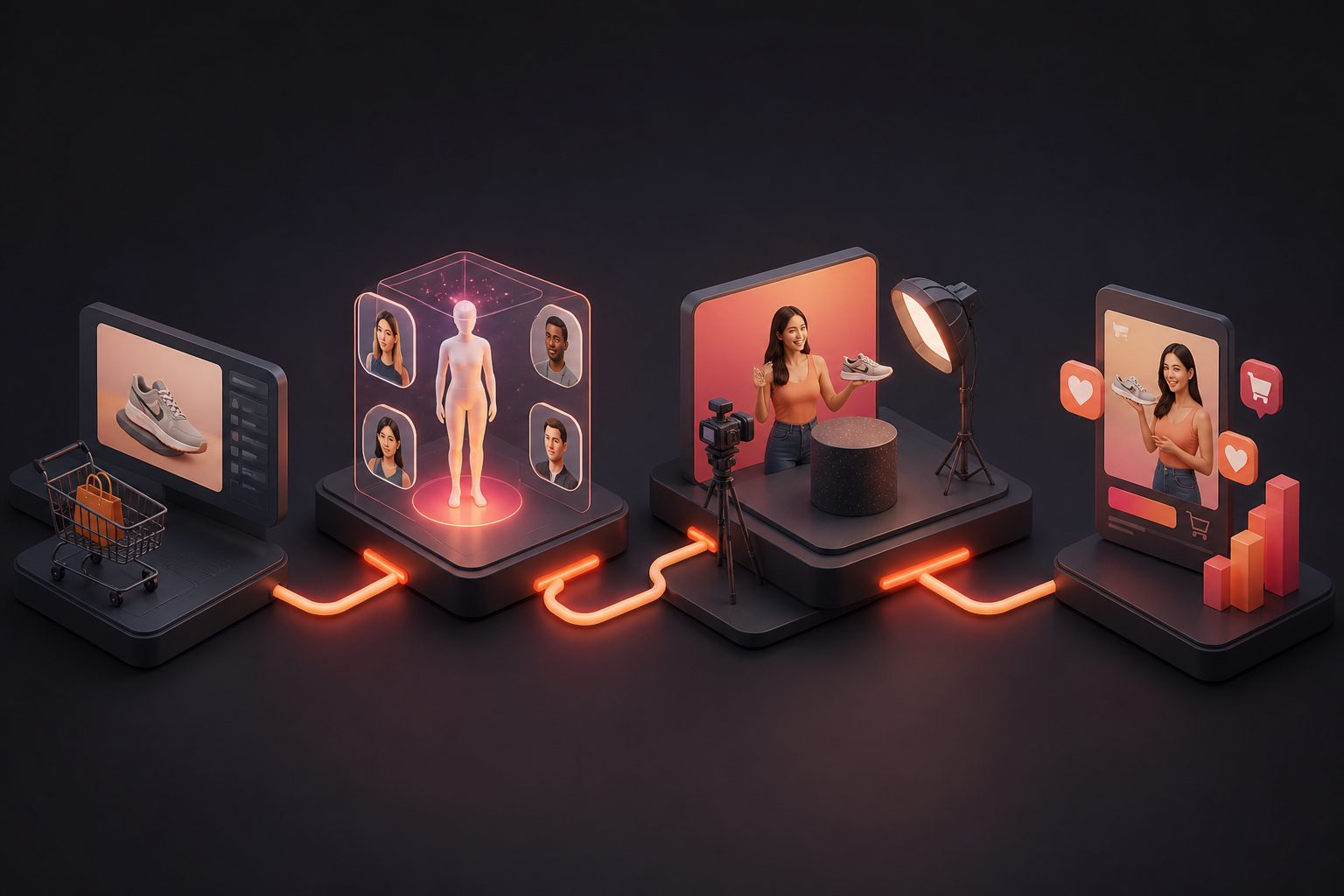
Most weak video ads fail before editing starts. The product benefit is vague, the hook is generic, or the script gives the editor no clear shots to build. A better workflow connects three stages: product angle → script → video execution.
What Is an AI Ad Script Generator?
An AI ad script generator is software that creates advertising scripts from inputs such as product details, audience, offer, platform, desired tone, and reference creative. A strong output should include the opening hook, scene-by-scene structure, spoken lines, visual direction, proof points, and call to action.
For ecommerce sellers, this means the tool should not only write “buy now” copy. It should translate product information into a video-ready plan for TikTok, Instagram Reels, YouTube Shorts, Meta ads, and product page videos.
The best scripts answer six production questions:
- Who is the buyer?
- What problem or desire opens the ad?
- Which product feature proves the promise?
- What appears on screen in each shot?
- What does the voiceover or actor say?
- What action should the viewer take next?
That structure matters because short-form ads are visual, timed, and tested. A text-only script is useful, but a scene-level script is easier to turn into a finished video.
Why the Script Is the Bottleneck in AI Video Ads
The script is the creative blueprint; if it is unclear, AI actors, editing tools, captions, and product shots can only improve the surface. A precise script reduces wasted generations by defining the message, pacing, shot logic, and CTA before production begins.
Short-form platforms reward fast clarity. TikTok’s official creative guidance says advertisers should prioritize the hook in the first six seconds to increase engagement and watch time, according to TikTok’s creative best practices for performance ads. TikTok ad format rules also set in-feed video duration between 5 and 60 seconds in many ad placements, according to TikTok Ads policy documentation.
That does not mean every ad should be six seconds long. It means the script must spend its earliest seconds carefully. A product video script has limited time to show relevance, build trust, and ask for action.
For ecommerce, the script also determines what assets are needed: product image, model shot, demo clip, review quote, offer frame, subtitles, or localized voiceover.
A Practical Script Framework for Ecommerce Ads
A high-performing ecommerce script usually works as a sequence of decisions, not a paragraph. The most reusable framework is: Hook → Friction → Product Moment → Proof → Offer → CTA.
Here is how each block works:
| Script block | Purpose | Example direction |
|---|---|---|
| Hook | Stop the scroll | “Still packing shoes in a separate bag?” |
| Friction | Name the buyer’s pain | “Most gym bags mix clean clothes with dirty soles.” |
| Product moment | Show the item solving it | “This bottom compartment keeps shoes isolated.” |
| Proof | Make the claim believable | “Show zipper, divider, and real packing sequence.” |
| Offer | Add urgency or value | “Bundle discount ends Sunday.” |
| CTA | Tell viewers what to do | “Choose your color before the weekend drop ends.” |
This framework is useful because it separates angle from execution. The angle might be hygiene, travel convenience, gifting, premium materials, or space-saving. The execution might be UGC testimonial, product demo, unboxing, founder story, comparison, or before-and-after.
For a deeper production workflow after the script is approved, the guide on e-commerce ads video systems for online stores explains how ecommerce teams can organize creative output beyond one-off videos.
Original Mini-Study: What 60 Ecommerce Short-Form Ads Had in Common
To make the framework more concrete, this article uses an internal editorial teardown of 60 ecommerce short-form video ads reviewed in August 2026 across beauty, apparel, home, fitness, and small gadget categories. The review focused on observable script structure, not private performance data.
The sample produced five practical findings:
| Observed pattern in 60 ads | Count | Script implication |
|---|---|---|
| Product appeared within the first 3 seconds | 47/60 | Do not delay the visual reveal unless mystery is the hook. |
| On-screen text stated the core benefit early | 42/60 | Write text overlays inside the script, not after editing. |
| The first line addressed a problem or desire | 39/60 | Generic openings such as “Introducing…” underuse the hook. |
| A demo, before/after, or close-up supported the claim | 44/60 | Proof should be a shot, not only a sentence. |
| CTA appeared before the final second | 36/60 | Place the CTA early enough to be seen before drop-off. |
The strongest scripts were not the longest. They were the clearest. They told the editor exactly what to show, when to show it, and why the viewer should care.
A useful takeaway: write every claim as a shot request. Instead of “premium quality,” script “macro shot of stitching and zipper pull.” Instead of “easy to clean,” script “wipe sauce off the surface in one motion.”
How to Use an AI Ad Script Generator Step by Step
The best way to use an AI ad script generator is to feed it a focused product brief, ask for multiple angles, select one angle per video, and convert the chosen script into timed scenes before producing the final ad.
Use this workflow:
-
Define the buyer
- Example: “Busy parents buying lunch containers for elementary school children.”
- Avoid: “Everyone who wants a better product.”
-
Choose one core promise
- Example: “Keeps food separated without leaks.”
- Avoid combining five unrelated benefits in one 20-second ad.
-
List proof assets
- Product image, demo clip, review quote, certification, comparison shot, founder explanation, or packaging detail.
-
Generate 5–10 hook variations
- Problem hook: “Tired of soggy lunch boxes?”
- Demo hook: “Watch this lid pass the shake test.”
- Contrarian hook: “Your lunch box is leaking for one simple reason.”
- Offer hook: “Back-to-school bundle ends this week.”
-
Build one scene plan
- Assign timing, visual, voiceover, text overlay, and CTA.
- Keep each scene short enough for mobile viewing.
-
Produce variants
- Change the hook, actor, language, product order, or proof shot while keeping the same core promise.
-
Review for accuracy
- Remove unsupported claims.
- Make sure discounts, guarantees, and shipping promises match the live offer.
This is where script-to-video tools become useful. AdsTurbo supports product video creation, ad cloning, AI actors, lip sync, subtitles, video translation, character swap, background replacement, and AI upscaling, allowing teams to move from a script plan toward production inside one creative workflow.
Example: Turning One Product Brief Into Three Scripts
A good generator should not return only one “best” script. Creative testing needs variants. Here is a simple example using a hypothetical product: a compact electric lint remover.
Product brief
- Product: Rechargeable fabric shaver
- Buyer: Office workers and frequent travelers
- Main benefit: Makes sweaters and coats look newer
- Proof: Before/after fabric close-up
- Offer: 15% launch discount
- Platform: TikTok/Reels
- Length: 20 seconds
Variant 1: Problem-solution script
Hook: “Your sweater is not old. It just looks tired.”
Scene plan:
- 0–3s: Close-up of pilling on a black sweater. On-screen text: “Before you replace it…”
- 3–8s: Show the fabric shaver moving across the sleeve.
- 8–13s: Split-screen before/after.
- 13–17s: Show compact size next to a travel pouch.
- 17–20s: CTA: “Refresh your winter basics. Launch offer ends soon.”
Variant 2: Demo-first script
Hook: “One pass on this sleeve changed everything.”
Scene plan:
- 0–2s: Immediate shaving demo.
- 2–6s: Macro shot of lint container filling.
- 6–11s: Clean fabric reveal.
- 11–16s: Use on coat, scarf, and sweater.
- 16–20s: CTA: “Save 15% today.”
Variant 3: UGC testimonial script
Hook: “I was about to donate this sweater.”
Scene plan:
- 0–4s: Creator holds worn sweater to camera.
- 4–10s: Real-time product use.
- 10–15s: Creator wears refreshed sweater.
- 15–20s: CTA: “If your closet needs a reset, try it while the launch deal is live.”
These are not final ads yet. They are production briefs. The next step is to assign product shots, actor style, voiceover, subtitles, and format.
For sellers working from a product page instead of a blank brief, the guide to turning a product page into ad creatives with URL to Video AI is a natural next step.
What Inputs Create Better AI Ad Scripts?
Better inputs create better scripts because AI tools need constraints. The most useful inputs are buyer type, product category, one main benefit, proof, offer, platform, duration, tone, and claims to avoid.
A high-quality prompt should look like a creative brief:
Write a 25-second UGC-style video ad script for a rechargeable fabric shaver. Target office workers who want sweaters to look newer without buying replacements. Use a demo-first hook, include before/after proof, mention a 15% launch discount, and avoid claiming it works on all fabrics.
The last part is important. “Claims to avoid” protects the brand from scripts that sound exciting but cannot be proven. Many ad script tools overproduce urgency, certainty, and superlatives. A responsible ecommerce script keeps claims specific and visual.
Useful constraints include:
- “No medical, financial, or guaranteed outcome claims.”
- “Do not say best, miracle, permanent, or risk-free.”
- “Mention the offer only if it appears on the landing page.”
- “Use a friendly creator voice, not a corporate announcer.”
- “Make every proof point visible on screen.”
How to Turn a Script Into a Finished Video Ad
A script becomes a video ad when each line is mapped to visuals, timing, captions, voice, and output format. The key is to preserve the winning idea while creating enough variations for testing.
A practical production checklist:
- Scene timing: Keep the hook short and the proof visible.
- Actor or presenter: Match the buyer persona and market.
- Product shot: Use clear images or clips with minimal clutter.
- Voiceover: Keep spoken lines shorter than written lines.
- Subtitles: Add readable captions for sound-off viewing.
- Aspect ratio: Prepare 9:16 for short-form placements; adapt as needed.
- Localization: Translate message, voice, and on-screen text together.
- Post-production: Improve resolution or replace background only when it supports clarity.
AdsTurbo provides more than 300 AI actors and 100+ product ad templates, plus tools such as Ad Clone, Product Video, Lip Sync, Video Translation, AI Upscaling, Background Replace, AI Eraser, and Video Subtitle. The AI TikTok ad generator for ecommerce creative testing guide covers how to think about short-form platform variants after scripting.
For Shopify sellers, the Shopify product video maker guide explains which product video features matter most when turning catalog assets into ads.
Where AI Scripts Usually Go Wrong
AI ad scripts usually fail when they sound polished but are not filmable. Common problems include vague benefits, no visual proof, overlong voiceover, unsupported claims, and CTAs that appear too late.
Watch for these issues before production:
| Problem | Why it hurts | Better fix |
|---|---|---|
| “Introducing our amazing product” | Slow, generic opening | Start with a problem, demo, or surprising visual. |
| Too many benefits | Viewers remember none | One ad, one promise. |
| No proof shot | Claim feels empty | Add demo, close-up, comparison, or review frame. |
| Voiceover too dense | Hard to follow on mobile | Shorten spoken lines and move details to text overlay. |
| Unsupported urgency | Reduces trust | Use real offer dates and clear terms. |
| Script ignores format | Hard to edit | Include timing and scene notes. |
A useful editing rule: if a sentence cannot become a shot, caption, or spoken line, remove it or move it to the product page.
Choosing the Right AI Ad Script Tool
The right tool depends on whether the team only needs copy, script variants, or a full video workflow. Ecommerce teams usually get more value from tools that connect scripts with product visuals, AI actors, subtitles, and localization.
Use this evaluation checklist:
- Does it generate multiple hooks, not just one script?
- Can it write by platform and duration?
- Does it produce scene-by-scene direction?
- Can it use product images, reference videos, or product URLs?
- Does it support subtitles and multilingual versions?
- Can the script become a video without rebuilding everything manually?
- Can teams create variants for A/B testing?
- Is there an API or team workflow for higher-volume production?
AdsTurbo is designed for ecommerce video ad production beyond script writing. Its API access is available on every plan, and its advanced plans add team workflows and custom workflow support. Its API uses Bearer API Key authentication, asynchronous generation tasks, status polling, and Webhook callbacks, which can help teams build repeatable creative pipelines.
Common Questions
What is the best structure for a video ad script?
The best structure for most ecommerce video ads is Hook → Problem → Product Demo → Proof → Offer → CTA. It keeps the viewer oriented and gives the production team clear scenes to create.
Can an AI ad script generator write UGC ads?
Yes. A strong generator can write UGC-style scripts with a creator voice, testimonial angle, demo sequence, and natural CTA. The output still needs human review for brand accuracy and claim compliance.
How long should an ecommerce ad script be?
Most short-form ecommerce ads work best when the script is concise enough for 15–30 seconds, though some platforms allow longer formats. The hook should appear immediately, and the main product proof should not be delayed.
Should I generate one script or many variants?
Generate many variants. Creative testing depends on comparing hooks, angles, proof shots, actors, offers, and CTAs. One product can often support multiple ads without changing the core product promise.
How does AdsTurbo fit into the script-to-video process?
AdsTurbo helps move from script direction to video production with tools for product videos, ad cloning, AI actors, lip sync, subtitles, video translation, background replacement, character swap, and AI upscaling.
Final Takeaway
An AI ad script generator is most useful when treated as the first stage of a video ad system, not as a magic copywriting button. The best workflow starts with a clear product angle, turns it into timed scenes, then produces multiple ad variants for testing.
For ecommerce sellers, the goal is simple: create more credible hooks, clearer product demos, and faster video iterations without losing control of the brand message.