By adsturbo.ai | Published 2026-09-28 | Updated 2026-09-28
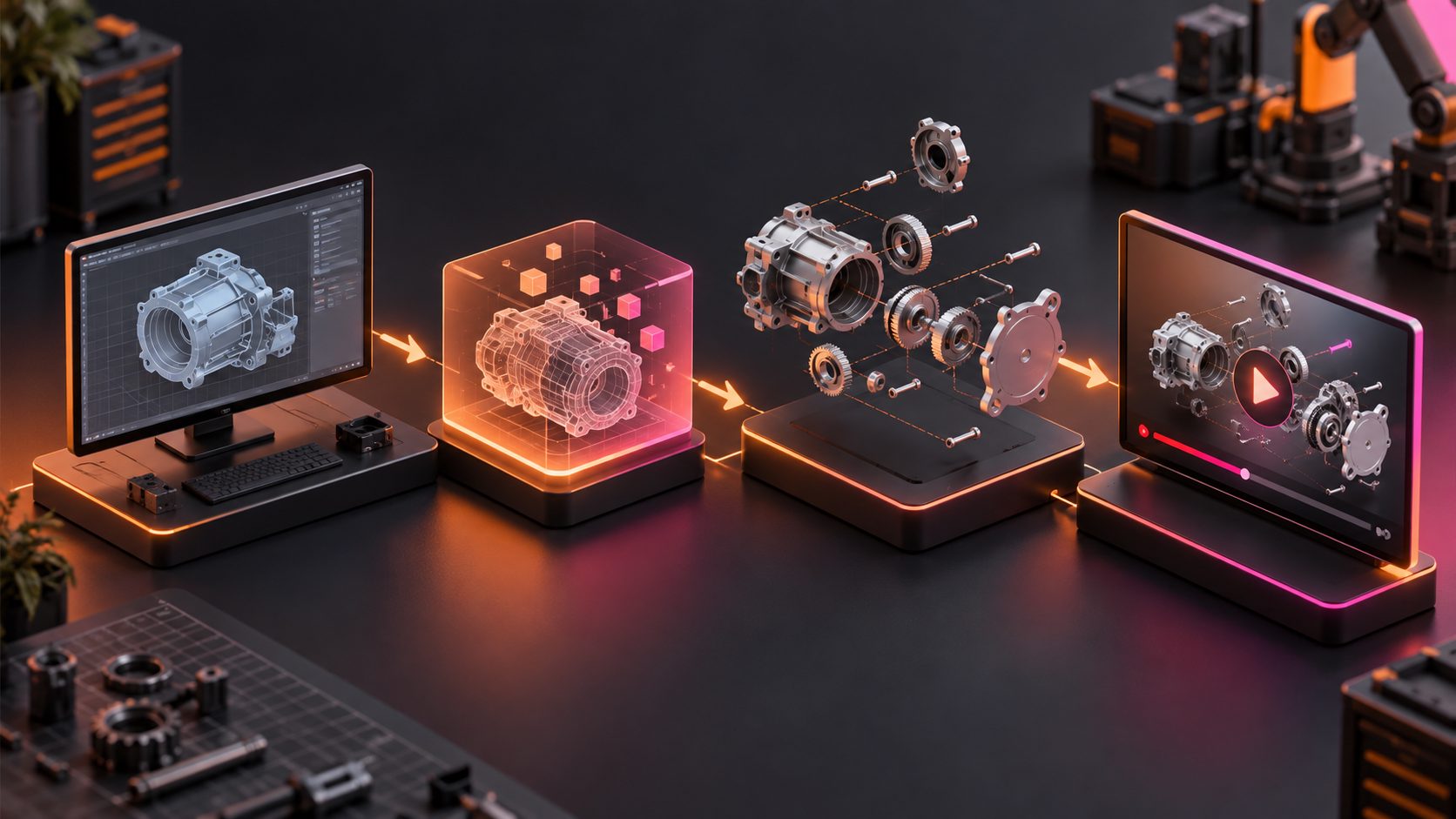
An industrial parts product demo video generator can turn approved CAD renders, engineering drawings, and exploded views into a buyer-friendly explanation of how a component fits, moves, seals, locks, or transfers force. The goal is not cinematic decoration. It is to make technical value understandable before an overseas buyer requests a sample or quotation.
The most reliable workflow separates engineering visualization from marketing production. Create mechanically accurate source imagery in CAD or 3D software first, then add pacing, callouts, localization, subtitles, and channel-specific formatting in a video production tool.
What Is an Industrial Parts Product Demo Video Generator?
An industrial parts product demo video generator is a workflow or toolset for converting technical product assets into a short functional demonstration. It may combine CAD animation, exploded assemblies, cutaway views, product renders, text callouts, narration, subtitles, and sales-oriented editing.
CAD systems remain the source of engineering truth. For example, Autodesk Inventor can create component moves, camera actions, snapshot views, and video-ready storyboards, while Creo supports saved exploded states and ordered explode sequences. (help.autodesk.com)
The finished demo serves a different purpose from an engineering drawing. It should answer three buyer questions quickly:
- What does this part do?
- How does it interact with the surrounding assembly?
- Why should the buyer trust this design or supplier?
Which Source Assets Should You Prepare?
Start with the smallest approved asset package that can prove the product’s function. Uploading an entire production assembly creates unnecessary intellectual-property risk and often introduces visual clutter.
| Source asset | Best use in the video | Preparation requirement |
|---|---|---|
| Native CAD assembly | Accurate movement and exploded sequences | Create a sanitized marketing copy |
| Exploded-view drawing | Assembly order and component relationships | Remove confidential dimensions |
| STEP or neutral 3D file | Cross-platform rendering | Confirm materials and part hierarchy |
| Section or cutaway render | Internal flow, sealing, or engagement | Highlight only the functional area |
| Product photographs | Surface finish and manufacturing proof | Use consistent lighting and angles |
| Data sheet | Claims, limits, and compatibility | Verify the current revision |
| Installation diagram | Fitment and orientation | Simplify labels for non-engineers |
Suppress internal part numbers, customer-specific geometry, tooling details, tolerances, and unreleased design changes. The marketing file should retain enough geometry to explain the mechanism without exposing the complete manufacturing package.
How Do You Turn CAD and Exploded Views Into a Demo Video?
A conversion-focused industrial demo is built in five controlled stages. Each stage should have a named owner, especially when engineering, export sales, and marketing teams work across different locations.
-
Lock the technical truth layer.
Confirm the CAD revision, product configuration, dimensions shown, materials, and permissible claims. Record the approved revision in the project brief. -
Map each buyer question to a visual.
Use rotation for external geometry, an exploded view for component relationships, a cutaway for hidden mechanisms, and real footage for finish or manufacturing evidence. -
Animate one mechanical idea at a time.
Keep the camera stable while the key component moves. Separate fasteners, seals, bearings, housings, or contact surfaces in their actual assembly direction. -
Build a 20–45 second sales sequence.
Open with the application problem, show the mechanism, identify the differentiator, present supporting evidence, and close with an RFQ or specification-download prompt. -
Create channel-specific outputs.
Produce a landscape version for the product page and sales presentations, plus shorter vertical or square cuts for LinkedIn, email, trade-show screens, and distributor campaigns.
What Is the Four-Layer Proof Storyboard?
The Four-Layer Proof Storyboard is a practical framework for preventing technical demos from becoming either vague advertisements or unreadable engineering presentations. Every scene should deliver one of four proof layers: orientation, mechanism, evidence, or action.
| Proof layer | Buyer question | Recommended visual |
|---|---|---|
| Orientation | Where is the part used? | Full assembly, machine context, or installation point |
| Mechanism | How does it work? | Exploded view, cutaway, flow path, or controlled motion |
| Evidence | Why is the claim credible? | Material label, test footage, tolerance callout, or certification reference |
| Action | What should the buyer do next? | RFQ, drawing request, sample order, or data-sheet download |
Use a visibility budget of one motion, one claim, and no more than three callouts per scene. This is not a mechanical limit; it is an editorial rule that keeps mobile viewers from decoding several moving parts and labels simultaneously.
Which Video Format Should You Export?
The primary format depends on where the buyer encounters the product. An industrial parts product demo video generator should produce a reusable master rather than one platform-specific file.
| Format | Primary use | Editorial approach |
|---|---|---|
| 16:9 | Product pages, YouTube, presentations | Show the complete assembly and wider technical context |
| 1:1 | LinkedIn feeds and distributor posts | Use larger labels and centered components |
| 9:16 | Shorts, Reels, and mobile outreach | Focus on one feature or mechanism |
| Silent loop | Trade shows, email GIFs, landing pages | Make the demonstration understandable without narration |
| Captioned master | International sales and accessibility | Keep subtitles clear of parts and callouts |
Maintain extra space around the component so the same source can be cropped safely. For products where exterior geometry is the main selling point, a 360-degree product spin workflow can complement the exploded sequence.
Where Does AdsTurbo Fit Into the Workflow?
AdsTurbo should be used after technically approved CAD views, renders, or footage have been exported. It is not presented here as a native CAD authoring or engineering-validation system.
AdsTurbo provides Clip by Clip editing, video subtitles, translation, resolution upscaling, product video generation, background replacement, and other image and video processing tools. A practical workflow is to render the accurate mechanism in CAD software, export the approved clips, and then use AdsTurbo to assemble, subtitle, localize, and enhance the buyer-facing video.
For a broader credibility sequence, combine the functional demo with a six-shot B2B factory tour. Suppliers selling expensive components can also apply an evidence-chain framework for high-ticket products to connect technical claims with inspection, packaging, production, and support proof.
How Should You Measure Demo Performance?
Measure whether the video creates qualified commercial actions—not whether it merely accumulates views. An industrial parts product demo video generator is valuable when it helps buyers understand fit, function, and supplier credibility with less sales friction.
Track these signals by product, market, and video version:
- Product-page play rate and completion rate
- Clicks to drawings, data sheets, or specification tables
- RFQ starts and completed inquiry forms
- Sample requests from target industries
- Distributor or sales-team reuse
- Questions buyers still ask after watching
- Sales-qualified leads influenced by the video
For controlled comparisons, change one variable at a time. Test an exploded-view opening against an application-problem opening, or compare a generic CTA with a specific prompt such as “Request the STEP file” or “Confirm machine compatibility.”
Common Questions
Can AI create an accurate exploded view directly from a CAD screenshot?
A screenshot can guide visual ideation, but it cannot reliably preserve hidden geometry, mating relationships, tolerances, or correct assembly order. Generate the technical sequence from approved CAD data whenever accuracy affects purchasing, installation, or safety.
How long should an industrial parts demo video be?
Use 20–45 seconds for a focused sales demo and longer formats for installation, maintenance, or training. If the product has several mechanisms, create separate modules instead of compressing every feature into one crowded video.
Do I need a physical product sample?
Not for a CAD-based mechanism demonstration. However, real photographs or footage can provide stronger evidence for surface finish, scale, packaging, machining quality, and factory capability.
Should every component appear in the exploded animation?
No. Show only the parts required to explain the buyer-facing claim. Decorative hardware and unrelated subassemblies can distract from the sealing interface, load path, adjustment mechanism, or replacement procedure that matters.
Can one master video support multiple export markets?
Yes. Keep engineering visuals separate from narration and on-screen text, then create localized voice, subtitle, character, and CTA versions. AdsTurbo supports video translation and multilingual subtitle generation for this post-production stage.