Lip Sync Video for Ads: A Practical Creative Workflow

Summarize with
Summary
Learn when lip sync video for ads beats stock footage, how to script hooks, localize voiceovers, and review AI spokesperson creatives before publishing.
By adsturbo.ai | Published 2026-11-16 | Updated 2026-11-16
A lip sync video for ads turns a prepared voiceover into a speaking-face creative, usually from a portrait photo or presenter asset. For ecommerce teams, it is most useful when the ad needs a human explanation, market-specific delivery, or many hook variations without filming a new creator for every test.
The best use is not “replace every product video with an avatar.” It is to give the viewer a clear reason to listen in the first seconds, then support the message with product visuals, captions, and proof.
What is an AI lip sync video for advertising?
An AI lip sync video is a video in which a person’s mouth movement is driven by a voice recording or generated speech. The visual presenter may be a real person’s licensed image, an AI actor, or a brand-approved spokesperson.
For ecommerce advertising, the format works best in three situations:
- Explainer ads: A presenter explains what the product does and who it is for.
- Testimonial-style ads: A speaker delivers a customer-problem or product-benefit narrative without claiming personal experience that did not occur.
- Founder or brand messages: A consistent spokesperson introduces a launch, promotion, or product change.
Compared with stock footage, a talking presenter creates an immediate focal point. Compared with filming, it makes controlled message changes easier. However, it does not automatically create trust: weak claims, unnatural audio, or visible mouth errors can reduce credibility.
This is the main distinction between a visual novelty and a useful lip sync AI workflow: the audio, script, and product evidence must be designed together.
When do talking head video ads beat stock footage?
Talking head video ads tend to outperform stock footage as a creative format when the message depends on explanation, recognition, or a direct answer to a customer objection.
Use a presenter when:
- The product needs context. A compact appliance, software tool, beauty accessory, or home product may need a short explanation before the viewer understands its value.
- The offer has a specific objection. For example, the script can address setup time, portability, fit, or everyday use.
- You need multiple audience angles. The same product can be introduced differently to first-time buyers, gift shoppers, or repeat customers.
- The campaign needs localized delivery. A new voiceover can preserve the visual structure while adapting wording and pacing for another market.
Use product demonstrations or lifestyle footage instead when the visual result is the proof. A talking head should introduce the claim; close-ups, screen recordings, product photos, and real demonstrations should help substantiate it.
A useful planning rule is speaker first, evidence second: let the presenter earn attention, then let the product earn belief.
For a broader creative system, see this guide to DTC video ads for online brands.
How should you script three hooks for one ad?
The strongest workflow is to write three materially different hooks before generating the video. Do not create three versions that only change one adjective.
Hook 1: Problem recognition
Name a frustrating situation your target buyer already understands.
“Still replacing your [product category] because the first one never fits your routine?”
This hook is useful when the audience is problem-aware but has not selected a solution.
Hook 2: Demonstrable benefit
Lead with a result that can be shown immediately.
“This is the small change that makes [daily task] easier in under a minute.”
The following shots should show the product, not leave the viewer watching the presenter make an unsupported claim.
Hook 3: Specific audience or use case
Call out the buyer and context.
“If you pack light, work from a small space, or need a faster setup, watch this.”
This can help paid-media teams test audience relevance without changing the entire ad.
Keep the spoken opening conversational. Short sentences, natural pauses, and one idea per line usually produce a more believable delivery than dense copy. Prepare the tone, pacing, and pauses in the audio before lip synchronization; the generation process cannot fix a voiceover that already sounds rushed or over-written.
How do you create market-specific voiceover versions?
Market localization should change more than the language. Adapt the promise, examples, units, rhythm, and call to action to the audience receiving the ad.
A practical localization sequence is:
- Lock the visual structure. Keep the hook, product proof, and CTA positions consistent.
- Rewrite for natural speech. Avoid literal translations that sound like written copy.
- Record or prepare the new voiceover. Match the intended energy and pause locations.
- Generate the localized version. Review the mouth movement against the new audio.
- Check on-screen text separately. Captions, prices, measurements, and promotional terms may need their own localization.
- Compare by market, not only by language. A culturally natural script can still fail if the offer or product use case is irrelevant.
AdsTurbo AI Lip Sync uses one clear front-facing JPG or PNG portrait, up to 10 MB, plus a prepared voiceover audio file to create a talking-photo video with mouth movement driven by the audio. The AI lip sync video generator is therefore best treated as a controlled creative production step, not as a replacement for scripting or review.
What is a reliable generation workflow?
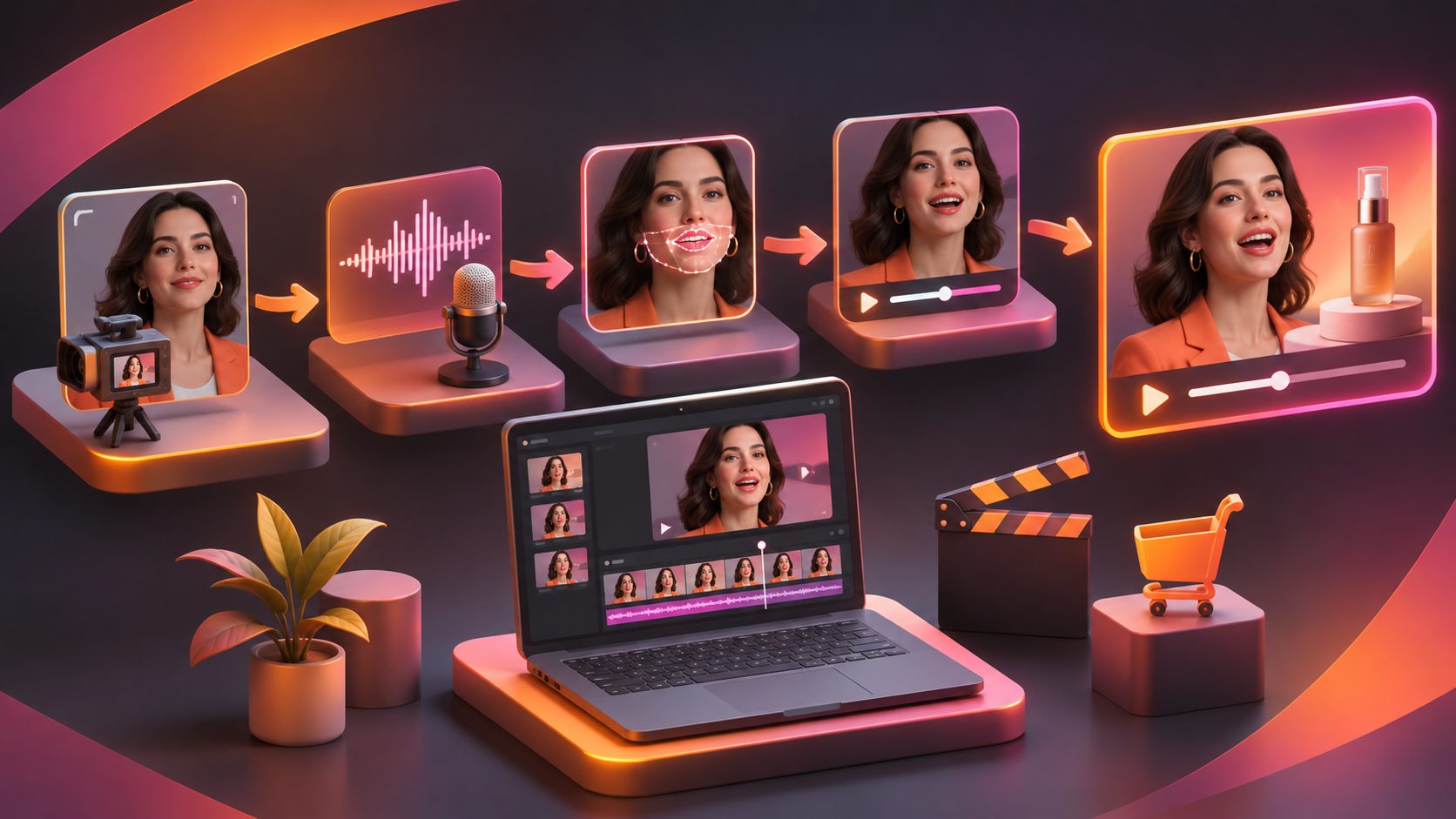
A repeatable workflow for an AI spokesperson video looks like this:
- Define the job of the clip. Choose one objective: explain, overcome an objection, introduce an offer, or direct the viewer to the product page.
- Select a suitable portrait. Use a clear, front-facing image with an approved likeness and an expression that fits the message.
- Write the spoken script. Build the hook, one proof point, and one CTA.
- Prepare the audio. Record or produce clean speech with deliberate pauses and a natural pace.
- Generate the talking video. Keep the first version focused rather than adding unnecessary visual complexity.
- Add product evidence. Insert product footage, close-ups, packaging, interface captures, or relevant still images.
- Add captions and platform formatting. Captions should remain readable in vertical placements and should not cover the product or speaker’s mouth.
- Create controlled variants. Change one major variable at a time: hook, presenter, voiceover, proof sequence, or CTA.
This structure also makes performance analysis easier. If every version changes everything, a winning or losing result is difficult to interpret.
How should you review a lip-synced ad before publishing?
Use a five-part review instead of judging only whether the video “looks realistic.”
| Review area | What to check |
|---|---|
| Audio | Is the voice clear, correctly pronounced, and paced for the audience? |
| Lip movement | Do mouth shapes, pauses, and visible consonants broadly match the audio? |
| Message | Does the first line identify a problem, benefit, or audience quickly? |
| Product proof | Is the key claim supported by a visible product moment or accurate explanation? |
| Compliance and trust | Are permissions, claims, captions, disclosures, and promotional terms correct? |
A practical internal score is 0–2 points per category, for a maximum of 10. Reject or revise any version scoring below 2 in audio, message, or trust, even if the face animation is convincing. This weighting reflects a performance-marketing reality: a polished mouth cannot rescue an unclear offer.
Check the first three seconds, the final CTA, subtitle timing, edge cropping, and mobile readability. If the presenter is synthetic or digitally altered, use the disclosure approach required by the relevant platform and avoid implying a real customer experience that did not happen. Industry guidance increasingly emphasizes plain-language AI labels that remain visible and readable; the IAB’s AI Transparency and Disclosure Framework is one reference point for this review. (iab.com)
If the source asset is soft or heavily compressed, improve it before inserting it into the campaign. AdsTurbo’s AI video enhancer can be used for video resolution enhancement, but visual clarity should still be checked after export.
Common questions about lip sync video ads
Is an AI lip sync video the same as a UGC ad?
No. Lip synchronization is a production technique; UGC is a style and credibility cue. An AI lip sync video can imitate a creator-style presentation, but it should not falsely suggest that a real customer used or endorsed the product.
What audio works best for lip sync AI?
Use a clean, prepared voiceover with steady pacing, clear pronunciation, and intentional pauses. Audio quality and delivery often matter as much as the portrait.
Should every ad use a talking presenter?
No. Use a presenter when explanation or objection handling is important. Use product demonstrations, lifestyle footage, or static creative when the visual proof is stronger than spoken narration.
How many versions should a marketer make?
Start with three hooks and one consistent proof sequence. Then test one major change at a time so the result offers a usable learning signal rather than a collection of unrelated edits.
Can localized versions use the same visual?
Often, yes, but the voiceover, captions, cultural references, offer language, and pacing should be reviewed for each market. A visually identical ad is not automatically a locally relevant ad.