How to Make a Photo Talk With AI

Summarize with
Summary
Learn how to make a photo talk with AI using the right portrait, voiceover, and lip-sync workflow for ecommerce ads. Create more believable talking-photo videos.
By adsturbo.ai | Published 2026-11-16 | Updated 2026-11-16
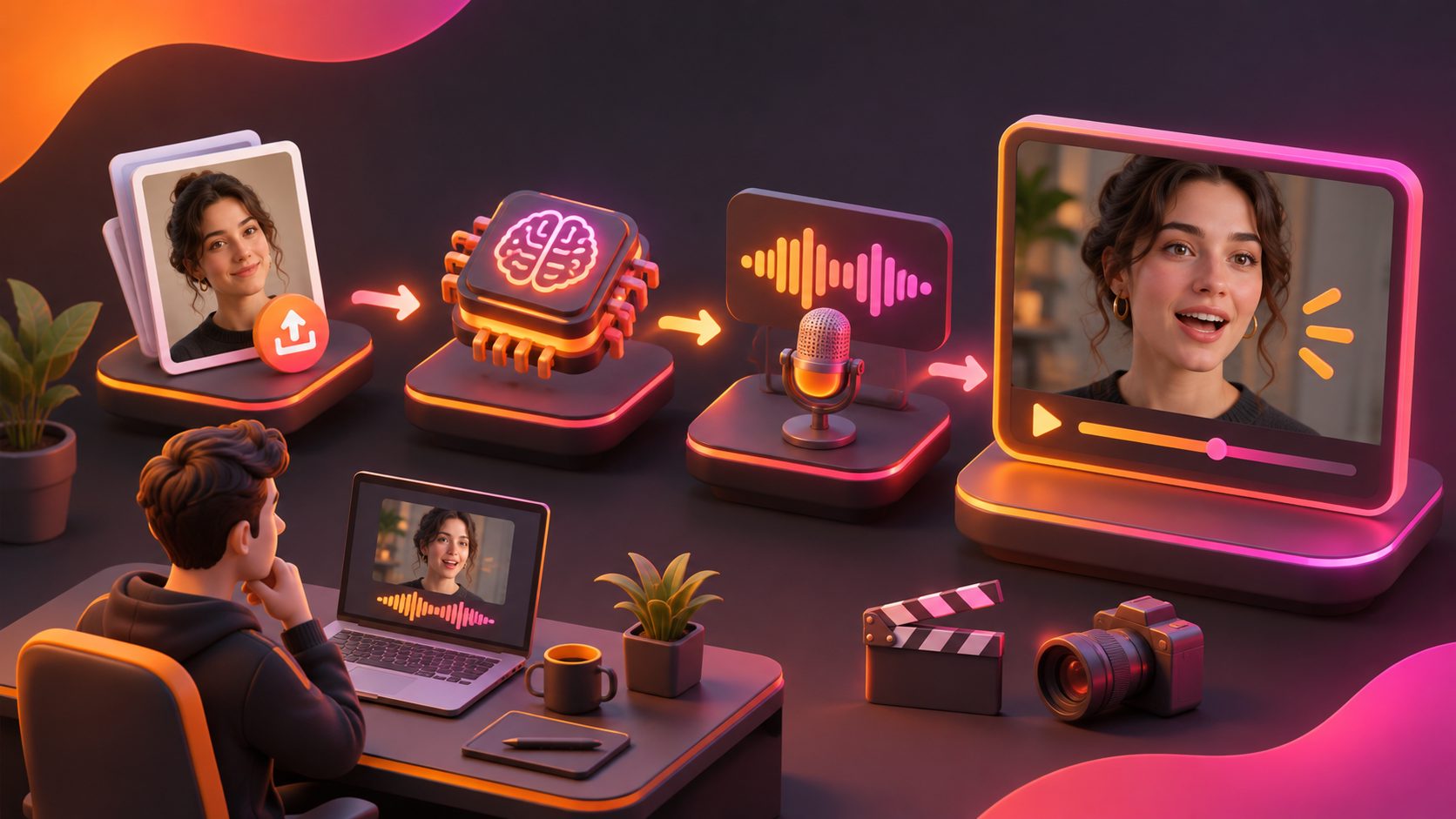
A talking photo is a short video created from one still image and a voice recording. AI analyzes the audio, generates matching mouth movements, and adds subtle facial motion so the portrait appears to speak. For ecommerce, this can turn a product spokesperson, founder portrait, or lifestyle image into a product explainer without filming a new talking-head video.
The practical answer to how to make a photo talk is simple: prepare a clear front-facing portrait, create a clean voiceover, upload both to an AI lip-sync tool, then review the result for timing, realism, and usage rights.
What Is a Talking Photo AI Video?
A talking photo AI video uses a still portrait as the visual source and audio as the motion source. The model maps speech sounds to mouth shapes while generating limited movement in the lips, jaw, eyes, and head.
This is different from a standard image-to-video effect. Image-to-video animation may add camera movement or general motion, but a talking-photo workflow must synchronize visible mouth shapes with specific speech sounds. Research on audio-driven talking portraits describes the same basic input pattern: a still face plus speech audio produces a lip-synced video. (arxiv.org)
For ads, the format works best when the message is short and useful:
- A product benefit explained in one sentence
- A founder or creator introduction
- A quick “how it works” demonstration
- A localized product message using a new voiceover
- A promotional announcement paired with product visuals
The photo does not need to carry the entire advertisement. A stronger structure is often: talking portrait for the hook, product footage for proof, and on-screen text for the offer.
How to Choose the Right Portrait
The best source image is a clear, front-facing portrait with a visible mouth, even lighting, and enough space around the face. Avoid extreme side profiles, hands covering the mouth, heavy shadows, sunglasses, and images where the face is very small.
Use this preparation checklist:
- Choose one clearly visible face. Multiple faces can make the intended speaker ambiguous.
- Keep the mouth unobstructed. Scarves, microphones, fingers, and dense facial hair may reduce mouth accuracy.
- Use a neutral or lightly expressive pose. An exaggerated smile can create unnatural mouth edges during speech.
- Prefer even lighting. Strong shadows around the nose and lips can become flickering artifacts.
- Check image quality. A compressed screenshot gives the animation less facial detail to work with.
- Confirm permission. Use your own image, a properly licensed asset, or a portrait from someone who has agreed to the intended use.
For AdsTurbo AI Lip Sync, the source is a clear front-facing JPG or PNG portrait, with a maximum image size of 10 MB, plus a prepared voiceover audio file. The portrait should be selected for facial clarity rather than artistic complexity.
A useful portrait test
Before generating, crop the image to the face and ask three questions:
- Can a viewer identify the mouth immediately?
- Is the lower half of the face free from objects?
- Does the lighting show the lips without harsh contrast?
If the answer to any question is no, choose another image before spending time on generation. In practice, a simpler portrait often produces a more believable result than a more attractive but heavily stylized image.
How to Prepare the Voiceover
The audio controls both the timing and the emotional feel of the photo talking video. Write for speech, not for a product page.
A reliable ecommerce voiceover structure is:
Problem → product benefit → specific next step
For example:
“Tired of cables taking over your desk? This compact organizer keeps every charger in one place. See the setup in our store.”
Keep the sentence easy to pronounce. Use punctuation to create pauses, and avoid stacking several claims into one breath. The person recording should speak naturally, with a steady pace and clear pronunciation.
Prepare the audio before uploading it:
- Remove long silence at the beginning and end.
- Avoid background music in the lip-sync source file.
- Use one speaker and one language per clip.
- Keep the tone aligned with the portrait.
- Review difficult words, product names, and abbreviations.
- Add pauses after the hook and before the call to action.
The audio should sound like something a real person would say aloud. A stiff script can make even accurate mouth movement feel artificial.
How to Make a Photo Talk With AI Lip Sync
Once the portrait and voiceover are ready, use this five-step workflow:
- Upload the portrait. Select a front-facing JPG or PNG image with a clearly visible mouth.
- Add the voiceover. Use the prepared audio track as the timing reference.
- Generate the talking video. The AI maps the spoken audio to lip and facial movement.
- Watch the entire result with sound. Do not judge synchronization from a muted preview.
- Export and assemble the ad. Add product footage, captions, branding, and the final call to action.
AdsTurbo’s AI lip sync workflow is designed around this image-plus-audio process. The important creative work still happens before generation: choosing the portrait, writing the spoken line, and preparing the tone, pacing, and pauses.
How to Check Whether the Result Looks Real
A talking photo can be technically synchronized and still feel unconvincing. Review it using a four-part quality check.
| Check | What to look for | Common issue |
|---|---|---|
| Timing | Mouth movement begins and ends with the voice | Delayed or early mouth motion |
| Lip shapes | Lips close on sounds such as “m,” “b,” and “p” | Mouth remains slightly open |
| Face consistency | Eyes, teeth, skin, and jaw stay stable | Flicker, warping, or drifting features |
| Performance | Expression matches the message | Cheerful face delivering a serious line |
Watch once at normal speed, then again at a slower speed if the tool allows it. Pay particular attention to the first word, stressed words, and the final call to action. These moments receive the most viewer attention and are the most damaging places for visible errors.
If the result feels unnatural, fix the source rather than only regenerating. A shorter sentence, cleaner audio, or better portrait frequently improves the outcome more than changing the visual style.
For low-resolution source footage used alongside the talking portrait, an AI video enhancer can help improve consistency between the generated speaker shot and existing product clips. Enhancement should support a clean source; it cannot reliably repair severe blur or missing facial detail.
How Ecommerce Sellers Can Use a Photo Talking Video
A talking portrait is most useful when it performs a specific communication job. Consider these applications:
Product explainers
Use a portrait to introduce one benefit, then cut to close-up product shots. This keeps the speaker section focused and gives the product visual proof.
Founder-led ads
A founder image can deliver a short brand message without scheduling a new shoot. Use only authentic claims that the person has approved.
Seasonal campaigns
Create a short announcement for a sale, launch, or collection update. Pair the spoken message with a product image and clear promotional text.
Multilingual ad testing
The same portrait can support different voiceovers for regional testing. Review pronunciation, cultural wording, and disclosure requirements before publishing each version.
Retargeting creatives
Use a talking-photo hook to address a common hesitation, such as setup difficulty or product compatibility. Keep the explanation specific and connect it to a product demonstration.
Rights, Consent, and Disclosure
Only animate images and voices you have the legal right to use. Permission should cover the intended commercial context, not merely personal or internal use. Be especially careful with employees, creators, customers, public figures, and recognizable brand ambassadors.
If a viewer could reasonably believe the person recorded the advertisement, consider adding a clear disclosure that the visual was AI-generated or AI-edited. This is not only a legal consideration; it can also protect audience trust. Industry guidance for talking-photo tools similarly recommends labeling altered media when the depicted person may appear to have personally delivered the message.
Common Questions
Can I make a photo talk from text?
Yes, if the chosen tool supports text-to-speech. For greater control over pronunciation, pauses, and delivery, prepare or upload a voiceover instead of relying only on generated speech.
What is the difference between a talking photo and a photo talking video?
“Talking photo” usually describes the source concept: a still image made to speak. “Photo talking video” describes the resulting video file, which includes the animated face and synchronized audio.
Can I use a product image to make a picture talk?
A product-only image is usually better for product animation, motion graphics, or a product video. Talking-photo lip sync works best when the image contains a clearly visible human face.
Why does my talking photo look unnatural?
The most common causes are a side-facing portrait, an obstructed mouth, poor lighting, unclear audio, or a script with unnatural pacing. Improve the portrait and voiceover before changing the advertising concept.
Should I add captions?
Yes. Captions make the message easier to follow with sound off and help reinforce the main benefit. Keep the captions synchronized, readable, and separate from important facial features.
A strong workflow for how to make a photo talk is not just “upload an image and press generate.” The result depends on the relationship between three inputs: a suitable portrait, deliberate voiceover timing, and a short message that fits the role of the speaker. When those inputs are prepared carefully, a still image can become a practical creative asset for product explainers, paid social testing, and localized ecommerce campaigns.