作者:adsturbo.ai|发布日期:2026-09-20|更新日期:2026-09-20
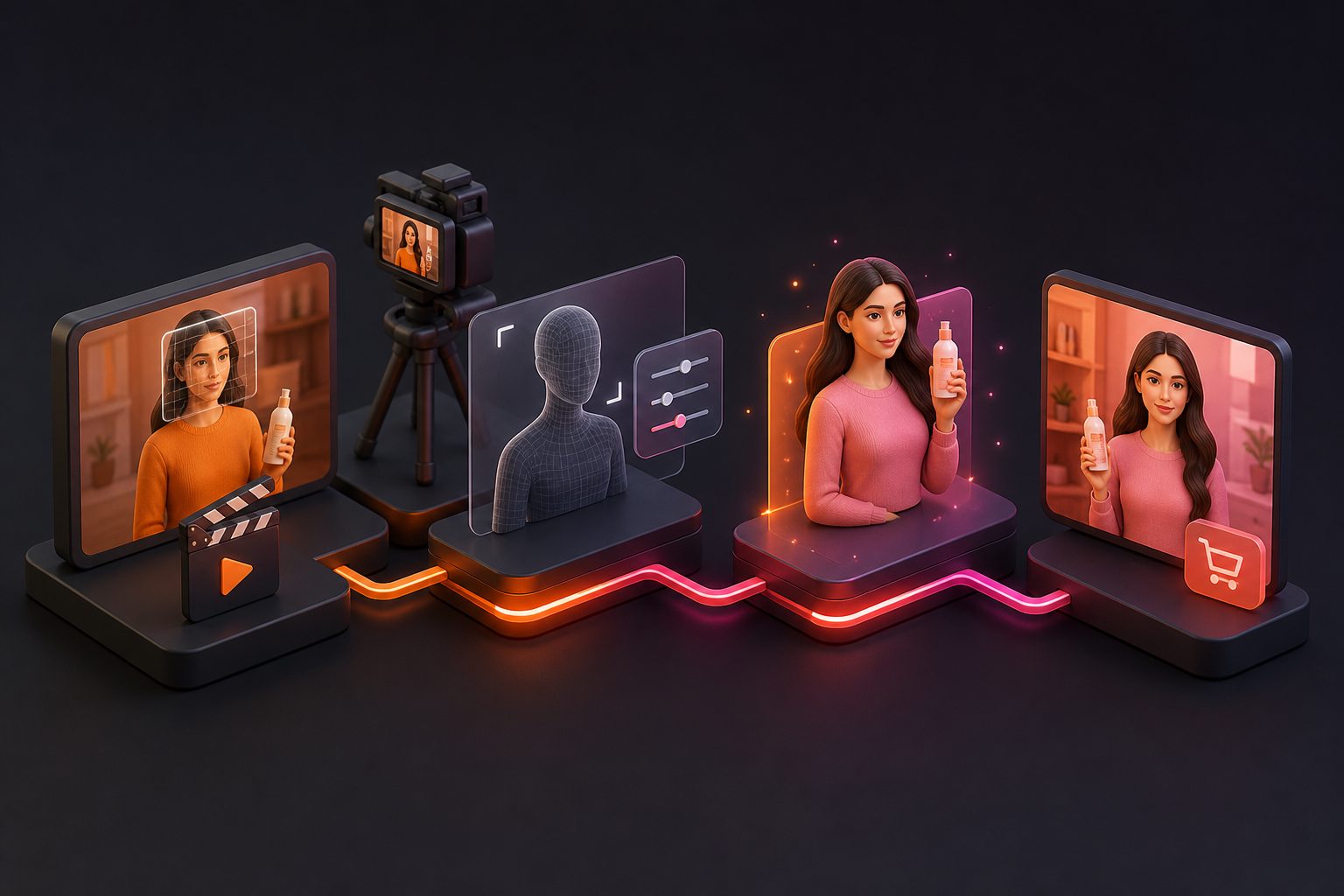
A product photo to unboxing video ai workflow turns a static product image into a short reveal-style video for TikTok, Instagram Reels, YouTube Shorts, product pages, or paid ads. For ecommerce sellers, the most useful approach is not to fake every physical detail. It is to use the product photo as the visual anchor, then build a believable opening sequence around the product, its benefits, and the intended audience.
Current AI product-video tools commonly support presets such as product showcase, lifestyle motion, 360-degree views, and unboxing reveals. Some workflows use only a product image, while others add a reference video, packaging image, presenter, or voiceover. (wandura.ai)
What is product photo to unboxing video AI?
Product photo to unboxing video AI is an image-to-video workflow that uses a product image to create a simulated opening, reveal, close-up, or first-impression video. It is especially useful when a seller has product photos but lacks filmed footage, creators, studio equipment, or finished packaging content.
A typical output may include:
- A box or parcel entering the frame
- Hands opening or lifting packaging
- A product reveal
- A close-up of texture, color, or key detail
- A simple product benefit or promotional message
- Captions, music, narration, or a final call to action
The important distinction is between a simulated unboxing and a documentary unboxing. A generated clip can communicate anticipation and product appeal, but it should not imply that a real customer opened a specific package if that did not happen. For accurate ecommerce marketing, describe it as a product reveal, product showcase, or AI-generated concept when appropriate.
What input works best for a realistic product reveal?
A clear product image on a plain background is usually the strongest starting point because the system can identify the product’s outline, colors, and major visual features more easily. AdsTurbo Product Image accepts JPG and PNG product images, and clear photos on a solid-color background are recommended for the best results.
Before generating, check these five elements:
- Product visibility: The full item should be visible without fingers, stickers, or heavy shadows covering important areas.
- Correct proportions: Avoid extreme cropping or wide-angle distortion.
- Readable identity: Logos, labels, buttons, patterns, and distinctive materials should be sharp.
- Single-product focus: Do not place several unrelated products in one image unless the bundle is intentional.
- Useful selling point: Add one or two real benefits, such as portability, storage capacity, softness, or setup speed.
A white-background image is excellent for product accuracy, but it does not automatically create a convincing lifestyle scene. The prompt or workflow must supply the missing context: packaging style, camera distance, hand movement, lighting, pacing, and the reveal moment.
How do you turn one product photo into an unboxing-style video?
Use this five-step workflow to move from a static image to a usable short-form ad.
1. Prepare the product image
Start with a JPG or PNG that shows the product clearly. If the original image is too small or compressed, use an upscaling step before video generation. AdsTurbo provides AI Upscaling with before-and-after preview and 4K video export support for suitable video workflows.
Do not add claims that cannot be confirmed from the product image or product page. If the product is waterproof, certified, medical, edible, or safety-related, use only verified product information in the script.
2. Define the reveal concept
Choose one simple story instead of asking the model to show everything. For example:
- “A creator opens a compact shipping box and reveals a travel organizer.”
- “A beauty product is unwrapped on a clean bathroom counter, followed by a close-up of the bottle.”
- “A gift box opens to reveal a jewelry piece, with a macro shot of the finish.”
The strongest concepts usually have one clear tension-and-payoff structure: closed package → anticipation → reveal → useful detail → action.
3. Add the audience and selling point
A product reveal becomes more useful when it answers why someone should care. Add the intended audience and one observable benefit:
“Create a vertical 9:16 product reveal for busy parents. Show the compact size, the zipper detail, and how easily it fits into a tote. Keep the product shape and color consistent.”
This is more reliable than a vague instruction such as “make it viral.” It gives the generation system concrete visual priorities.
4. Generate several short variations
Create variations with different opening moments rather than changing only the background. Useful variables include:
- Overhead unboxing versus handheld close-up
- Fast reveal versus slow premium reveal
- Creator-style presentation versus clean product commercial
- Product benefit first versus packaging reveal first
- English captions versus localized versions
AdsTurbo supports product videos, ad cloning, motion control, character replacement, video translation, subtitles, and background replacement. Its advanced plans also support team workflows, API access, and custom workflows, which can help sellers turn one creative concept into a repeatable production process.
For a broader ecommerce testing system, see this guide to ecommerce video ads and creative testing.
5. Add captions and export for the platform
Short-form viewers often watch without sound, so captions should carry the essential message. AdsTurbo Video Subtitle can automatically transcribe speech, generate synchronized captions, translate them, and export either a video with burned-in subtitles or a separate subtitle file.
Use platform-specific framing:
- 9:16: TikTok, Instagram Reels, and YouTube Shorts
- 1:1: Some feed placements and product catalog uses
- 16:9: Desktop placements, landing pages, and traditional video inventory
Keep the first visual moment focused. A box, hand, or product should appear immediately rather than spending several seconds on an empty scene.
How can you make an AI unboxing video feel credible?
The most useful quality-control method is a three-part Unboxing Reality Check:
| Check | Question | What to fix |
|---|---|---|
| Identity | Does the product still look like the source image? | Correct warped labels, missing parts, wrong colors, or changed proportions. |
| Physical logic | Could the hands, box, and product realistically move this way? | Remove impossible grips, floating objects, unnatural openings, or excessive camera motion. |
| Commercial clarity | Can a viewer understand the product and benefit quickly? | Shorten the setup, enlarge the key detail, and make the CTA specific. |
This framework adds an important step that many image-to-video tutorials skip: visual excitement is not enough if the product identity becomes unreliable. A beautiful reveal that changes the package, material, or product shape can create confusion and reduce buyer trust.
For sellers without final packaging, use language such as “concept reveal” or “inspired product showcase.” For finished products, compare the generated frames against the original listing images before publishing.
When should you use product photo-to-video instead of filmed UGC?
Use AI-generated product video when speed, variation, or localization matters more than documentary authenticity. It is a strong fit for:
- New product launches before a creator campaign is available
- Testing multiple hooks for one SKU
- Affiliate and micro-creator content concepts
- Seasonal offers and promotional campaigns
- Cross-border versions with translated captions or narration
- Product catalogs that need many lightweight video assets
Use real filmed UGC when the selling point depends on genuine physical proof, such as a real fit test, unedited reaction, long-term use result, or hands-on demonstration. AI can visualize a concept, but it should not replace evidence that customers reasonably expect to be real.
AdsTurbo also supports long-video repurposing into captioned short clips, which can be useful when a brand already has authentic footage and wants to combine it with AI-generated product variations. A related workflow is bulk SKU video ad generation for ecommerce.
Common questions about AI product unboxing videos
Can one product photo create a complete unboxing video?
Yes, one clear product photo can be used as the visual reference for a short simulated reveal. However, the image alone may not contain enough information about the real packaging, interior layout, accessories, or product operation. Add verified details or packaging references when accuracy matters.
Does a white-background product photo look too plain?
Not necessarily. It is often a strong source image because the product is easy to isolate and preserve. The scene becomes more engaging when the workflow adds controlled motion, a relevant surface, realistic lighting, and one clear reveal action.
Can the same video be localized for different markets?
Yes. AdsTurbo supports video translation and multilingual subtitle workflows. Sellers can also vary the voice, character, captions, and CTA while keeping the core product concept consistent.
Should AI unboxing videos include a person?
Only when a person adds a clear role, such as presenting the product, demonstrating scale, or delivering a short recommendation. A human presenter is not required for a premium product reveal or macro showcase. AdsTurbo provides more than 300 AI actors for workflows that need a presenter, but the selected character should match the audience and product category.
What should the final CTA say?
Keep it specific and low-friction: “See the full color range,” “Shop the starter set,” “Explore the details,” or “Save this product for your next trip.” Match the CTA to the destination rather than using a generic “buy now” on every version.
Final takeaway
A product photo is enough to begin an AI unboxing-style video, but the strongest results come from treating it as a structured product story: preserve identity, create a believable reveal, show one useful detail, and finish with a platform-ready CTA. The product photo to unboxing video ai workflow is most valuable when it helps ecommerce sellers produce and compare multiple credible creative directions—not when it tries to replace every form of real product evidence.