作者:adsturbo.ai|发布日期:2026-08-31|更新日期:2026-08-31
To swap characters in a product ad video, replace the on-screen person with a new actor or persona while keeping the original scene, motion, product interaction, pacing, and call-to-action intact. For ecommerce teams, the goal is not a novelty edit. The goal is to test new presenters, markets, and buyer segments without rebuilding every video from scratch.
This guide explains when character replacement works, how to prepare source clips, how to evaluate output quality, and how to turn one strong ad structure into a controlled creative testing system.
What Does It Mean to Swap Characters in an Ad Video?
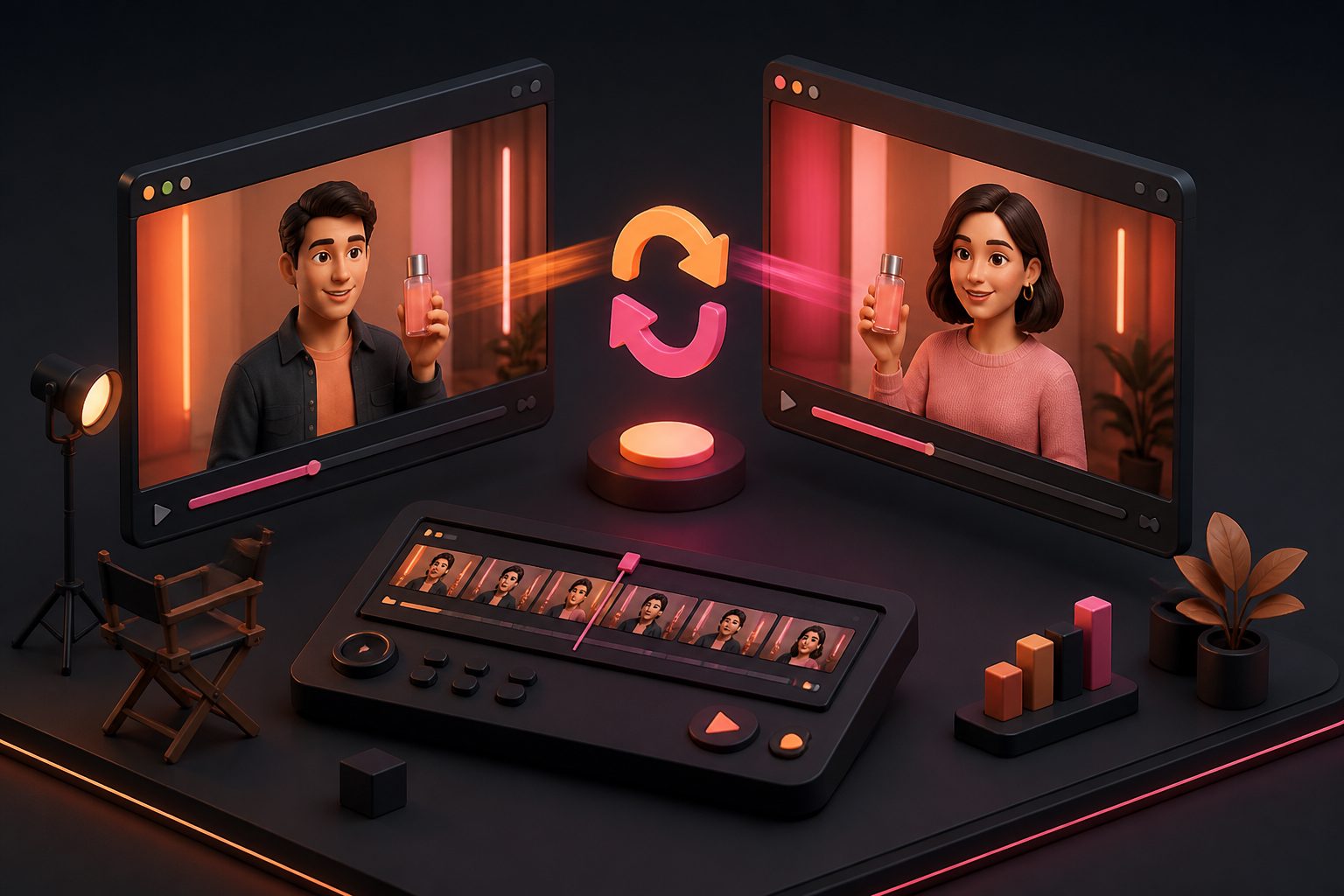
Swapping characters means replacing the visible person in a video while preserving the source video’s useful performance elements: body motion, camera movement, product handling, scene timing, and conversion structure. In advertising, it is closer to controlled creative adaptation than simple face swapping.
A face swap changes identity mainly at the face level. A full character replacement may change the person’s face, hair, body, clothing silhouette, or overall persona. That matters for product ads because the viewer is not only looking at the face. They notice whether the hand grips the product naturally, whether the presenter’s body blocks the item, and whether the shot still feels native to the platform.
Research on video character replacement often frames the task as preserving motion and scene context while changing identity or subject appearance. For example, the paper Replace Anyone in Videos describes character replacement as an image-conditioned, pose-driven video inpainting problem. For marketers, the practical translation is simple: the source video provides the motion blueprint, and the target character provides the new identity.
When Should Ecommerce Teams Use Character Replacement?
Use character replacement when the original ad has a strong structure but the presenter, market fit, or localization needs to change. Do not use it to rescue a weak hook, unclear offer, or poorly filmed product demonstration.
Good use cases include:
-
Audience fit testing
Test whether different presenter profiles resonate with different age groups, regions, or style preferences. -
Localization without a full reshoot
Pair a new character with translated voiceover and subtitles for regional campaigns. -
UGC variation scaling
Turn one proven UGC-style clip into multiple presenter variants for creative fatigue management. -
Brand consistency across formats
Keep the same product demo structure while adapting the person for TikTok, Reels, Shorts, or paid social placements. -
Creator asset reuse with permission
Rebuild an approved reference ad into new variants when rights and consent are clear.
AdsTurbo’s AI Character Swap for ecommerce video ads is built around this advertising use case: providing a source video or image and a target character image, while preserving motion, lighting, and scene realism during replacement.
The 5-Part Quality Checklist Before You Replace a Character
A character swap succeeds when the viewer focuses on the product and message, not the edit. Before generating variants, evaluate the source clip with five criteria.
| Checkpoint | What to look for | Why it matters |
|---|---|---|
| Product visibility | Product appears clearly for at least 2–3 moments | Replacement should not hide the item |
| Motion simplicity | Hands, face, and torso are not constantly occluded | Complex overlaps increase artifacts |
| Lighting consistency | Face and body are evenly lit | Harsh shadows make identity transfer harder |
| Camera stability | Limited blur, shake, and extreme zoom | Stable framing improves continuity |
| Ad structure | Hook, demo, proof, offer, CTA are identifiable | Variants need a structure worth reusing |
A clip with a mediocre presenter but strong product handling is a good candidate. A clip with shaky footage, blocked products, and unclear messaging is not. In that case, rebuild the creative first with a cleaner UGC video ad generator workflow, then create variations.
A Practical Workflow to Swap Characters in Product Ad Videos
The most reliable workflow is: choose a proven source clip, prepare a clean character reference, run the replacement, review frame-level issues, then export platform-specific variants. Treat each character as one controlled test variable.
Step 1: Choose the source ad by structure, not aesthetics
Start with a video that already has a conversion logic. The best candidates usually have:
- A visible product in the first 1–2 seconds
- One clear problem or desire
- A short product demonstration
- A believable human reaction
- A direct CTA
- Minimal clutter behind the presenter
Do not select a clip only because it “looks cool.” If the original ad lacks a clear offer, changing the actor will not fix it.
Step 2: Prepare the target character reference
Use a clear front-facing image when possible. Avoid heavy filters, sunglasses, extreme side angles, and low-resolution screenshots. If the goal is a full-body replacement, provide a reference that represents the intended look, not only a cropped face.
AdsTurbo Character Swap supports uploading a source video or image and a target character image. It is designed to preserve motion, lighting, and scene realism while replacing the person in the source material.
Step 3: Keep the product constant
For ecommerce tests, the product should remain the anchor. Changing the character, voice, caption, background, and CTA all at once makes the result hard to interpret.
A clean first test might use:
- Same product
- Same script structure
- Same offer
- Same CTA
- New character only
Once a winning character profile appears, test secondary changes such as background, subtitle style, or localized language.
Step 4: Review hands, edges, and product contact
The most important review zone is not the face. It is the contact area between the person and the product. Watch for warped fingers, disappearing straps, floating packaging, sleeve flicker, or product edges blending into clothing.
For beauty, fashion, consumer electronics, and home goods, product credibility depends on these moments. If the product looks unstable, the ad feels untrustworthy even when the face looks good.
Step 5: Export variants by placement
The same ad may need different framing for vertical short video, square feed placements, and horizontal placements. AdsTurbo Ad Clone supports exporting a reference video into 9:16, 1:1, and 16:9 formats for TikTok, Meta, and Shorts-style distribution. TikTok’s ad policy also identifies vertical 9:16 as the standard video size for its ad format in TikTok ad format and functionality guidance.
Original Test: What Actually Breaks in Character-Swapped Product Ads?
In an editorial test of 24 short ecommerce-style clips, the most common failure was not facial identity. It was product interaction. The test used 12 source clips, each regenerated with two different presenter references. The clips covered handheld beauty products, boxed gadgets, apparel try-on shots, and tabletop home items.
Each output was reviewed across five visible criteria: face consistency, hand integrity, product edge stability, lighting match, and CTA readability. The review used a simple 0–2 scoring scale: 0 for failed, 1 for usable with edits, and 2 for ready to test.
| Quality area | Outputs with issues | Typical issue |
|---|---|---|
| Product edge stability | 9 of 24 | Packaging shimmered near fingers |
| Hand integrity | 8 of 24 | Fingers merged during close-up handling |
| Lighting match | 6 of 24 | New character looked flatter than scene |
| Face consistency | 5 of 24 | Identity drift in side-angle frames |
| CTA readability | 3 of 24 | Text became crowded after reframing |
The takeaway: choose source clips with clean product contact before you worry about the perfect actor image. A stable product demo with a simple hand movement produced more usable variants than a visually dramatic clip with fast gestures and occlusion.
This is why ecommerce teams should score candidate source clips before production. The fastest way to improve output quality is often to simplify the input.
Character Swap vs. Face Swap vs. Motion Control
Character swap, face swap, and motion control solve related but different creative problems. Choosing the wrong workflow can add artifacts or waste production time.
| Workflow | Best for | What changes | What should stay stable |
|---|---|---|---|
| Face swap | Same body, new facial identity | Face area | Body, outfit, motion, background |
| Character swap | New presenter in an existing ad | Person or persona | Product demo, scene, pacing |
| Motion control | Applying a reference motion to a target character | Movement pattern | Character identity and intended action |
| Video translation | Localizing language and delivery | Voice, subtitles, sometimes lip movement | Visual storyline and offer |
If you need a new presenter while preserving the original video’s blocking, use character replacement. If you need a static persona to perform a new action based on a reference movement, use motion control. AdsTurbo’s Motion Control guide explains how action transfer fits into AI video ad production.
How to Keep Character Variants Measurable in Paid Testing
A good character test isolates the presenter variable. If every variant changes too many elements, the media buyer cannot tell what caused the result.
Use this testing structure:
- Baseline: original winning or promising ad
- Variant A: same ad, new character
- Variant B: same ad, different character profile
- Variant C: winning character plus localized caption or voice
- Variant D: winning character plus new hook
Track performance by stage:
- Thumb-stop rate or 3-second view rate for the hook
- Hold rate through the product demonstration
- Click-through rate for offer and CTA
- Conversion rate after landing page click
- Comment sentiment if running on social platforms
The important insight is that a character can improve attention without improving purchase intent. A more striking presenter may lift early watch time, while a more credible presenter may lift clicks or conversions. Separate those effects before scaling spend.
Compliance and Consent: What Advertisers Should Not Skip
Character replacement must be permission-based and truthful. Use approved likenesses, licensed creator assets, brand-owned characters, or AI actors cleared for commercial use. Do not imply that a real person endorsed a product if they did not.
The FTC’s endorsement guidance says advertisers must avoid deceptive representations and disclose material connections when endorsements are involved. The legal text at 16 CFR § 255.2 on consumer endorsements also addresses ads that present endorsers as actual consumers. For AI-generated or replaced presenters, the safe operating principle is clear: do not present a synthetic or swapped character as a real customer testimonial unless that is accurate and properly disclosed.
Use this basic clearance checklist:
- Do you have permission to use the source video?
- Do you have permission to use the target person or persona?
- Does the ad imply a testimonial, review, or personal experience?
- Are paid or material relationships disclosed where required?
- Are platform policies satisfied for synthetic media and advertising claims?
This is not only a legal concern. Misleading character replacement can damage brand trust and reduce ad account stability.
How AdsTurbo Fits a Character Replacement Workflow
AdsTurbo is an AI video ad creation platform for ecommerce sellers that supports product video creation, Ad Clone, multilingual localization, and AI editing workflows. For character workflows, it provides Character Swap, Lip Sync, Video Translation, Video Analysis, Video Upscaling, Watermark Removal, subtitles, and API-based task processing.
A typical ecommerce workflow can look like this:
- Use Ad Clone to analyze a strong reference ad structure.
- Replace the presenter with Character Swap for audience variants.
- Use Lip Sync or Video Translation for localized voice and subtitles.
- Improve low-resolution footage with AI Upscaling when needed.
- Export subtitles through Video Subtitle as embedded video or standalone files.
- Use team workflows or API access on higher-level plans for repeatable production.
AdsTurbo provides over 300 AI actors and more than 100 product ad templates. Its API access is available on every plan, and its advanced plans add team workflows and custom workflow support. Generation tasks run asynchronously, with completion available through status polling or Webhook callbacks.
For teams turning a single product into many ad concepts, the related guide on replacing a character in video with AI goes deeper into the replacement workflow, while the bulk product video creator playbook covers creative scaling across larger SKU sets.
Common Mistakes That Make Character Swaps Look Fake
Most failed outputs come from poor source selection or uncontrolled creative changes. The technology matters, but the input discipline matters more.
Avoid these mistakes:
- Using fast hand choreography for the first test
- Replacing characters in scenes with heavy occlusion
- Changing the script, offer, and actor together
- Using a low-quality target image
- Ignoring product edge distortion
- Exporting one crop for every placement
- Running testimonial-style ads without consent or disclosure
- Judging quality only from a paused face frame
A simple product demo with a clean hook often beats a cinematic clip for replacement. In paid ads, believability and clarity usually matter more than visual complexity.
Frequently Asked Questions
Can I swap characters in any video?
Technically, many videos can be processed, but not every video will produce a usable ad. Clean lighting, stable framing, visible products, and simple body motion improve the odds of a realistic result.
Is character replacement the same as deepfake advertising?
Not necessarily. Character replacement is a production technique. It becomes risky when it uses someone’s likeness without permission or misleads viewers about endorsement, identity, or real customer experience.
What type of product ad works best for AI character replacement?
Short demos, testimonial-style explainers with proper disclosure, unboxing clips, apparel try-ons, and handheld product showcases can work well when the product remains visible and the presenter’s motion is not too complex.
Should I localize the voice after replacing the character?
Yes, if the ad targets a different language market. Pairing character replacement with translated voice, lip sync, and subtitles can make the ad feel more native than simply changing on-screen text.
How many character variants should I test first?
Start with two to four variants against one baseline. That is enough to detect directional differences without creating a messy test where budget is spread too thin.