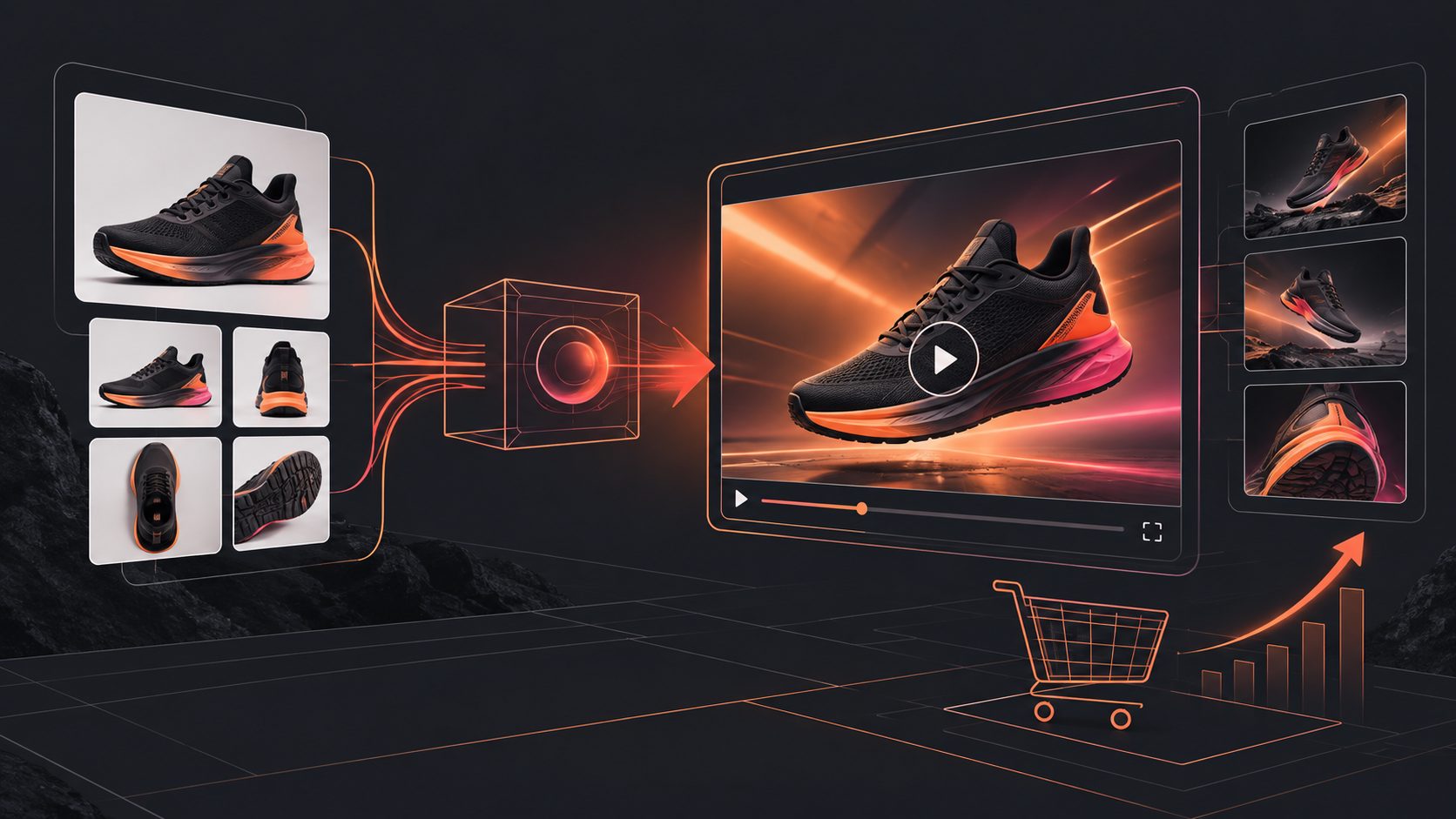
Temu Product Image to Video Ad: A Seller Workflow


Summarize with
Summary
Turn Temu product images into listing-ready and TikTok-style video ads with a practical shot framework, format checklist, captions, and testing workflow.
By adsturbo.ai | Published 2026-11-04 | Updated 2026-11-04
A Temu product image to video ad turns static listing assets into a short, visual sales message for a Temu product page, TikTok, Reels, or Shorts. The strongest workflow is not simply adding zoom effects: it maps one product image to a hook, proof moment, benefit, and call to action, then exports the same idea in platform-specific formats.
For US-based cross-border sellers, this approach reduces production time while keeping the product recognizable. It also makes it easier to test different hooks without rebuilding every video from scratch.
What is a Temu product image to video ad?
A Temu product image to video ad is a short product creative built from one or more product photos, selling points, promotional details, or reference footage. It can be used as a listing video or adapted into a paid or organic short-form ad.
Temu’s Partner Platform documentation separates product video from detail video. The product video allows up to 60 seconds, requires at least 720p resolution, and supports common video formats. Temu also lists a detail-video format of up to 180 seconds for product descriptions. (partner.temu.com)
For TikTok-style distribution, the creative should be treated differently. TikTok recommends vertical 9:16 video, clear captions, visible product benefits, and a strong opening in the first few seconds. Its small-business guide identifies 21–34 seconds as a useful range for many in-feed ads, although the right duration depends on the product and message. (ads.tiktok.com)
What should a seller prepare before generating the video?
Start with a clean product image, not a crowded screenshot. A clear JPG or PNG photo on a plain background gives the system more reliable visual information about the product’s shape, color, and category.
Prepare these four inputs:
- Primary product image: Show the complete item at a readable size.
- Selling point: Choose one benefit, such as faster setup, easier storage, portability, or a visible use case.
- Offer detail: Add a discount, bundle, coupon, or seasonal message only when it is accurate.
- Target placement: Decide whether the output is for a Temu listing, TikTok, Instagram Reels, YouTube Shorts, or a paid social campaign.
AdsTurbo Product Image accepts JPG and PNG product images. Its product-image workflow can generate multiple visual types, including banners, lifestyle scenes, close-ups, material details, usage instructions, and branded images. This gives sellers more than a single animated still to work with.
A useful preparation rule is one image, one claim, one action. If the image tries to communicate five benefits at once, the video usually becomes visually busy and difficult to understand.
How do you turn a static product image into a short video?
Use a four-beat structure that preserves product clarity while introducing motion:
1. Hook: show the product immediately
Open with the product at a large scale. Use a gentle push-in, rotation, crop change, or transition from a problem scene to the product.
Avoid a long logo animation. The viewer should understand what is being sold before the first sentence finishes.
2. Proof: demonstrate one visible detail
Move from the main image to a close-up or generated usage scene. For example, a storage product can show its folded size, while a kitchen accessory can show the action it enables.
The proof should be visual rather than a list of adjectives. “Compact” is weaker than showing the item beside a bag or drawer.
3. Benefit: connect the feature to a shopping reason
Use one short caption or voiceover line. Examples include:
- “Set it up in seconds.”
- “Keeps small items organized.”
- “Designed for everyday carry.”
- “A simple upgrade for limited space.”
AdsTurbo Video Subtitle can automatically transcribe speech and create time-synced captions. Subtitle layouts can be adapted for TikTok, Instagram Reels, and YouTube Shorts, where text must remain readable on a small vertical screen.
4. CTA: make the next step specific
End with a direct action such as “See available colors,” “Check today’s offer,” or “View the product on Temu.” Keep the CTA visually separate from the product name and price so the closing frame does not become cluttered.
How should one creative become multiple ad sizes?
A listing video and a TikTok ad may use the same product idea, but they should not use the same composition automatically.
| Use case | Recommended creative priority | Practical output |
|---|---|---|
| Temu product page | Product clarity and detail | Product-focused video with readable demonstrations |
| TikTok or Reels | Fast hook and native pacing | Vertical 9:16 video with captions |
| Meta feed | Clear product and offer | 1:1 or 4:5 adaptation when appropriate |
| YouTube Shorts | Immediate context and retention | Vertical short with a strong first frame |
| Display or email | Simple message and legibility | Short loop or square product motion |
Temu’s published listing requirements include multiple image ratios for apparel and non-apparel products, while its product-video specification does not restrict the aspect ratio. Sellers should still create separate layouts rather than placing a vertical video inside a small centered frame. (partner.temu.com)
For TikTok, keep captions and important product details away from interface controls. TikTok’s creative guidance emphasizes vertical presentation, at least 720p quality, safe-zone awareness, and showing the main message early. (ads-useast2a.tiktok.com)
A practical testing framework for Temu sellers
Most product-image workflows focus on generating one attractive video. A more useful approach is to create a three-layer variation set:
- Layer 1: Hook variation — problem, curiosity, transformation, or price-led opening.
- Layer 2: Proof variation — close-up, lifestyle scene, demonstration, or comparison.
- Layer 3: CTA variation — explore, shop, compare colors, or claim an offer.
This produces structured creative variations instead of random edits. For example, one product can have a “small-space problem” hook with a storage demonstration, a “daily convenience” hook with a lifestyle scene, and a “gift idea” hook with a branded presentation.
The key measurement is not only clicks. Review:
- Three-second hold rate
- Average watch time
- Percentage watched
- Click-through rate
- Add-to-cart rate
- Conversion rate by creative angle
If viewers leave before the product is clearly shown, fix the opening. If watch time is strong but clicks are weak, strengthen the benefit or CTA. If clicks are strong but purchases are weak, check whether the video accurately represents the product, variant, size, and offer.
AdsTurbo supports product video generation, ad cloning, motion control, lip sync, character replacement, translation, upscaling, background replacement, and subtitle generation. Its Ad Clone workflow can analyze a reference video of up to 12 seconds and generate structured advertising variations, which is useful when a seller wants to study pacing and CTA logic without copying another brand’s identity.
For a broader image-first testing process, see this guide to dropshipping product screenshots to video ads. For platform-safe caption placement, use the TikTok Ads safe-zone layout guide.
How can sellers localize and repurpose the same asset?
Localization should change more than the subtitle language. Adapt the voiceover, on-screen wording, character, pacing, and offer context to the target audience.
AdsTurbo supports video translation, multilingual subtitles, AI actors, face swap, lip sync, and character replacement. A seller can therefore preserve the same product demonstration while testing different presenters or language versions. Use the same core claim across versions so performance differences are easier to interpret.
For long-form source footage, AdsTurbo can also automatically cut videos into subtitled short clips and provide editing and translation tools. This is useful when a seller has a supplier demonstration, unboxing video, or live-stream recording but needs several shorter creatives.
Common questions about Temu product image video ads
Can one product image create a useful video?
Yes. A single clear product image can support motion effects, close-up crops, lifestyle staging, captions, and a simple product demonstration. More images improve accuracy when the product has multiple sides, colors, or usage steps.
Should the Temu listing video be the same as the TikTok ad?
Not exactly. The listing version should prioritize product detail and accurate representation. The TikTok version should prioritize the first-second hook, vertical framing, captions, and a natural-feeling pace.
What file type should the product image use?
JPG and PNG are practical choices. AdsTurbo Product Image supports both formats, and clean product photography on a plain background generally gives the most dependable starting point.
How many variations should a seller make?
Start with three distinct angles rather than ten nearly identical edits: one problem-led, one demonstration-led, and one offer-led. Keep the product, core claim, and landing destination consistent so the test produces useful insight.
Can generated videos include subtitles?
Yes. AdsTurbo Video Subtitle can transcribe speech, generate synchronized captions, translate subtitles, and export either a video with embedded captions or a separate subtitle file.
A Temu product image becomes more valuable when it is treated as the first frame of a controlled creative system—not the finished advertisement. Build one clear message, create platform-specific compositions, and test hooks, proof, and CTAs as separate variables.