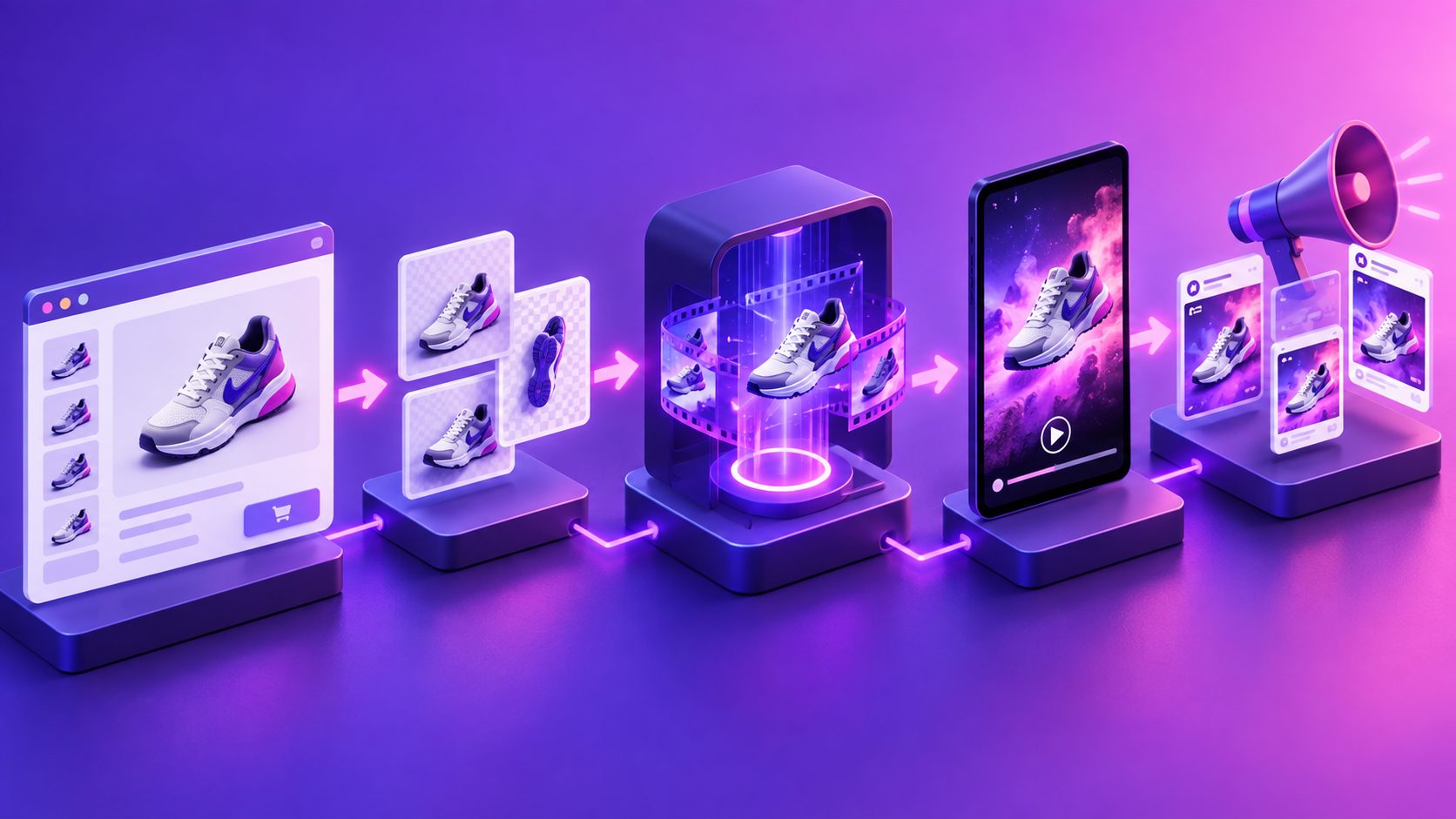
Turn Amazon Live into Video Ads: A Practical Repurposing Workflow


Summarize with
Summary
Learn how to turn Amazon Live into video ads for Sponsored Brands and short-form campaigns by extracting proof, hooks, demos, and CTAs. Start building more testable creative.
By adsturbo.ai | Published 2026-11-13 | Updated 2026-11-13
Amazon Live recordings contain demonstrations, objections, product proof, and creator commentary that can become paid creative. To turn Amazon Live into video ads, the key is not simply cutting the livestream into shorter pieces. It is restructuring a long shopping conversation into focused ads for Sponsored Brands, Sponsored Products video, social campaigns, and retargeting.
Amazon describes Live as an interactive shopping format where brands and creators demonstrate products, answer questions, and guide shoppers through product carousels. That makes a replay a valuable research asset—but not automatically a finished ad. (sellercentral.amazon.com)
What makes an Amazon Live replay useful for advertising?
An Amazon Live replay is useful because it captures real explanations and reactions that are difficult to reproduce in a scripted product shoot. The strongest sections usually include a visible product demonstration, a direct answer to a shopper question, a comparison, a use case, or a clear reason to buy now.
The important distinction is this:
A livestream is organized around conversation; a video ad is organized around one conversion argument.
A 45-minute stream may cover ten features, three products, several promotions, and unrelated chat moments. A paid ad normally needs one audience, one problem, one proof point, and one next action.
Amazon’s official video advertising guidance also separates video placements by objective and format. Sponsored Brands video appears in shopping results and connects shoppers with a brand or product, while broader Amazon video placements can reach audiences across Amazon properties and premium inventory. (advertising.amazon.com)
Which parts of a livestream should become ad clips?
Start by tagging the replay instead of editing from beginning to end. A practical extraction grid is:
| Replay moment | Advertising role | Example output |
|---|---|---|
| Product shown in use | Demonstration | “See how it works” video |
| Host answers a question | Objection handling | “Is it suitable for small spaces?” |
| Close-up or comparison | Proof | Feature-versus-alternative clip |
| Customer reaction or chat theme | Social relevance | Problem-led hook |
| Offer or event mention | Conversion push | Limited promotion variation |
| Setup, unboxing, or process | Product education | New-to-brand explainer |
The most valuable clip is not always the most entertaining one. For ecommerce ads, a plain explanation that removes purchase hesitation may outperform a high-energy introduction.
A useful editing rule is to score each moment from 1 to 5 on four dimensions:
- Clarity: Can a new viewer understand the product quickly?
- Proof: Does the footage show, test, compare, or demonstrate something?
- Tension: Does it address a real concern or desired outcome?
- Editability: Can the section stand alone without several minutes of context?
Clips scoring 15 or higher become first-priority candidates. This scoring model is an original production filter, not an Amazon performance benchmark. Its purpose is to prevent teams from selecting clips based only on views or host enthusiasm.
How to turn one long replay into multiple ad concepts
Do not create ten versions that say the same thing. Build a claim matrix in which every cut has a different reason to watch.
For one product, a single Amazon Live replay might produce:
- Problem-first ad: Open with the pain point discussed during the stream.
- Demo-first ad: Show the product performing its main action immediately.
- Objection-first ad: Use the host’s answer to a common concern.
- Comparison ad: Contrast the product with a familiar alternative.
- Offer-led ad: Lead with the promotion, then justify the purchase.
- Founder or creator explanation: Retain personality for consideration-stage audiences.
- Feature stack ad: Combine three short proof points around one use case.
- Retargeting reminder: Reintroduce the product to viewers who already engaged.
This approach preserves the original stream’s authenticity while giving each ad a separate testing hypothesis. It is more useful than producing eight visually different edits with identical messaging.
For a deeper batching process, the ecommerce creative batching system provides a repeatable structure for organizing hooks, claims, formats, and testing groups.
How should the clips be restructured for Sponsored Brands video?
Sponsored Brands video should be edited for shopping-result behavior, not livestream viewing behavior. The viewer may encounter the ad while comparing products, so the product and benefit need to appear before the context becomes important.
A practical structure is:
- First 1–2 seconds: Show the product, result, or strongest visual action.
- Next 3–6 seconds: State the problem or benefit in plain language.
- Middle section: Demonstrate the feature or answer the objection.
- Final seconds: Reinforce the product identity and next step.
Avoid beginning with “Welcome back,” a long host introduction, a logo animation, or a reference to something said several minutes earlier. Those elements make sense in a live session but delay relevance in an ad.
Retain natural creator language when it improves trust, but remove filler, repeated transitions, dead air, and audience-management phrases. Add captions because many shoppers encounter video without relying on audio. Keep text readable, concise, and synchronized with the spoken claim.
Amazon’s own Live guidance emphasizes product storytelling, audience engagement, and driving traffic to the stream. Repurposing adds a second layer: converting that storytelling into assets that can work outside the original live-shopping context. (advertising.amazon.com)
How can sellers adapt one clip for multiple placements?
A strong master edit should be created before resizing. Build the narrative in a clean frame, then adapt the composition for each placement:
- Vertical 9:16: Keep the face and product within the center-safe area.
- Square 1:1: Reduce side space and enlarge the product demonstration.
- Landscape 16:9: Use wider product context, host framing, or comparison shots.
- Sponsored Brands video: Prioritize immediate product recognition and shopping clarity.
- Short-form social ads: Use faster hooks, larger captions, and a more conversational opening.
- Retargeting: Spend less time explaining the category and more time reinforcing proof.
When the original recording is soft, compressed, or cropped from a livestream platform, an AI video enhancer can help improve visual clarity before resizing and exporting. Enhancement cannot repair missing detail or weak composition, so it should be treated as a finishing step rather than a substitute for good source footage.
The Amazon product video size guide can also help align the final export with the intended Amazon placement.
What should sellers check before publishing?
Before uploading a repurposed clip, complete four checks.
1. Rights and permissions
Confirm that the brand owns the recording or has permission to use the creator’s image, voice, music, statements, and likeness in paid advertising. A livestream being visible to the public does not automatically grant unrestricted advertising rights.
2. Product accuracy
Remove claims that are outdated, unsupported, or dependent on a temporary promotion. Replace vague superlatives with observable demonstrations or specific product benefits.
3. Brand and marketplace compliance
Check logos, pricing, discounts, disclaimers, subtitles, and on-screen text. The final cut should make sense even if the viewer never sees the original Live replay.
4. Measurement design
Name each asset by its hypothesis, not just its date. For example:
hook-question-proof-demo-vertical-v1
This lets the team compare whether the winning factor was the opening question, the demonstration, the creator, or the offer.
A simple Amazon Live-to-ad workflow
- Export or organize the replay with usage rights confirmed.
- Watch at increased speed and mark demonstrations, objections, proof, and offers.
- Score potential moments using clarity, proof, tension, and editability.
- Build a claim matrix with different hooks and audience problems.
- Cut a short master version for each claim.
- Add captions, product identification, and a clear final action.
- Adapt the master for vertical, square, and landscape placements.
- Check rights, claims, audio, text, and product accuracy.
- Launch a controlled creative test with distinct hypotheses.
- Feed winning hooks back into the next livestream briefing.
This workflow turns one broadcast into a structured creative library rather than a single forgotten replay.
Common questions
Can an Amazon Live replay be used directly as an ad?
Usually, it needs editing first. A replay may contain long introductions, multiple products, chat references, pauses, and claims that only make sense in the original broadcast. Extracting one focused argument generally creates a clearer ad.
Is this only useful for Sponsored Brands video?
No. The same source material can support Sponsored Products video, Amazon video placements, retargeting, paid social, product pages, and email campaigns. The message and aspect ratio should be adapted to each placement.
Should the host remain visible?
Keep the host when personality, explanation, or trust is central to the selling point. Crop or reduce host footage when it delays product recognition or obscures the demonstration.
How many clips can one livestream produce?
There is no fixed number. A better target is to identify several distinct claims rather than forcing a quota. A short stream with three strong demonstrations may produce better assets than a long stream filled with repetition.
What is the biggest repurposing mistake?
The most common mistake is shortening the livestream without changing its structure. A shorter livestream is still not necessarily an effective ad; the edit must give the viewer a complete reason to care, believe, and act.